Mit der Registrierung bestätigst du, dass du mindestens 16 Jahre alt bist, und akzeptierst die AGB. Wie wir deine Daten verarbeiten, steht in der Datenschutzerklärung.
Screenshot erscheint nach ZustimmungScreenshot erscheint nach ZustimmungScreenshot erscheint nach ZustimmungScreenshot erscheint nach ZustimmungScreenshot erscheint nach Zustimmung
Zusammenfassung
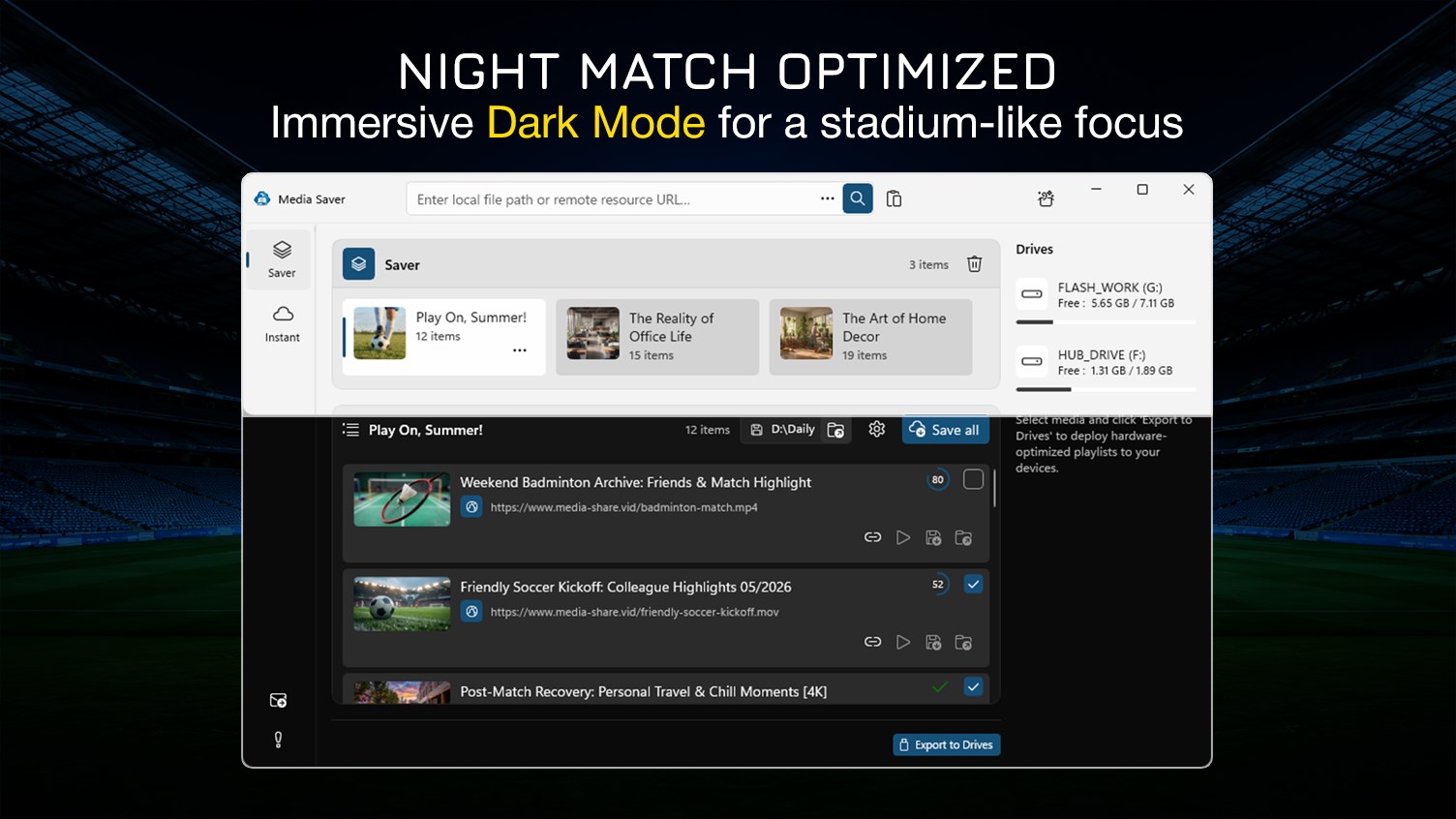
HD Video Downloader 4K - Media Saver ist ein Tool zum Herunterladen und Verwalten von Videos per Link auf dem PC, dessen Verarbeitung laut Anbieter vollständig lokal abläuft. Videos lassen sich in Auflösungen von 360p bis Full HD speichern, in der Premium-Version zusätzlich in 2K, 4K, 8K und 16K, mit vorgefertigten Profilen für ältere Geräte und moderne Systeme wie Smart-TVs. Dateien lassen sich per Klick auf USB-Sticks exportieren, mehrere Downloads gleichzeitig verarbeiten und in Ordnern organisieren, während die Premium-Version zudem die Extraktion von Audiospuren in Formaten wie MP3, WAV oder FLAC sowie unbegrenzte Sammlungen ohne Dateibeschränkung ermöglicht.
Originalbeschreibung des Entwicklers anzeigenOriginalbeschreibung ausblenden
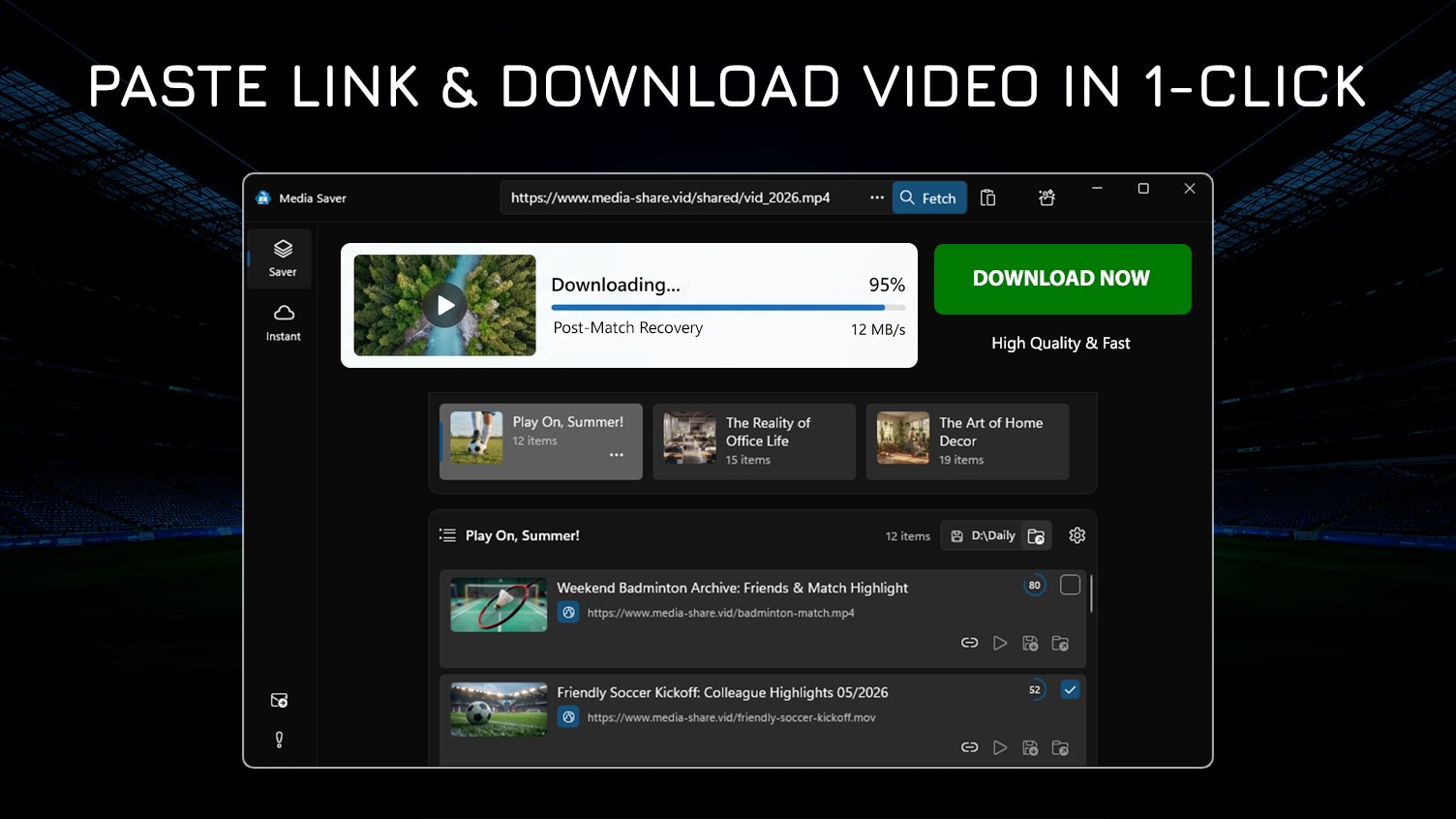
PASTE A VIDEO LINK TO DOWNLOAD IT INSTANTLY.
Capture high-resolution content from a wide range of web sources directly to your PC. If it is accessible in your browser, our tool helps you save it - instantly, securely, and in perfect fidelity.
Stop wasting time with tools that fail. Whether you are building an offline library for your Smart TV, car entertainment system, or mobile devices, Media Saver provides a fast, reliable, and secure way to process your content. Simply paste the link, and our engine handles the rest, ensuring your files are saved in the perfect format every time.
🔒 PRIVACY & SECURITY FIRST
All media processing is performed locally on your computer. Your personal recordings, private family moments, and curated athletic archives remain 100% private. We believe your history and file transfers are your own business; we do not track, monitor, or collect any personal data.
🎯 IDEAL FOR PERSONAL & PROFESSIONAL USE
• Sports & Fitness Fans: Build a high-quality library of your personal match recordings and training sessions. Perfect for analyzing your performance or reliving great moments with friends in a crisp, stutter-free format.
• Content Creators: Securely download and archive your own uploaded content and self-owned footage for repurposing, ensuring you never miss a moment when transforming your personal creations into trending stories or epic compilations.
• Educators & Students: Seamlessly download and optimize your cloud-based educational resources and self-hosted learning materials into high-quality offline libraries. Create a permanent archive for focused, distraction-free learning.
• Travelers & Commuters: Optimize and package your personal media assets to ensure seamless playback on portable devices or car entertainment systems. Perfect for saving your travel journeys to USB and sharing highlights with your family.
• Developers & QA: Organize and prepare your internal high-resolution test assets to verify media player performance and display capabilities across various devices with consistent professional-grade precision.
⭐ KEY FEATURES (FREE) ⭐
ADVANCED HARDWARE OPTIMIZATION
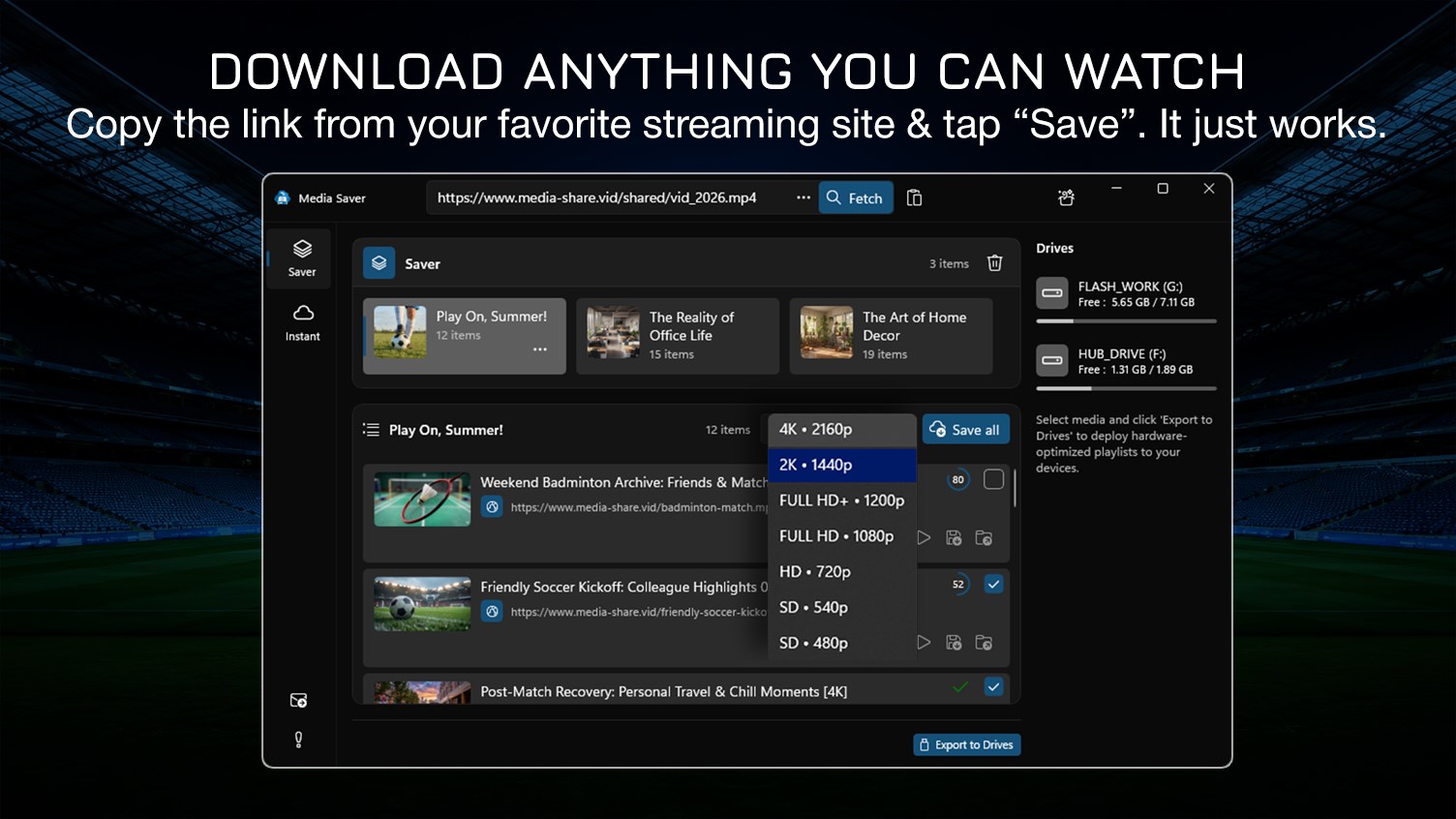
• Multi-Resolution Downloads: Download and save your videos in various resolutions: 360p, 480p, 720p, up to Full HD 1080p.
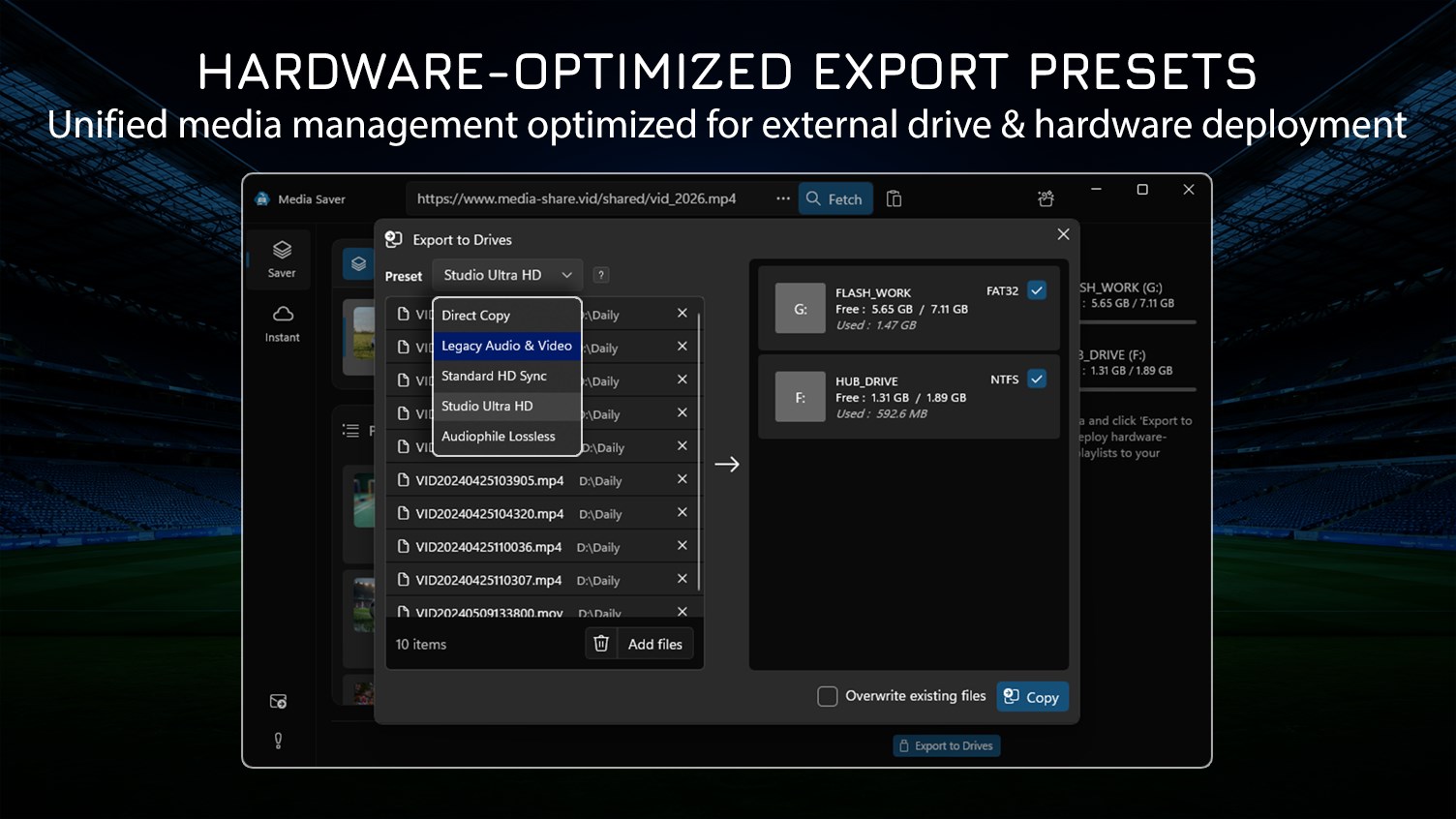
• Legacy Device Presets: Built-in profiles optimized with Standard Bitrate to ensure compatibility with older car systems, portable speakers, and legacy media players.
• Instant USB Export: One-click transfer of your downloaded and optimized assets to USB Flash Drives with universal filesystem support.
SMART MEDIA MANAGEMENT
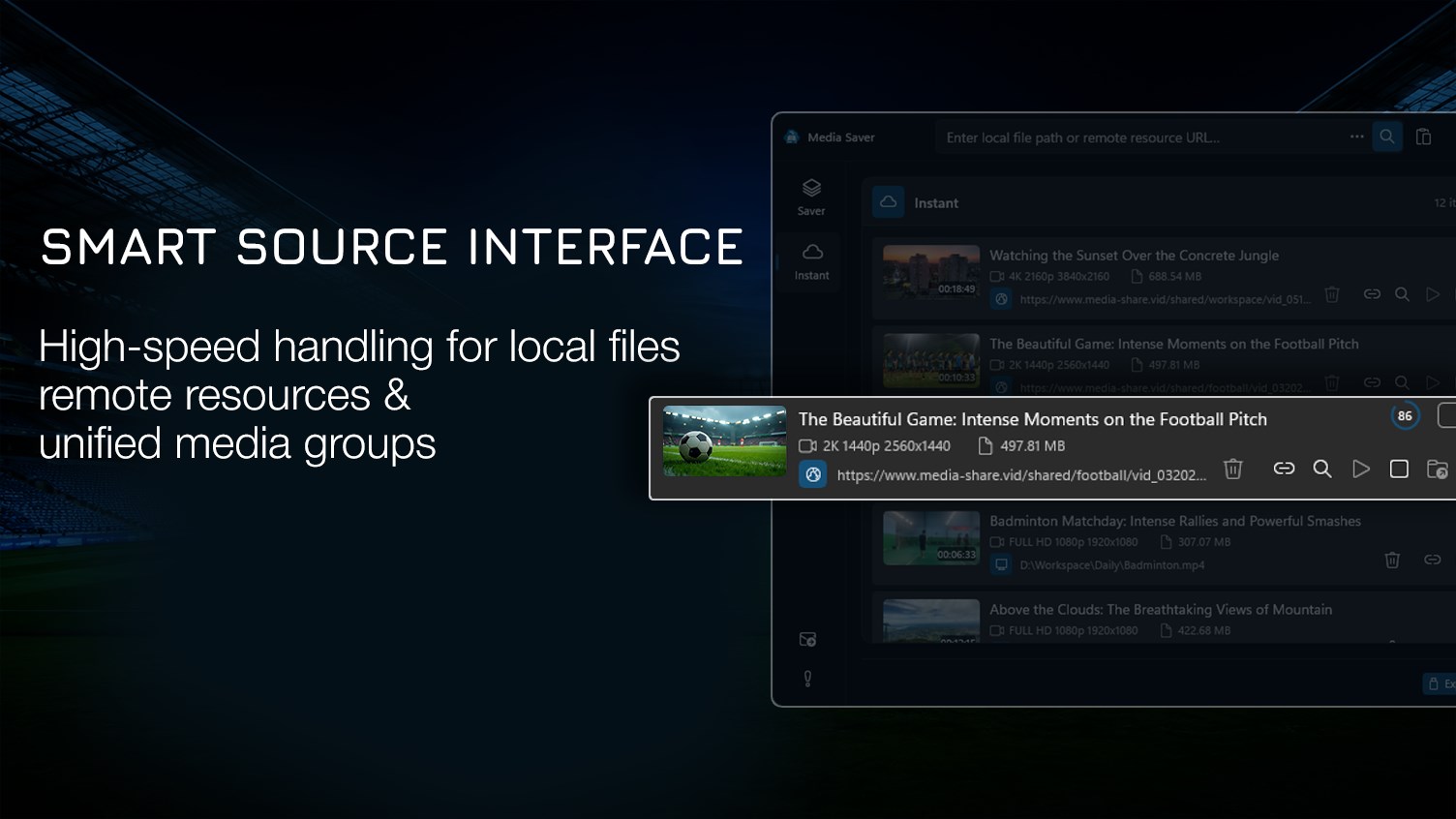
• Batch Processing: Support for multiple simultaneous download tasks to drastically increase your workflow efficiency when managing your files.
• Collection Management: Organize your downloaded personal resources into structured folders for clean offline access and local history tracking.
⭐ PREMIUM: THE 4K ORGANIZER HUB ⭐
PRO-GRADE HARDWARE PRESETS
• Ultra High Definition (UHD): Unlock professional resolutions including 2K, 4K, 8K, and up to 16K for crystal-clear playback.
• High-Bitrate Encoding: Specialized presets with Enhanced Bitrate for modern, high-performance hardware, ensuring no loss in visual or audio fidelity.
• Modern Infotainment Profiles: Advanced optimization for Modern Electric Vehicles (EVs), High-End Smart TVs (OLED/QLED), and Professional Home Cinema setups.
• Premium Audio Extraction: Isolate and save high-fidelity audio streams from your files in professional formats (MP3, WAV, FLAC) with customizable quality levels.
• Unlimited Collections: No limits on the number of files per collection or custom folder structures for your media library.
⚠️ USAGE & CONTENT DISCLAIMER
This application is a professional utility designed to help users download, manage, and optimize their personally owned media for offline use. While providing high-speed media saving capabilities for personal backup, this tool is NOT intended for the unauthorized acquisition or distribution of copyrighted content. Users are solely responsible for ensuring they have the legal right and full ownership of any content they process or save.
Media Saver is strictly intended for personal data backup and format conversion of user-owned digital assets. We do not provide, host, or facilitate access to copyrighted materials. Users are legally responsible for the content they process through this tool.
Store-URL für „HD Video Downloader 4K - Media Saver”
Falls es eine App-Version für iOS/Mac oder Windows gibt, die wir nicht kennen, füge den Store-Link hier ein — wir erkennen automatisch, welcher Store.
So findest du die URL:1. Die App im jeweiligen Store öffnen. 2.In der App-Store-App: auf das Teilen-Symbol tippen → „Link kopieren“. Im Browser: die URL aus der Adresszeile kopieren — sie enthält apps.apple.com/…/id… oder apps.microsoft.com/detail/…. 3. Hier einfügen.
Füge den Original-Link aus dem Apple App Store oder Microsoft Store ein. Wir holen alle Details automatisch.
So findest du die URL:
1. Die App im jeweiligen Store öffnen. 2.In der App-Store-App: auf das Teilen-Symbol tippen → „Link kopieren“. Im Browser: die URL aus der Adresszeile kopieren — sie enthält apps.apple.com/…/id… oder apps.microsoft.com/detail/…. 3. Hier einfügen.
Android-Apps können nur von ihren Entwicklern eingereicht werden.



 Fast Video Downloader - Media Grabber
Videos von Webseiten herunterladen und offline speichern
 Easy Tube Video Downloader - Mp4
YouTube-Videos im MP4-Format herunterladen
 MP3Cube – MP3 Musik Downloader & Video Downloader 4K
Musik und Videos in hoher Qualität herunterladen
 Video Downloader Standard
Videos von Websites in verschiedene Formate herunterladen
 OnionMedia - Videodownloader und Konverter
Video- und Audiodateien konvertieren und herunterladen
 Tuber - MP3 & Video Downloader
YouTube-Videos und Musik in bis zu 4K herunterladen