Mit der Registrierung bestätigst du, dass du mindestens 16 Jahre alt bist, und akzeptierst die AGB. Wie wir deine Daten verarbeiten, steht in der Datenschutzerklärung.
Screenshot erscheint nach ZustimmungScreenshot erscheint nach ZustimmungScreenshot erscheint nach ZustimmungScreenshot erscheint nach ZustimmungScreenshot erscheint nach ZustimmungScreenshot erscheint nach ZustimmungScreenshot erscheint nach ZustimmungScreenshot erscheint nach ZustimmungScreenshot erscheint nach Zustimmung
Zusammenfassung
HEIC to JPEG - The HEIC to JPG Converter ist eine Windows-Anwendung, die HEIC- und andere Bildformate in Formate wie JPEG, PNG, WebP, AVIF, BMP, ICO, TIFF, GIF, PDF oder JPEG XL umwandelt. Ein Express-Modus mit vorgegebenen Einstellungen ermöglicht schnelle Umwandlungen, während der erweiterte Arbeitsablauf jede Datei vor der Konvertierung anzeigt und detaillierte Einstellungen zu Qualität, Benennung, Metadaten und Ausgabeordner erlaubt. Die App verarbeitet einzelne Dateien, ganze Ordner oder große Stapel per Drag-and-Drop. Nach Angaben des Anbieters erfolgen alle Umwandlungen lokal auf dem PC, und die kostenlose Version konvertiert bis zu fünf Dateien gleichzeitig.
Originalbeschreibung des Entwicklers anzeigenOriginalbeschreibung ausblenden
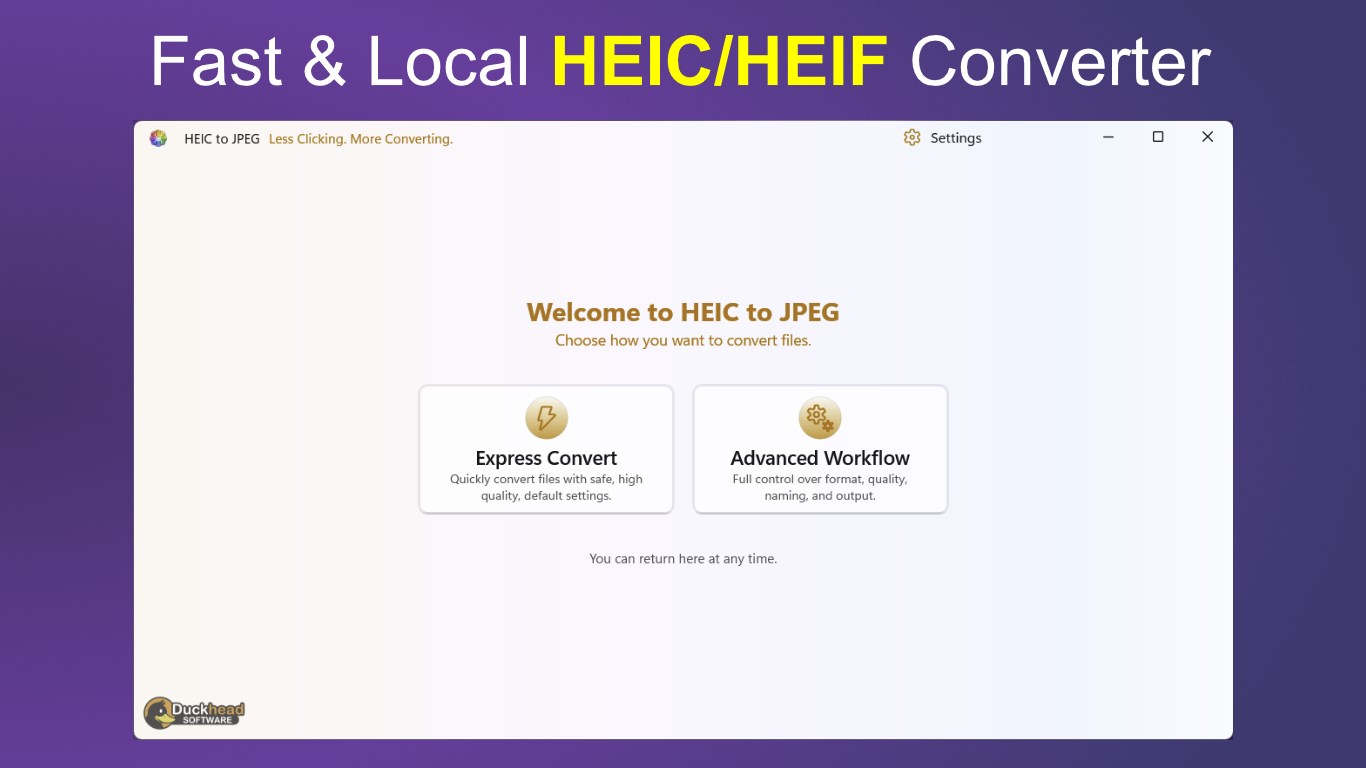
Less Clicking. More Converting.
Downloaded more than a million times and named a Microsoft Store App Awards finalist in both 2022 and 2023, HEIC to JPEG is a proven Windows image converter backed by more than 1,000 five-star reviews.
Convert a few HEIC photos quickly using Express Convert, or take complete control of formats, quality, naming, metadata and output organisation with the Advanced Workflow.
Choose the workflow that suits the job:
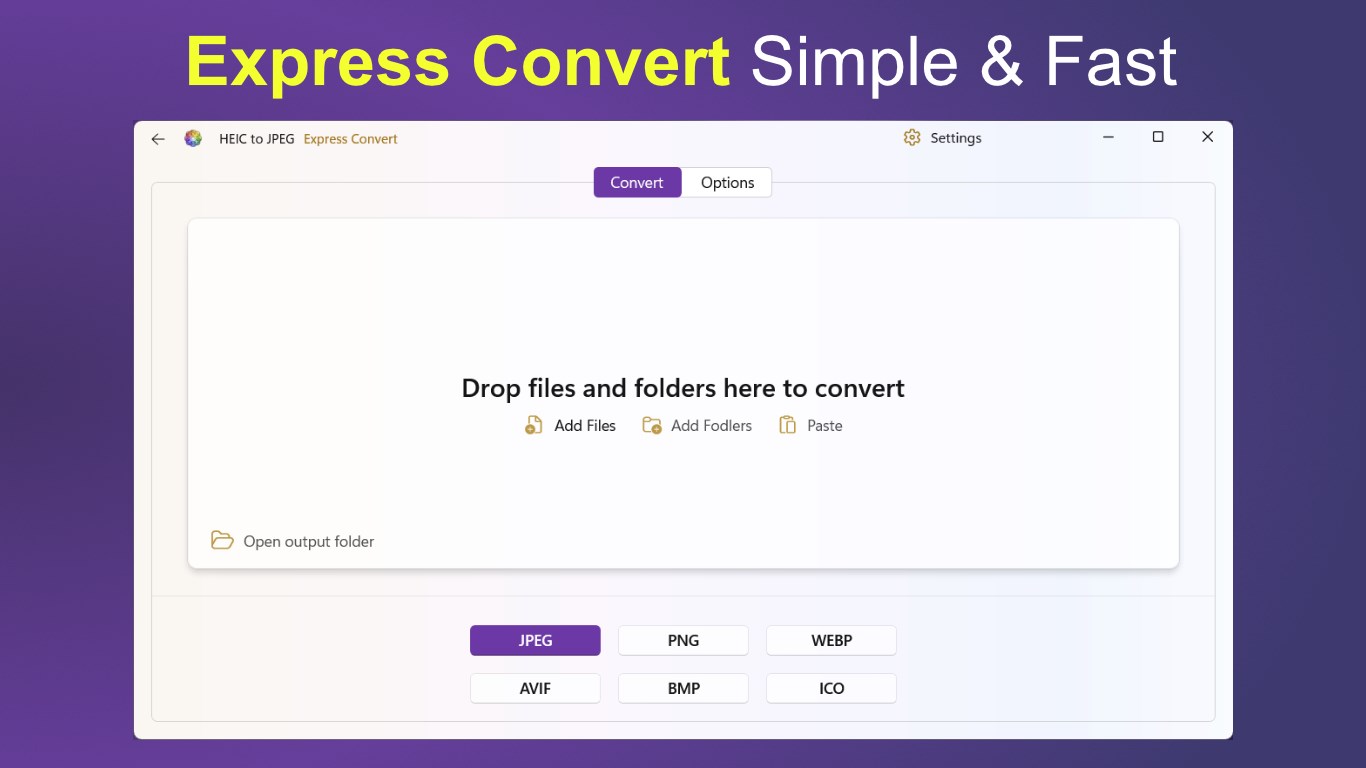
Express Convert
• Drop in files or folders, select an output format and start converting. Express Convert uses sensible settings to produce high-quality results with minimal effort.
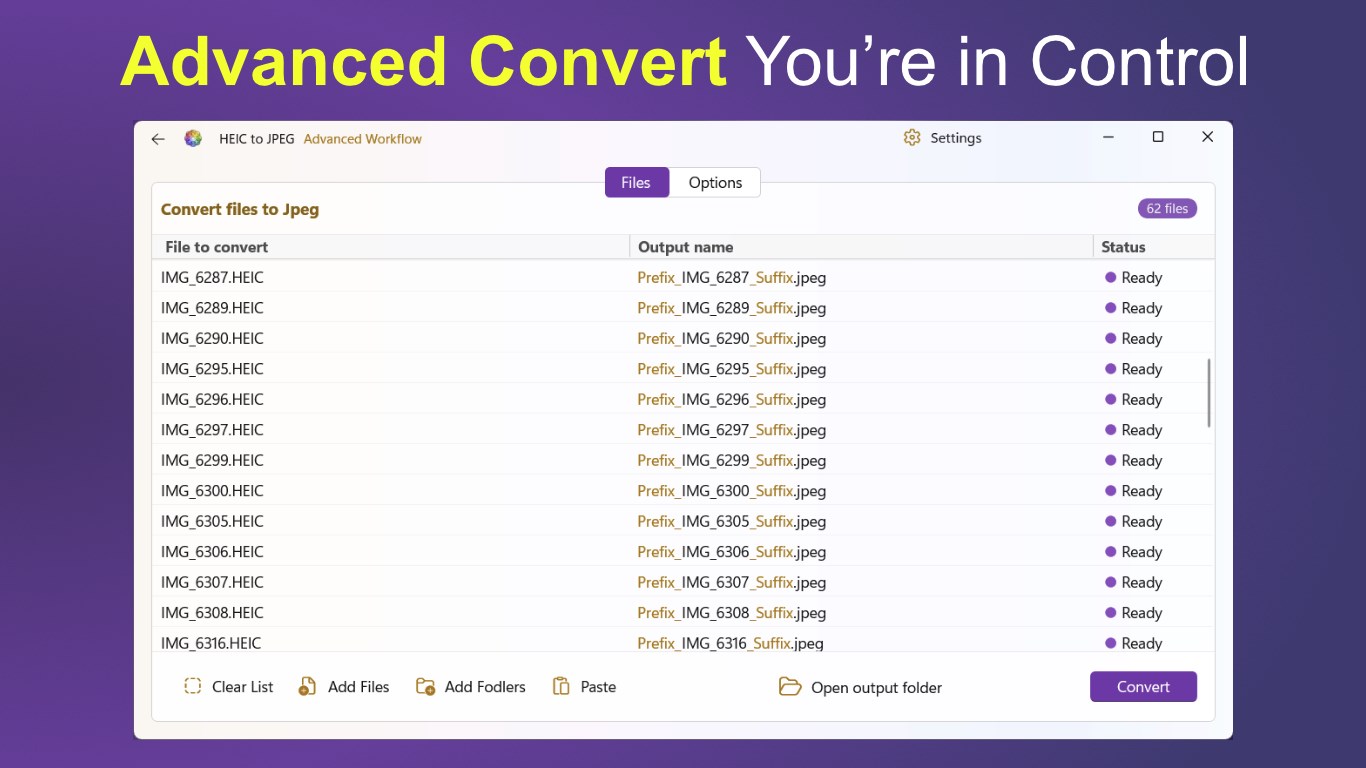
Advanced Workflow
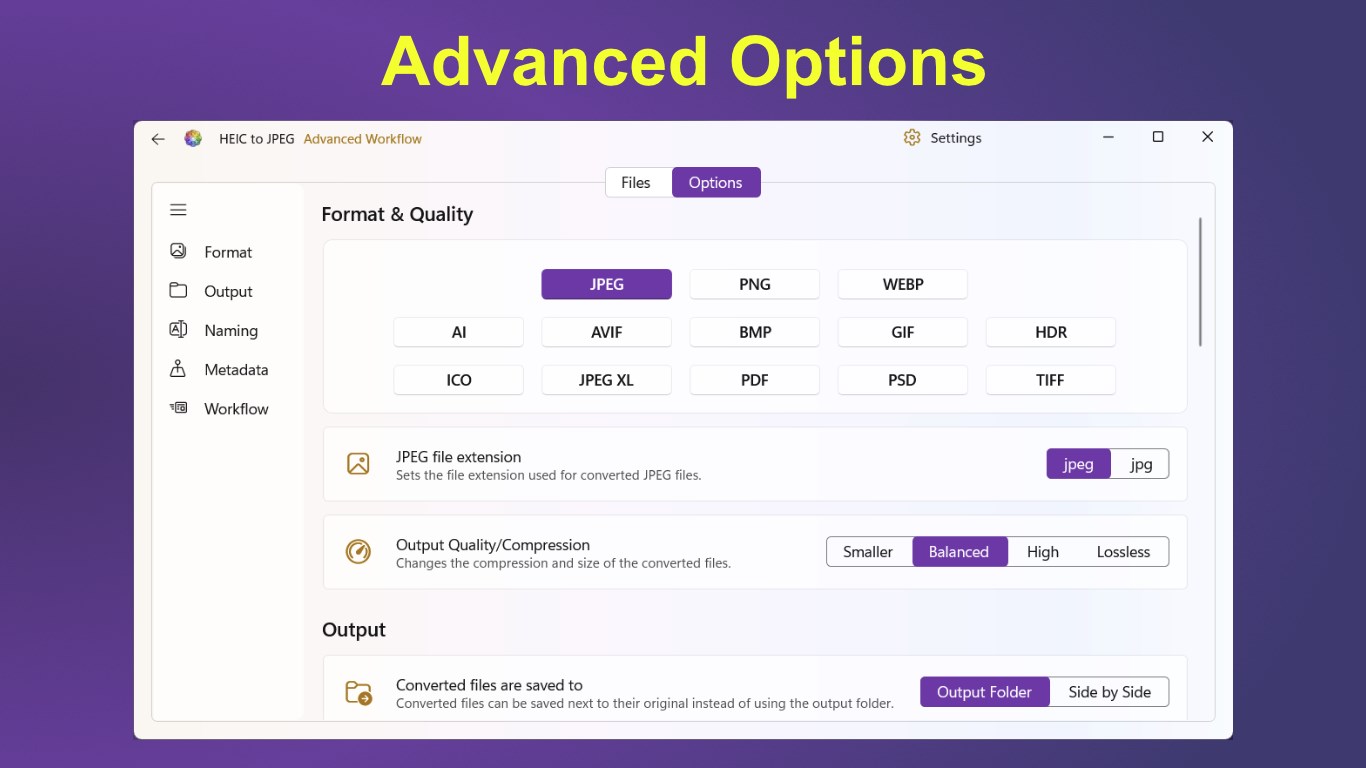
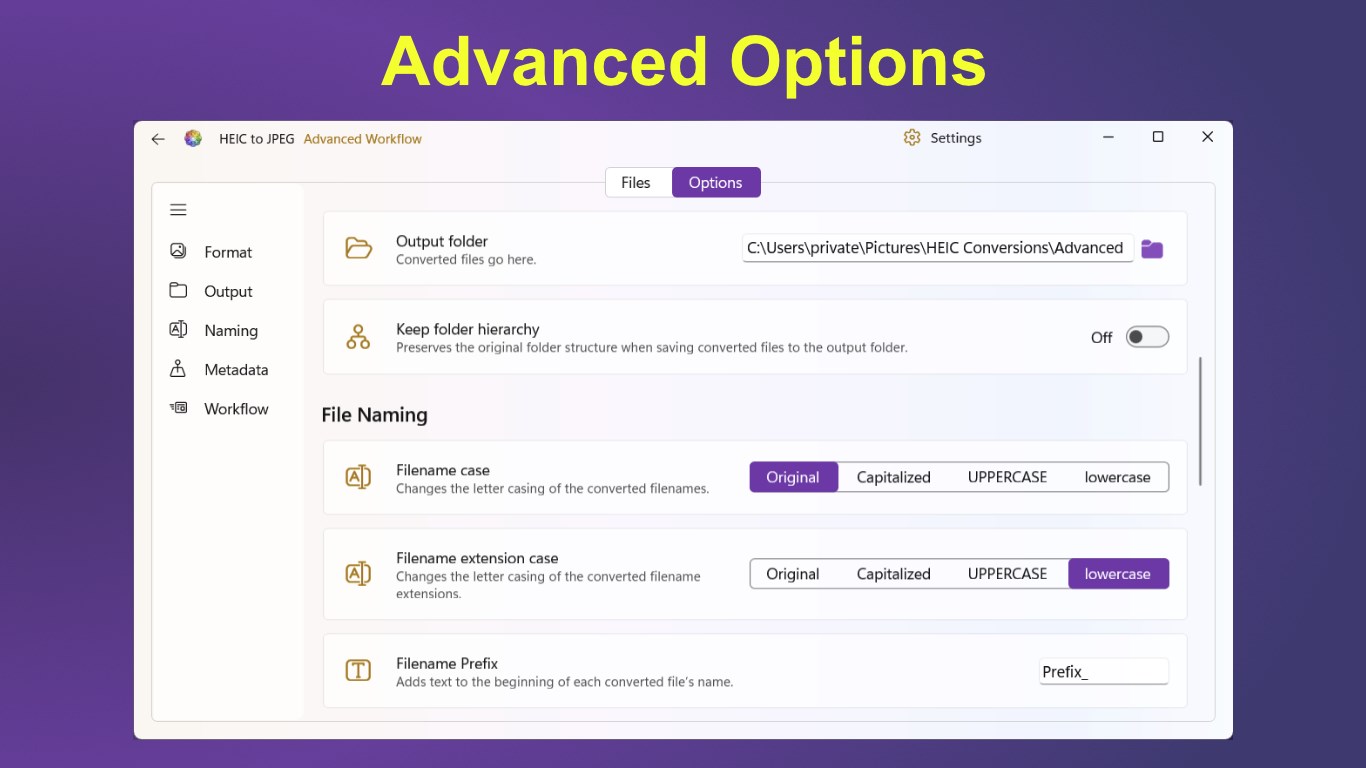
• See every file before conversion and preview its final output name. Adjust detailed conversion, naming, metadata and workflow options while the file list updates to reflect your choices.
Key features
• Convert individual files, large batches or complete folders
• Drag and drop files and folders directly into the app
• Add files, add folders or paste files from the clipboard
• Convert to JPEG, PNG, WebP, AVIF, BMP, ICO, TIFF, GIF, PDF, JPEG XL and other supported formats
• Convert from other formats as well as HEIC/HEIF
• Select output quality and compression
• Choose between .jpeg and .jpg file extensions
• Save files to an output folder or alongside the originals
• Preserve the original folder hierarchy
• Add filename prefixes and suffixes
• Change filename and extension letter casing
• Copy image metadata, including EXIF information
• Preserve original creation and modified dates
• Choose whether to overwrite, rename or skip existing files
• Skip cloud-only files that have not been downloaded
• Optionally delete originals after successful conversion
• View live progress and the status of every file
• Cancel a conversion safely at any time
• Open the output folder directly from the app
All conversions are performed locally on your Windows PC. Your images do not need to be uploaded to an online service.
Whether you need a straightforward HEIC-to-JPEG converter or a detailed batch image workflow, HEIC to JPEG gives you the tools without unnecessary complexity.
Try the complete conversion workflow with a limited number of files, then upgrade to the full version for unrestricted batch conversion. Free version is limited to converting 5 files at a time.
Store-URL für „HEIC to JPEG - The HEIC to JPG Converter”
Falls es eine App-Version für iOS/Mac oder Windows gibt, die wir nicht kennen, füge den Store-Link hier ein — wir erkennen automatisch, welcher Store.
So findest du die URL:1. Die App im jeweiligen Store öffnen. 2.In der App-Store-App: auf das Teilen-Symbol tippen → „Link kopieren“. Im Browser: die URL aus der Adresszeile kopieren — sie enthält apps.apple.com/…/id… oder apps.microsoft.com/detail/…. 3. Hier einfügen.
Füge den Original-Link aus dem Apple App Store oder Microsoft Store ein. Wir holen alle Details automatisch.
So findest du die URL:
1. Die App im jeweiligen Store öffnen. 2.In der App-Store-App: auf das Teilen-Symbol tippen → „Link kopieren“. Im Browser: die URL aus der Adresszeile kopieren — sie enthält apps.apple.com/…/id… oder apps.microsoft.com/detail/…. 3. Hier einfügen.
Android-Apps können nur von ihren Entwicklern eingereicht werden.




 HEIC to JPEG
HEIC/HEIF lokal in JPEG, PNG und weitere Formate umwandeln
 HEIC Converter - Any Image Convert
HEIC/HEIF-Bilder in PNG, JPG oder TIFF umwandeln
 HEIC Convert Pro - Image Converter
HEIC- und HEIF-Bilder schnell in JPG oder PNG umwandeln
 HEIC Converter | Heic to JPG
HEIC-Bilder lokal in JPG umwandeln
 Pro Image Converter: HEIC to JPEG
Bilder zwischen verschiedenen Formaten umwandeln
 HEIC to JPG Real Converter
HEIC-Dateien lokal in JPG, PNG oder BMP umwandeln