
HEIC Converter | Heic to JPG

HEIC-Bilder lokal in JPG umwandeln KI-Zusammenfassung
Rang 1138
0 Aufwertungen, 0 Abwertungen
▲
0
▼
HEIC Converter | Heic to JPG gibt es nicht für Android und Apple — oder doch? URL einreichen
Diese App ist nicht in einer deutschen Sprachversion verfügbar.
Screenshots
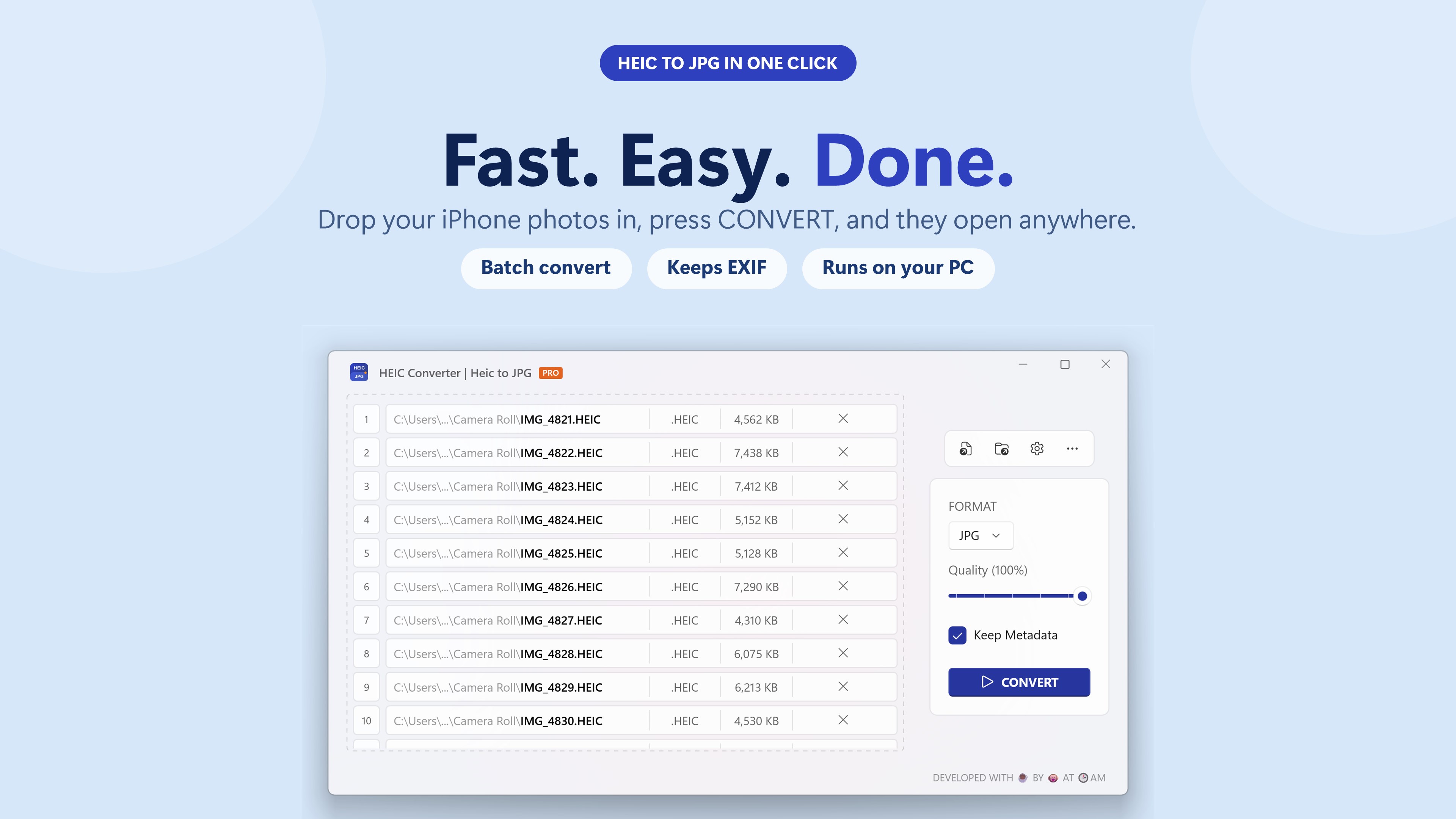
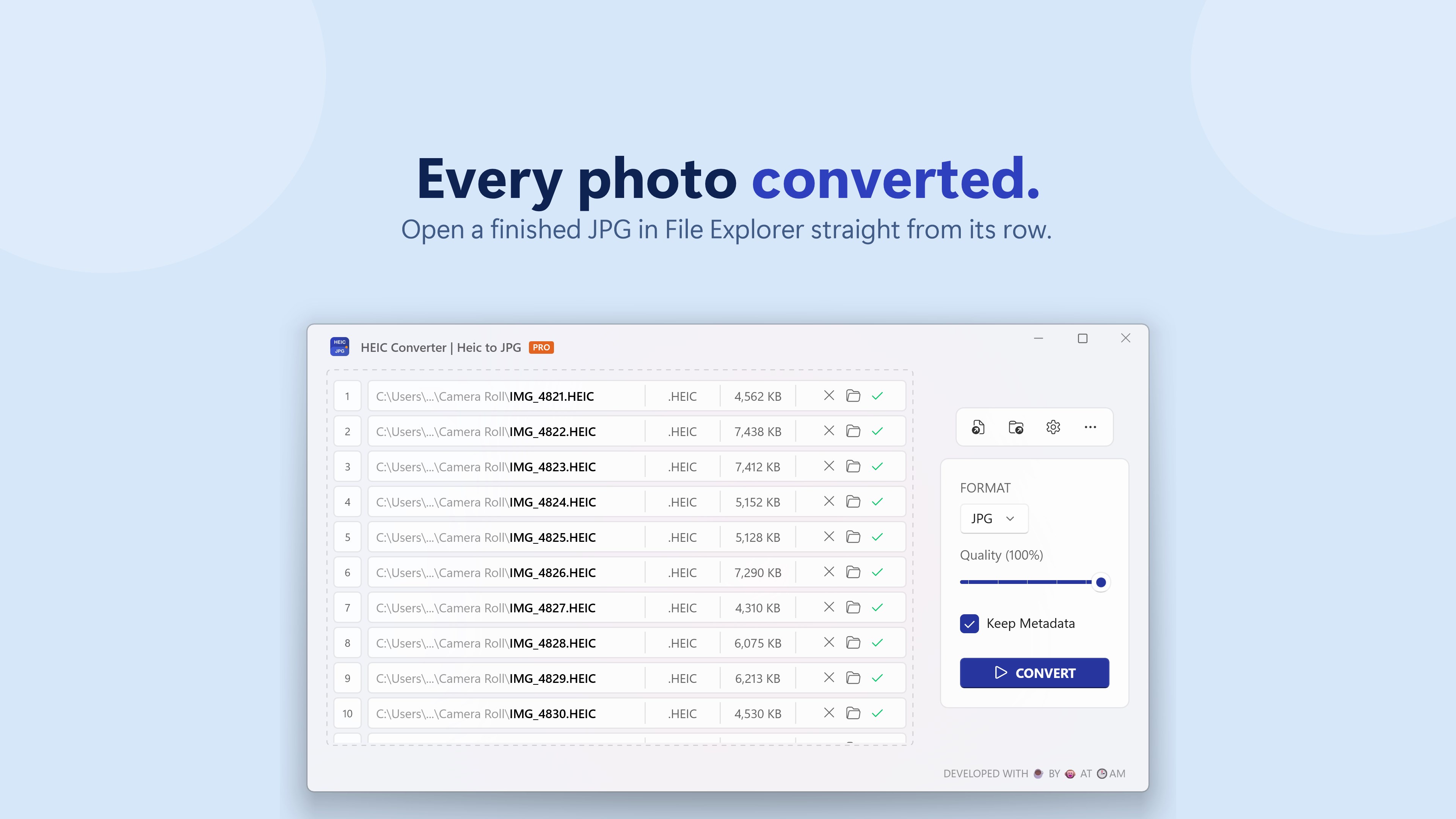
Screenshot 1 von HEIC Converter | Heic to JPG auf WindowsScreenshot
erscheint nach Zustimmung
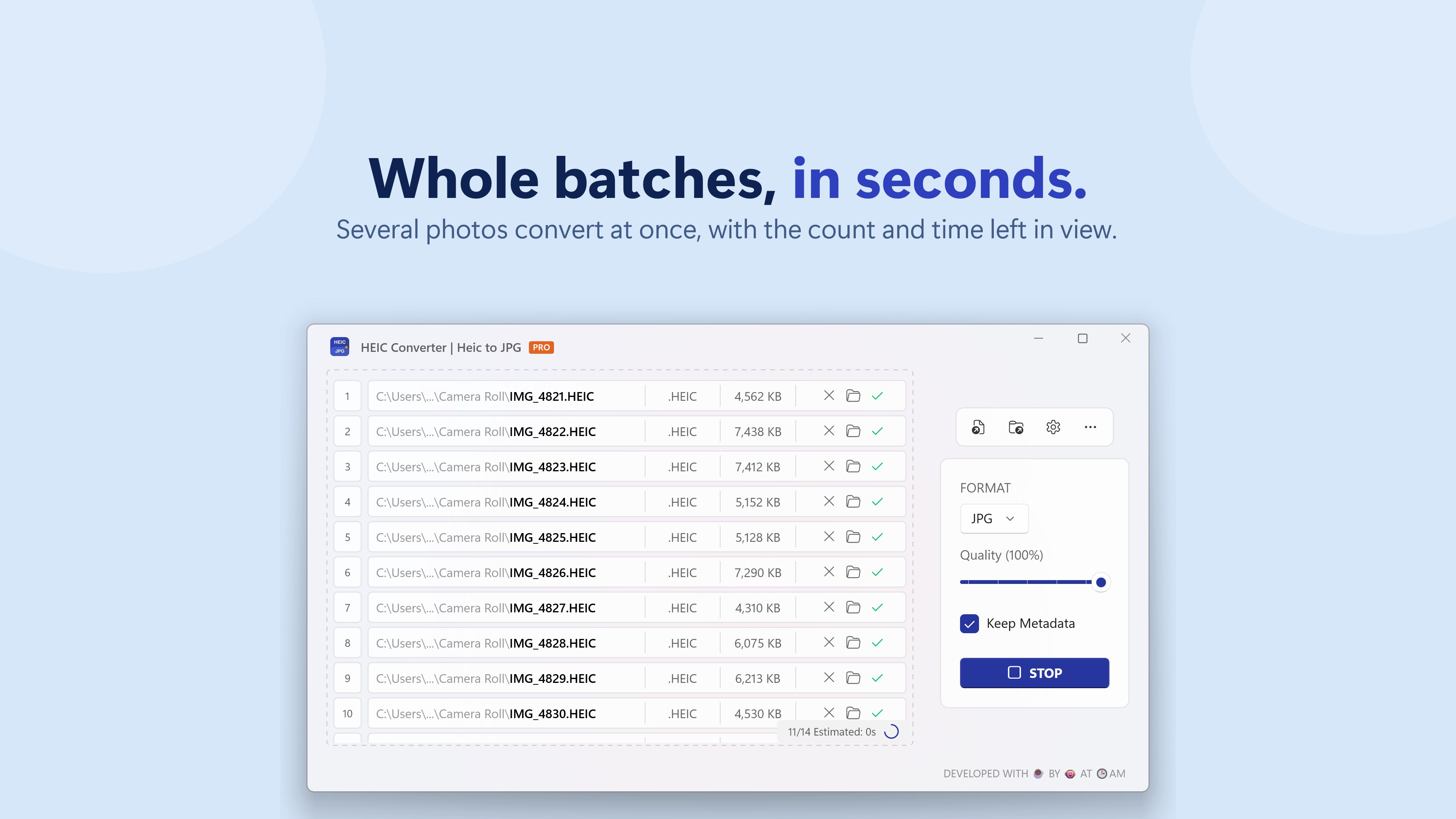
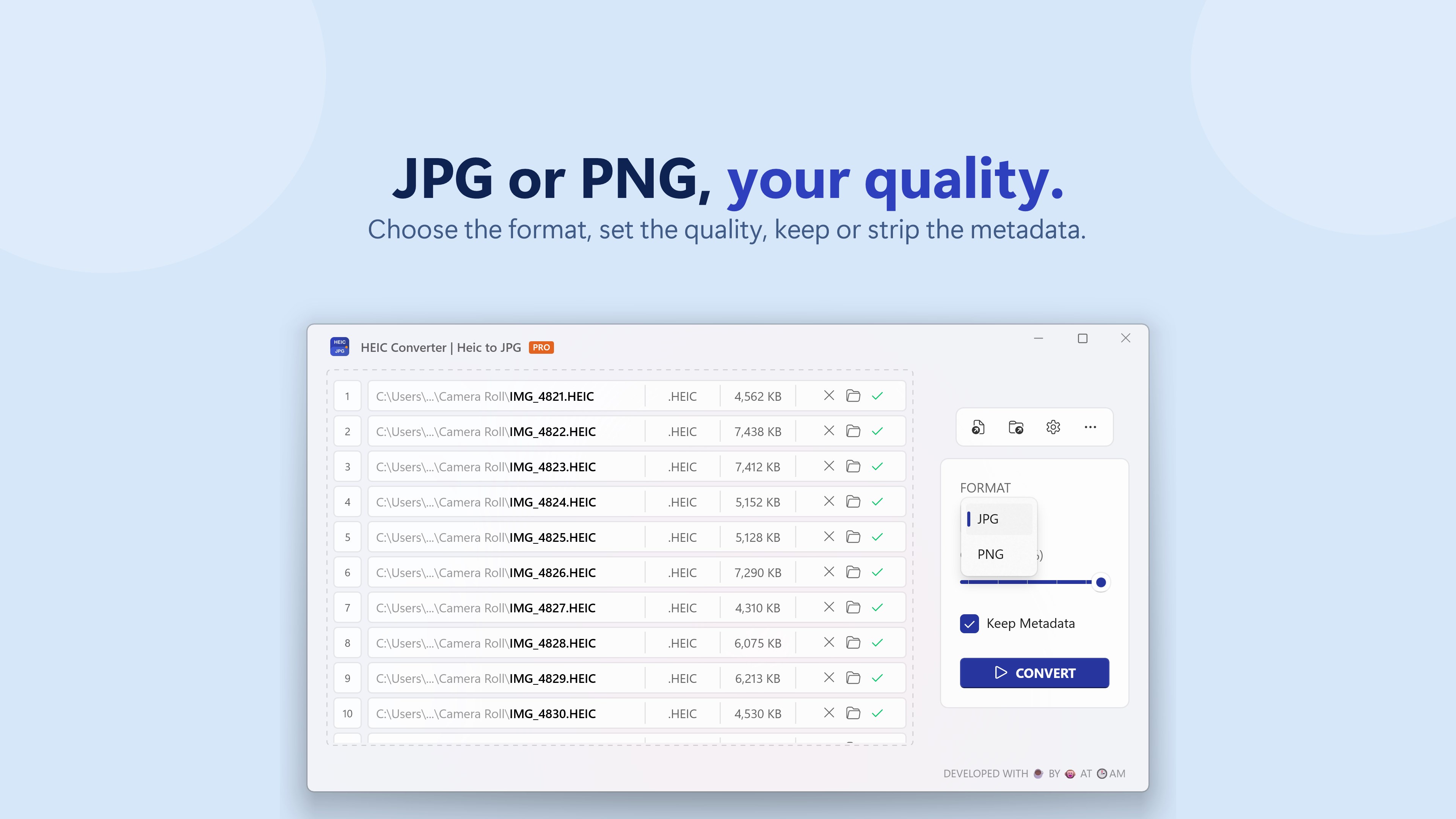
Screenshot 2 von HEIC Converter | Heic to JPG auf WindowsScreenshot
erscheint nach Zustimmung
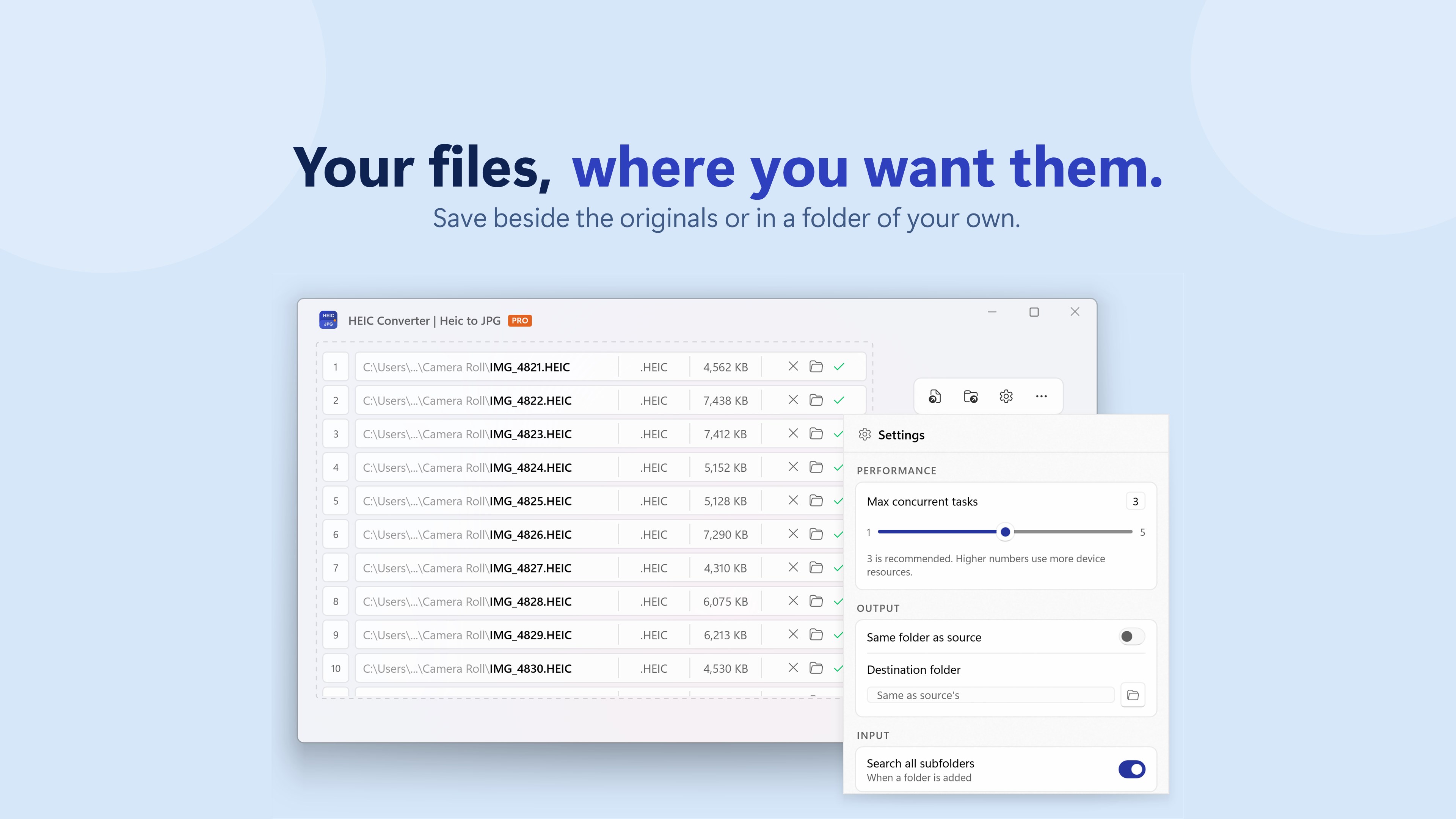
Screenshot 3 von HEIC Converter | Heic to JPG auf WindowsScreenshot
erscheint nach Zustimmung
Screenshot 4 von HEIC Converter | Heic to JPG auf WindowsScreenshot
erscheint nach Zustimmung
Screenshot 5 von HEIC Converter | Heic to JPG auf WindowsScreenshot
erscheint nach Zustimmung
Screenshot 6 von HEIC Converter | Heic to JPG auf WindowsScreenshot
erscheint nach Zustimmung
Zusammenfassung
HEIC Converter | Heic to JPG ist eine App, die HEIC-Fotos von iPhone oder Android in JPG- oder PNG-Bilder umwandelt. Fotos lassen sich per Drag-and-drop oder als ganzer Ordner einfügen und mit einem Tastendruck konvertieren, ohne vorherige Einrichtung oder Konto. Beim Speichern steht ein Qualitätsregler zur Verfügung, und EXIF-Daten wie Aufnahmedatum, Kameramodell und Standort bleiben erhalten. Nach Angaben des Anbieters läuft jede Umwandlung lokal auf dem eigenen Rechner ohne Internetverbindung und ohne Upload, wobei die kostenlose Version bis zu drei Fotos pro Durchgang konvertiert.
Originalbeschreibung des Entwicklers anzeigenOriginalbeschreibung ausblenden
Convert HEIC to JPG with ease — fast, simple, and built for exactly that. Drag and drop your photos, press CONVERT, and you're done. HEIC Converter turns your iPhone, Android photos into JPG or PNG images that work on every device, website and app you use. No setup, no accounts, no options to figure out first — the defaults are already right. • Drag and drop, or pick a whole folder • Save as JPG or PNG, with a quality slider when you want it • Keeps your EXIF — dates, camera info and location come along • Handles multi-image and spatial HEIC files from newer iPhones • Converts many photos at once, in parallel YOUR PHOTOS NEVER LEAVE YOUR PC Every conversion runs locally on your own machine. Nothing is uploaded, nothing is stored on a server, and the app works with no internet connection at all. FREE AND PRO Free converts 3 photos per run — the same quality, the same formats, the same features. Pro removes the batch limit so you can convert a whole folder in one press. That's the only difference, and future Pro features are included at no extra cost.
Technische Details zu HEIC Converter
Kategorie
Altersfreigabe
Preis
Größe
8,0 MB
Zuletzt aktualisiert im Microsoft Store
09.11.2026
App-Store-Bewertung
4.8 ★
Geräte
HEIC Converter in den Bestenlisten
App verwalten

Gehörst du zum Entwicklerteam von HEIC Converter?

Verifiziere dich und verwalte euren Eintrag auf Most Voted Apps.

HEIC Converter kostenlos verifizieren
Die Verifizierung dauert in der Regel nur wenige Minuten.
Ähnliche Apps wie HEIC Converter