Audio Converter - Any Audio Converter ist eine App, die Audiodateien in verschiedene Formate umwandelt. Sie eignet sich, um Musikdateien für unterschiedliche Geräte anzupassen, Dateigrößen zu verkleinern oder Aufnahmen kompatibel zu machen. Die Verarbeitung erfolgt nach Angaben des Anbieters lokal auf dem Gerät, ohne Upload auf einen Server. Die kostenlose Version unterliegt Einschränkungen bei Dauer und Format, während die Pro-Version die Stapelverarbeitung, den vollen Funktionsumfang und unbegrenzte Konvertierungen bietet und sich damit besonders für Nutzer mit höheren Anforderungen an die Konvertierung eignet.
Originalbeschreibung des Entwicklers anzeigenOriginalbeschreibung ausblenden
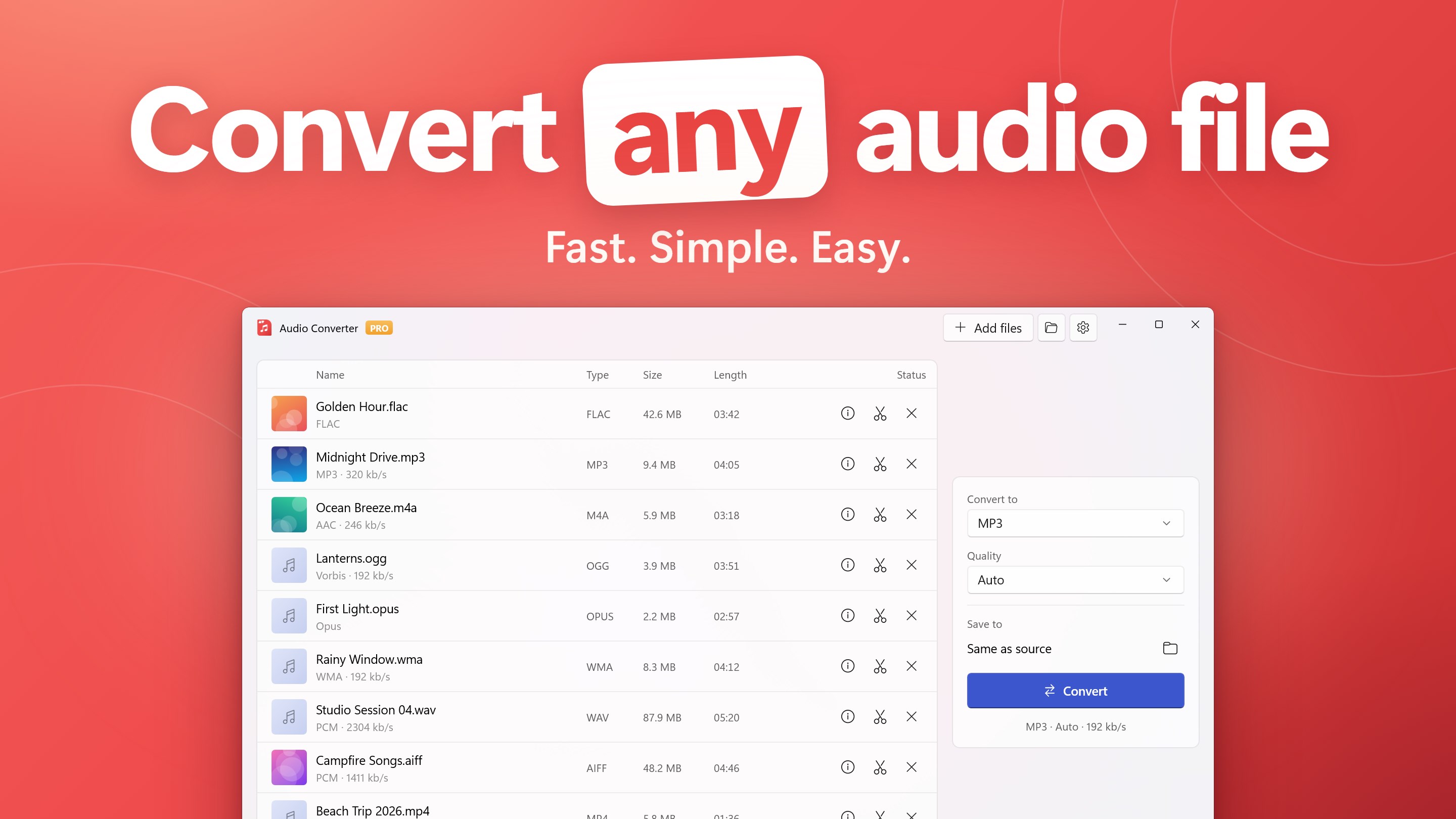
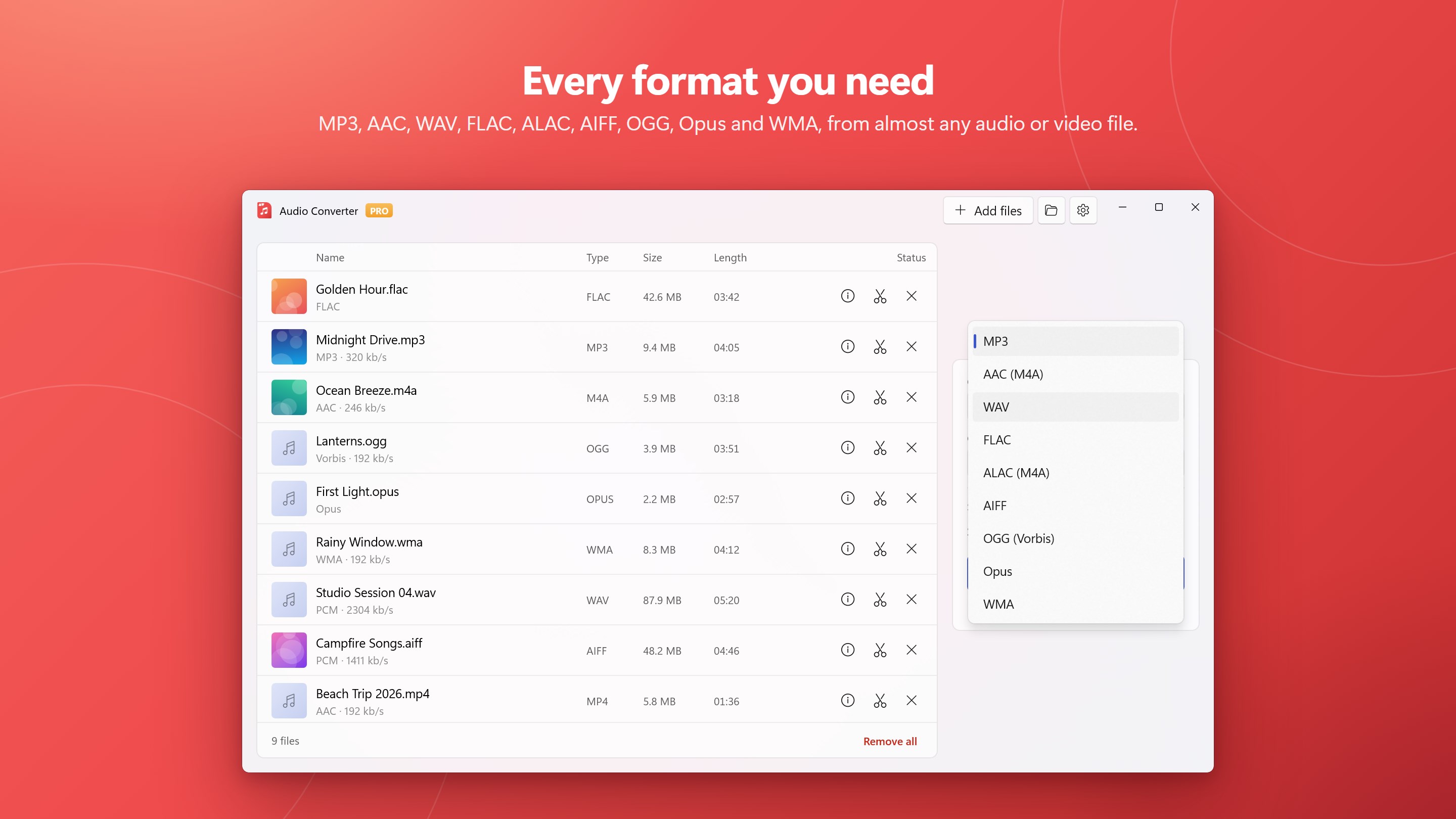
Audio Converter converts any audio or video file to MP3, WAV, FLAC, M4A (AAC), OGG, Opus, WMA, AIFF or ALAC, and it is fast, simple and easy. Drop your files in, pick a format and press Convert: no sign-up, no upload, no settings you have to understand first.
Everything runs on your own PC, so your files stay private, big files don't wait on an internet connection, and it works offline.
CONVERTS ALMOST ANYTHING
• Music and recordings: MP3, M4A, AAC, WAV, FLAC, ALAC, AIFF, OGG, Opus, WMA, AC3, DTS, AMR, APE, CAF, AU, MP2 and many more
• Video to audio: pull the soundtrack out of MP4, MKV, MOV, AVI, WMV, WebM and other video files
• Old and unusual files: voice-recorder and telephony formats (DSS, VOX, G.711, raw PCM), ATRAC, 8SVX, and tracker modules such as MOD, XM, IT and S3M (tracker modules on 64-bit Intel/AMD PCs)
• If a file has sound in it, Audio Converter can probably open it
SIMPLE BY DESIGN
• Drag and drop files or whole folders
• One format picker, one quality picker, one Convert button
• "Auto" quality chooses sensible settings for every file
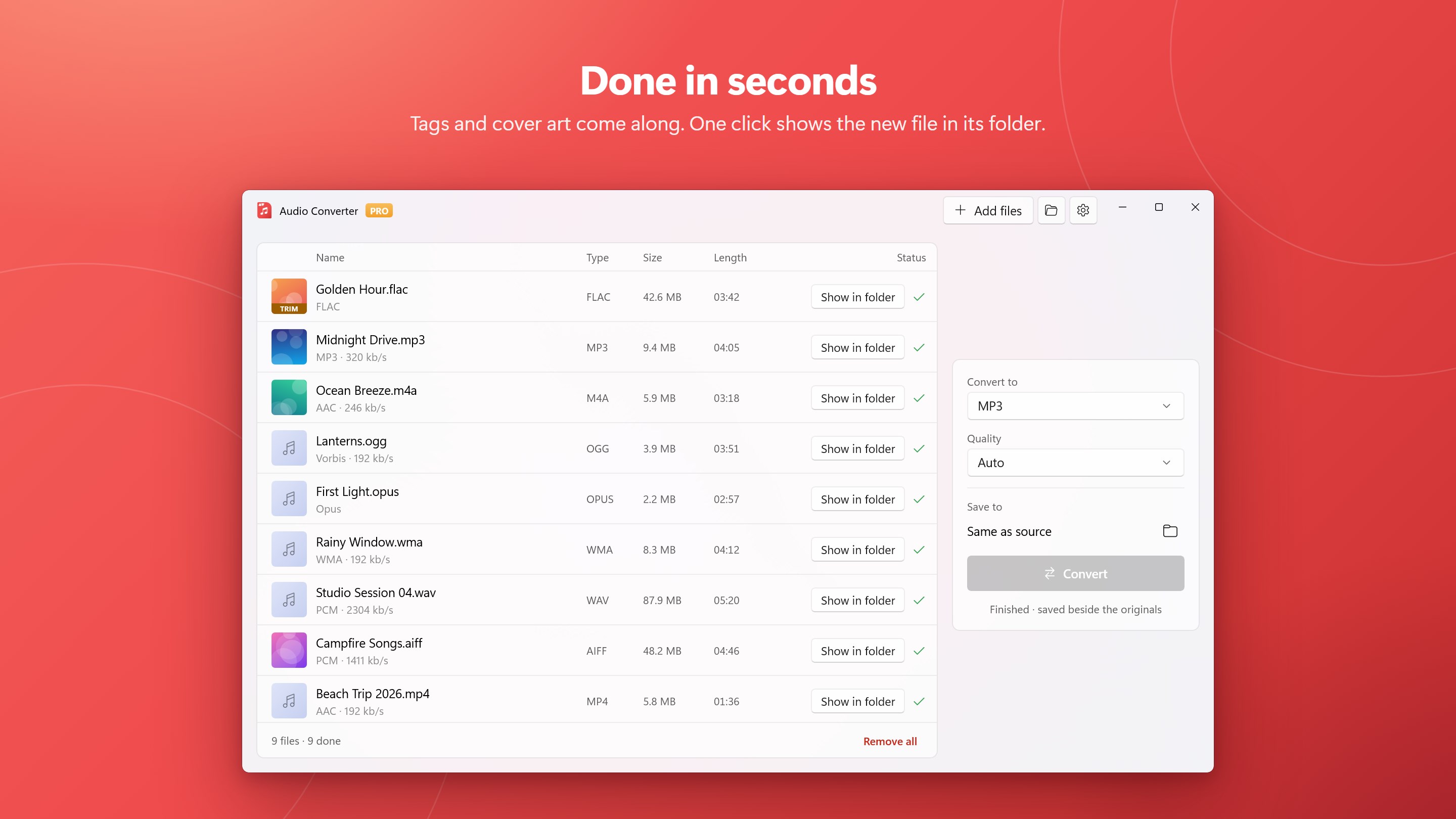
• New files are saved beside the originals, or in any folder you choose
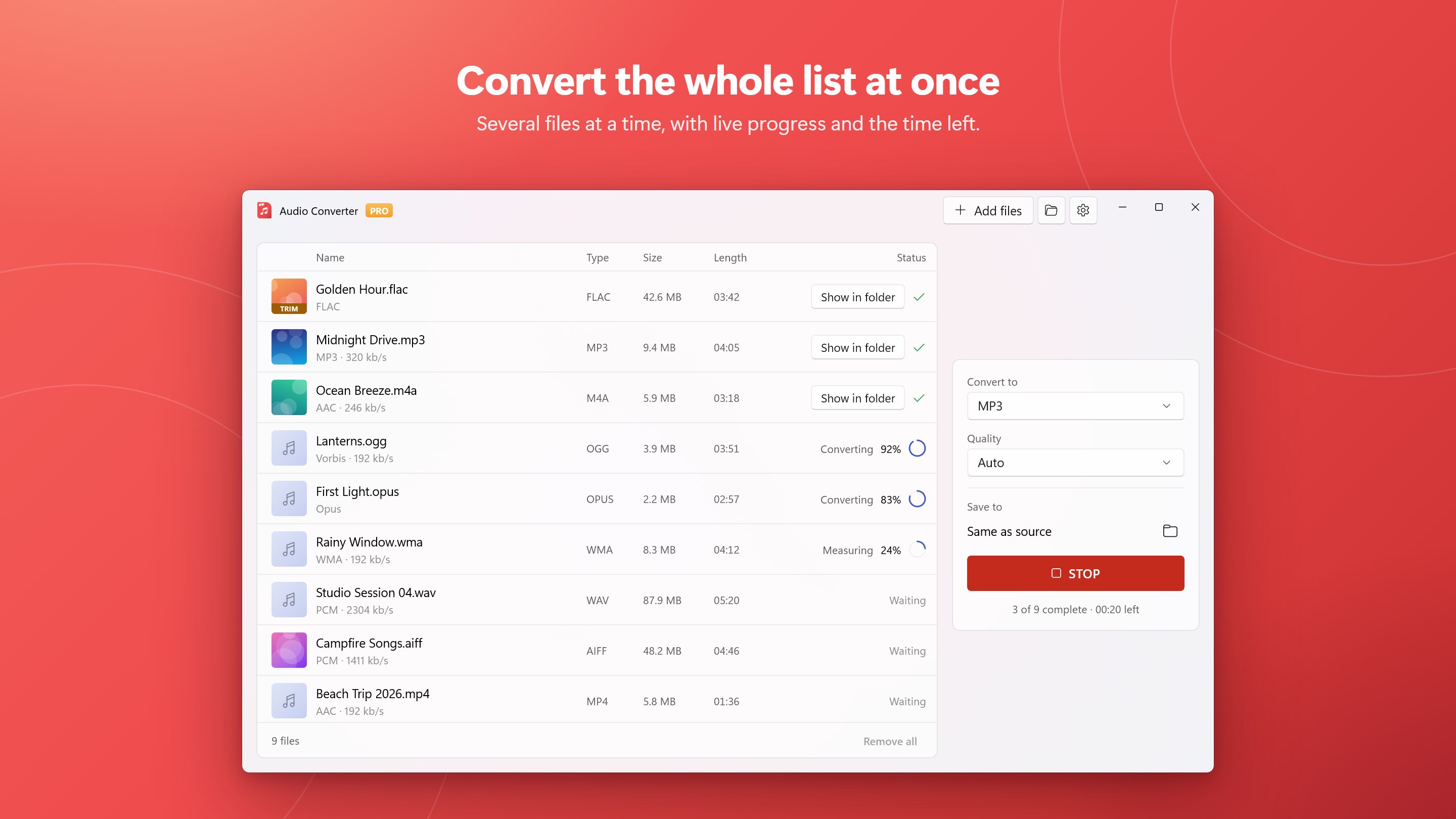
• A clear list shows each file's format, size, length and progress
FAST
• Audio that is already in the format you picked is copied instead of re-encoded: instant and lossless
• Convert several files at the same time and use all of your processor (Pro)
KEEPS WHAT MATTERS
• Title, artist, album and other tags carry over
• Cover art is kept where the format can hold it (MP3, M4A, FLAC, AIFF)
• Original file dates can be kept
• Files you already converted can be skipped
MORE WHEN YOU NEED IT
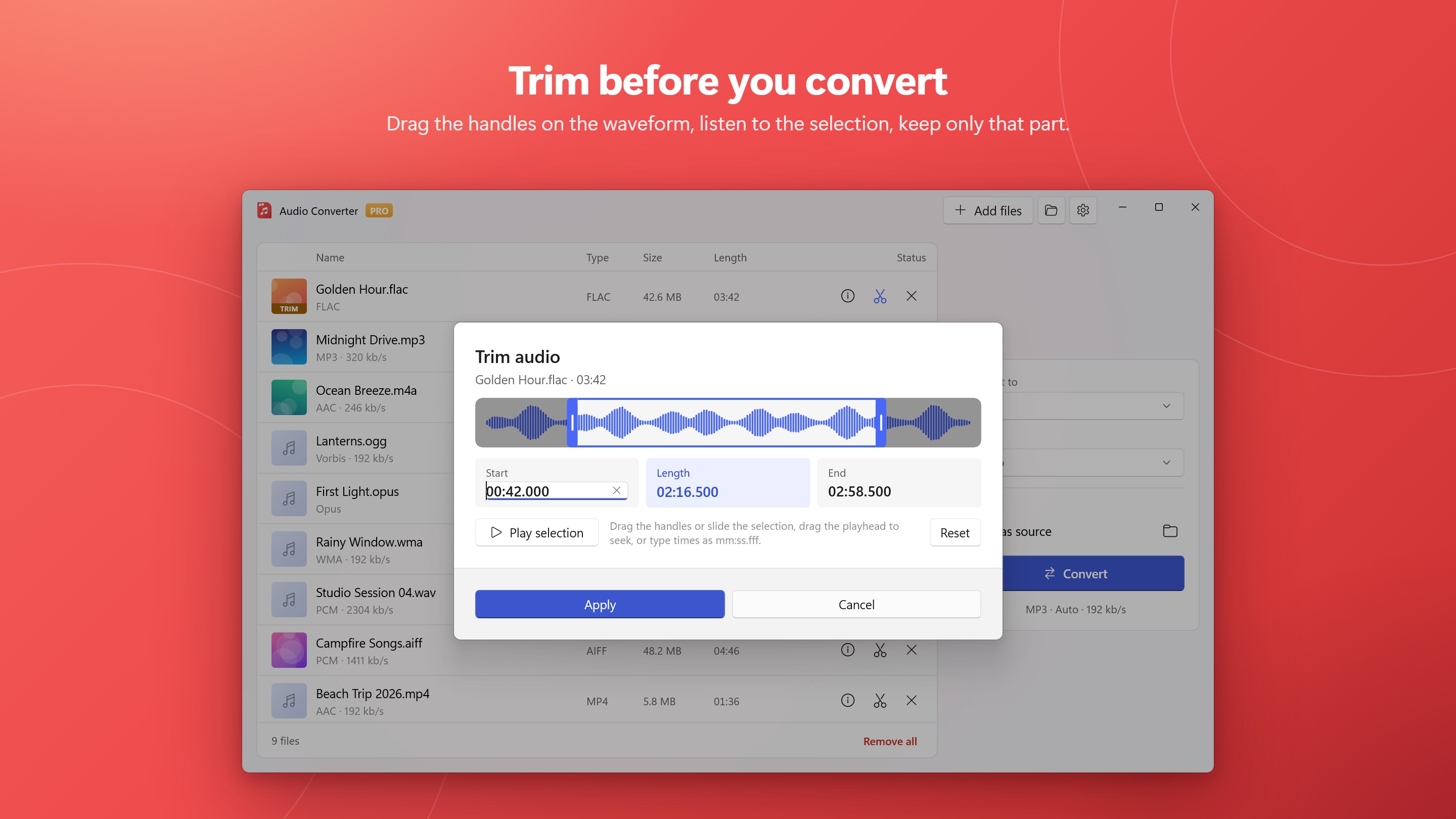
• Trim: drag the start and end, listen to the selection, and convert only that part
• Quality presets from Low to Max, or set the sample rate, channels, bitrate, bit depth and VBR yourself (Pro)
• Loudness normalization: every file at the same volume, measured and adjusted in two passes to the EBU R128 standard, with an album mode that keeps quiet tracks quiet (Pro)
• When the batch is finished, the PC can sleep, shut down or restart (Pro)
• Light and dark themes that follow Windows
FREE AND PRO
Free converts every ordinary audio and video file to MP3, WAV, AAC (M4A), FLAC and OGG at every quality preset, with no length limit and no watermark, two files per press.
Pro converts your whole list in one press, up to 5 files at a time, and adds Opus, ALAC, AIFF and WMA output, custom quality, loudness normalization, the when-finished actions, and the special inputs (VOX, G.711, raw audio, Codec 2, and audio books). Pro is a one-time purchase or a subscription, your choice.
Questions or a file that will not convert? Settings → Send feedback reaches us directly.




 Audio Converter Any Format
Audiodateien konvertieren, schneiden und Einstellungen
 Video Converter‘
Video- und Audiodateien in andere Formate umwandeln
 Audio Converter - Mp3 Converter
Audioformate schnell konvertieren und Audio aus Videos
 Video Converter - Any Video Converter
Videos in verschiedene Formate umwandeln
 EZ CD Audio Converter Free
Audiodateien konvertieren, CDs rippen und Discs brennen
 My MP3 Converter
Audio- und Videodateien in MP3 umwandeln