Mit der Registrierung bestätigst du, dass du mindestens 16 Jahre alt bist, und akzeptierst die AGB. Wie wir deine Daten verarbeiten, steht in der Datenschutzerklärung.
Screenshot erscheint nach ZustimmungScreenshot erscheint nach ZustimmungScreenshot erscheint nach ZustimmungScreenshot erscheint nach ZustimmungScreenshot erscheint nach ZustimmungScreenshot erscheint nach ZustimmungScreenshot erscheint nach ZustimmungScreenshot erscheint nach ZustimmungScreenshot erscheint nach Zustimmung
Zusammenfassung
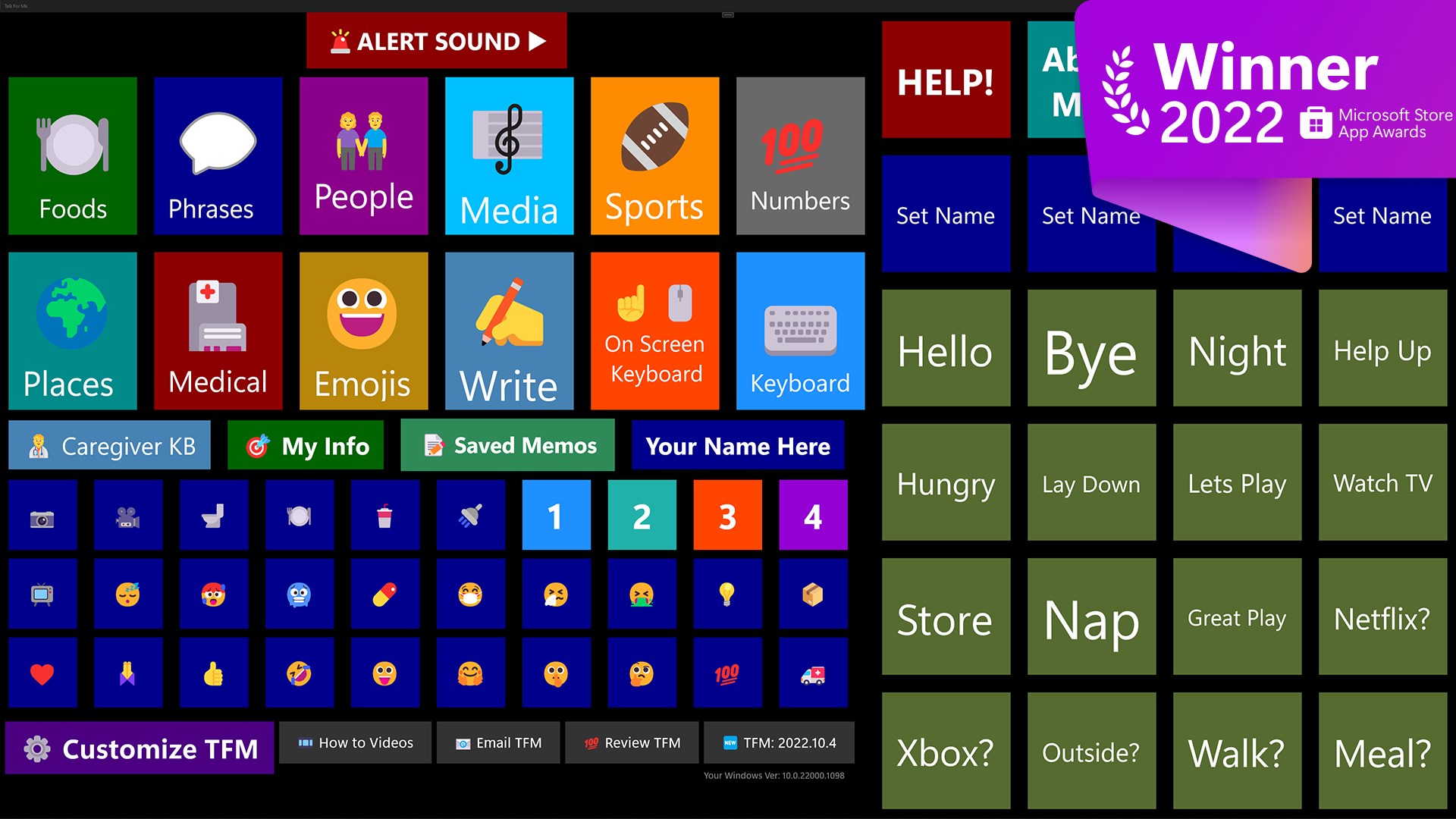
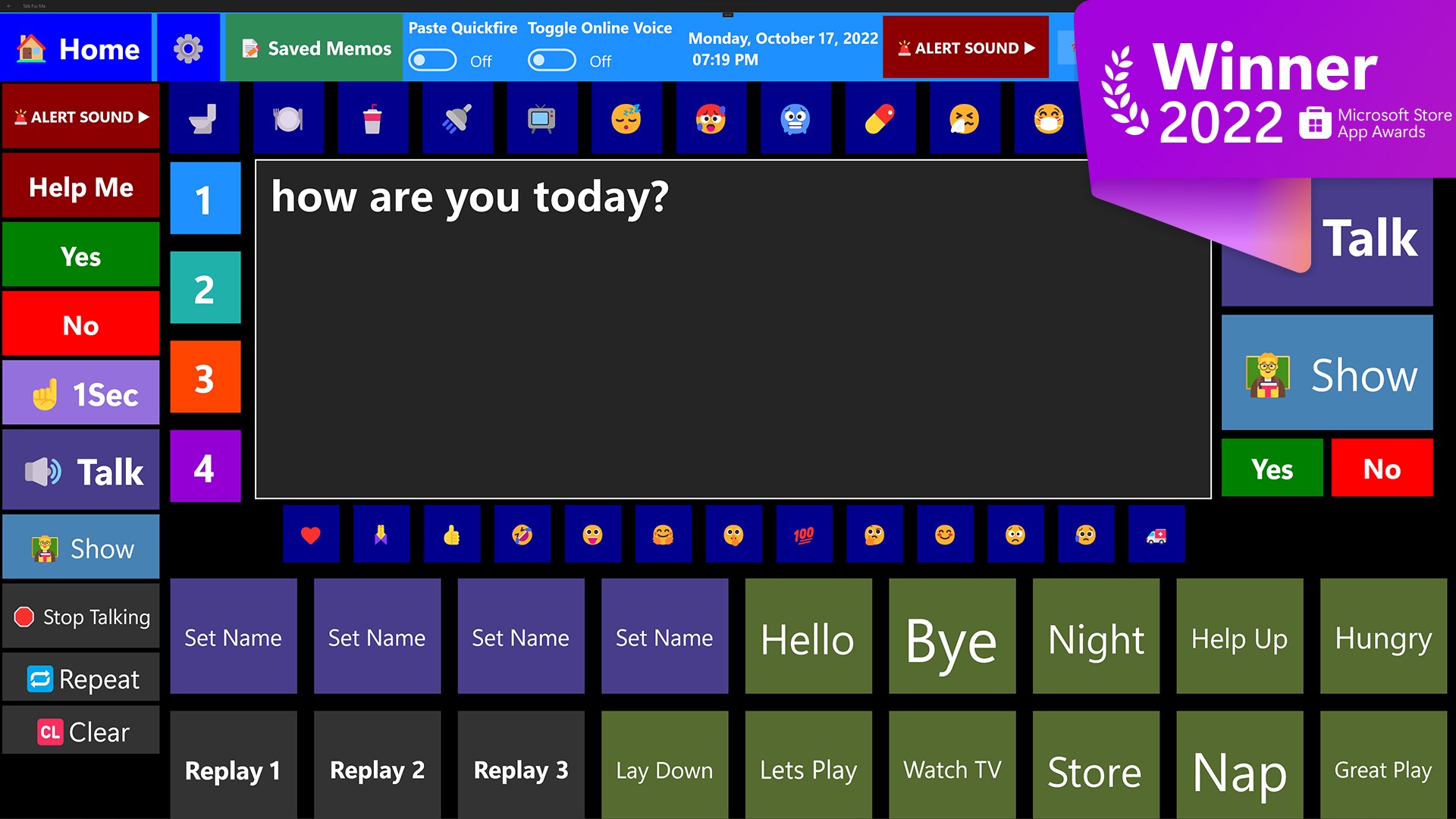
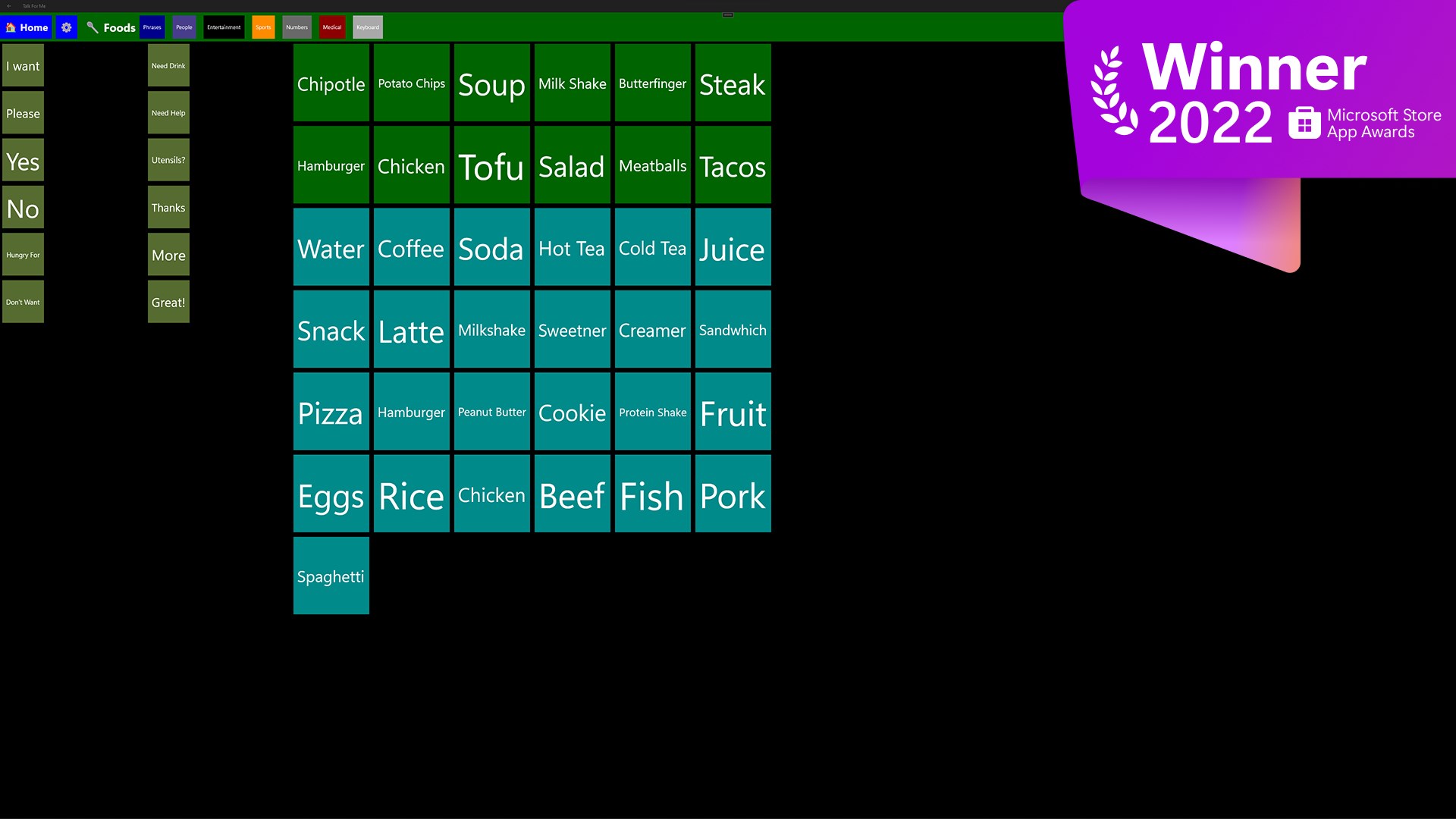
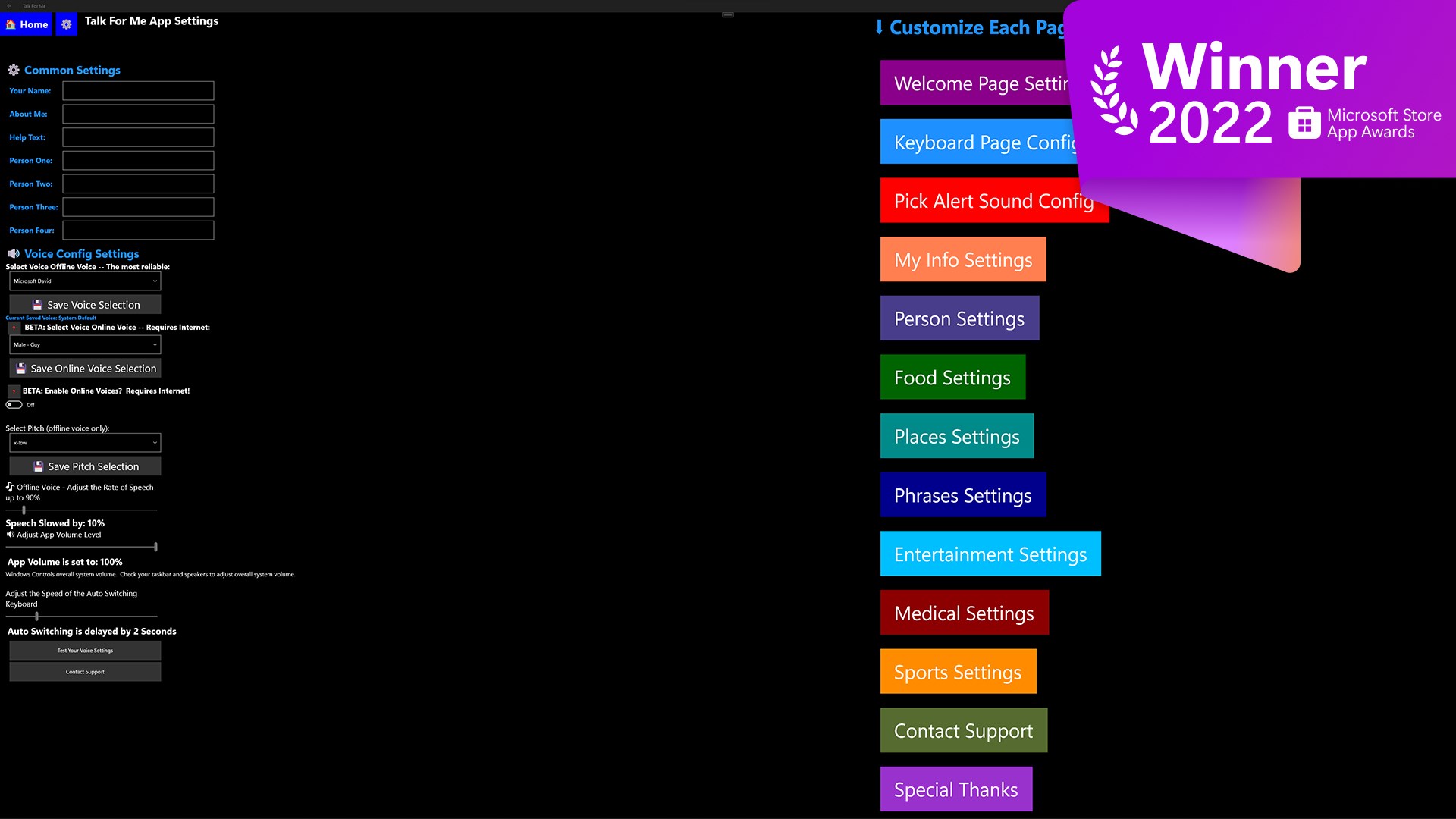
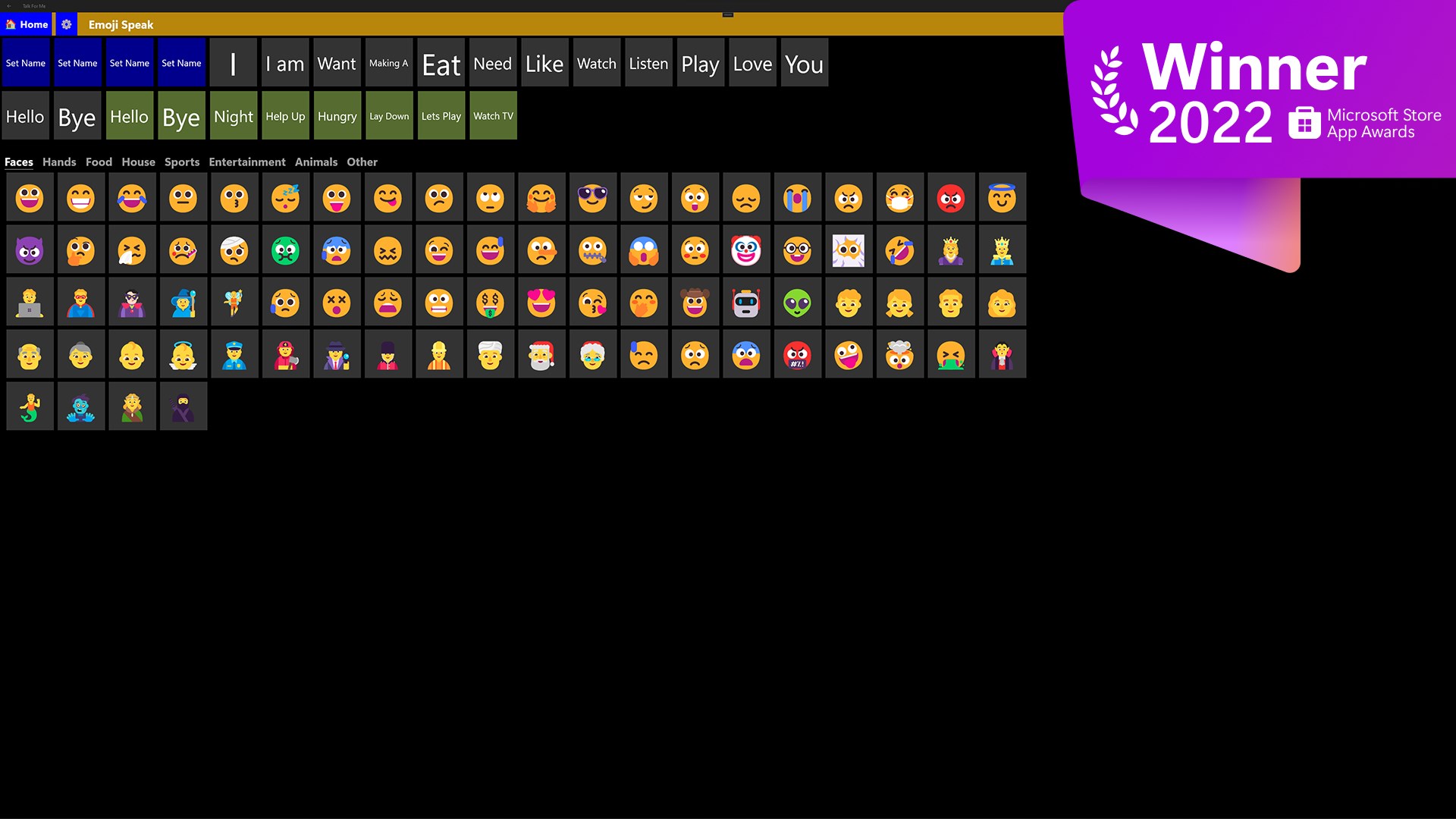
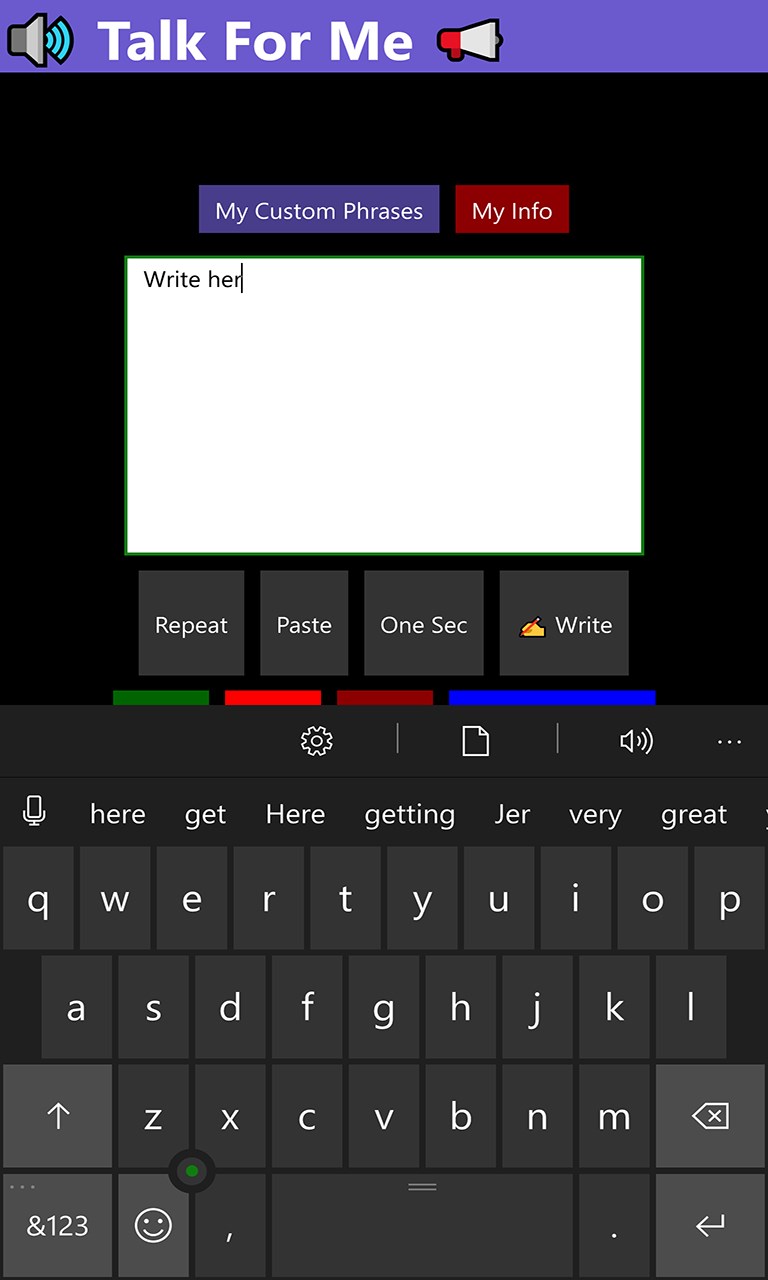
Talk For Me ist eine App zur Unterstützten Kommunikation mit Sprachausgabe für Menschen, die nicht sprechen können. Über Kacheln mit vorgefertigten Wörtern und Sätzen aus verschiedenen Lebensbereichen lassen sich Sätze zusammensetzen, alternativ kann Text über eine Bildschirmtastatur eingetippt und vom Computer vorgelesen werden. Startbildschirm, Kategorien, Sprechgeschwindigkeit und Stimme sind anpassbar, wobei auch realistischer klingende Online-Stimmen zur Verfügung stehen.
Originalbeschreibung des Entwicklers anzeigenOriginalbeschreibung ausblenden
Updated for January 2024.
Winner of Special Recognition Award from Microsoft 2022.
https://blogs.windows.com/windowsdeveloper/2022/05/27/announcing-the-microsoft-store-app-awards-winners/
Added Online Voice support for a more realistic male and female sounding voice.
Talk for Me is an application designed to give those without a voice a voice. It has several sections with tiles designed to help someone string together sentences to better communicate with those around them. It also has a dedicated keyboard function where a person can type in a message and have the computer speak on their behalf. We have heard from many of our users that have PSP, CBD, ALS, survived strokes or have Autism.
Features: Text to Speech Designed with large touch points.
Customizable home screen
Customizable sections -- Food, People, Places, Phrases, Entertainment, Sports, Numbers, Medical, and Personal Information
Keyboard Input
Large On Screen Keyboard
Adjust Rate of Speech Adjust Voice (based on PCs installed voices).
Works great with touch, mouse and keyboard and pen (depending on your device)
Reviews:
"Great app I have a speech impediment. It seems the person who made this has dealt with this impairment personally."
"I use this app daily to communicate. It has aided me greatly and the developer has been very quick to respond to my requests. Thank you."
"This is an amazing app. Especially since its free! Thank you for that. I have als and cannot speak. "
"I have ALS. It took my voice and I have not been able to communicate with my loved ones. I bought an eye gaze device so could access my windows 8 tablet. I found Talk for Me. This app has everything that all the highly priced programs have. it is customizable and very easy to use. Customer service is top notch! I love it! I can finally speak to my family with Talk For Me!"
"My husband has CBD and this app has greatly improved our life. This is the first app we have found that does text to speech, is customizable and the developer responds in a timely fashion. My husband has CBD (PSP+) and uses a Surface 2. He uses the touch screen in combination with a mouse to navigate the app. The mouse helps as his touch accuracy has decreased (due to losing eye muscle control) He will use the tiles or the Keyboard input option. This app has greatly improved our ability to communicate and understand what he needs."
Useful for -- Text to Speech, Speech, Speech Assist, Talking, Speaking, ALS, PSP, Voice, Speak Assist, Voice Assist
Falls es eine App-Version für iOS/Mac oder Windows gibt, die wir nicht kennen, füge den Store-Link hier ein — wir erkennen automatisch, welcher Store.
So findest du die URL:1. Die App im jeweiligen Store öffnen. 2.In der App-Store-App: auf das Teilen-Symbol tippen → „Link kopieren“. Im Browser: die URL aus der Adresszeile kopieren — sie enthält apps.apple.com/…/id… oder apps.microsoft.com/detail/…. 3. Hier einfügen.
Füge den Original-Link aus dem Apple App Store oder Microsoft Store ein. Wir holen alle Details automatisch.
So findest du die URL:
1. Die App im jeweiligen Store öffnen. 2.In der App-Store-App: auf das Teilen-Symbol tippen → „Link kopieren“. Im Browser: die URL aus der Adresszeile kopieren — sie enthält apps.apple.com/…/id… oder apps.microsoft.com/detail/…. 3. Hier einfügen.
Android-Apps können nur von ihren Entwicklern eingereicht werden.





 Messenger
Nachrichten, Anrufe und Communitys in einer App
 Einfach diktieren
Text per Spracheingabe diktieren und in jede App einfügen
 Transcribe - Speech to Text
Audio und Sprachnachrichten in Text umwandeln
 Fly Reader
E-Books lesen mit Text-zu-Sprache und Lesezeichen
 Lovable
Apps und Websites aus Textbeschreibungen erstellen
 ChatGPT
KI-Assistent für Text, Bilder und Sprachgespräche