Mit der Registrierung bestätigst du, dass du mindestens 16 Jahre alt bist, und akzeptierst die AGB. Wie wir deine Daten verarbeiten, steht in der Datenschutzerklärung.
Seit vielen Jahren birgt 1Password alle Geheimnisse für mich: nicht etwa nur Passwörter, die es auf allen Geräten bei Bedarf automatisch und sicher einfügt, sondern auch Bankdaten, PIN-Codes usw. Die App hat sich in diversen Sicherheistests als robust erwiesen und überzeugt mich rundum. Ich empfehle sie jedem, der bereit ist, etwas Geld für die Sicherheit seiner Daten zu investieren, denn der Komfort der App geht doch weit über das hinaus, was Apple mit seiner System-App/-funktion "Passwörter" bietet.
Screenshots
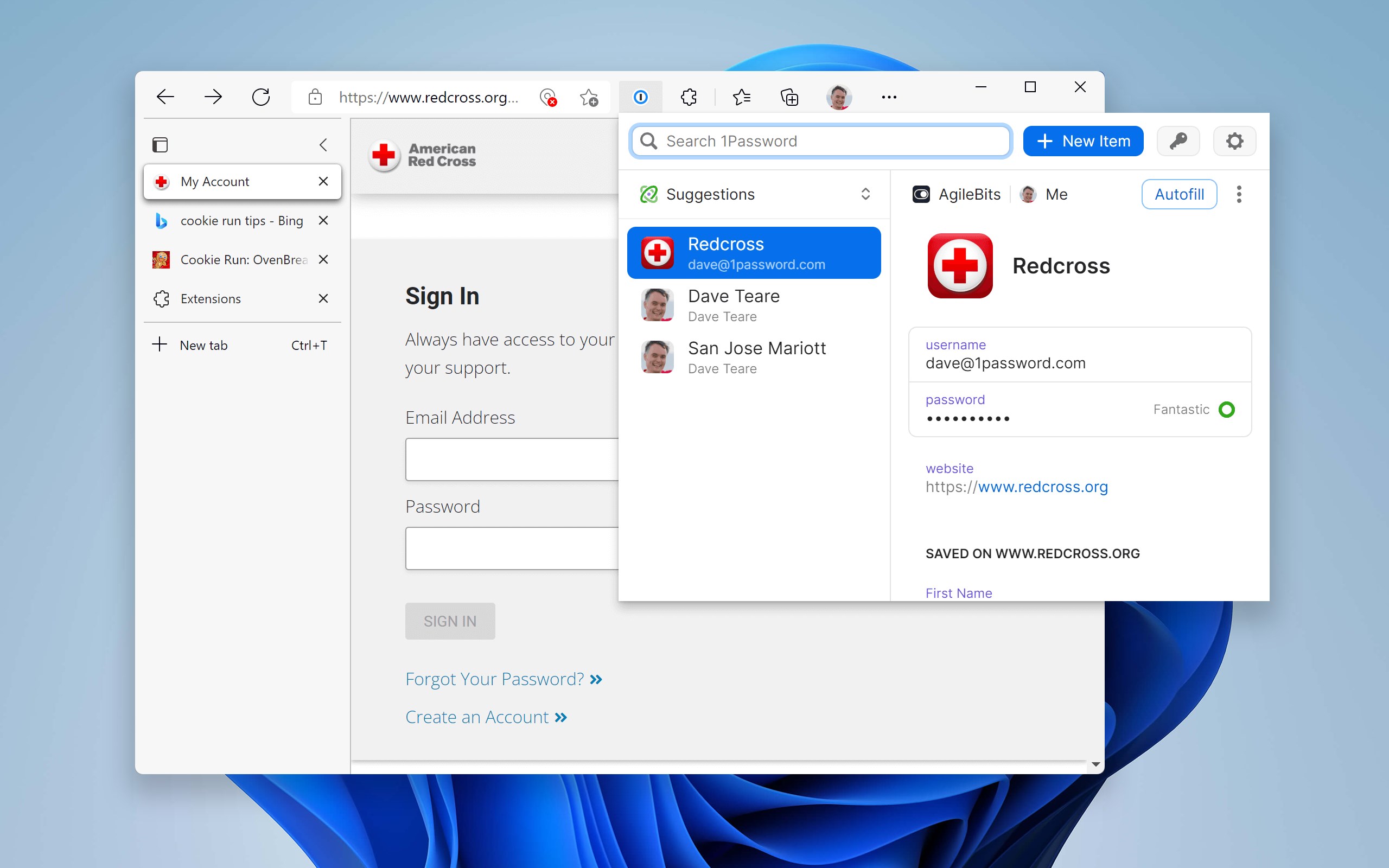
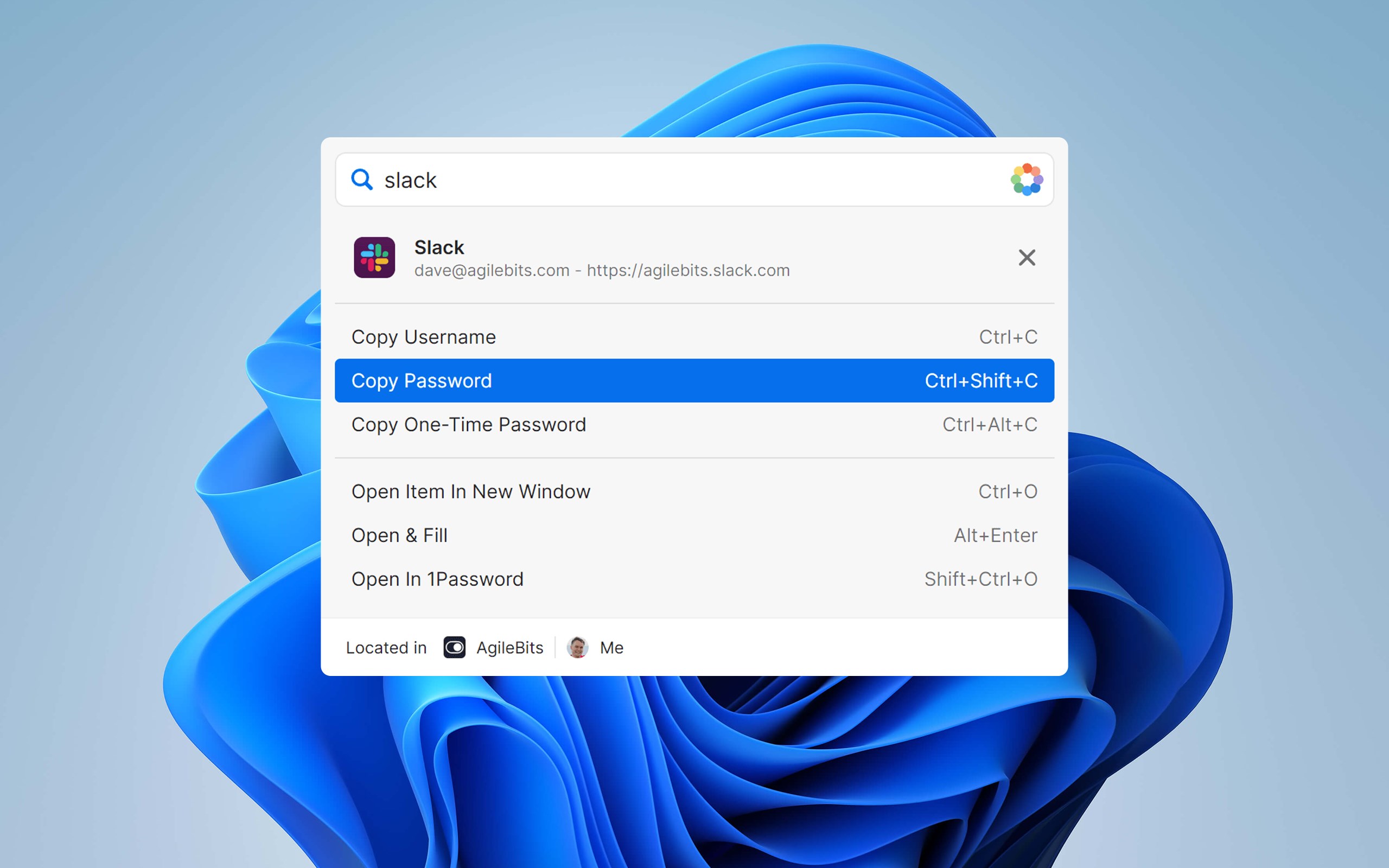
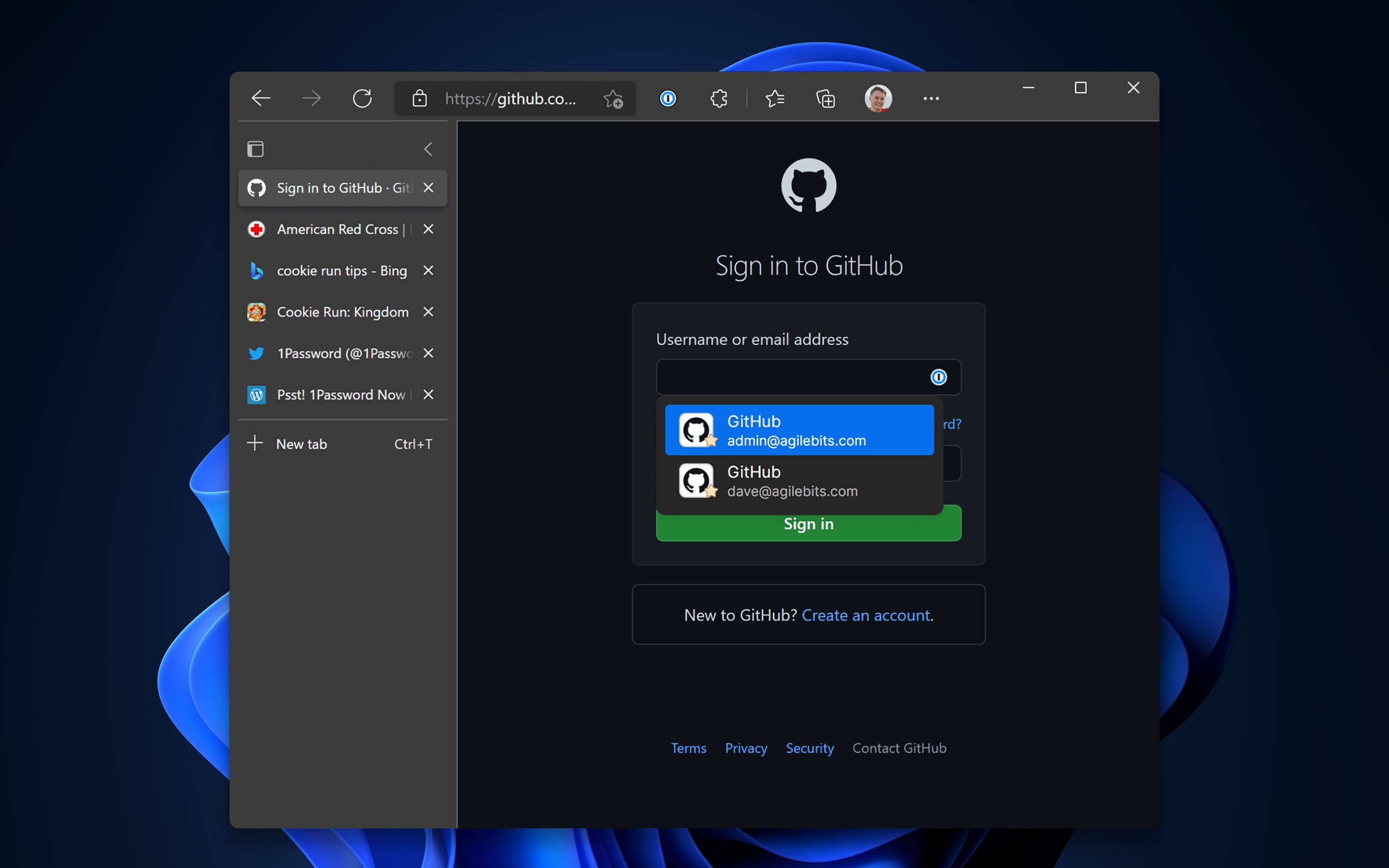
iPhoneiPadApple WatchWindows
Screenshot erscheint nach ZustimmungScreenshot erscheint nach ZustimmungScreenshot erscheint nach ZustimmungScreenshot erscheint nach ZustimmungScreenshot erscheint nach ZustimmungScreenshot erscheint nach ZustimmungScreenshot erscheint nach Zustimmung
Screenshot erscheint nach ZustimmungScreenshot erscheint nach ZustimmungScreenshot erscheint nach ZustimmungScreenshot erscheint nach ZustimmungScreenshot erscheint nach Zustimmung
Screenshot erscheint nach ZustimmungScreenshot erscheint nach Zustimmung
Screenshot erscheint nach ZustimmungScreenshot erscheint nach ZustimmungScreenshot erscheint nach ZustimmungScreenshot erscheint nach ZustimmungScreenshot erscheint nach Zustimmung
Zusammenfassung
1Password ist ein Passwort-Manager zur sicheren Verwaltung von Passwörtern, Kreditkarten, Adressen und weiteren persönlichen Daten hinter einem einzigen Kontopasswort. Die App erstellt starke Passwörter, füllt Anmeldedaten automatisch aus und organisiert Daten in Tresoren und Kategorien, synchronisiert über Mobilgeräte, Computer und das Web. Zudem dient sie als Authentifikator für Zwei-Faktor-Codes und warnt bei kompromittierten Websites. Team- und Familienkonten ermöglichen gemeinsames Verwalten und Teilen von Passwörtern und Dokumenten, wobei sich die App zeitlich begrenzt kostenlos testen und danach im Abonnement nutzen lässt.
Originalbeschreibung des Entwicklers anzeigenOriginalbeschreibung ausblenden
1Password remembers all your passwords for you, and keeps them safe and secure behind the one password that only you know.
1Password: the password manager that's as beautiful and simple as it is secure. Just add your passwords and let 1Password do the rest. Sign in to websites and apps with just a few taps, and use the password generator to change your passwords and make them stronger.
**Webby Award Winner**!
Try 1Password free for 30 days, then keep going with a 1Password subscription*.
PUT PASSWORDS IN THEIR PLACE
◆ Create strong, unique passwords and memorizable pass-phrases for your online accounts
◆ Fill usernames, passwords, credit card numbers and addresses into websites and supported apps
◆ Access your information on all your mobile devices and computers
GET ORGANIZED
◆ Store items in more than a dozen categories: logins, credit cards, addresses, notes, bank accounts, driver’s licenses, passports, and more
◆ Create multiple vaults to keep different areas of your life separate
◆ Organize your information with tags and favorites
◆ Add custom fields to your items to store security questions, extra URLs, and any other information you can think of
◆ Use Spotlight to search for information when you need it
STAY SAFE
Everything you store in 1Password is protected by a Master Password that only you know. 1Password uses end-to-end encryption, so your data is only ever decrypted offline. The encryption keys never leave your device, and you are the only one who can see your passwords.
◆ Unlock the app quickly and securely with Face ID
◆ Lock the app automatically to ensure your data is protected, even if your device is lost or stolen
◆ Use 1Password as your authenticator: store two-factor authentication codes and access them quickly when it's time to sign in
◆ Get alerts when a site you use has been compromised and you need to change your passwords
SHARE WITH TEAMS AND FAMILIES
1Password for iOS has full support for team and family accounts. It’s never been so easy to share the simple security of 1Password with those you work and live with.
◆ Add all your accounts — family, team, individual — and see all your information in one place
◆ Easily migrate information between accounts
◆ Share passwords, documents, and more with teammates and family members
TRY FREE
Get a 30-day free trial when you install 1Password, and subscribe at any time using the in-app purchase*.
Your subscription includes the full 1Password experience for all your computers and mobile devices. Your data syncs securely and automatically between your devices, and can also be accessed on the web.
LOVED AND USED BY MILLIONS
1Password has been highlighted in The New York Times, The Wall Street Journal, Forbes, The Verge, Ars Technica, Mashable, and The Guardian. We’ve also received many awesome honors:
◆ Named One of The World’s Greatest 100 Apps by Business Insider
◆ Inducted into Macworld’s App Hall of Fame
◆ Received an Ars Design Award
We’re proud of this recognition, and we’re even happier that millions of people love and use 1Password every day.
We love 1Password and strive to make it the best it can be. Connect with us with us at support@1password.com, @1Password on Twitter, and Facebook.com/1Password!
* 1Password is a monthly service that costs $3.99 for individuals or $6.99 for a family of 5 (prices vary by region). Payment will be charged to iTunes Account at confirmation of purchase and auto-renews at the same price unless disabled in iTunes Account Settings at least 24 hours before the end of the current period. Your subscription can be managed in your iTunes Account Settings. Any unused portion of a free trial period, if offered, will be forfeited when you purchase a subscription.
* Privacy policy: https://1password.com/legal/privacy/
* Terms of Use: https://1password.com/legal/terms-of-service/
DeutschEnglischAFChinesischDänischFinnischFranzösischGriechischHebräischItalienischJapanischKoreanischNiederländischNorwegisch (Bokmål)PolnischPortugiesischRussischSchwedischSpanischTschechisch+ View all 20 languages
Füge den Original-Link aus dem Apple App Store oder Microsoft Store ein. Wir holen alle Details automatisch.
So findest du die URL:
1. Die App im jeweiligen Store öffnen. 2.In der App-Store-App: auf das Teilen-Symbol tippen → „Link kopieren“. Im Browser: die URL aus der Adresszeile kopieren — sie enthält apps.apple.com/…/id… oder apps.microsoft.com/detail/…. 3. Hier einfügen.
Android-Apps können nur von ihren Entwicklern eingereicht werden.







 LastPass Passwort-Manager
Passwörter speichern, generieren und automatisch ausfüllen
 Passwort-Manager von Dashlane
Passwörter speichern, autofill und Lecks überwachen
 Enpass Password Manager
Passwörter und Passkeys in gewähltem Cloud-Speicher
 Bitwarden
Passwörter speichern, verwalten und geräteübergreifend
 SecureSafe Password Manager
Cloud-Speicher mit Passwort-Manager und Verschlüsselung
 Keeper® Passwortmanager
Passwörter und Anmeldedaten verschlüsselt speichern