


Scan Document to PDF
Dokumente scannen und als durchsuchbares PDF speichern KI-Zusammenfassung
Screenshots
Zusammenfassung
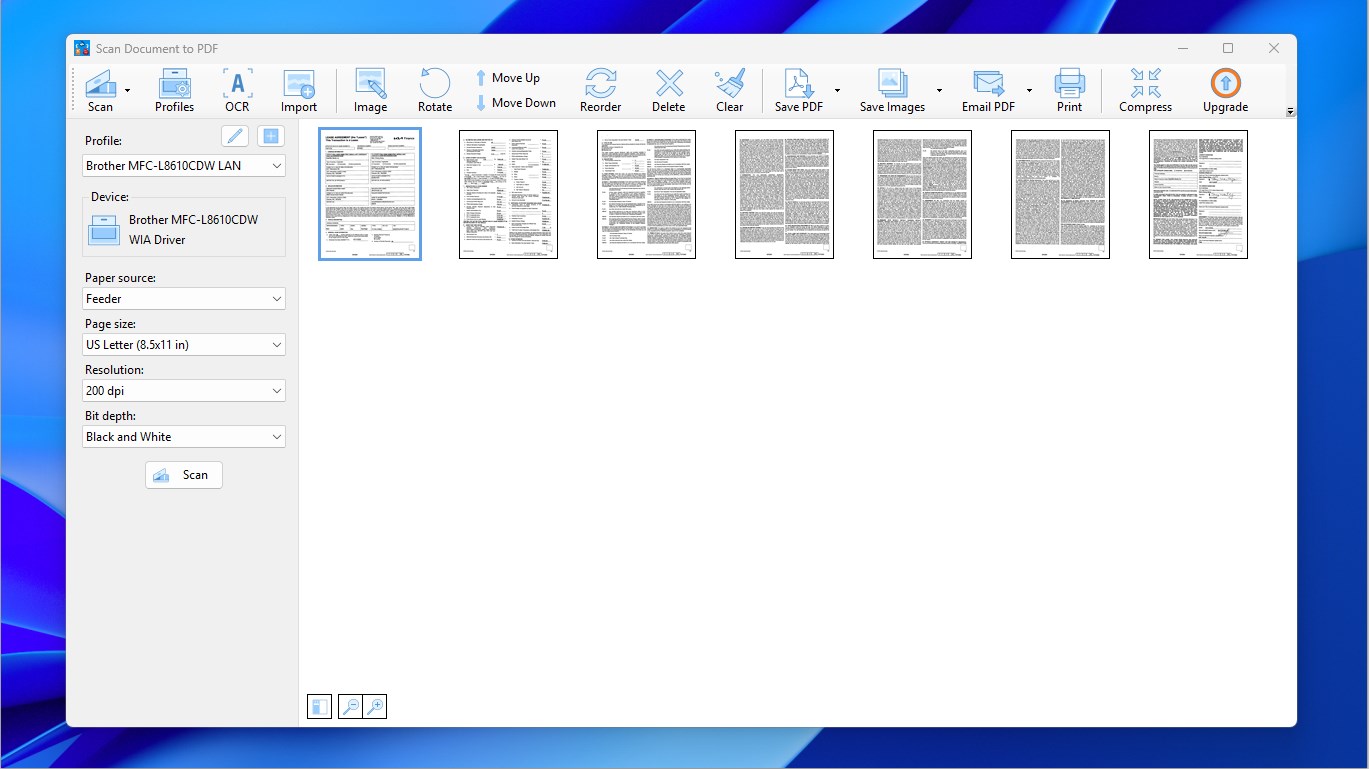
Scan Document to PDF ist eine Scanner-App, mit der sich Dokumente erfassen und in durchsuchbare PDF-Dateien umwandeln lassen, wobei das Scannen vom Erfassen der Seiten über Zuschneiden und Anordnen bis zum Speichern als mehrseitige PDF-Datei reicht. Bestehende PDF-Seiten lassen sich einfügen, PDFs teilen oder mehrere Dateien zusammenführen, während Texterkennung per OCR sowie das Scannen mehrerer Seiten am Stück unterstützt werden. Gescannte Seiten lassen sich zudem als Bilder speichern, und neben der kostenlosen Nutzung bietet eine Premium-Version zusätzlich einen PDF-Komprimierer.
Originalbeschreibung des Entwicklers anzeigenOriginalbeschreibung ausblenden
Scan Document to PDF allows you to quickly and easily scan documents and convert them to professional PDFs. Moreover, you can add existing PDF pages to the newly scanned document and create a new PDF file.
Note: The core features of Scan Document to PDF are completely free for everyone. Premium is purely optional for users who wish to support our work. If the Premium prompt appears, simply click the X icon in the top-right corner to continue using the app.
Supported scanner and printer brands: Brother, Canon, Epson, HP, Deli, Lenovo, Panasonic, Ricoh, Samsung, Xerox, and etc.
With Scan Document to PDF, it takes 3 steps to scan your documents into a professional, searchable PDF. The 3 steps are:
- Scan documents and/or import PDFs
- Adjust pages, including cropping and re-ordering
- Save as a multi-page PDF file
In addition to the main features, you can use Scan Document to PDF to split and merge PDFs:
- To split a PDF, import the PDF into the app, delete the unwanted pages and save the rest as a new PDF file.
- To merge PDFs, import the PDFs into the app, adjust the pages and save them as a new PDF file.
If you enjoy the free features mentioned above and would like to support us, you are welcome to purchase the premium version, which provides a PDF compressor tool.
Main Features:
- Scan documents
- OCR available
- Import PDFs
- Crop and adjust pages
- Save to searchable PDF directly
- Save to images
- Compress PDFs (premium version only)
- Batch scan
Technische Details zu Scan Document to PDF
Scan Document to PDF in den Bestenlisten
Die besten PDF-Apps
Die besten Dienstprogramme
Die besten Windows-Apps
Die besten kostenlosen Apps
Alle Bestenlisten ›
App verwalten
Gehörst du zum Entwicklerteam von Scan Document to PDF?
Verifiziere dich und verwalte euren Eintrag auf Most Voted Apps.
Scan Document to PDF kostenlos verifizieren
Die Verifizierung dauert in der Regel nur wenige Minuten.
Ähnliche Apps wie Scan Document to PDF
 PDF Document Scanner
Dokumente scannen und als PDF erstellen und bearbeiten
 PDF Doc Scanner - Scan & Print
Papier in durchsuchbare PDF-Dokumente scannen
 PDF Scanner und PDF Reader
Dokumente und Bilder scannen und als PDF oder Bild speichern
 Print and Scan - Dokument drucken und scannen
Dokumente und Fotos scannen und als PDF oder Bild speichern
 Scanner App: PDF Scan
Dokumente scannen, bearbeiten und verwalten als PDF-Dateien
 CamScanner - PDF Scanner App
Dokumente mit Kamera scannen und als PDF speichern