Screenshot appears after consentScreenshot appears after consentScreenshot appears after consentScreenshot appears after consentScreenshot appears after consentScreenshot appears after consentScreenshot appears after consentScreenshot appears after consentScreenshot appears after consent
Summary
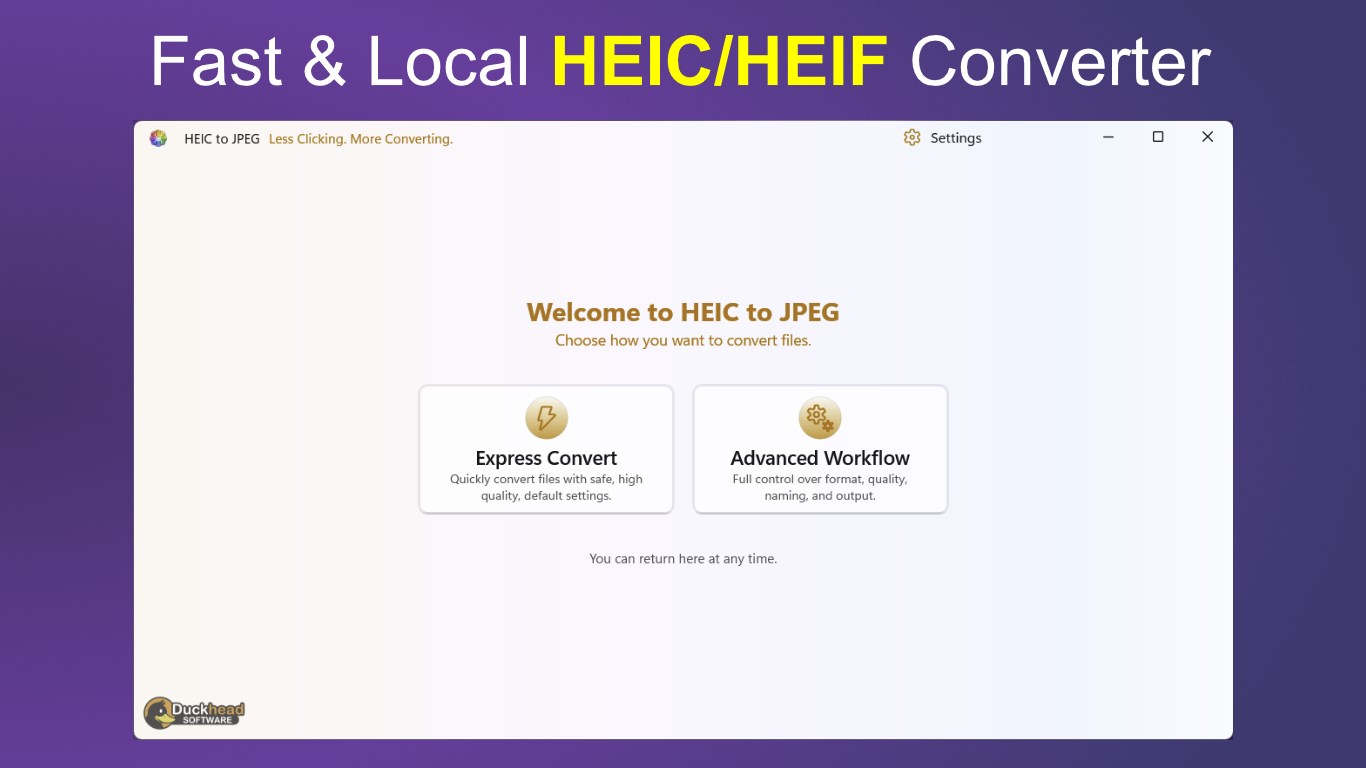
HEIC to JPEG - The HEIC to JPG Converter is a converter for Windows that turns HEIC and HEIF photos into other formats. It offers an Express Convert mode with sensible defaults for quick batch conversion, alongside an Advanced Workflow allowing control over output format, quality, file naming and folder organisation. Supported formats include JPEG, PNG, WebP, AVIF, BMP, ICO, TIFF, GIF, PDF and JPEG XL. Files and folders can be added by drag and drop or file selection. According to the provider, conversions run locally without uploading images online, and the free version converts up to five files at a time, with a full version available for unrestricted batch conversion.
Show the developer's original descriptionHide the original description
Less Clicking. More Converting.
Downloaded more than a million times and named a Microsoft Store App Awards finalist in both 2022 and 2023, HEIC to JPEG is a proven Windows image converter backed by more than 1,000 five-star reviews.
Convert a few HEIC photos quickly using Express Convert, or take complete control of formats, quality, naming, metadata and output organisation with the Advanced Workflow.
Choose the workflow that suits the job:
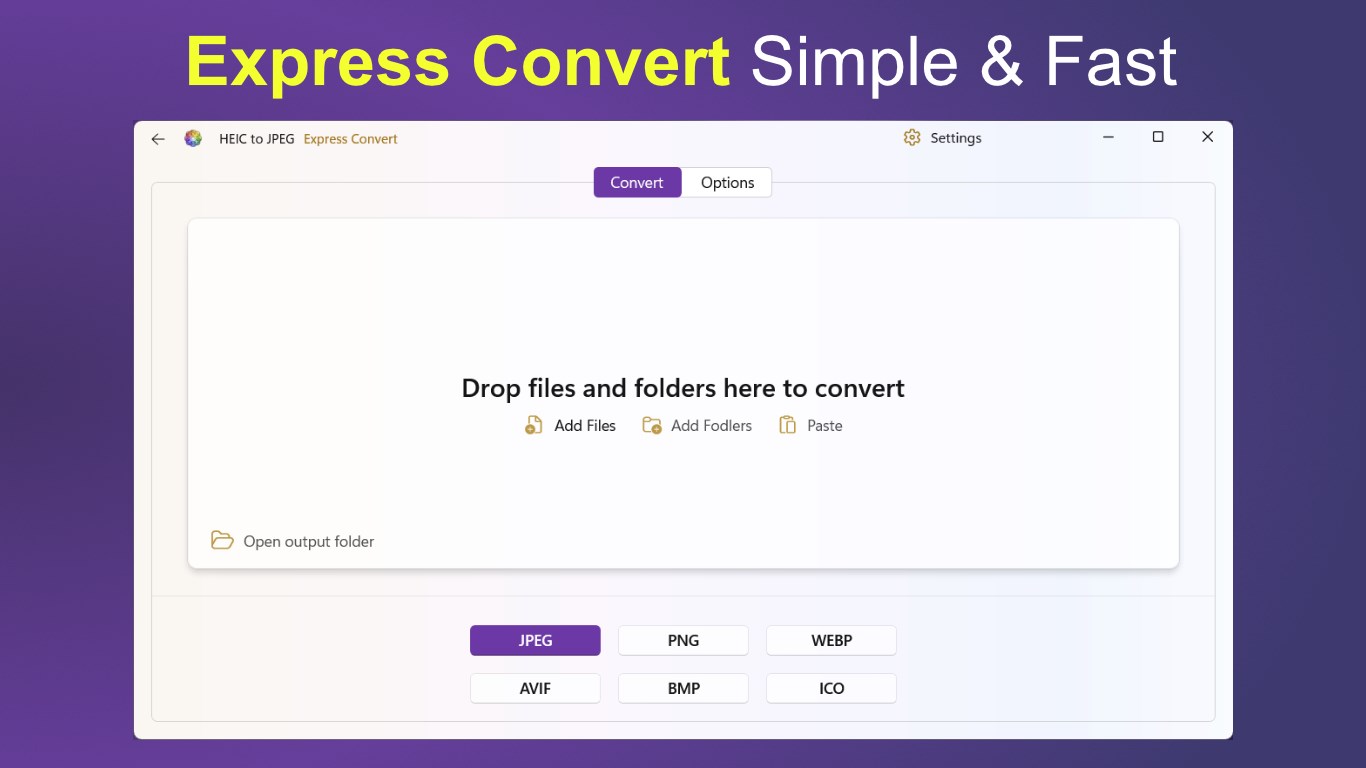
Express Convert
• Drop in files or folders, select an output format and start converting. Express Convert uses sensible settings to produce high-quality results with minimal effort.
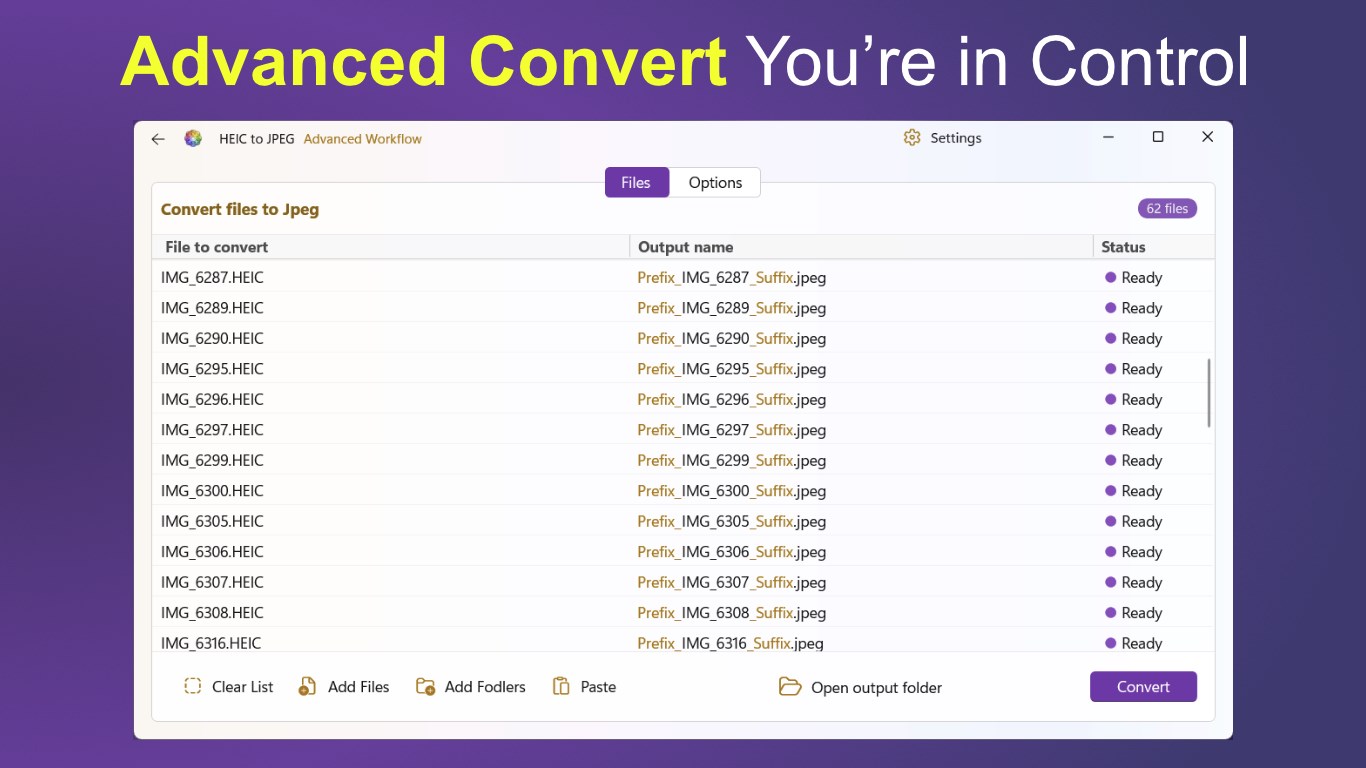
Advanced Workflow
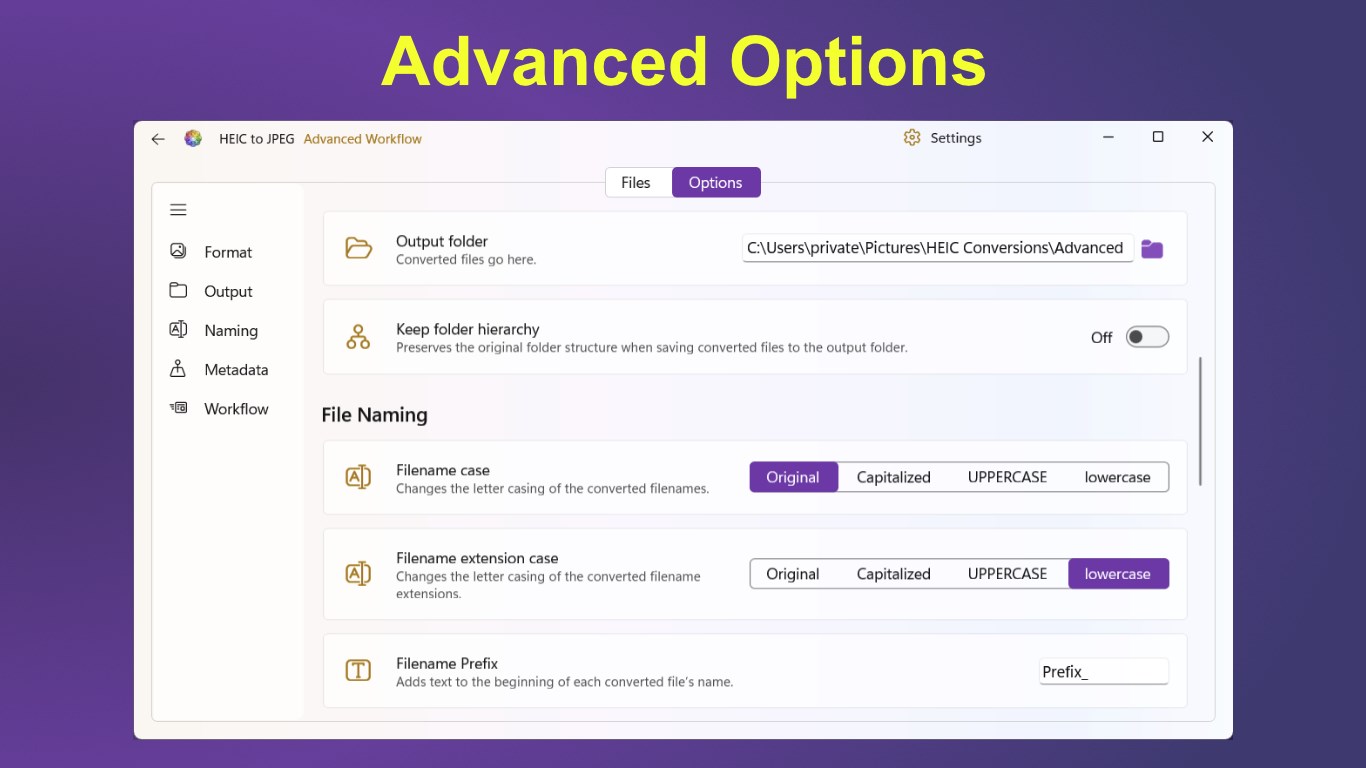
• See every file before conversion and preview its final output name. Adjust detailed conversion, naming, metadata and workflow options while the file list updates to reflect your choices.
Key features
• Convert individual files, large batches or complete folders
• Drag and drop files and folders directly into the app
• Add files, add folders or paste files from the clipboard
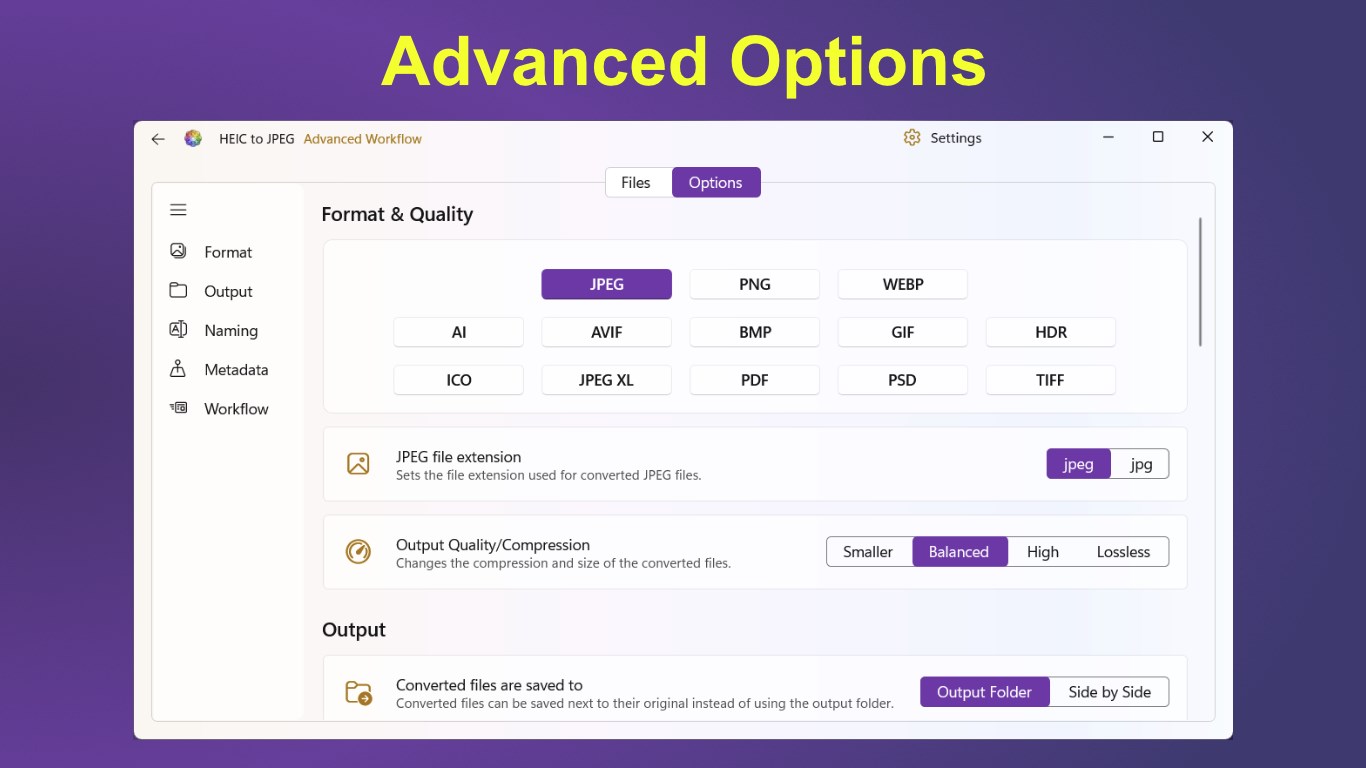
• Convert to JPEG, PNG, WebP, AVIF, BMP, ICO, TIFF, GIF, PDF, JPEG XL and other supported formats
• Convert from other formats as well as HEIC/HEIF
• Select output quality and compression
• Choose between .jpeg and .jpg file extensions
• Save files to an output folder or alongside the originals
• Preserve the original folder hierarchy
• Add filename prefixes and suffixes
• Change filename and extension letter casing
• Copy image metadata, including EXIF information
• Preserve original creation and modified dates
• Choose whether to overwrite, rename or skip existing files
• Skip cloud-only files that have not been downloaded
• Optionally delete originals after successful conversion
• View live progress and the status of every file
• Cancel a conversion safely at any time
• Open the output folder directly from the app
All conversions are performed locally on your Windows PC. Your images do not need to be uploaded to an online service.
Whether you need a straightforward HEIC-to-JPEG converter or a detailed batch image workflow, HEIC to JPEG gives you the tools without unnecessary complexity.
Try the complete conversion workflow with a limited number of files, then upgrade to the full version for unrestricted batch conversion. Free version is limited to converting 5 files at a time.
Play Store URL for "HEIC to JPEG - The HEIC to JPG Converter"
If there is a version of this app for iOS/Mac or Windows we don't know about, paste the store link here — we'll auto-detect the store.
How to find the URL:1. Open the app in its store. 2.In the App Store app: tap the Share icon → “Copy Link”. In the browser: copy the URL from the address bar — it contains apps.apple.com/…/id… or apps.microsoft.com/detail/…. 3. Paste it here.
Paste the original link from the Apple App Store or Microsoft Store. We fetch all details automatically.
How to find the URL:
1. Open the app in its store. 2.In the App Store app: tap the Share icon → “Copy Link”. In the browser: copy the URL from the address bar — it contains apps.apple.com/…/id… or apps.microsoft.com/detail/…. 3. Paste it here.
Android apps can only be listed by their developer.




 HEIC to JPEG
Convert HEIC/HEIF locally to JPEG, PNG and other formats
 HEIC Converter - Any Image Convert
Convert HEIC/HEIF images to PNG, JPG or TIFF
 HEIC Convert Pro - Image Converter
Convert HEIC and HEIF images to JPG or PNG in batches
 HEIC Converter | Heic to JPG
Convert HEIC images to JPG locally on device
 Pro Image Converter: HEIC to JPEG
Convert images between different formats
 HEIC to JPG Real Converter
Convert HEIC files locally to JPG, PNG or BMP