
Debian
Debian Linux environment for Windows Subsystem for Linux AI summary
Screenshots
Summary
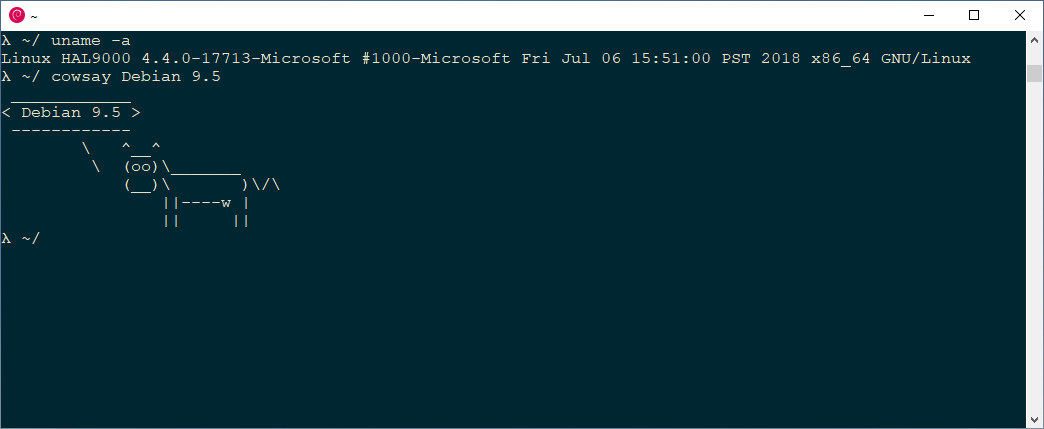
Debian is a command line environment that brings the Debian operating system to the Windows Subsystem for Linux. It provides a complete, current stable release environment accessible through the WSL console. It can be launched from the "Debian" tile in the start menu or by typing "debian" in PowerShell or the command prompt. The environment can be kept current using standard apt update and dist-upgrade commands.
Show the developer's original descriptionHide the original description
With this app you get Debian for the Windows Subsystem for Linux (WSL).
You will be able to use a complete Debian command line environment containing a full current stable release environment.
If this is your first WSL app you might have to enable WSL first (or contact your device administrator to do so).
https://docs.microsoft.com/en-us/windows/wsl/install
After the installation you can start the WSL console by either clicking the "Debian" tile in the start menu or by typing "debian" in powershell or cmd.
To keep your Debian environment up-to-date please use the following commands:
$ sudo apt update
$ sudo apt dist-upgrade
The help page for this application can be found in the Debian Wiki:
https://wiki.debian.org/InstallingDebianOn/Microsoft/Windows/SubsystemForLinux
The source code for this application can be found at the Debian Gitlab instance:
https://salsa.debian.org/debian/WSL
Technical details about Debian
Debian in the rankings
Manage app
Are you on the developer team behind Debian?
Verify yourself and manage your listing on Most Voted Apps.
Verify Debian for free
Verification usually takes only a few minutes.
Similar apps to Debian