Screenshot appears after consentScreenshot appears after consent
Summary
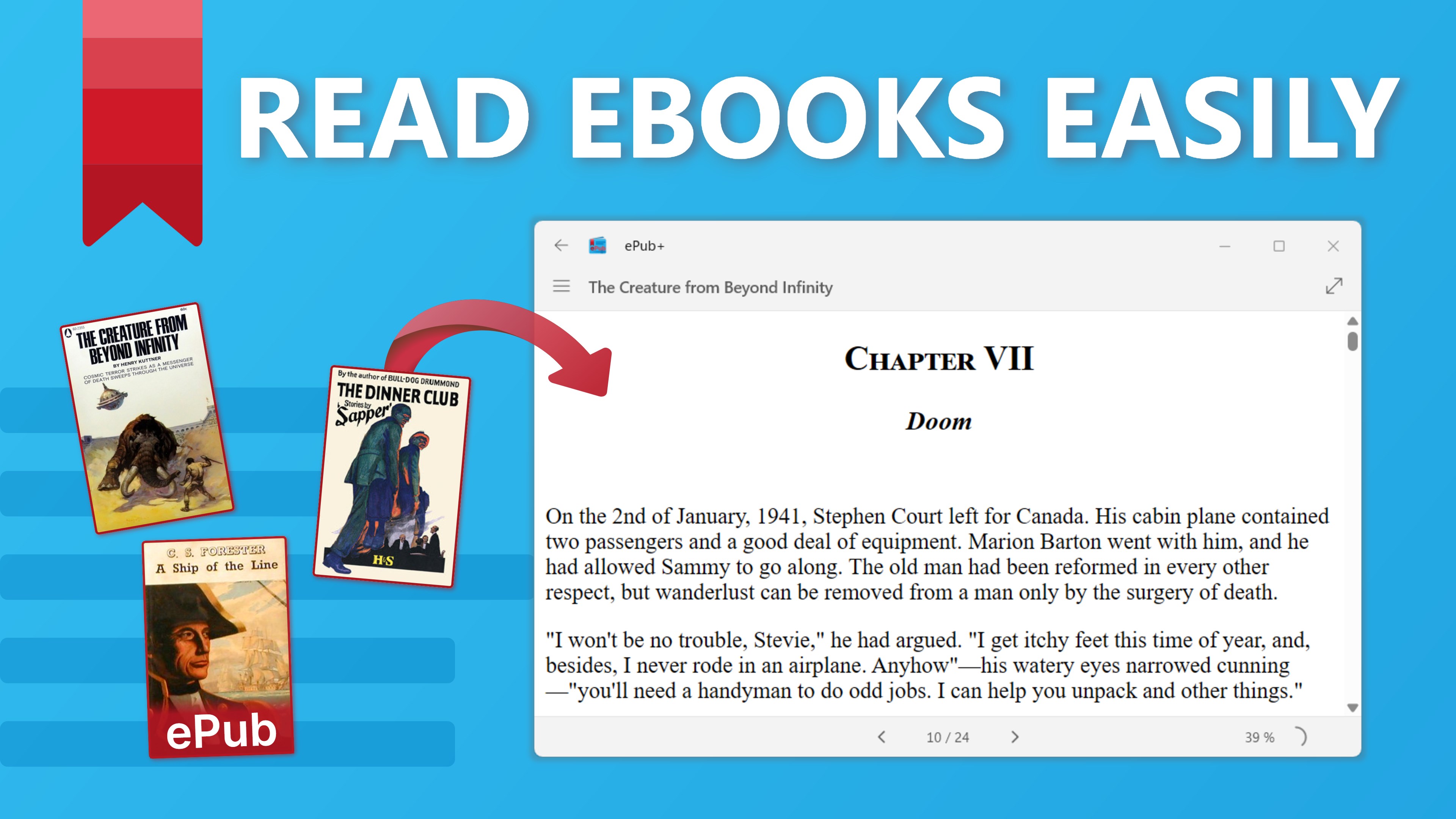
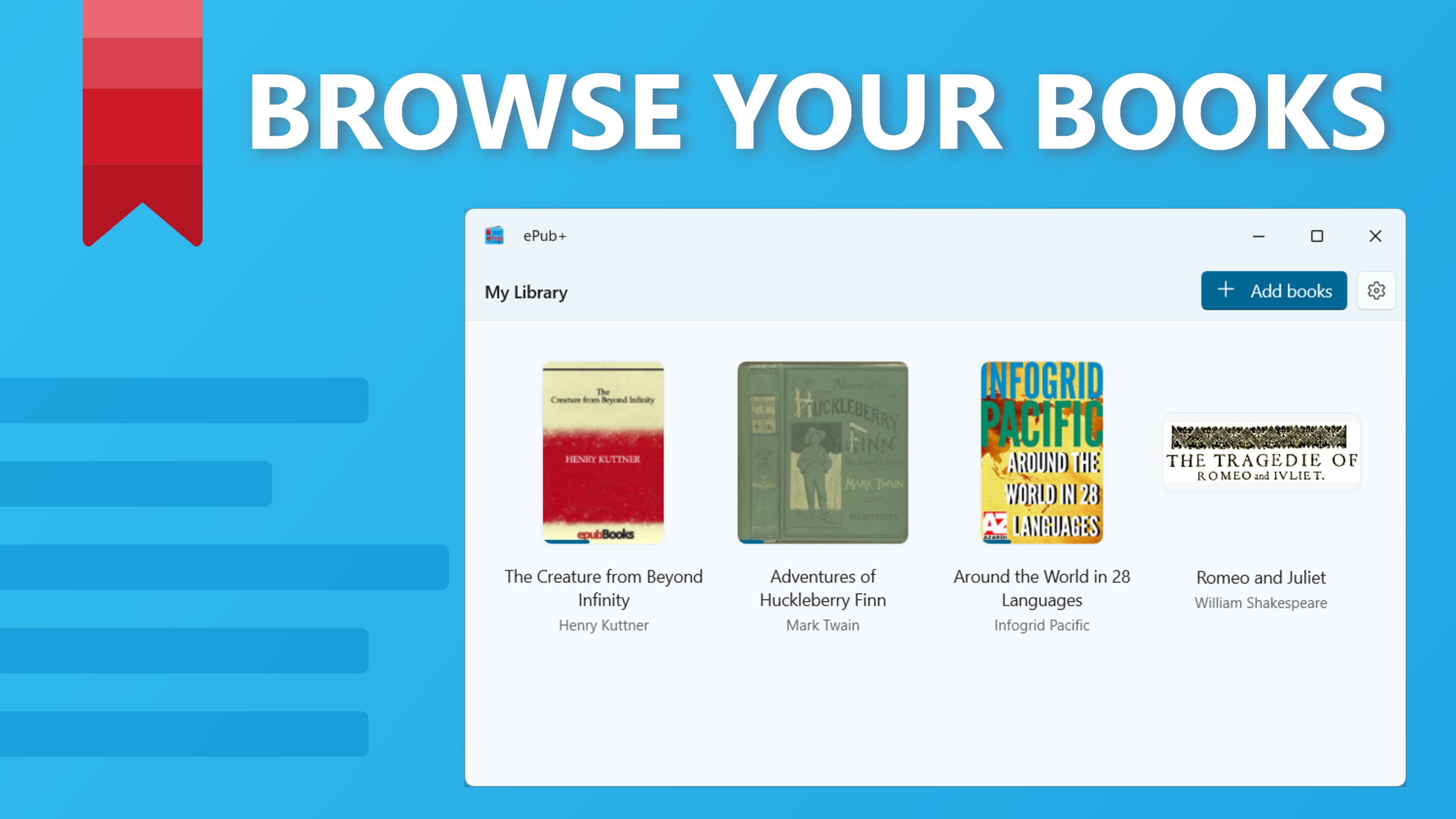
ePub+ is an eBook reader for Windows designed for reading ePub files. It organizes all added ePubs in a library view sorted by recent reads. The app remembers the last reading position and automatically resumes from that spot. ePub files can be opened directly from the device and are added to the library automatically. Navigation between chapters is done with simple clicks, and the interface is built with WinUI3 technology. ePub+ is free to use and contains no ads.
Show the developer's original descriptionHide the original description
ePub+: Your Ultimate eBook Reader for Windows! 📖✨
Dive into your favorite eBooks with ePub+, a sleek and user-friendly app designed for reading ePub files. Whether you’re a casual reader or a book enthusiast, ePub+ offers the perfect reading experience on Windows.
Why You'll Love ePub+:
• Seamless Navigation: Easily navigate through chapters and scroll to read with a smooth, intuitive interface. 📖
• Library View: All your ePubs are added to the library view, sorted by recent reads, for easy access. 📚
• Resume Reading: ePub+ remembers your last position, so you can continue reading exactly where you left off. 🔖
• File Activation: Open ePub files directly from your device, and they’ll be added to your library automatically. 📂
• WinUI3 Technology: Enjoy a modern, visually appealing reading experience with the latest WinUI3 design. 🌟
Get Started with ePub+:
Download ePub+ from the Microsoft Store for free.
Add your ePub files to the app or open them directly from your device.
Enjoy reading with seamless navigation and automatic bookmarking.
Key Features:
Chapter Navigation: Easily move between chapters with a simple click.
Recent Reads: Access your recently read eBooks from the library view.
Auto Bookmark: Resume reading from the exact spot you left off.
User-Friendly Interface: Intuitive and easy-to-use design for all users.
Free and Ad-Free: Enjoy your eBooks without any cost or interruptions.
Stay Organized and Enjoy Reading:
With ePub+, managing and reading your eBooks has never been easier. Keep all your ePubs in one place and enjoy a seamless reading experience with intuitive navigation and automatic bookmarking.
Future Enhancements:
ePub+ is currently an MVP (Minimum Viable Product), and we are committed to continuously improving it. Expect exciting new features and enhancements in future updates to make your reading experience even better. 📈✨
Ready to elevate your reading experience?
Download ePub+ now and immerse yourself in your favorite eBooks! 📚🚀
If there is a version of this app for iOS/Mac or Windows we don't know about, paste the store link here — we'll auto-detect the store.
How to find the URL:1. Open the app in its store. 2.In the App Store app: tap the Share icon → “Copy Link”. In the browser: copy the URL from the address bar — it contains apps.apple.com/…/id… or apps.microsoft.com/detail/…. 3. Paste it here.
Paste the original link from the Apple App Store or Microsoft Store. We fetch all details automatically.
How to find the URL:
1. Open the app in its store. 2.In the App Store app: tap the Share icon → “Copy Link”. In the browser: copy the URL from the address bar — it contains apps.apple.com/…/id… or apps.microsoft.com/detail/…. 3. Paste it here.
Android apps can only be listed by their developer.


 ePub Reader +
Read and edit e-books, PDFs and office documents
 EPUB eBooks Reader
Read and customize eBooks in multiple formats
 BookFusion
One library to organize and read eBooks, PDFs and comics
 EPUB+ Reader
Read eBooks and batch convert them to popular formats
 Total eBook Reader
Read ebooks and documents in various formats
 Free Ebook Reader
Opens and reads e-books in EPUB format