


IrfanView
Fast image viewer with conversion and editing tools AI summary
Screenshots
Summary
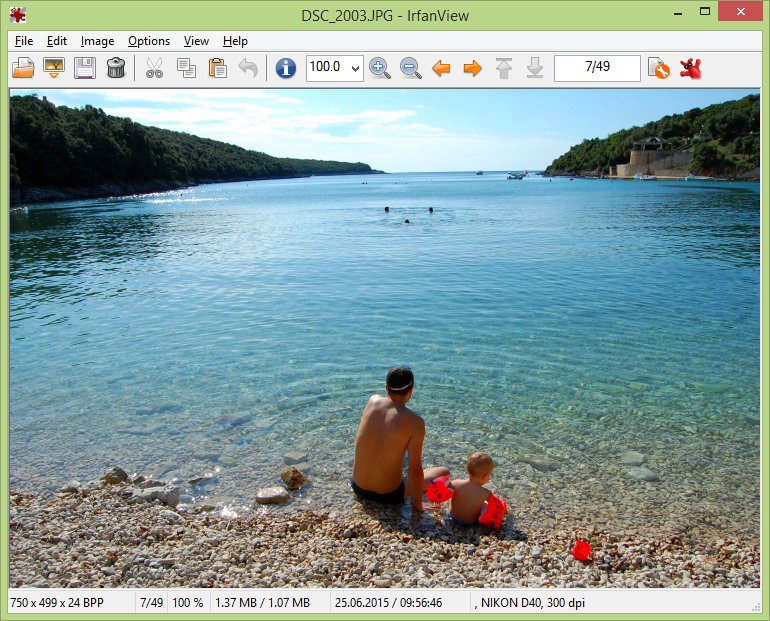
IrfanView is a fast, lightweight image viewer and converter for Windows. It supports a wide range of file formats including JPG, PNG, BMP, GIF, TIFF and various audio and video formats. The app offers batch conversion and editing, multipage editing, thumbnails and slideshow display, along with fast directory browsing. Additional tools include cropping, screen capturing, lossless JPG editing, scanning, OCR, IPTC editing and effects such as sharpening, blurring and Adobe Photoshop filters. It also supports color profile handling, watermarking and file search. IrfanView is available as freeware for non-commercial use.
Show the developer's original descriptionHide the original description
IrfanView is a very fast, compact and innovative FREEWARE image viewer/converter for Windows.
IrfanView is fast and small, with very low system resources requirements.
It is trying to be simple for beginners and powerful for professionals.
Many supported file formats (ANI/CUR, ASF, AU/SND, AVI, BMP/DIB, CLP, EMF/WMF, GIF, ICO/ICL/EXE/DLL, JPG, MPG/M2TS/MP4/MKV, PBM/PGM/PPM, PCX/DCX, PNG, PSD, TGA, TIF, TTF, TXT, WAV etc.).
Some features of IrfanView:
32 and 64 bit versions, Unicode support, multi language support, Thumbnails,
slideshow, fast directory browsing, batch conversion/editing, multipage editing,
file search, email, print, Paint plugin - to paint lines, circles, arrows,
straighten image etc., support for color profiles, change color depth, scanning,
OCR, cut/crop, IPTC edit, screen capturing, lossless JPG operations,
effects (sharpen, blur, Adobe Photoshop filters), add watermark image,
EXE/SCR creating, Unicode support, many hotkeys, many command line options,
60+ plugins ...
FREEWARE for non commercial use !
Technical details about IrfanView
IrfanView in the rankings
Manage app
Are you on the developer team behind IrfanView?
Verify yourself and manage your listing on Most Voted Apps.
Verify IrfanView for free
Verification usually takes only a few minutes.
Similar apps to IrfanView
 IrfanView64
View, convert and edit images
 Image Viewer Pro+
Image viewer supporting over 170 formats
 Pictureflect Photo Viewer
Folder-based photo viewer with slideshow, editing
 1Click Photo Viewer
View, edit and convert images and RAW file formats
 One Photo Viewer
Photo viewer with editing and slideshow
 HEIC Viewer for Windows
Open and view HEIC and HEIF photos on Windows