


Character Map UWP
View, compare and export fonts and their characters AI summary
Screenshots
Summary
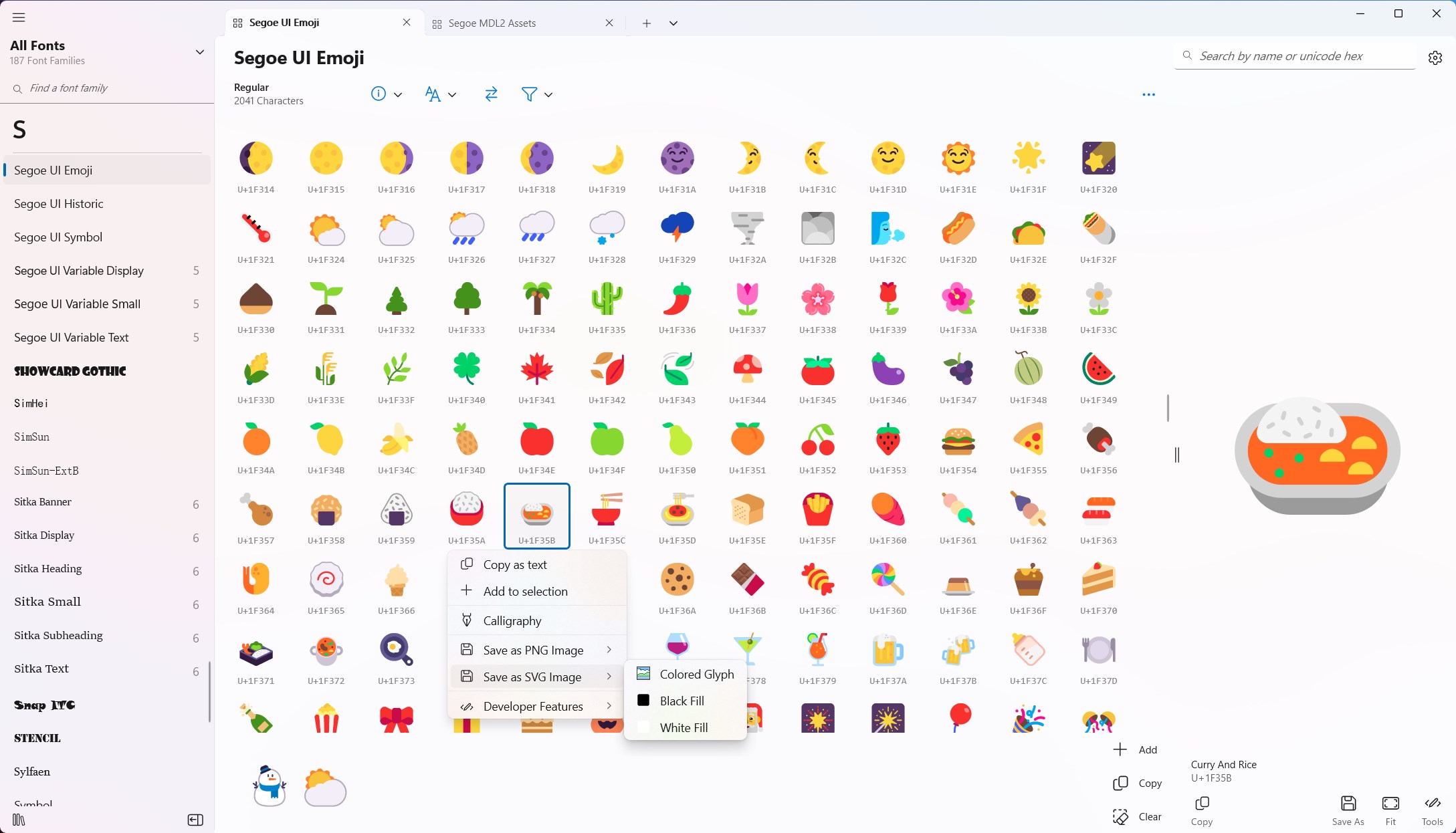
Character Map UWP is a font viewer app built as a native UWP replacement for Win32 Character Map and Windows Font Viewer, with high DPI and touch support. It displays all installed font families and faces, including WOFF1, variable and color fonts, showing every character along with typographic and color variants. Variable font axes can be explored in real time in Type Ramp view, and fonts can be compared side by side. Characters can be copied, exported as code for XAML, C++, C#, and MAUI, saved as PNG or SVG, or printed as character sheets, with support for searching by unicode name or index.
Show the developer's original descriptionHide the original description
A modern, native UWP replacement for the Win32 Character Map and Windows Font Viewer with flawless high DPI and touch support. Features include:
- View all the font families and font faces installed on your device and import your own, including support for .WOFF 1 fonts, Variable fonts, and Color fonts.
- View all the Characters in a font face, along with typographic and color variants
- Explore and change Variable font axis for fonts in realtime in Type Ramp view
- Practice drawing characters in your chosen font in Calligraphy view
- Compare all fonts at once in Compare view, or compare individual families or specific faces with Quick Compare view
- View font properties like their designer, description, licenses, etc
- Copy Characters to your clipboard
- Copy XAML, C++, C#, MAUI code and more for Characters for programming features like FontIcon, SymbolIcon and text properties
- Export Characters individually or in bulk as PNG and SVG files, or print off entire character sheets
- Search for characters inside fonts by unicode character name, unicode index, or the font's own custom named glyphs, including native search supported for Segoe MDL2/Fluent Icons
- Create and manage custom font collections
- Export font files from the app including system fonts to share with others, and you can even export entire collections as a single ZIP archive
- Use as the default .WOFF1 font viewer applications
Technical details about Character Map UWP
Character Map UWP in the rankings
Manage app
Are you on the developer team behind Character Map UWP?
Verify yourself and manage your listing on Most Voted Apps.
Verify Character Map UWP for free
Verification usually takes only a few minutes.
Similar apps to Character Map UWP
 Microsoft Font Maker
Convert your handwriting into a custom installable font
 WinUI 3 Gallery
Interactive examples of WinUI 3 controls and design patterns
 Windows Community Toolkit Gallery
Collection of UI controls for Windows developers using .NET
 New Emoji & Fonts - RainbowKey
Custom keyboard with emojis, themes and fonts
 Word Swag - Cool Fonts
Design text with decorative fonts and effects
 Emoji+
Emoji keyboard with AI generator, fonts and themes