Screenshot appears after consentScreenshot appears after consentScreenshot appears after consentScreenshot appears after consentScreenshot appears after consentScreenshot appears after consent
Summary
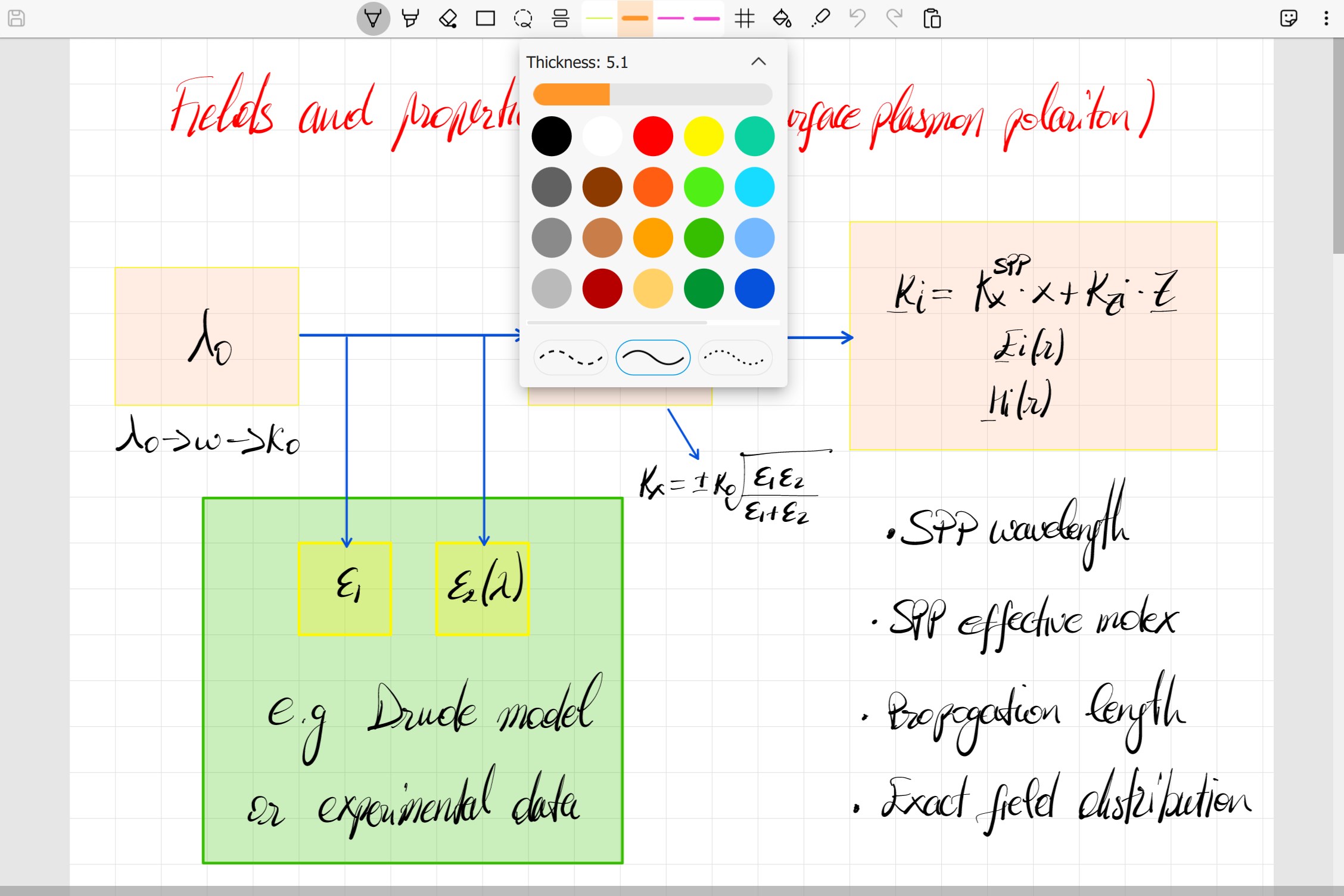
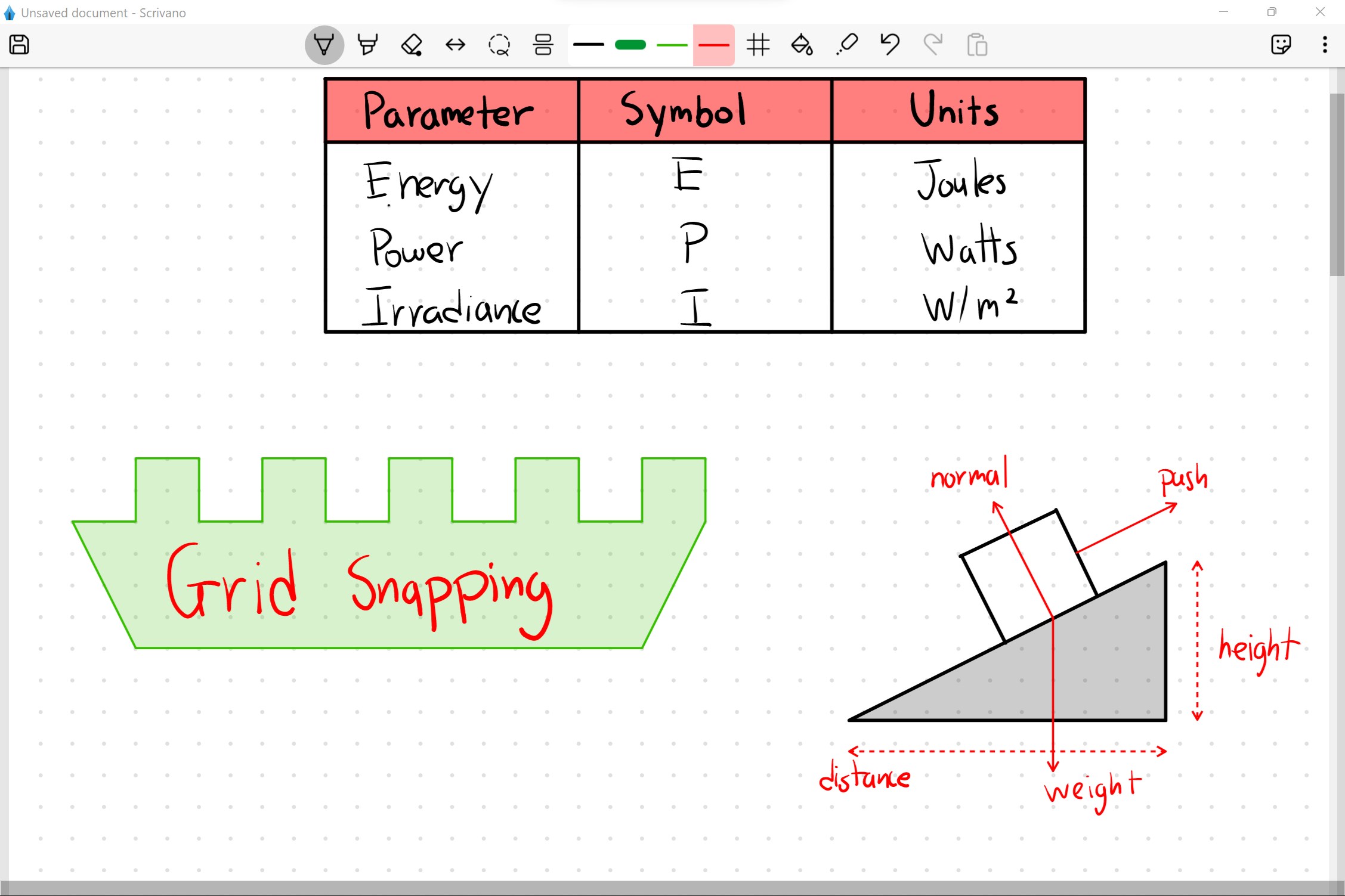
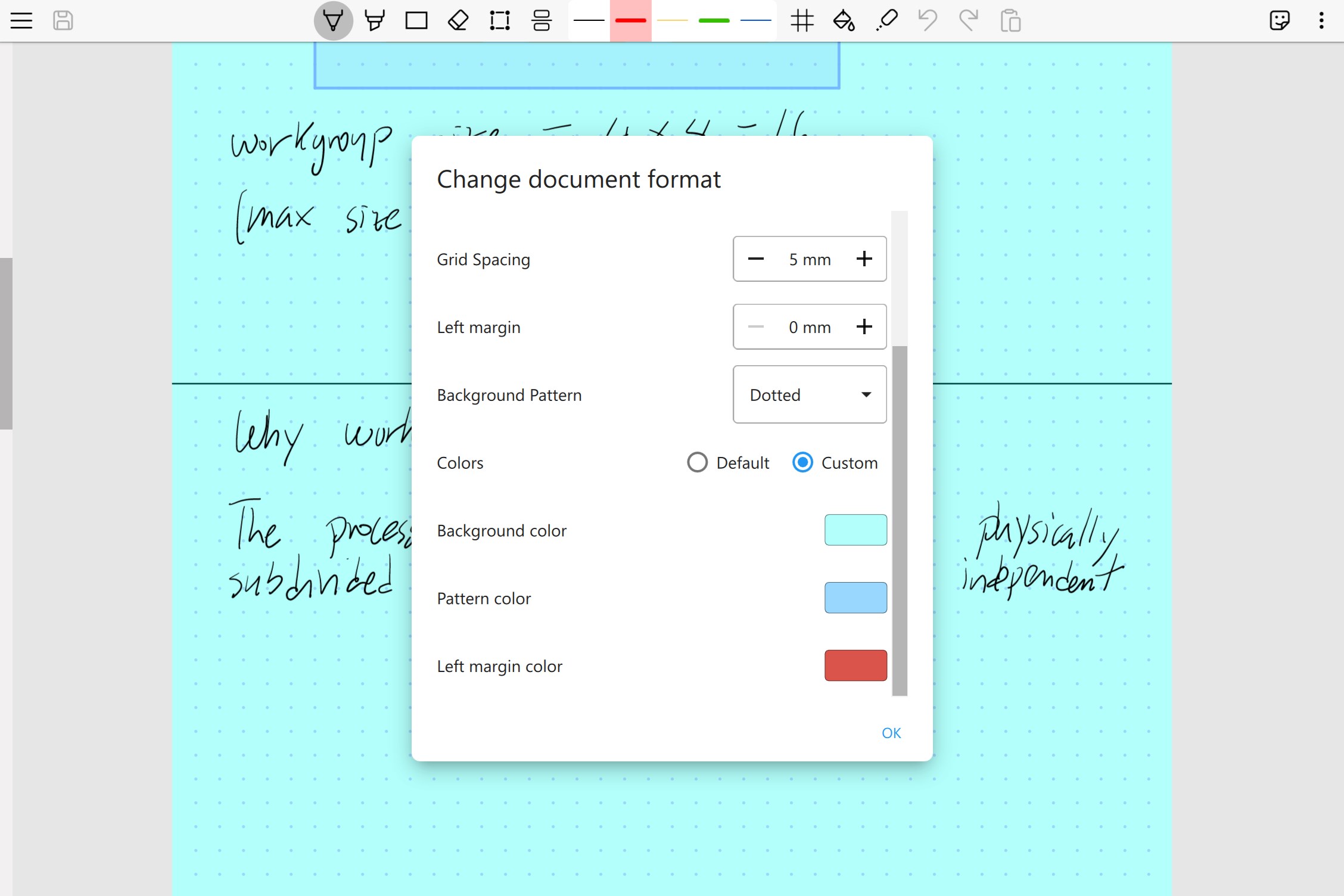
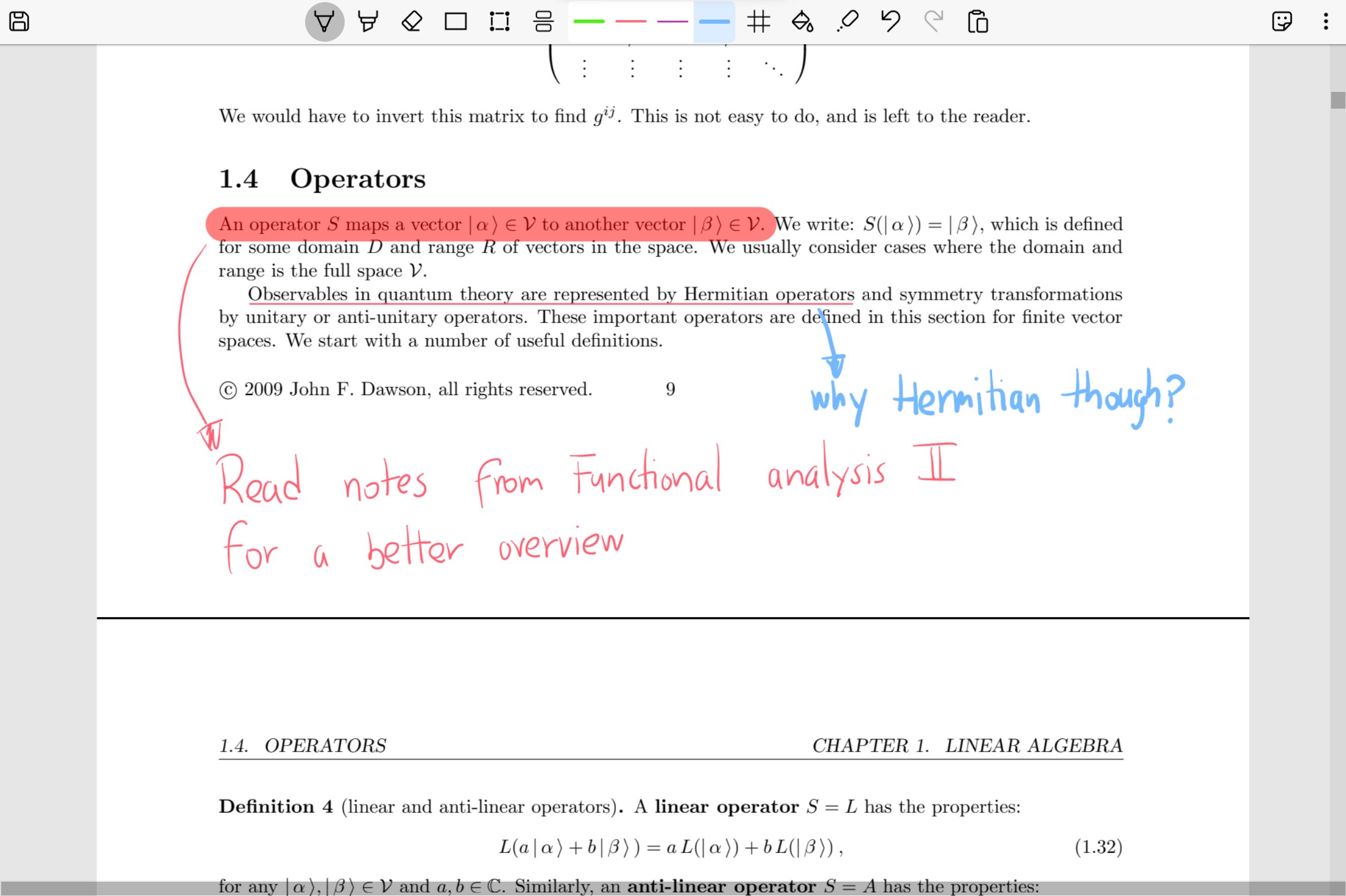
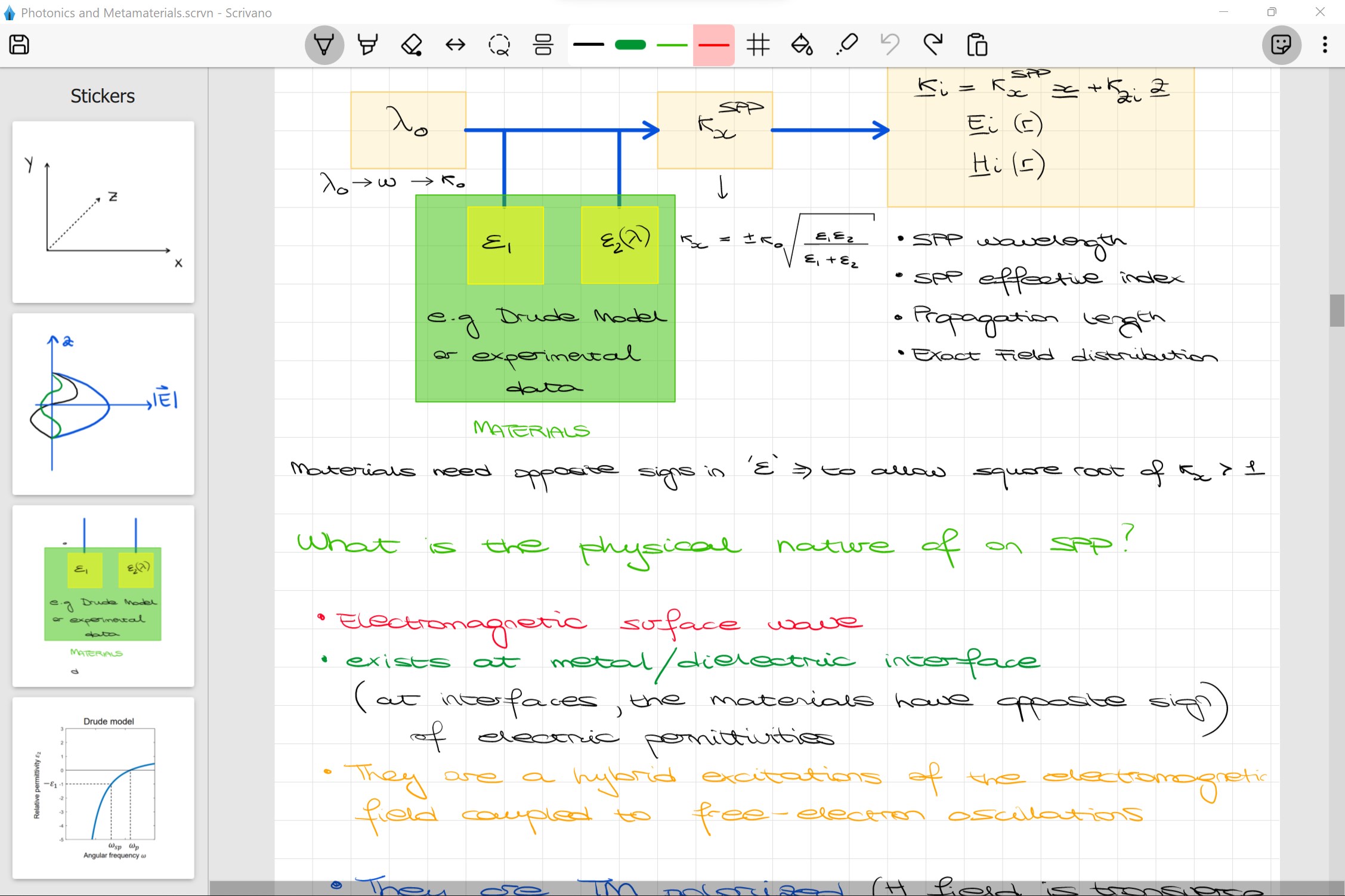
Scrivano for Handwritten Notes is a note-taking app for handwriting rather than typing, offering an infinite vertical canvas that still allows notes to be exported in standard printing formats such as A4. It provides four paper backgrounds, including plain, lined, grid and dotted, with customisable spacing. A grid snapping feature helps align drawings for tables and diagrams, while a paint bucket tool automatically fills shapes and strokes. PDF files can be imported for annotating articles, lecture slides and books, and frequently used symbols can be saved as stickers to drag and drop. Images can be pasted or dragged onto the canvas, and notes saved offline.
Show the developer's original descriptionHide the original description
Scrivano is a note-taking application aimed at those who prefer handwriting over typing. It offers a simple and easy to use interface to write down your thoughts and ideas. The app gives you an infinite vertical canvas (but limited horizontal space) without sacrificing the ability to easily export your notes in traditional printing formats (e.g. A2, A3, A4, etc...).
Here is a summary of the most important features:
- 4 different paper backgrounds to choose from: Plain, Lined, Grid or Dotted with customisable spacing and backgrounds.
- Grid Snapping: in Scrivano you can toggle the grid snapping feature so that your drawings will automatically snap to grid lines in the background. This is very useful to easily draw tables, diagrams and lines.
- Automatic filling of strokes: toggle the paint bucket in the toolbar to fill your drawing shapes and strokes.
- Import PDF files: perfect for annotating articles, lecture slides and books.
- Stickers: save your frequently used symbols and diagrams, so you can easily drag and drop whenever you need them.
- Insert images: paste or drag and drop any image on the canvas to unleash your creativity!
- Offline saving: save your notes anywhere on your main drive, so you can manage them however you please.
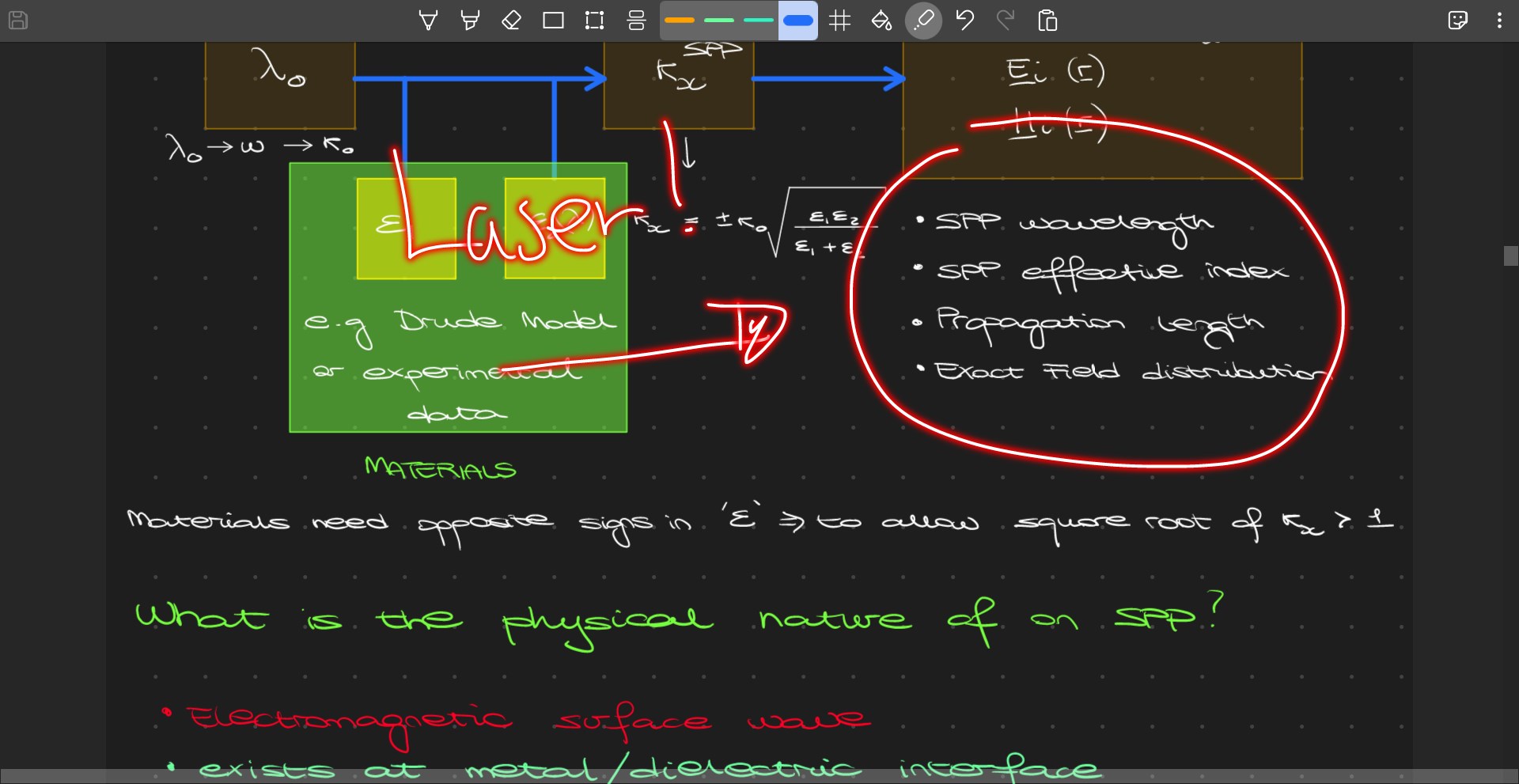
- Laser: Scrivano offers a special laser tool to quickly draw over your notes. Incredibly useful when sharing your screen or presenting something!
If you have any question about the application or you'd like to suggest a new feature, please send an email to scrivanolabs@gmail.com.
Technical details about Scrivano for Handwritten Notes
Play Store URL for "Scrivano for Handwritten Notes"
If there is a version of this app for iOS/Mac or Windows we don't know about, paste the store link here — we'll auto-detect the store.
How to find the URL:1. Open the app in its store. 2.In the App Store app: tap the Share icon → “Copy Link”. In the browser: copy the URL from the address bar — it contains apps.apple.com/…/id… or apps.microsoft.com/detail/…. 3. Paste it here.
Paste the original link from the Apple App Store or Microsoft Store. We fetch all details automatically.
How to find the URL:
1. Open the app in its store. 2.In the App Store app: tap the Share icon → “Copy Link”. In the browser: copy the URL from the address bar — it contains apps.apple.com/…/id… or apps.microsoft.com/detail/…. 3. Paste it here.
Android apps can only be listed by their developer.


 Nebo
Handwrite notes and convert them into typed text
 Noteshelf
Handwritten and typed notes with PDF markup and audio
 Samsung Notes
Create notes with handwriting, drawings and voice recordings
 To write (notes, notepad)
Notes with lists, audio recordings, photos and drawings
 Notebook Pro
Digital notebook for drawing, writing and annotating
 Notepad: Easy Notes & Memos
Notes and task lists with handwriting and formatting