
Screenshot appears after consentScreenshot appears after consentScreenshot appears after consent
Summary
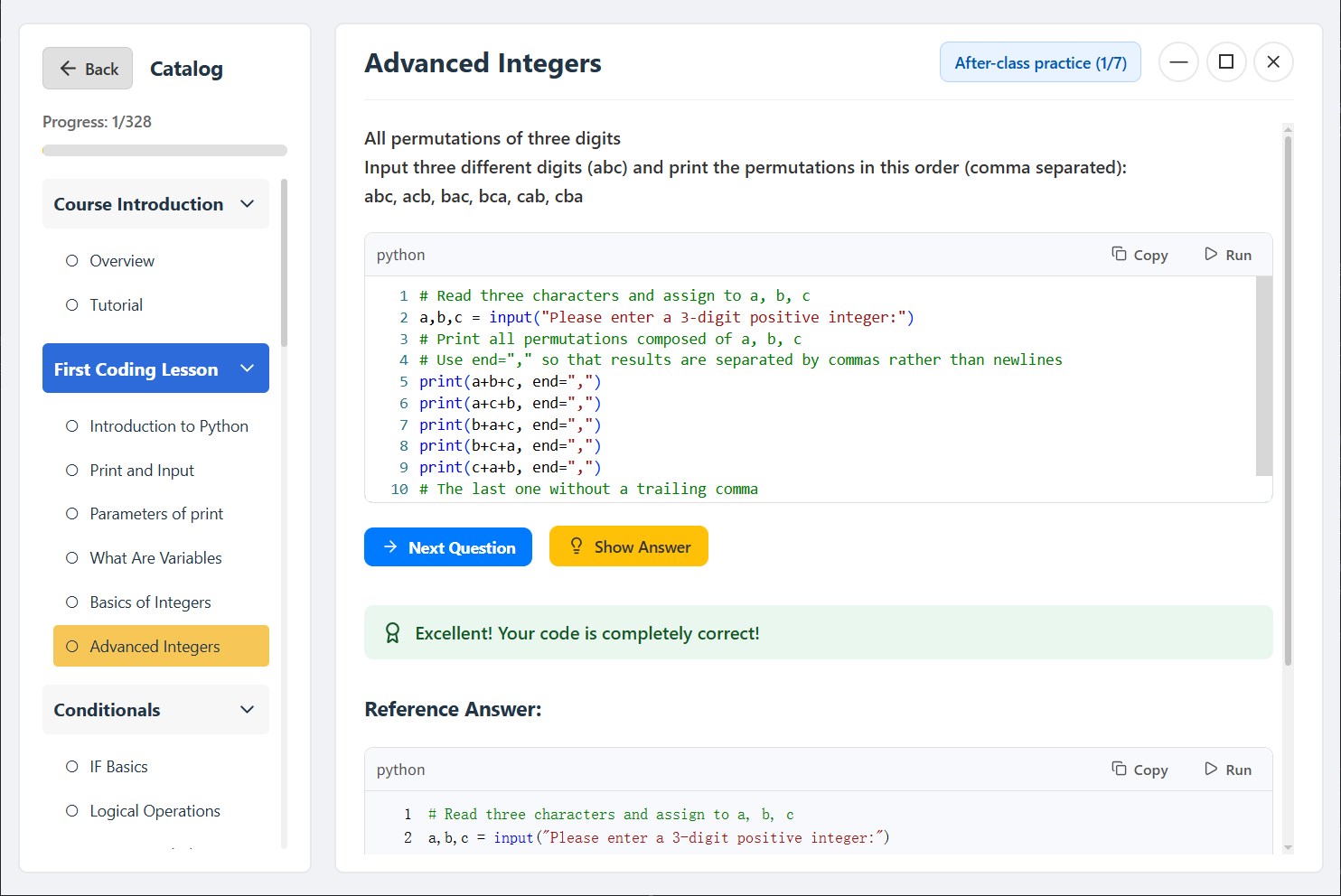
Learn Python - Python Tutorial is a learning app for absolute beginners that breaks Python programming down into easy-to-follow lessons. It offers video and text tutorials covering basics such as data types, loops, strings and lists. Each lesson includes coding exercises that can be written and run directly within the app. Users can set daily learning goals through an AI-powered study plan that helps them stay on track. The app also tracks course progress and shows the streak of consecutive study days, giving a clear overview of learning habits over time.
Show the developer's original descriptionHide the original description
Designed for absolute beginners, this app breaks down the vast world of programming into bite-sized “desserts,” so you can learn painlessly in your spare moments—right from your computer!
Features
Beginner-friendly courses: Easy-to-understand video and text tutorials covering Python basics, data types, loops, strings, lists, and more.
Hands-on practice: Every lesson comes with coding exercises you can write and run directly in the app.
Personalized study plan: Set your daily learning goals, with AI-powered planning to help you stay on track.
Progress tracking: Clearly see your course progress and streak of consecutive study days.
Say goodbye to confusion—learn Python the smart way and truly master it!
Download now and kickstart your coding journey!
Questions? Contact us at: zyang7027@gmail.com
Play Store URL for "Learn Python - Python Tutorial"
If there is a version of this app for iOS/Mac or Windows we don't know about, paste the store link here — we'll auto-detect the store.
How to find the URL:1. Open the app in its store. 2.In the App Store app: tap the Share icon → “Copy Link”. In the browser: copy the URL from the address bar — it contains apps.apple.com/…/id… or apps.microsoft.com/detail/…. 3. Paste it here.
Paste the original link from the Apple App Store or Microsoft Store. We fetch all details automatically.
How to find the URL:
1. Open the app in its store. 2.In the App Store app: tap the Share icon → “Copy Link”. In the browser: copy the URL from the address bar — it contains apps.apple.com/…/id… or apps.microsoft.com/detail/…. 3. Paste it here.
Android apps can only be listed by their developer.