Screenshot appears after consentScreenshot appears after consentScreenshot appears after consent
Summary
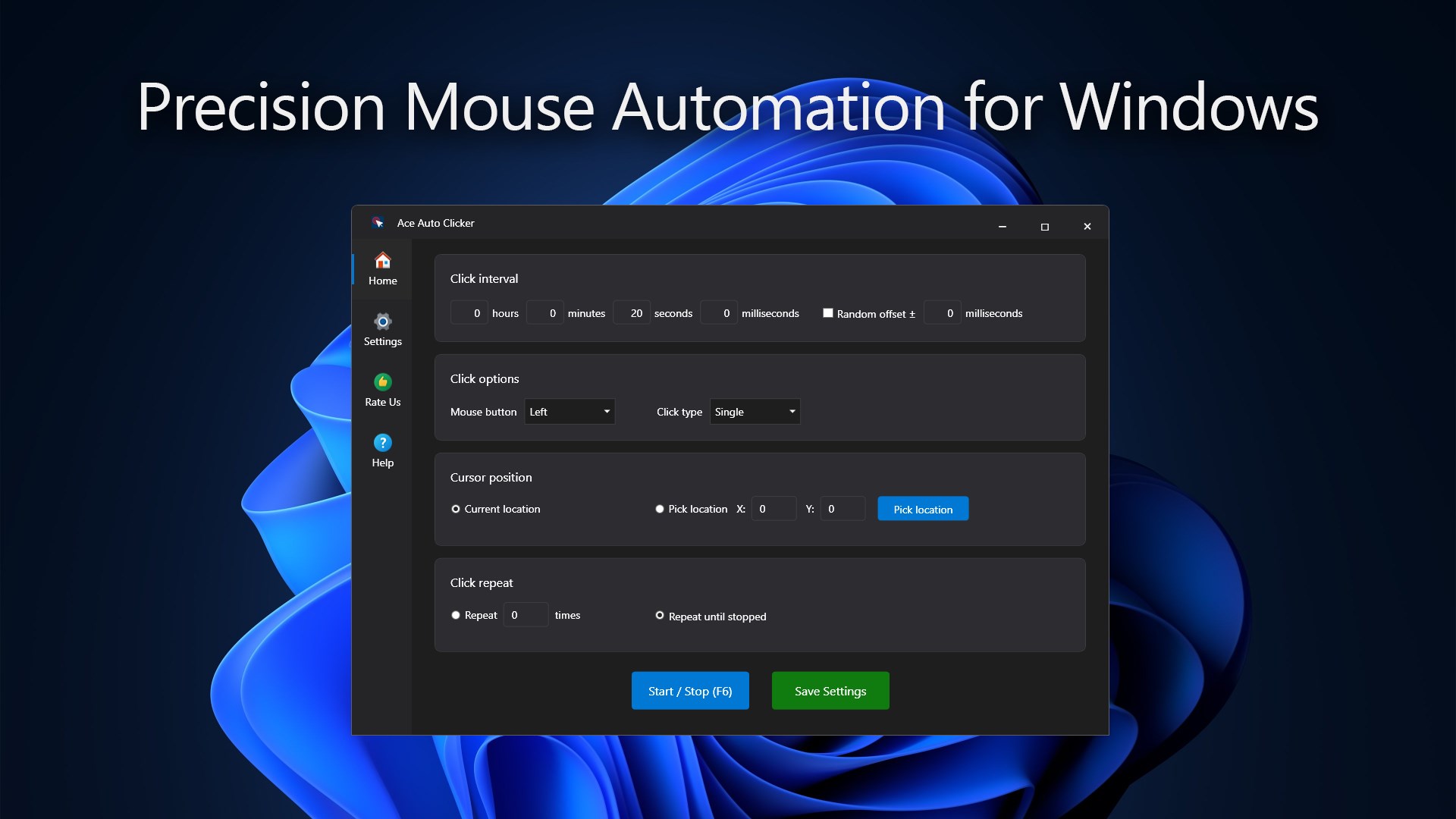
Ace Auto Clicker is a mouse automation tool for Windows 10 and 11 that automates mouse clicks. It lets users define exact click intervals in hours, minutes, seconds and milliseconds, and add randomization for natural, human-like clicking patterns. The mouse button can be chosen among left, middle or right, with single or double clicks, and cursor position can be set manually or taken from the current mouse location. Clicks can repeat a set number of times or run continuously until stopped, with assignable hotkeys for starting and stopping. Settings are saved for quick reuse at the next launch, and a one-day free trial is offered before a license is required.
Show the developer's original descriptionHide the original description
Ace Auto Clicker is a fast and reliable tool that automates mouse clicks on Windows 10 and 11. Designed for gamers, testers, and professionals, it allows you to define exact click intervals, choose which mouse button to use, and decide where and how often clicks should occur. Whether you’re performing repetitive actions, running automated tests, or enhancing gameplay, Ace Auto Clicker provides full control and accuracy.
App License:
The app provides a 1-day free trial that gives users full access to test all features and functions. To continue using Ace Auto Clicker without restrictions after the trial period, users can acquire a license to unlock full access.
Key Features:
✅ Set custom click intervals in hours, minutes, seconds, and milliseconds
✅ Add randomization to create natural, human-like clicking patterns
✅ Choose between left, middle, or right mouse button with single or double clicks
✅ Pick cursor position manually or use current mouse location
✅ Repeat a set number of clicks or run continuously until stopped
✅ Assign customizable hotkeys for start/stop actions
✅ Save settings for quick reuse every time you launch the app
Ace Auto Clicker helps eliminate repetitive manual clicking and improves productivity across a wide range of tasks. With an intuitive interface and lightweight design, it delivers precision automation for work, testing, and gaming—all with just a few clicks.
If there is a version of this app for iOS/Mac or Windows we don't know about, paste the store link here — we'll auto-detect the store.
How to find the URL:1. Open the app in its store. 2.In the App Store app: tap the Share icon → “Copy Link”. In the browser: copy the URL from the address bar — it contains apps.apple.com/…/id… or apps.microsoft.com/detail/…. 3. Paste it here.
Paste the original link from the Apple App Store or Microsoft Store. We fetch all details automatically.
How to find the URL:
1. Open the app in its store. 2.In the App Store app: tap the Share icon → “Copy Link”. In the browser: copy the URL from the address bar — it contains apps.apple.com/…/id… or apps.microsoft.com/detail/…. 3. Paste it here.
Android apps can only be listed by their developer.





 OP Auto Clicker
Automated clicking at cursor or fixed position
 GT Auto Clicker: Free Auto Click
Automates mouse clicks at configurable intervals
 Auto Clicker - Key presser
Simulate automatic mouse clicks and key presses
 Auto Click Pro
Automates mouse clicks with intervals and scripts
 Re:Click - Auto Clicker | Macro Recorder
Automates repetitive mouse clicks and keyboard input
 Power Automate
Automate desktop applications with clicks and keyboard input