Screenshot appears after consentScreenshot appears after consentScreenshot appears after consentScreenshot appears after consentScreenshot appears after consentScreenshot appears after consentScreenshot appears after consent
Summary
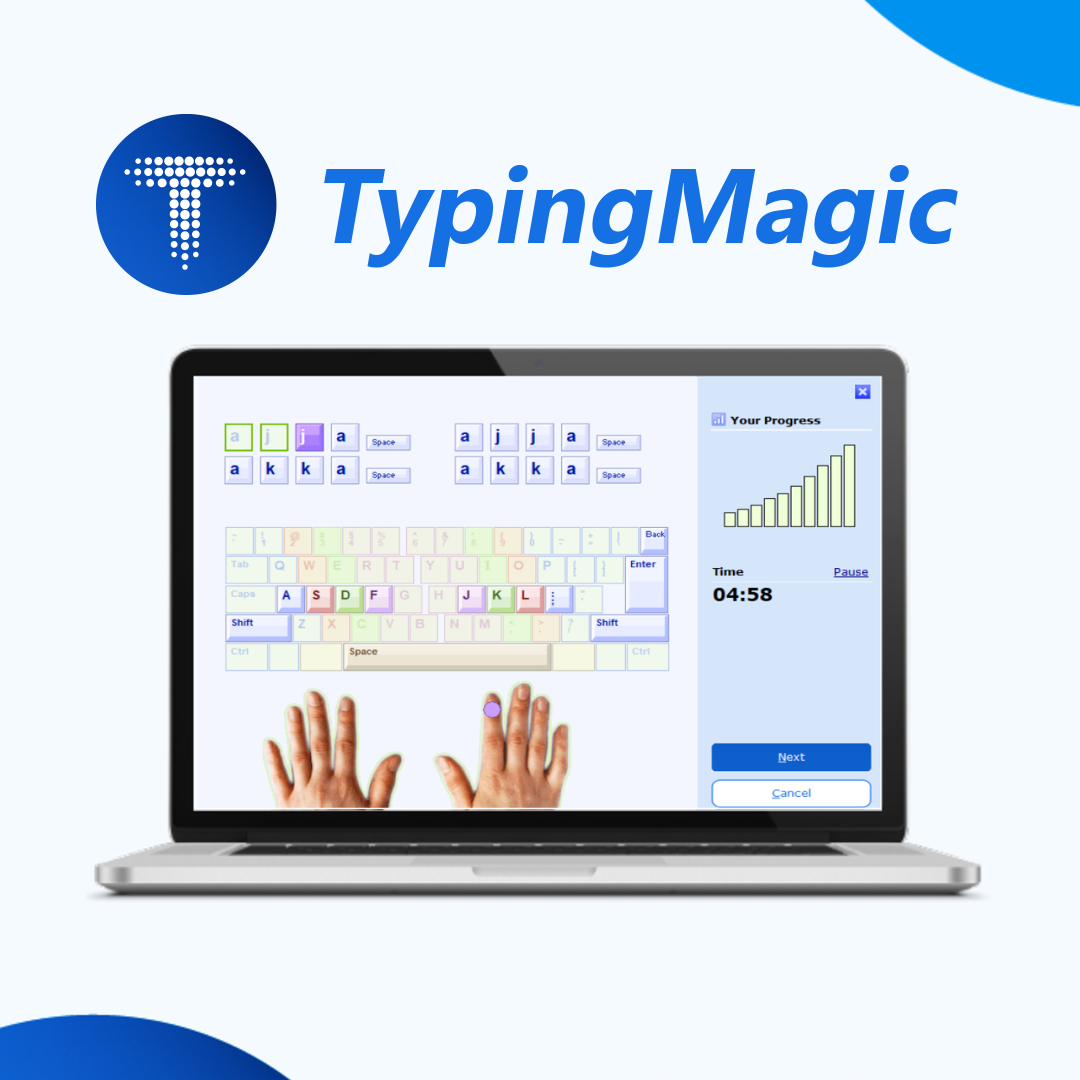
TypingMagic 12 is a touch-typing course offering over 10 hours of structured, adaptive training to build efficient ten-finger typing skills. An adaptive learning system continuously analyzes typing speed and accuracy, adjusting lessons to focus on the weakest keys and key combinations. Users can practice with their own texts and customize typing tests, while progress tracking shows improvement over time. A TypingMeter widget runs in the background to measure real-world typing speed and accuracy in other applications, providing statistics like speed trends, and can be enabled or disabled at any time, working offline with locally stored data, according to the provider.
Show the developer's original descriptionHide the original description
Type faster. Make fewer mistakes.
TypingMagic 12 is a professional, easy-to-use touch-typing tutor designed to help you improve your typing speed, accuracy, and confidence. Its structured course offers over 10 hours of training, with step-by-step lessons, adaptive exercises, typing tests, and games to help you build lasting keyboarding skills.
Learn at your own pace
Whether you're learning to touch type for the first time or improving existing skills, TypingMagic guides you through a structured course that gradually introduces new keys and combinations. Its adaptive learning system analyzes your typing performance and identifies the keys and combinations that need more practice. Personalized review exercises help you focus on your weak points instead of repeating material you've already mastered.
Each exercise takes just a few minutes, making it easy to fit typing practice into your daily routine. Track your progress as you develop better typing habits and learn to type without looking at the keyboard.
Understand your typing with TypingMeter
TypingMagic 12 includes the TypingMeter widget, which takes typing analysis beyond the lessons. It measures your typing speed and accuracy while you work in other applications, helping you understand how you type in everyday computer use.
Explore your performance with detailed statistics, speed trends, bigram analysis, and heat maps that highlight difficult key combinations. These insights help you discover patterns that traditional typing exercises may not reveal and identify where targeted practice can make the biggest difference.
TypingMeter can be enabled or disabled at any time. It works offline, with typing analysis data stored locally on your computer.
More ways to practice and improve
Measure your typing speed and accuracy with customizable typing tests. Set test durations and performance requirements, review your results, and print a diploma to document your achievement. Practice with your own texts, explore additional lessons, or improve your skills through typing games.
Built for languages and keyboard layouts around the world
TypingMagic 12 expands support for international users with additional built-in keyboard layouts, including Hindi as well as Colemak. Its Universal Course supports different keyboard layouts, including custom ANSI and ISO keyboards. Unicode support enables non-Latin scripts and international user names.
Start improving today
TypingMagic 12 starts with 7 days of free access to all PRO features, including all typing courses, practice drills, TypingMeter coaching, typing tests, and games. After 7 days, you can continue learning for free with access to all keyboard keys, introductory lessons, practice drills, tests, and games. A paid license is optional if you want to unlock all practice drills and advanced TypingMeter coaching. No credit card or registration required.
Build better typing skills for work, school, and everyday computer use.
If there is a version of this app for iOS/Mac or Windows we don't know about, paste the store link here — we'll auto-detect the store.
How to find the URL:1. Open the app in its store. 2.In the App Store app: tap the Share icon → “Copy Link”. In the browser: copy the URL from the address bar — it contains apps.apple.com/…/id… or apps.microsoft.com/detail/…. 3. Paste it here.
Paste the original link from the Apple App Store or Microsoft Store. We fetch all details automatically.
How to find the URL:
1. Open the app in its store. 2.In the App Store app: tap the Share icon → “Copy Link”. In the browser: copy the URL from the address bar — it contains apps.apple.com/…/id… or apps.microsoft.com/detail/…. 3. Paste it here.
Android apps can only be listed by their developer.




 Typing Land
Learn typing through 40 mini-games with lessons
 FastBoard - Phrase Keyboard
Keyboard with saved phrases and dynamic variables
 Typing Fingers LT
Learn touch-typing with games and an interactive tutor
 Sololearn: Learn to Code
Learn programming with interactive lessons and practice
 click & teach
Digital textbooks with supplementary materials for teachers
 Gymglish: Learn a language
Learn languages with daily, personalized story lessons