

Screenshot appears after consentScreenshot appears after consentScreenshot appears after consentScreenshot appears after consentScreenshot appears after consentScreenshot appears after consentScreenshot appears after consentScreenshot appears after consentScreenshot appears after consentScreenshot appears after consentScreenshot appears after consent
Summary
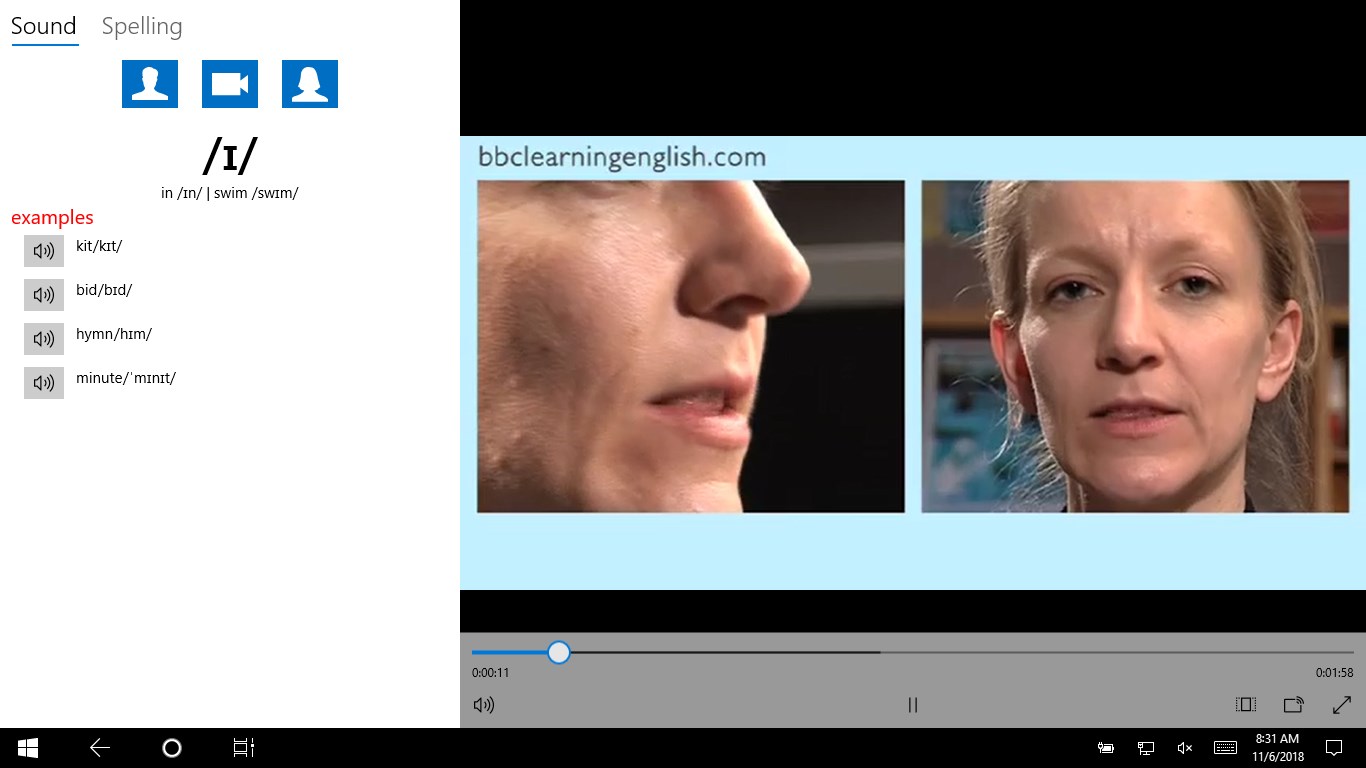
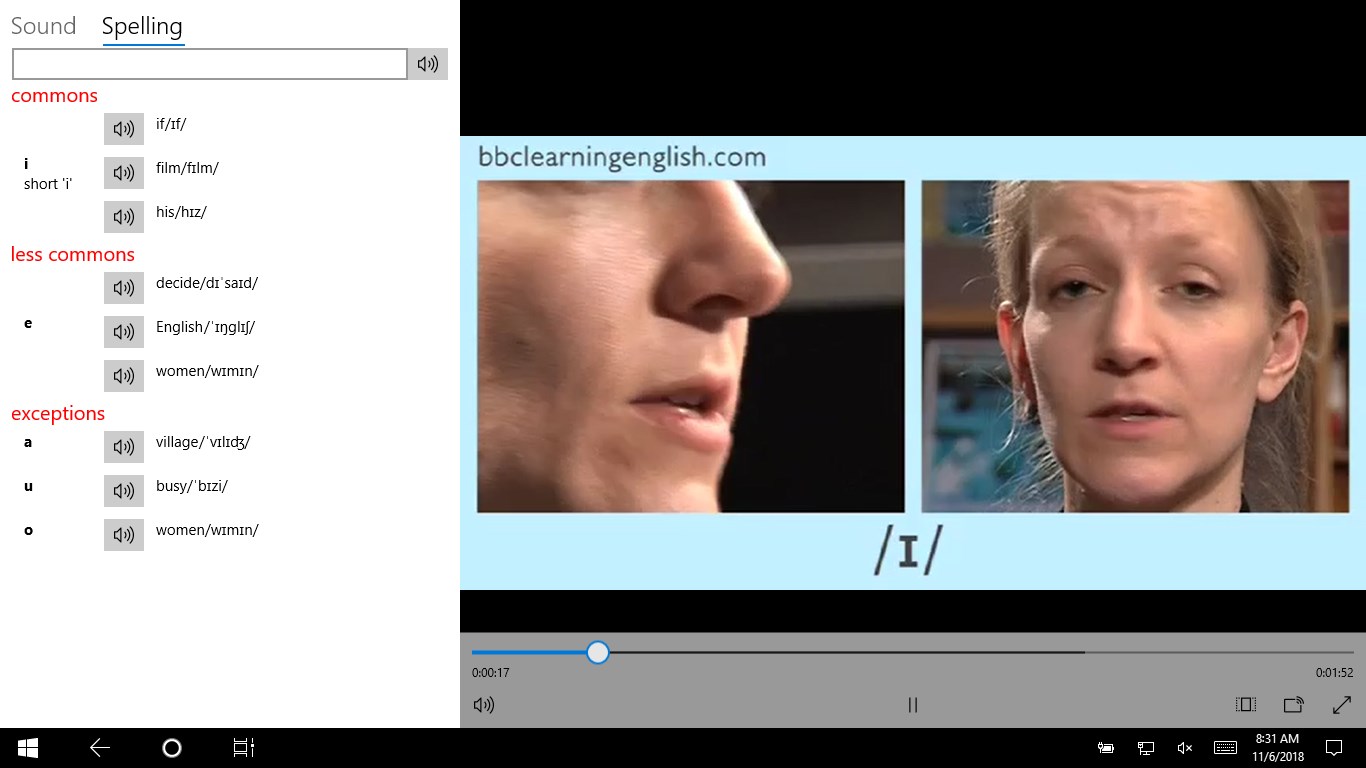
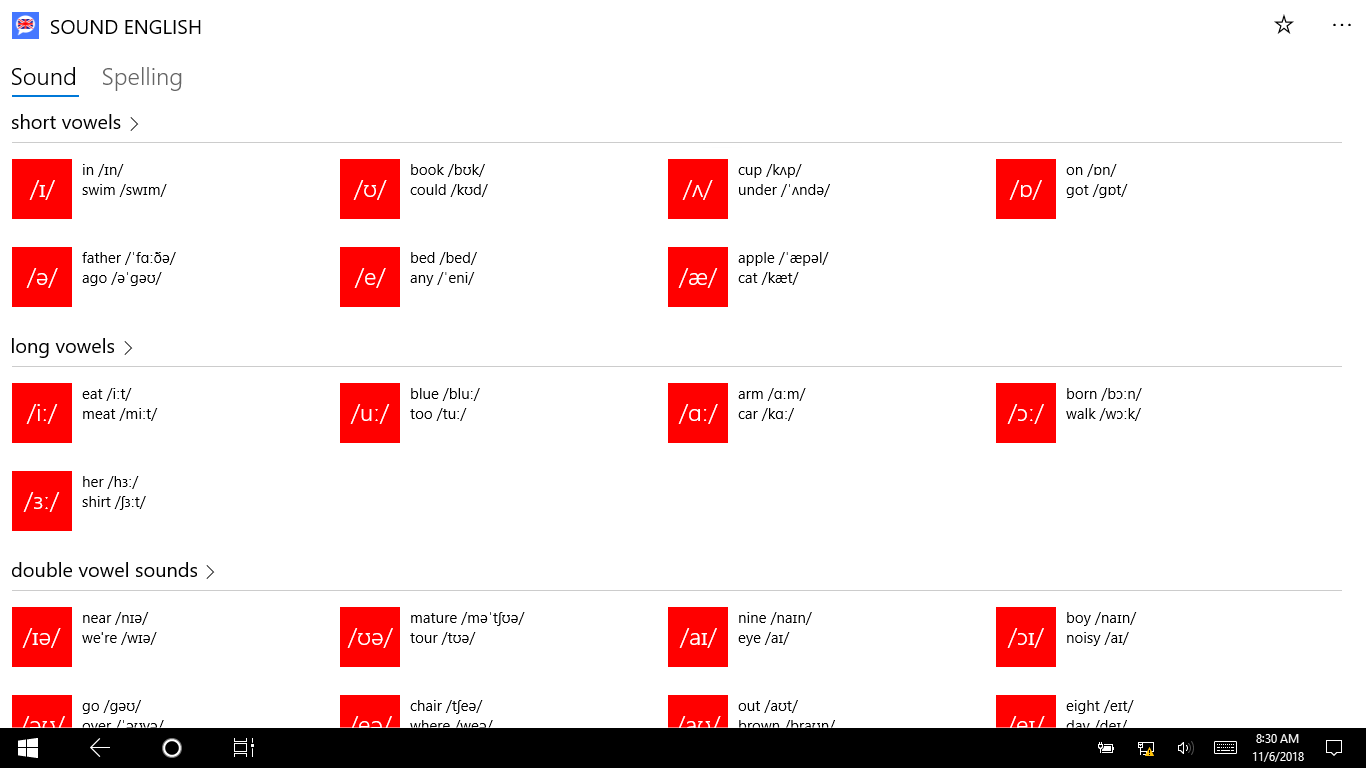
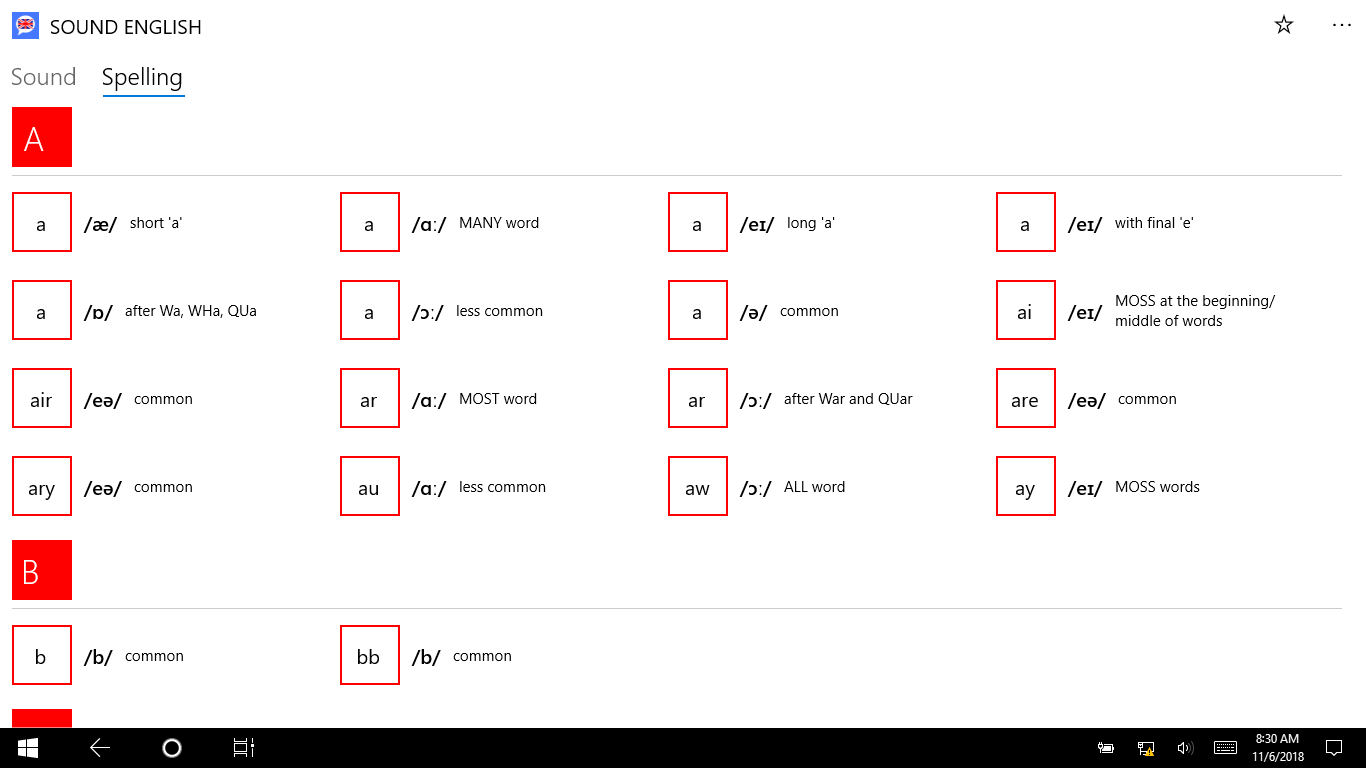
Learn Speak English is a pronunciation trainer that helps users hear and produce the individual sounds of English, including sound contrasts such as "light" versus "right" or "fit" versus "feet". It provides a full list of English sounds along with video guides from the BBC for each sound. Audio samples from Cambridge University Press are included for every sound, and detailed sound entries combine samples with spelling information drawn from Cambridge University Press and J.D. O'Connor.
Show the developer's original descriptionHide the original description
Sound English provides practice in hearing and saying the sounds of English. If you want to have a good pronunciation of English, you need to be able to make all the sound contrasts used in English. You must be able to distinguish 'light' from 'right', 'fit' from 'feet', etc, both in listening and speaking.
This application help you to be a good pronunciation English. The features of application includes:
- Full list of English sounds
- Video guides from BBC for each sound
- Audio sample from Cambridge University Press for each sound
- Sound detail with samples, spelling from Cambridge University Press and J.D.O'Connor
If there is a version of this app for iOS/Mac or Windows we don't know about, paste the store link here — we'll auto-detect the store.
How to find the URL:1. Open the app in its store. 2.In the App Store app: tap the Share icon → “Copy Link”. In the browser: copy the URL from the address bar — it contains apps.apple.com/…/id… or apps.microsoft.com/detail/…. 3. Paste it here.
Paste the original link from the Apple App Store or Microsoft Store. We fetch all details automatically.
How to find the URL:
1. Open the app in its store. 2.In the App Store app: tap the Share icon → “Copy Link”. In the browser: copy the URL from the address bar — it contains apps.apple.com/…/id… or apps.microsoft.com/detail/…. 3. Paste it here.
Android apps can only be listed by their developer.