Screenshot appears after consentScreenshot appears after consentScreenshot appears after consentScreenshot appears after consentScreenshot appears after consent
Screenshot appears after consentScreenshot appears after consentScreenshot appears after consentScreenshot appears after consentScreenshot appears after consent
Screenshot appears after consent
Summary
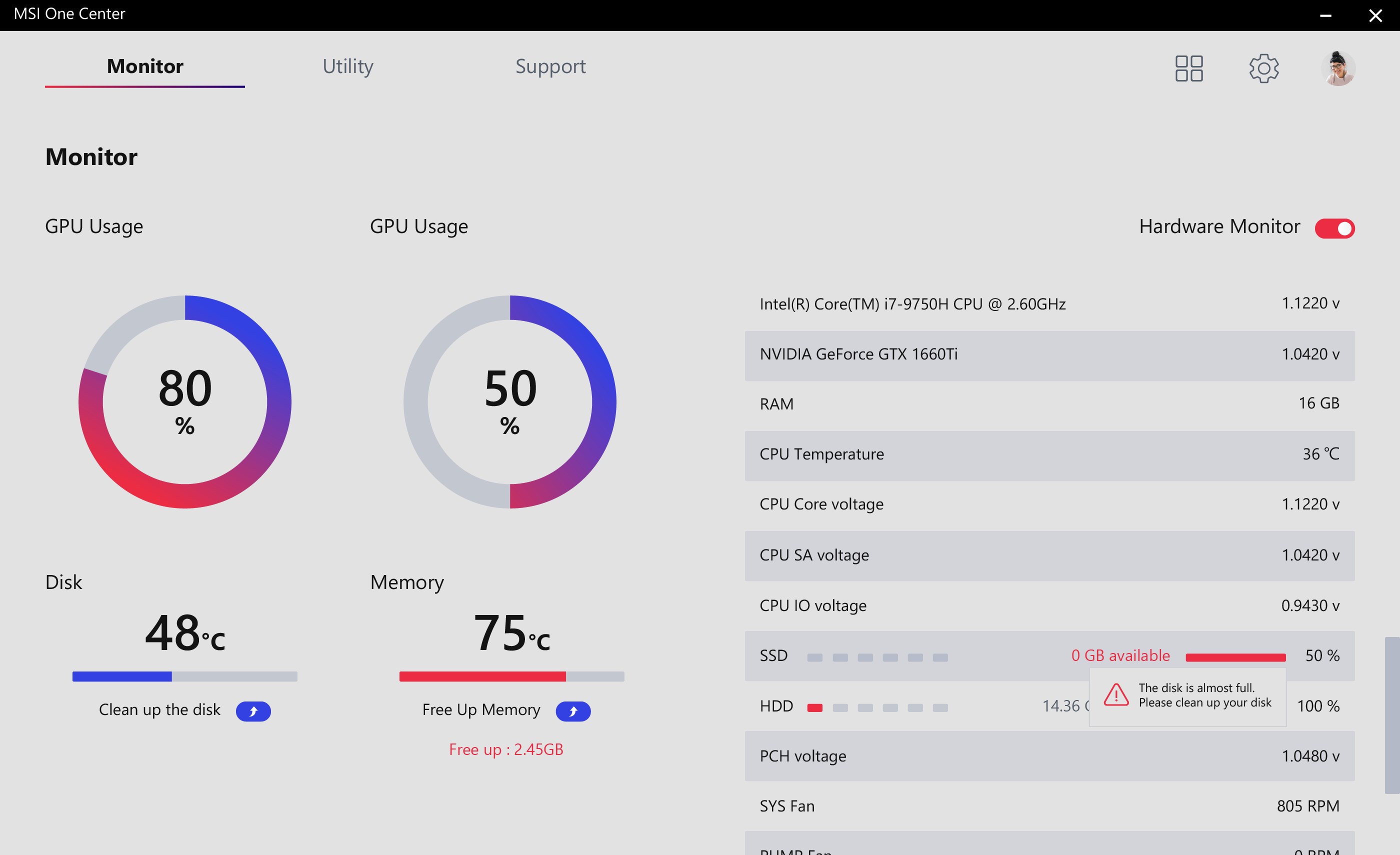
MSI Center is a control center app that brings together MSI's device features in one place. It includes Feature Sets such as Gaming Mode and Smart Priority, letting the system be configured according to preference. It also incorporates Smart Image Finder and MSI Companion. The app works with supported MSI motherboards, notebooks, graphics cards, desktops and gaming gear including keyboards, mice and headsets, allowing settings across these devices to be managed from a single interface.
Show the developer's original descriptionHide the original description
MSI Center is a brand new platform which will combine all MSI’s exclusive features. Now you can find all your favorite features like Gaming Mode or Smart Priority in the Feature Sets page. Build your own control center just as you want! All the latest MSI features like Smart Image Finder, MSI Companion and more will be included in the new MSI Center. Come and try the most innovative MSI Center which will make you game and create like a pro.
Support MSI Motherboard models:
- Intel Series motherboard with X299/300/400/500/600 or newer
- AMD Series motherboard with X399/TRX40/A320/400/500 or newer
Support MSI NoteBook models:
- Gaming Series laptops with Intel 11th gen CPU or newer
- Gaming Series laptops with AMD 5000 CPU or newer
Support MSI Graphics models:
NVIDIA GPUs:
- GeForce RTX ®40 Series : SUPRIM LIQUID / SUPRIM / GAMING TRIO / GAMING / VENTUS 3X /
VENTUS 2X /VENTUS 2X XS /AERO ITX models
- GeForce RTX™ 30 Series: SUPRIM / GAMING TRIO / GAMING / VENTUS 3X /
VENTUS 2X / VENTUS 2X XS / AERO ITX Models
- GeForce RTX™ 20 Series: LIGHTNING / GAMING TRIO / GAMING / SEA HAWK /
SEA HAWK EK / DUKE Models
- GeForce® GTX 16 Series: GAMING Models
AMD GPUs:
- Radeon™ RX 6000 Series: GAMING TRIO / GAMING / MECH models
- Radeon™ RX 5000 Series: GAMING / EVOKE models
Support MSI Desktop models:
- MEG/MPG Gaming Series Desktops with Intel 11th gen CPU or newer.
- Creator Series Desktops with Intel 11th gen CPU or newer.
- PRO Series Desktops with Intel 11th gen CPU or newer.
- Modern Series All-in-One PCs with Intel 11th gen CPU or newer.
Gaming Gear:
VIGOR Keyboards: GK60 / GK50 Series / GK30 Series
CLUTCH Mice: GM50 / GM41 Series / GM30 / GM20 / GM11 Series / GM08
IMMERSE Headsets: GH61 / GH50
If there is a version of this app for iOS/Mac or Windows we don't know about, paste the store link here — we'll auto-detect the store.
How to find the URL:1. Open the app in its store. 2.In the App Store app: tap the Share icon → “Copy Link”. In the browser: copy the URL from the address bar — it contains apps.apple.com/…/id… or apps.microsoft.com/detail/…. 3. Paste it here.
Paste the original link from the Apple App Store or Microsoft Store. We fetch all details automatically.
How to find the URL:
1. Open the app in its store. 2.In the App Store app: tap the Share icon → “Copy Link”. In the browser: copy the URL from the address bar — it contains apps.apple.com/…/id… or apps.microsoft.com/detail/…. 3. Paste it here.
Android apps can only be listed by their developer.