Screenshot appears after consentScreenshot appears after consentScreenshot appears after consentScreenshot appears after consentScreenshot appears after consentScreenshot appears after consentScreenshot appears after consentScreenshot appears after consentScreenshot appears after consentScreenshot appears after consent
Screenshot appears after consentScreenshot appears after consentScreenshot appears after consentScreenshot appears after consentScreenshot appears after consentScreenshot appears after consentScreenshot appears after consentScreenshot appears after consentScreenshot appears after consentScreenshot appears after consent
Screenshot appears after consentScreenshot appears after consentScreenshot appears after consentScreenshot appears after consentScreenshot appears after consentScreenshot appears after consentScreenshot appears after consentScreenshot appears after consentScreenshot appears after consentScreenshot appears after consent
Summary
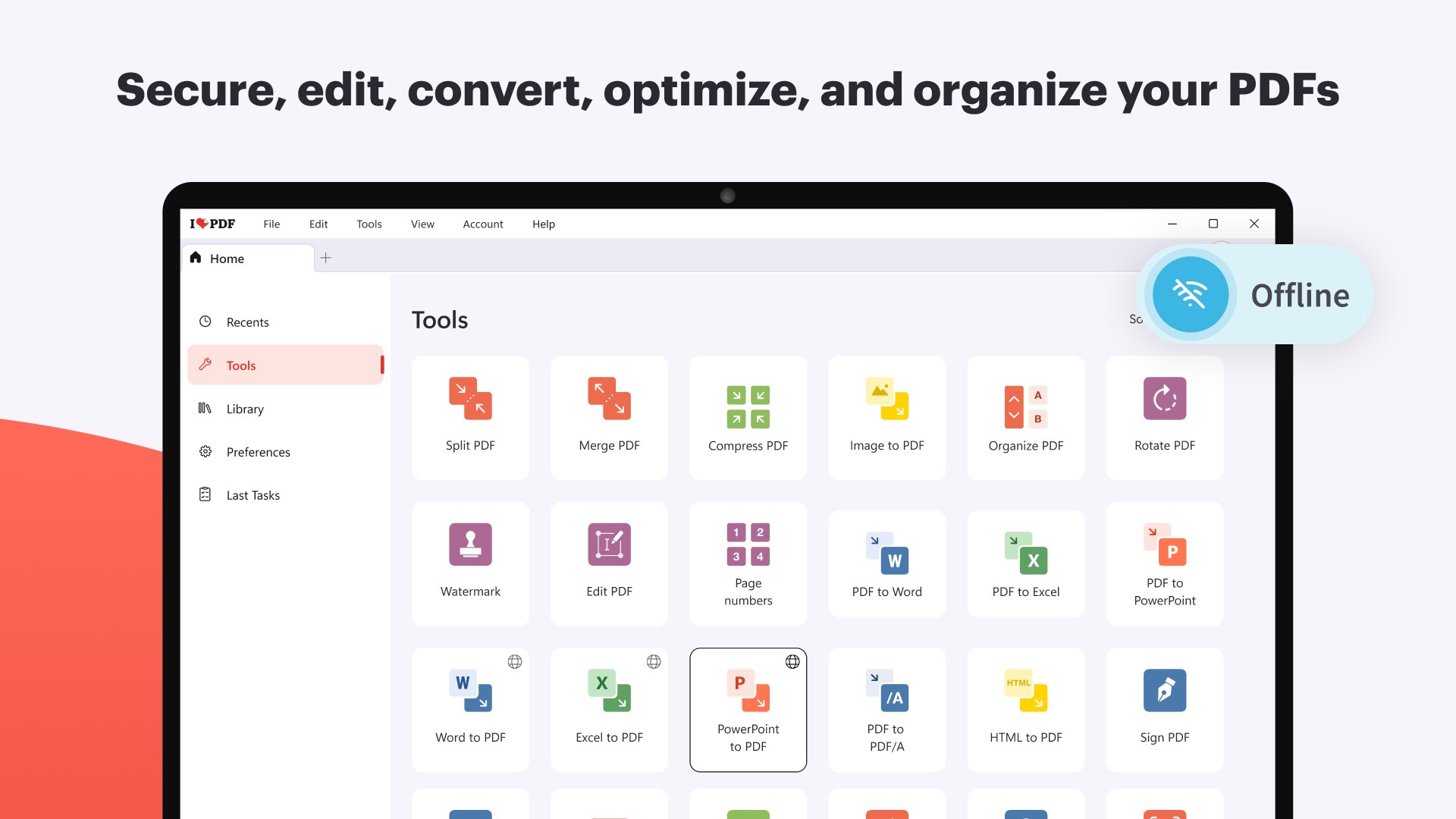
iLovePDF: PDF Reader and Editor is a PDF reader and editor for viewing, editing, converting and organizing documents. It allows adding text, images, shapes, highlights, comments and watermarks to a PDF, as well as rotating, cropping and numbering pages. It merges files, splits or reorganizes PDF pages, scans physical documents into PDF, and converts between PDF and formats such as Word, Excel, PowerPoint and images. It also compresses and repairs damaged files, offering password protection, redaction, digital signing and document comparison, with a free version and a Premium subscription adding OCR and PDF/A conversion.
Show the developer's original descriptionHide the original description
Work with PDFs faster, smarter, and more securely, right from your Windows PC. iLovePDF for Windows gives you powerful tools with the privacy, speed, and reliability of offline processing. Edit, organize, convert, and protect documents without ever leaving your desktop.
Edit and customize
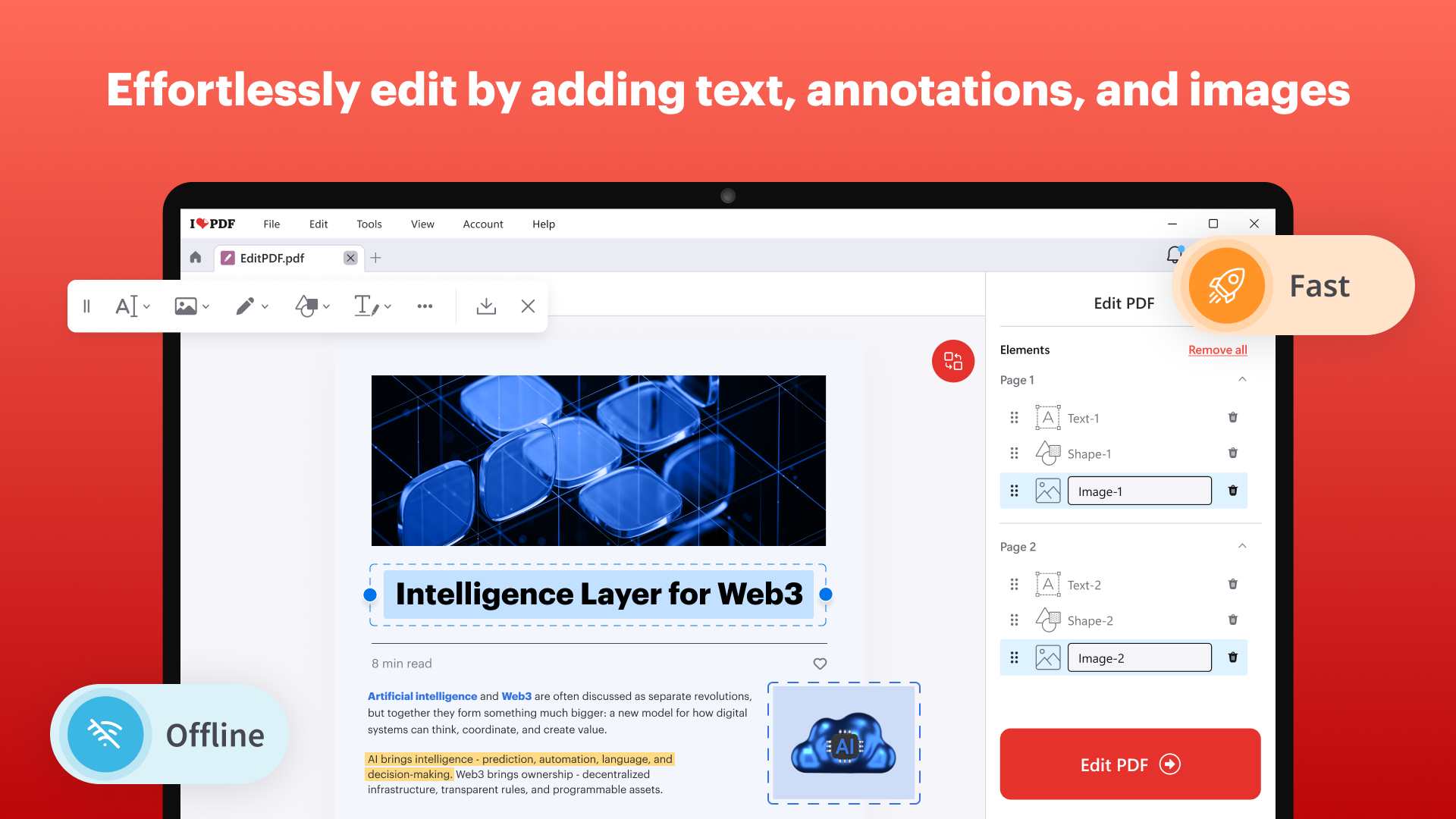
• Edit PDF: Add text, images, shapes, highlights, annotations, underlines, and strikethroughs. Save images in original format and remove existing images.
• Rotate PDF: Rotate one or all pages of your PDF.
• Watermark PDF: Stamp an image or text over your PDF for watermark protection.
• Page Numbers: Add page numbers to your PDF.
• Crop PDF: Select and crop a specific area on one or multiple pages, then save the result as a new PDF.
Read and review
• PDF Reader and Image Viewer: Read your files with a clean, comfortable viewing experience.
• Search: Keyword search bar to locate content effortlessly.
• Zoom: Page zoom for detailed analysis of text and graphics.
• Page views: Adjustable single-page, double-page, and presentation modes.
• PDF/A viewer: Check compliance with archival standards.
• Attach files to PDFs: Insert one or more files as attachments within your documents.
Organize and manage
• Merge Files: Combine PDFs, Office documents, and images into a single PDF file.
• Split PDF: Divide a PDF into pages, extract specific sections, or set a file size limit to generate smaller, upload-ready documents.
• Remove PDF pages: Select and remove the PDF pages you don’t need.
• Organize PDF: Reorder, add, and remove PDF pages.
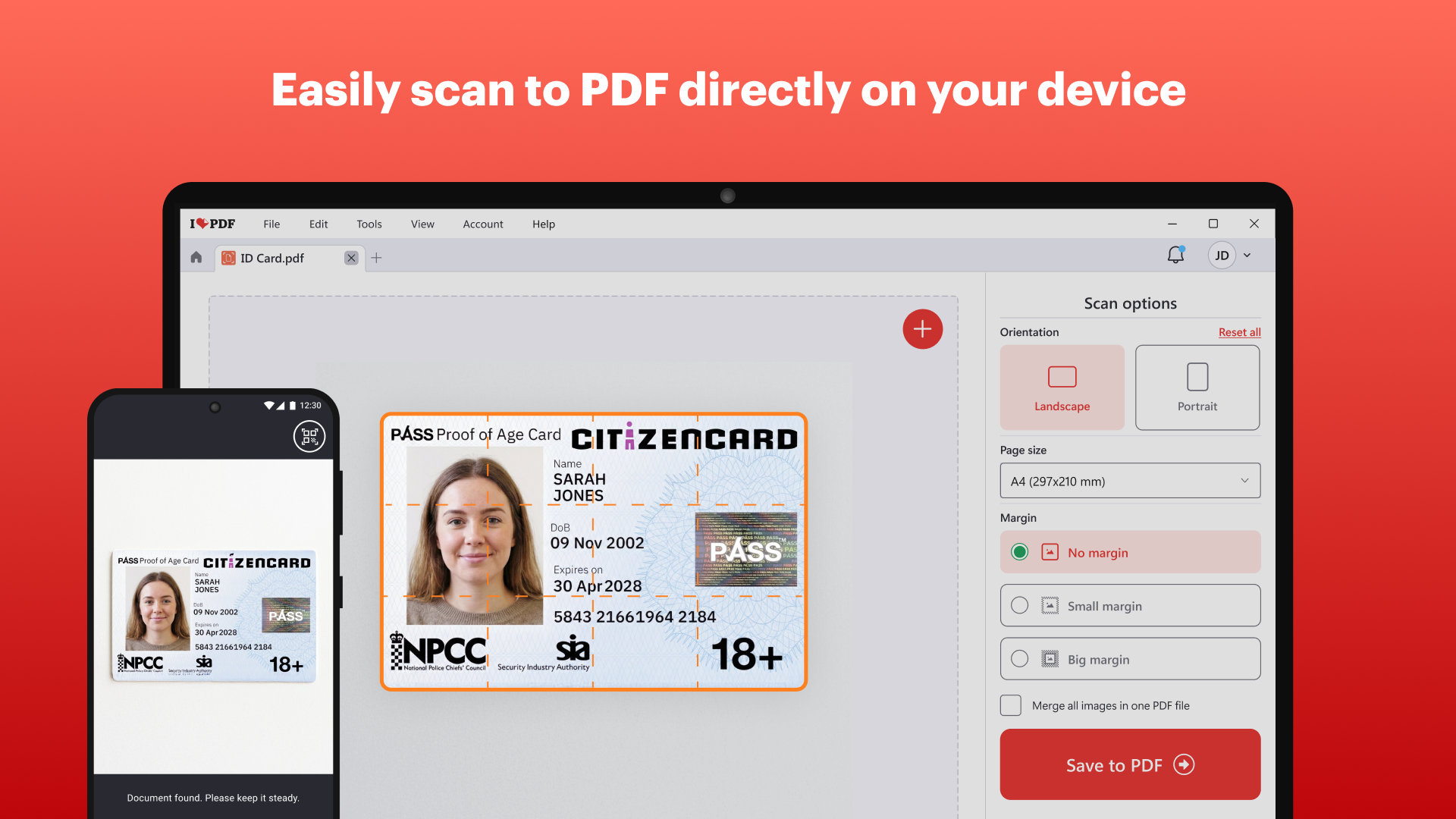
• Scan PDF: Convert physical documents into digital PDF files.
Optimize and repair
• Compress PDF: Reduce the file size of your PDF.
• Repair PDF: Repair a damaged or corrupted file to recover lost data.
Convert and export
• Image to PDF: Convert a wide range of image formats, including JPG, PNG, and more, into high-quality PDFs.
• Word to PDF: Convert Word to PDF.
• Excel to PDF: Convert Excel to PDF.
• PowerPoint to PDF: Convert PowerPoint to PDF.
• PDF to JPG: Create JPG files from each page or extract images from your PDF.
• PDF to Word: Convert PDF to editable Word.
• PDF to Excel: Convert PDF to Excel Spreadsheets.
• PDF to PowerPoint: Convert PDF to editable PowerPoint slides.
Protect, sign, and verify
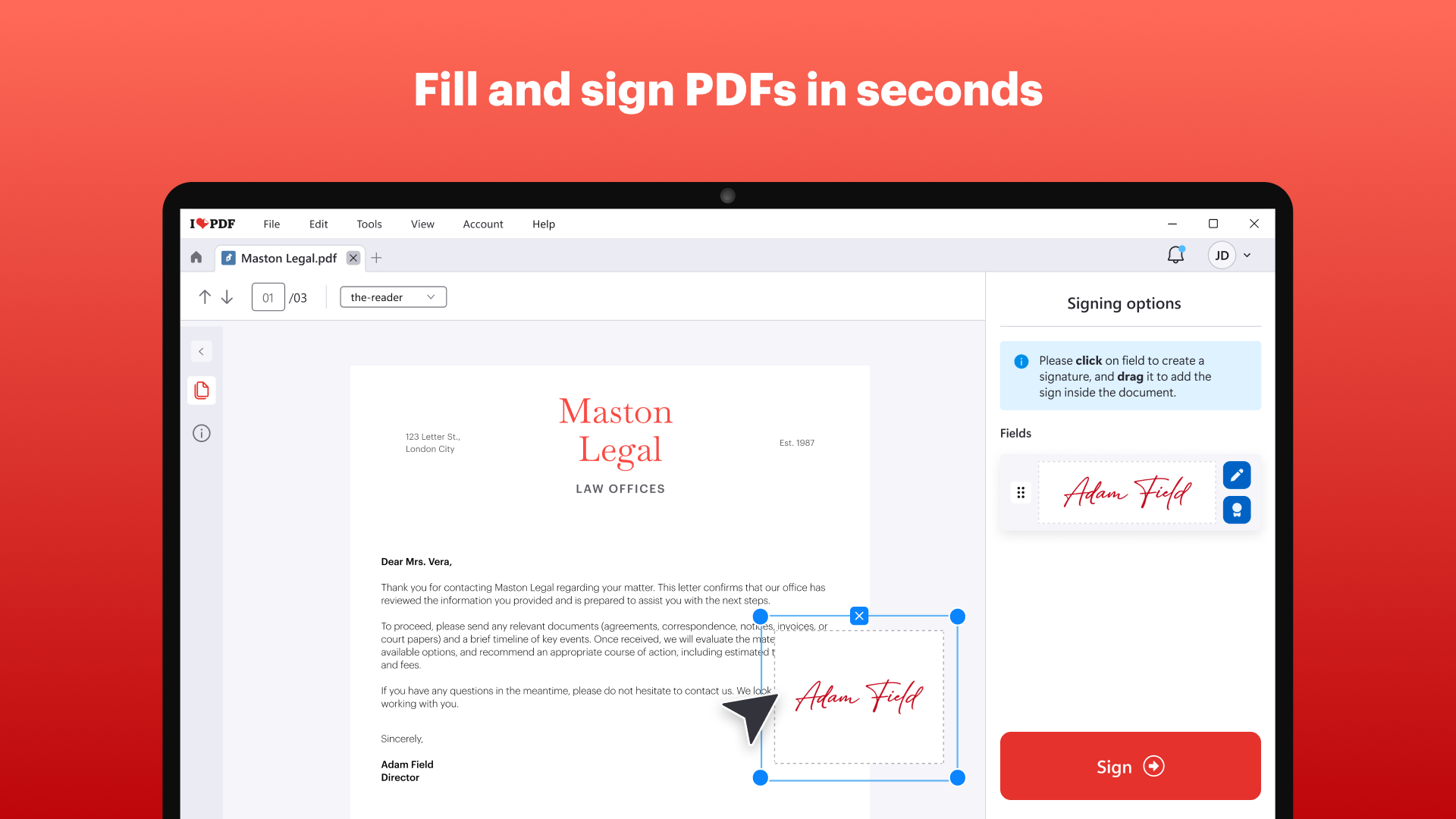
• Sign PDF: Add your signature to PDF documents with legally binding digital certificates.
• Protect PDF: Encrypt your PDF with a password.
• Redact PDF: Permanently remove sensitive text or data from your PDF to protect confidential information.
• Compare PDFs: Spot differences between two documents or images with a side-by-side layout or content overlay view.
• PDF to PDF/A: Convert PDF to PDF/A for archiving and long-term preservation.
• Unlock PDF: Remove passwords from PDF files.
• Digital signature detection: View and validate digital signatures and certificates.
Awards and Recognitions
Our platform has been recognized across multiple industry-leading review sites, including:
• G2: Top 100 Fastest Growing Products, Easiest to Use, High Performer, Leader.
• Software Advice: Best Customer Support, Most Recommended.
• Capterra: Best Ease of Use, Best Value.
• GetApp: Best Functionality & Features, Category Leaders.
Free Version
• Free to download. The free version gives you every tool with a daily limit of 3 tasks, and includes a complete PDF reader available anytime.
Premium Benefits
• Premium unlocks use of all the tools and features without restrictions.
• Full access to advanced tools and features like OCR, Digital Signatures, and PDF/A.
• Access to iLoveIMG without limitations.
• Seamlessly work across Web, Desktop, and Mobile.
Subscription Plans
• Both monthly and annual subscriptions available.
• For more information about our plans, visit our pricing page: ilovepdf.com/r/site-pricing
We value your feedback. Please contact us directly at info@ilovepdf.com. We will be happy to help!
Follow us to stay up to date on iLovePDF news!
LinkedIn: https://www.linkedin.com/company/ilovepdf
YouTube: https://www.youtube.com/@ilovepdf_com
X: https://x.com/ilovepdf_com
Instagram: https://www.instagram.com/ilovepdf_official
TikTok: https://www.tiktok.com/@ilovepdf_official
Facebook: https://www.facebook.com/profile.php?id=100064134576573
Paste the original link from the Apple App Store or Microsoft Store. We fetch all details automatically.
How to find the URL:
1. Open the app in its store. 2.In the App Store app: tap the Share icon → “Copy Link”. In the browser: copy the URL from the address bar — it contains apps.apple.com/…/id… or apps.microsoft.com/detail/…. 3. Paste it here.
Android apps can only be listed by their developer.






 PDF Reader Pro - PDF Editor & Converter
Edit, convert, sign and fill PDF forms with ease
 PDF Extra - PDF Reader and PDF Editor
Edit, convert, sign and organize PDF documents
 ePub Reader +
Read and edit e-books, PDFs and office documents
 PDF Editor for Windows
Edit, merge and manage PDFs
 PDF Doc
Open, convert and edit PDFs and documents
 Real eBooks Reader
Read eBooks and documents in many formats