

EasyScan - PDF Scan
Digitize documents and photos with your scanner AI summary
Screenshots
Summary
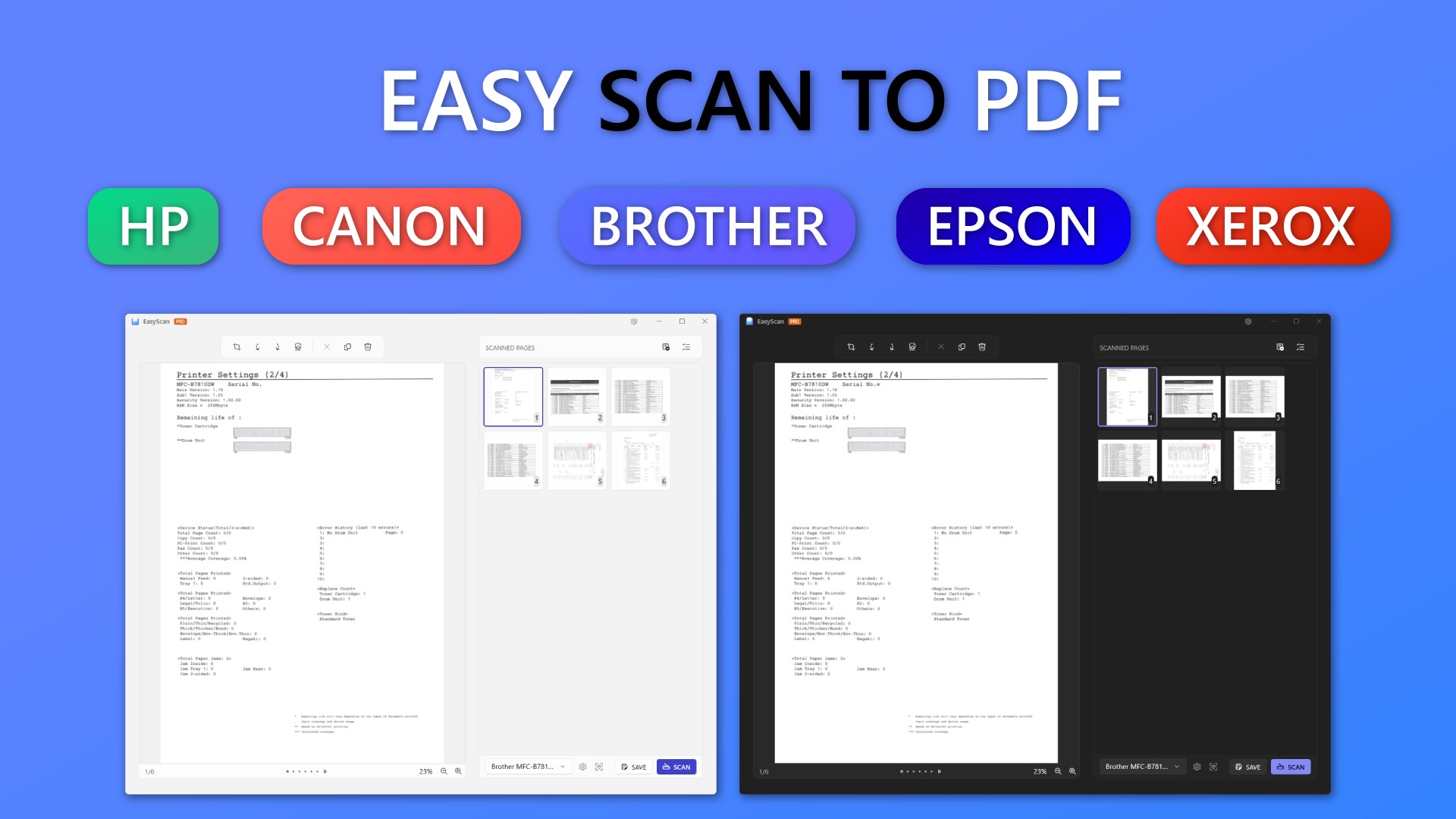
EasyScan - PDF Scan is a scanning app that connects to physical scanners to digitize documents and photos. It supports over 7,000 scanner models across major brands including HP, Brother, Canon, Epson, Acer, Fujitsu and Xerox. The free version scans a single page to JPG or PNG format. A Pro version adds scanning of multiple pages, saving to PDF format, OCR to make PDFs searchable, removal of the watermark, support for scanner push-scan events and unlimited use of these features.
Show the developer's original descriptionHide the original description
Unlock the full potential of your scanner with the EasyScan app! This intuitive app seamlessly connects to your device, making it easy to digitize documents, photos, and more with just a few taps. Ideal for home offices, businesses, and students, EasyScan simplifies your scanning workflow.
The app supports over 7,000 scanner models across all major brands, including HP, Brother, Canon, Epson, Acer, Fujitsu, and Xerox...
[⚠️ NOTICE]
Free version:
✅ Scan a single page to JPG or PNG format
Pro version:
✅ Scan multiple pages
✅ Scan to PDF format
✅ No watermark
✅ OCR - make PDF searchable
✅ Supports drivers for over 7000 scanner models
✅ Supports scanner push-scan events
✅ Unlimited features
Technical details about EasyScan
EasyScan in the rankings
Manage app
Are you on the developer team behind EasyScan?
Verify yourself and manage your listing on Most Voted Apps.
Verify EasyScan for free
Verification usually takes only a few minutes.
Similar apps to EasyScan
 Scanner App: PDF Scan
Scan, edit and manage documents as PDF files
 CamScanner - PDF Scanner App
Scan documents with camera and save as PDF
 iScanner: PDF Document Scanner
AI document scanner with OCR and PDF editing tools
 PDF Document Scanner
Scan documents and create, edit multi-page PDF files
 Scanner - Quick and Easy Document Scanning
Scan documents and photos, crop and save as PDF
 Print and Scan - Document Scanner App
Scan documents and photos, save as PDF or image files