Screenshot appears after consentScreenshot appears after consentScreenshot appears after consentScreenshot appears after consent
Summary
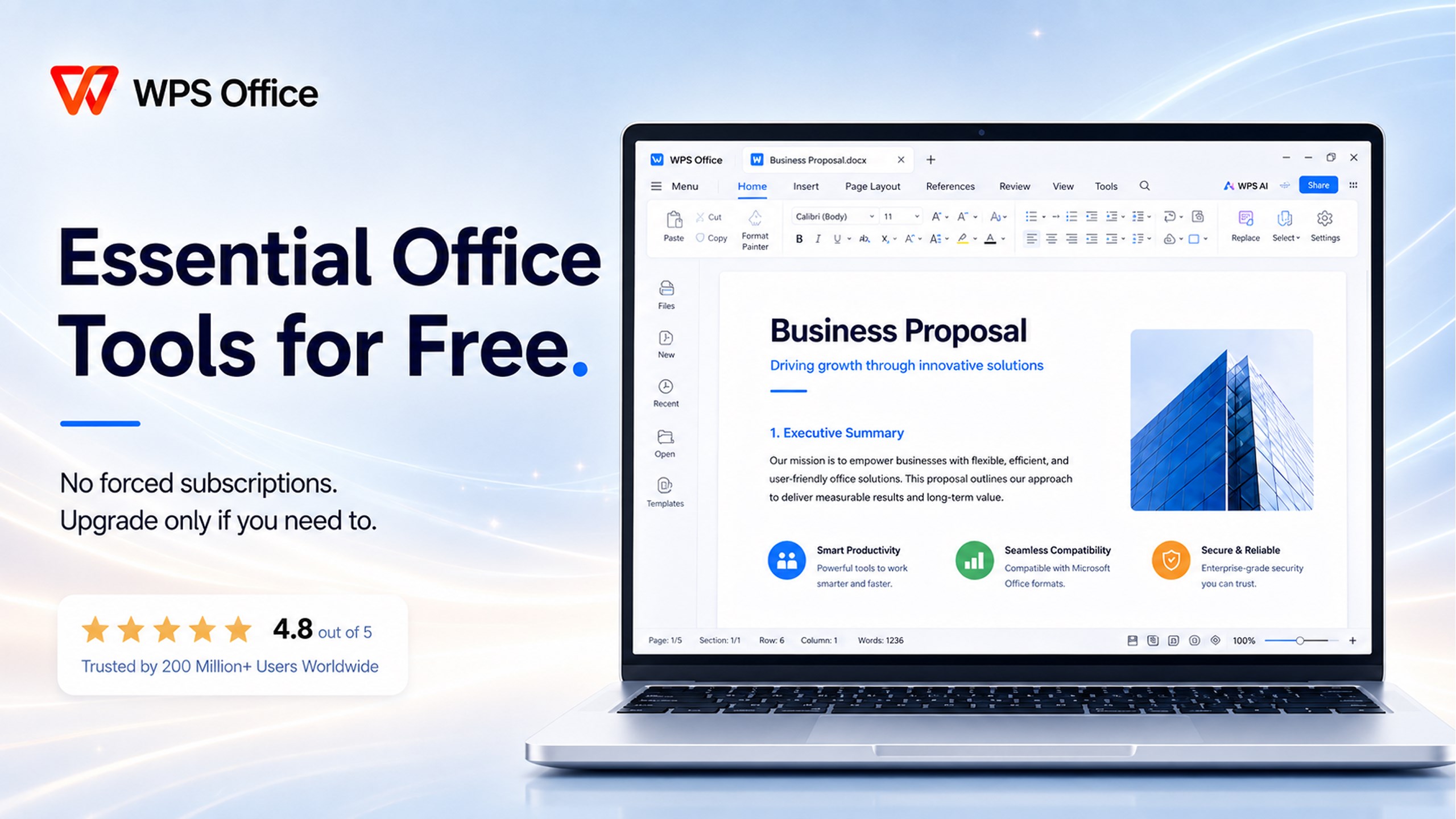
WPS Office - PDF, Word, Excel, PPT Viewer & Editor (UWP) is an office program for Windows combining word processing, spreadsheets, and PDF handling in one workspace. Writer creates documents compatible with Word formats, while the spreadsheet tool handles large datasets and formulas in Excel-compatible files. The PDF editor allows viewing, annotating, form filling and adding e-signatures. Files from various Microsoft Office versions open reliably. The interface uses tabs for open files and offers a dark mode. Core features are free, with a subscription unlocking tools like PDF conversion and cloud storage.
Show the developer's original descriptionHide the original description
★ WPS Office Suite - The Ultimate All-in-One Office Alternative
🏆 Trusted by over 600 Million Users Worldwide
WPS Office Suite is a powerful, lightweight, and fully compatible office software designed for Windows 10/11. Whether you need to write professional documents, analyze complex data, or manage PDFs, WPS delivers a seamless, all-in-one workspace. Say goodbye to switching between multiple apps—get everything done in one place.
[🔥 CORE FEATURES & TOOLS]
📝 Writer (Word Processing):
• Create, edit, and format professional documents with advanced layouts.
• 100% compatible with Microsoft Word formats (.doc, .docx, .txt, .rtf).
• Perfect for reports, resumes, and business proposals.
📊 Spreadsheet (Data Analysis):
• Handle massive datasets, complex formulas (SUM, VLOOKUP, etc.), and create stunning 3D charts.
• Fully compatible with Excel formats (.xls, .xlsx, .csv).
• Professional data processing made fast and easy.
📑 Pro PDF Editor & Reader:
• Smoothly view, read, and navigate large PDF files.
• Annotate, highlight, and add comments to important documents.
• Securely fill forms and add e-signatures to contracts.
🎭 Presentation (Slides):
• Design beautiful, high-impact slides with rich animations and templates.
• Fully compatible with PowerPoint formats (.ppt, .pptx).
[🚀 WHY CHOOSE WPS OFFICE?]
• Zero Learning Curve: A familiar, classic interface that lets you get to work instantly without retraining.
• Ultra-Light & Fast: Optimized for Windows PC, Surface, and tablets. Lightning-fast startup with extremely low RAM and CPU usage.
• Tabbed Interface: Open Word, Excel, and PDF files in a single window with multiple tabs, just like a web browser.
• Dark Mode Support: Comfortable reading and editing for late-night productivity.
• Privacy First: Your local files stay on your device. No forced cloud sync, no unauthorized data access.
WPS Office is the ultimate free office software for students, professionals, and home users. Whether you need a free word processor, a free spreadsheet app, a free PDF reader, or a free PowerPoint viewer, WPS gives you everything in one free download — basic features available immediately, $0 to get started.
[🌍 GLOBAL SUPPORT]
✅ Compatible with files created in Microsoft Office 2016, 2019, 2021, 2024, and Microsoft 365.
Available in English, Spanish (Español), Portuguese (Português), French (Français), German (Deutsch), Italian (Italiano), Japanese (日本語), Russian (Русский), and more.
Download WPS Office today and boost your productivity with the smartest free Microsoft Office alternative!
WPS Office is free to download. Premium features are available by subscription or a 3-day trial. After the trial, Premium features lock unless you subscribe; all documents you created stay accessible, and pricing is displayed in WPS before purchase.
Play Store URL for "WPS Office - PDF, Word, Excel, PPT Viewer & Editor (UWP)"
If there is a version of this app for iOS/Mac or Windows we don't know about, paste the store link here — we'll auto-detect the store.
How to find the URL:1. Open the app in its store. 2.In the App Store app: tap the Share icon → “Copy Link”. In the browser: copy the URL from the address bar — it contains apps.apple.com/…/id… or apps.microsoft.com/detail/…. 3. Paste it here.
Paste the original link from the Apple App Store or Microsoft Store. We fetch all details automatically.
How to find the URL:
1. Open the app in its store. 2.In the App Store app: tap the Share icon → “Copy Link”. In the browser: copy the URL from the address bar — it contains apps.apple.com/…/id… or apps.microsoft.com/detail/…. 3. Paste it here.
Android apps can only be listed by their developer.





 OfficeSuite Office Pack & PDF Editor - MobiOffice
Edit documents, spreadsheets, presentations and PDFs
 PDF Editor for Windows
Edit, merge and manage PDFs
 Xodo - PDF Reader & Editor
PDF reader for viewing, editing, signing and converting
 WordPal – Write & Format
Text editor for DOC, DOCX, RTF, TXT and more with PDF export
 Real Office
Create, view and edit office documents
 PDF Extra - PDF Reader and PDF Editor
Edit, convert, sign and organize PDF documents