Screenshot appears after consentScreenshot appears after consentScreenshot appears after consentScreenshot appears after consentScreenshot appears after consentScreenshot appears after consentScreenshot appears after consentScreenshot appears after consentScreenshot appears after consentScreenshot appears after consentScreenshot appears after consentScreenshot appears after consentScreenshot appears after consentScreenshot appears after consentScreenshot appears after consentScreenshot appears after consentScreenshot appears after consent
Summary
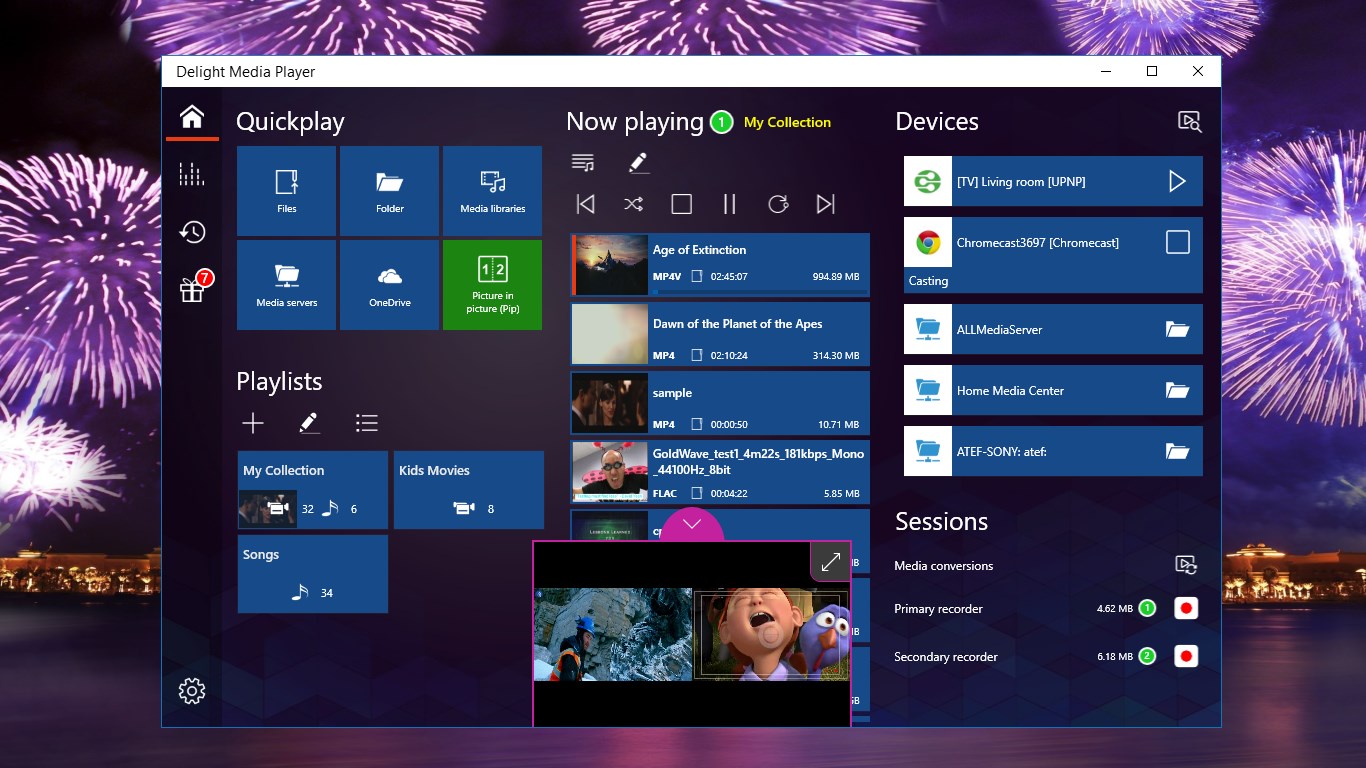
Delight Media Player is a media player for PC, tablet and mobile devices that plays local files and popular online sources such as YouTube, Twitch, Vimeo, SoundCloud and Dailymotion. It offers picture-in-picture, allowing two streams to be watched, cast or recorded at once. It can cast any media file to Chromecast or DLNA devices, generating a cast-ready copy when needed. It supports all common audio and video codecs without extra installation, and can record or download live and online streams. Basic playback is free, while casting, downloading, recording and playback from OneDrive or UPNP servers are advanced features.
Show the developer's original descriptionHide the original description
Delight Media Player is an innovative player which includes unique & exciting features, such as Picture in Picture (Pip), cast to Chromecast and DLNA, record media content, download to local storage, play directly from OneDrive & UPNP media servers and popular online sources (such as YouTube, Twitch, Vimeo, SoundCloud, Dailymotion, SHOUTcast) and many more…
With Delight Media Player you will enjoy your favorite media content on your PC, Tablet, Mobile and also on your big screens.
Picture in Picture (Pip)
--------------------------
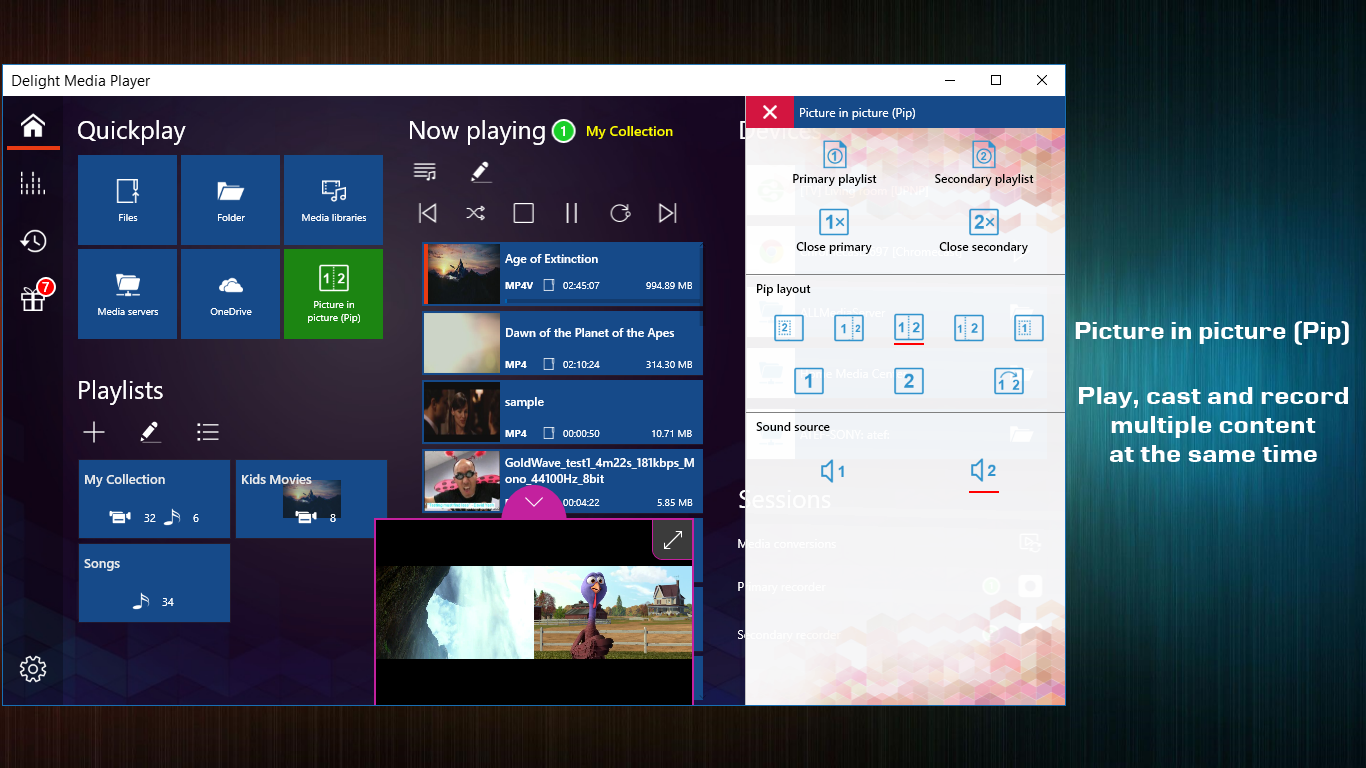
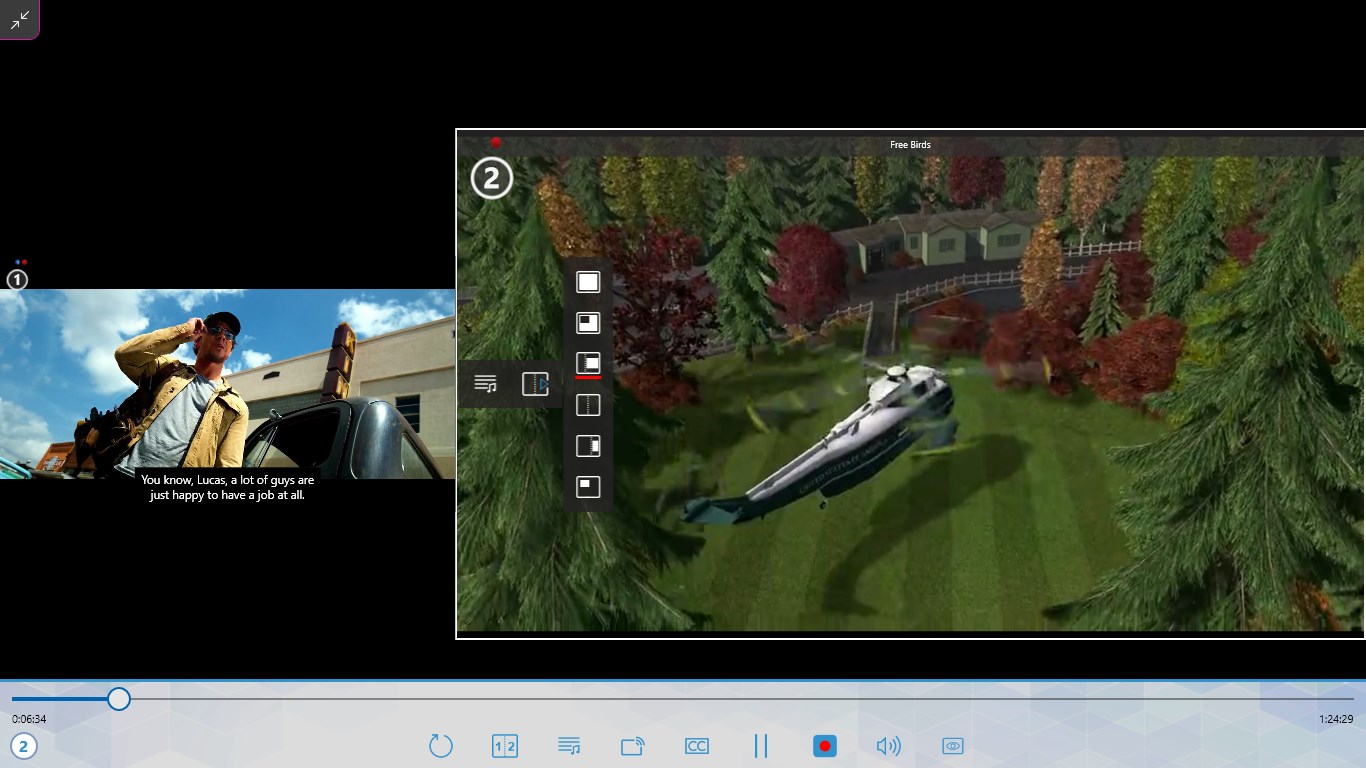
With Pip you have endless possibilities, you can watch two live streams at the same time, or you can watch a movie while casting another one to your kid’s TV. Imagine what you can do when you can play, cast and record multiple media content at the same time.
Casting
---------
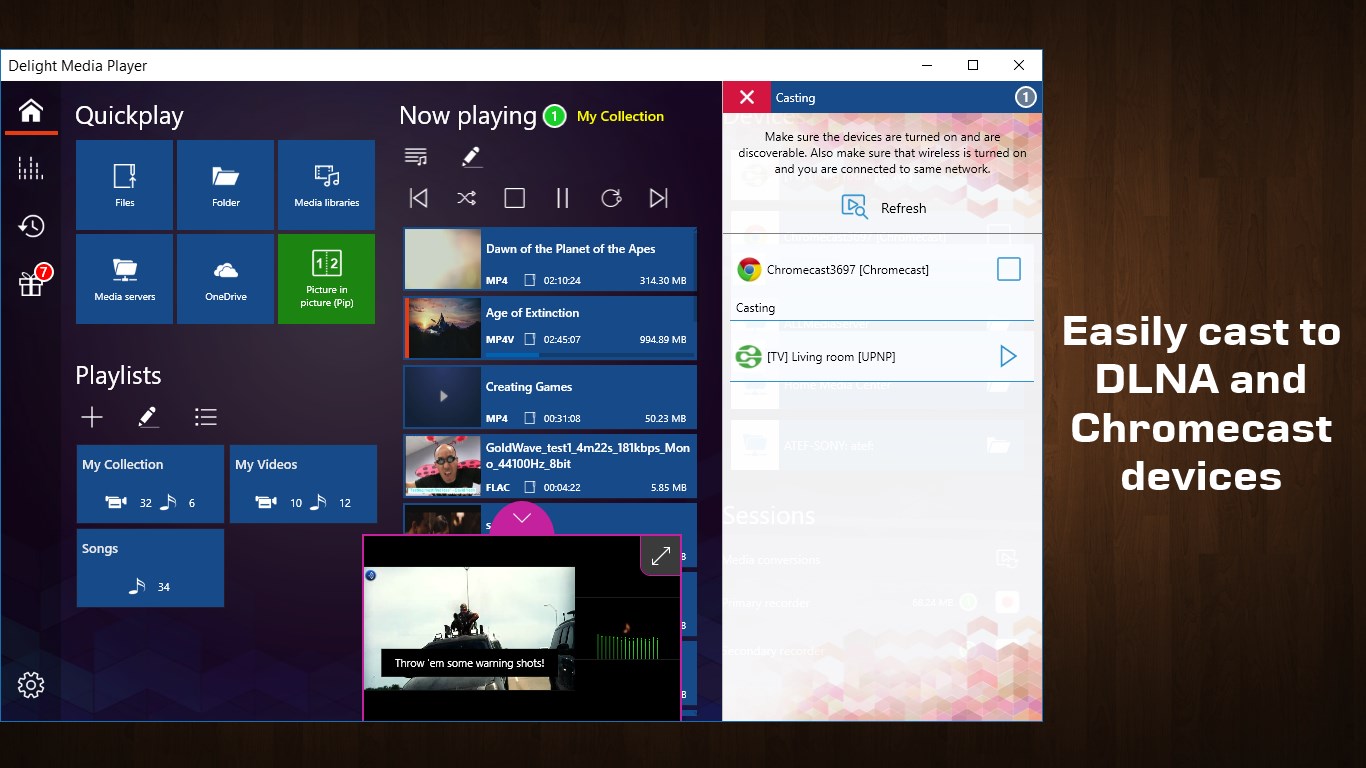
With Delight Media Player, casting is never been easier. You can cast any media to any DLNA or Chromecast device. It doesn’t matter whether your device supports the content or not. It doesn’t matter whether you want to cast online stream or locally stored media content. Delight Media Player will cast any media to any device even if the device doesn’t support it (for example, Chromecast doesn’t support .FLV files, with Delight Media Player you can now cast .FLV and other files to Chromecast devices)
In addition, if you have a slow network connection, or your media content was encoded with a high bit rate which is not suitable for casting, Delight Media Player can generate a ready to cast copy which is suitable for casting and smooth playing.
Subtitles
----------
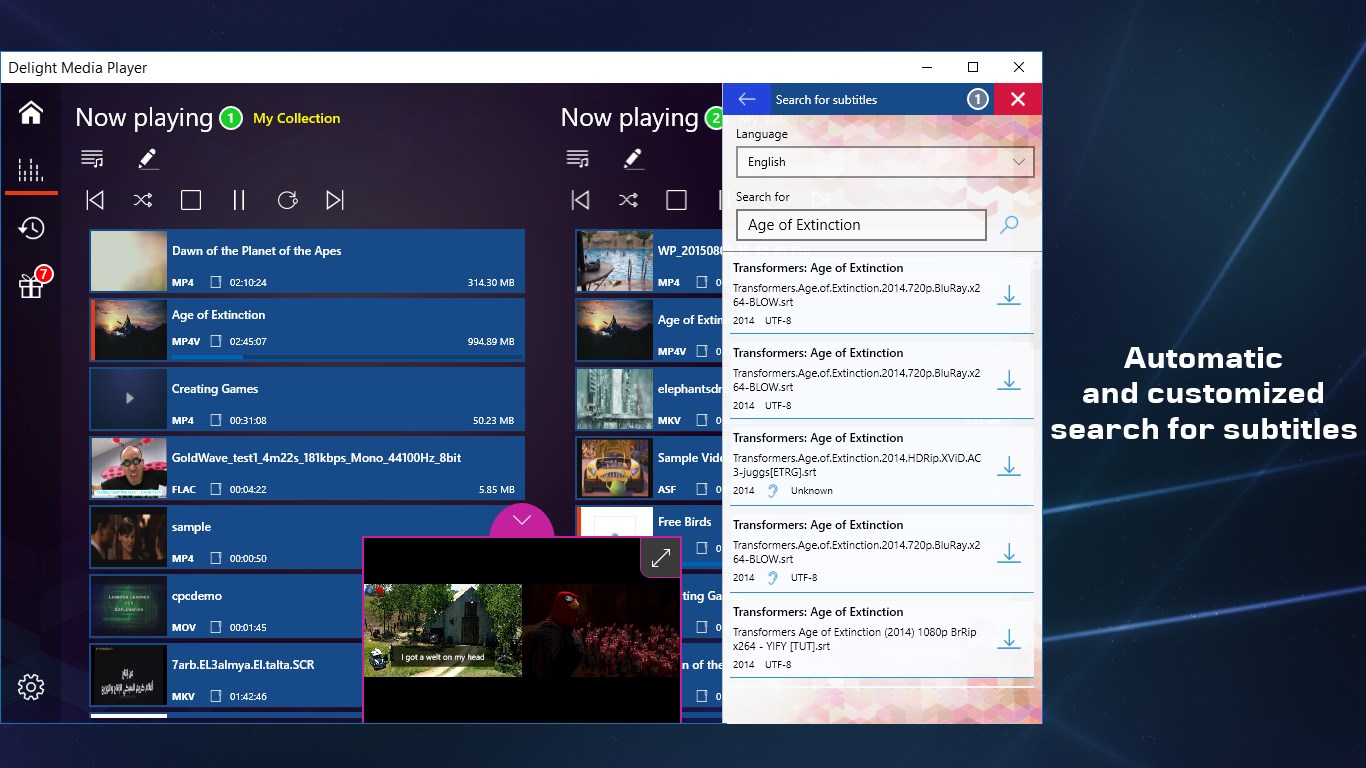
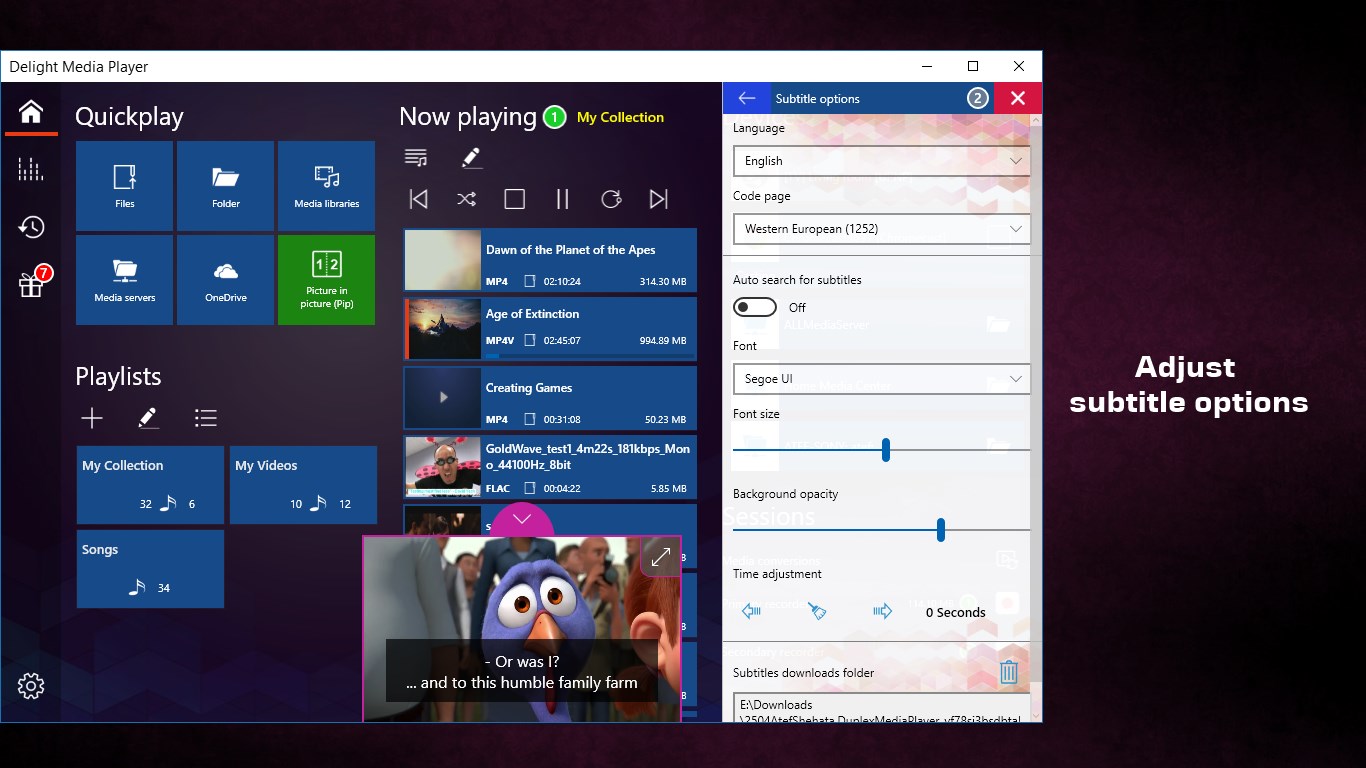
In addition to loading local subtitles, Delight Media Player can automatically search and download subtitles for you. You can also configure the appearance of the subtitles. In addition, time correction feature will allow you to adjust subtitle times.
Recordings & Downloads
------------------------------
With a single tap, you can start and stop recording easily. You can record live and online streams to your device at any time. Even if you are using Pip, you can record each player separately.
In addition, you can download full content from online sources
Media Sources
------------------
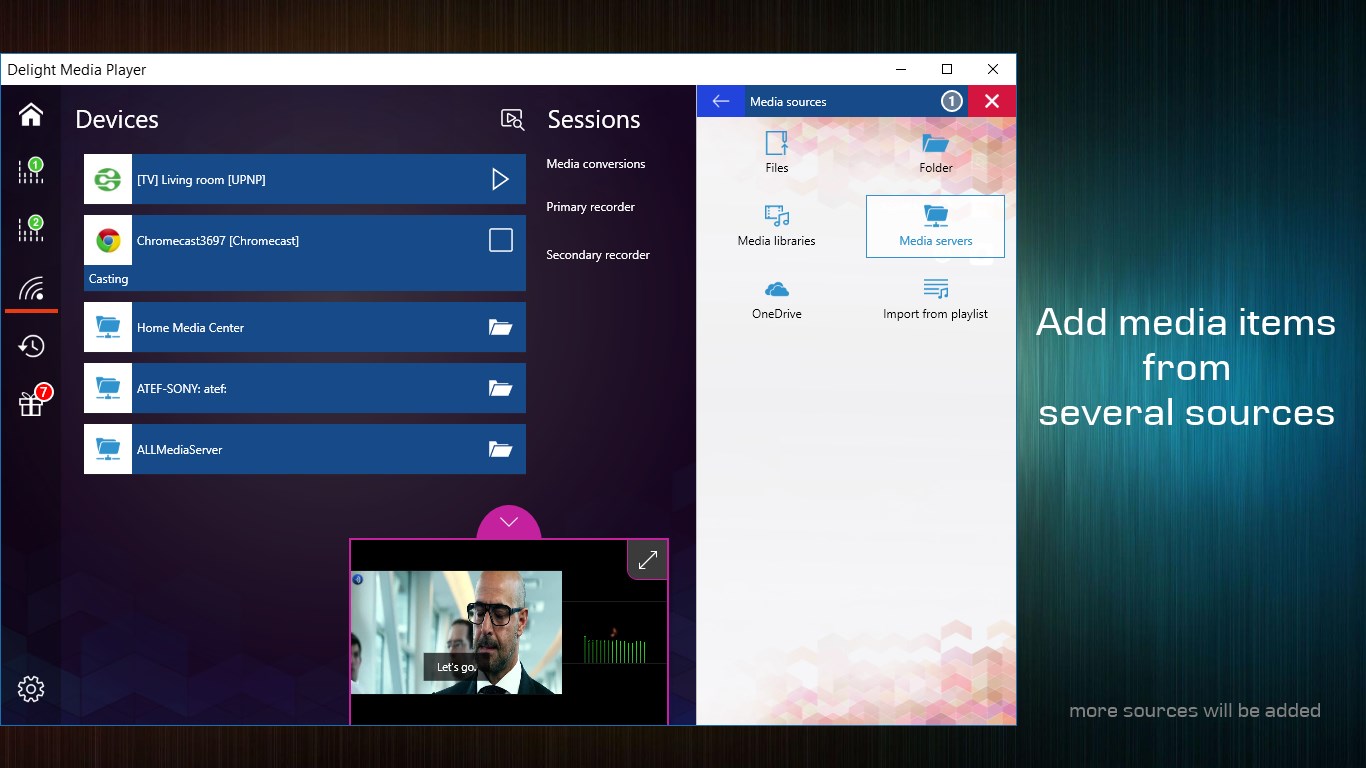
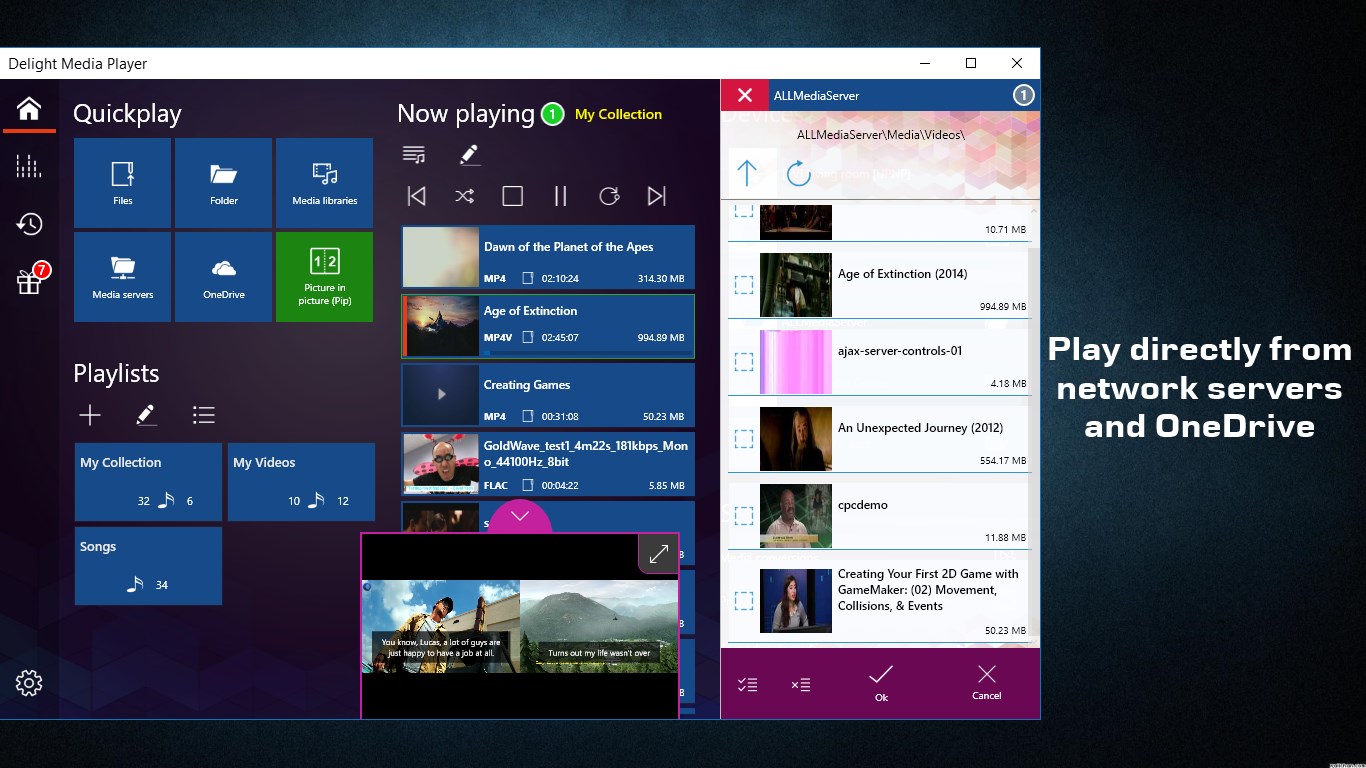
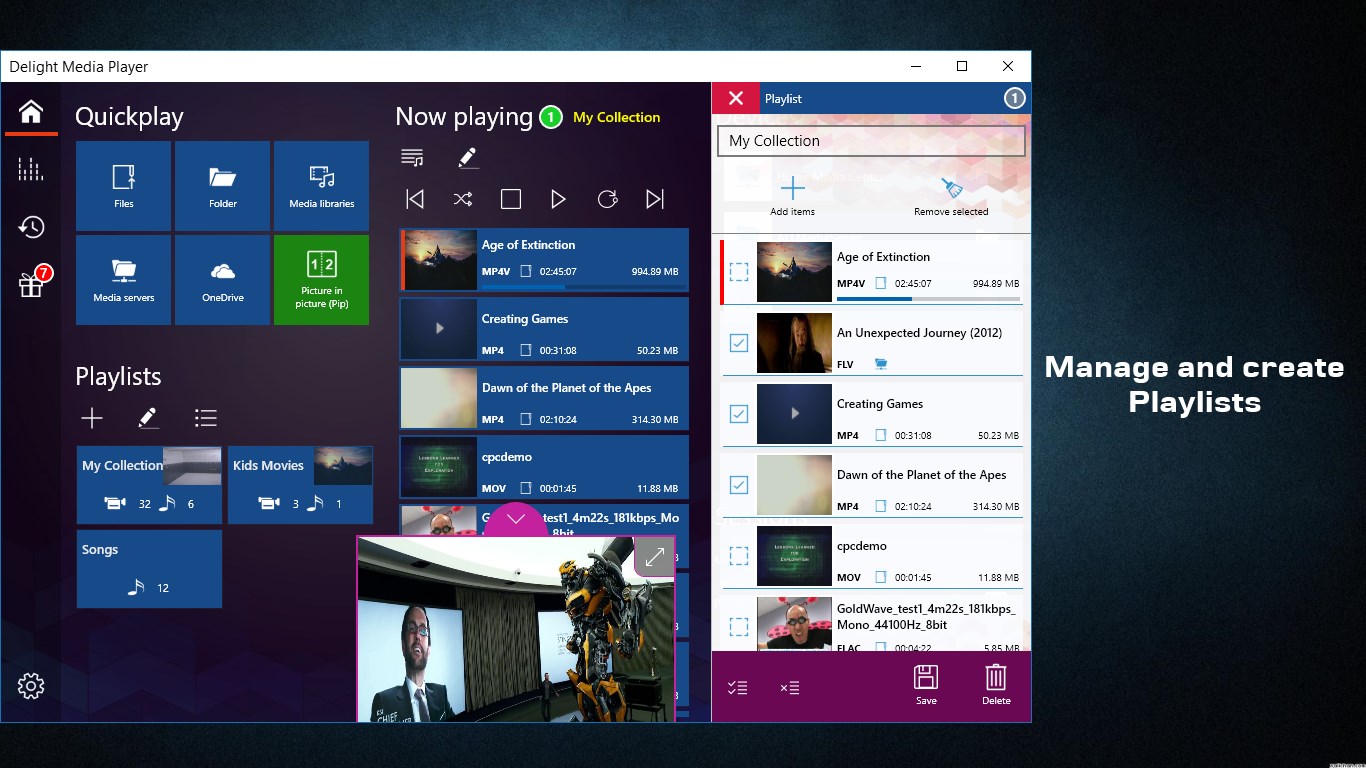
Delight Media Player supports several media sources, you can create playlists from local files, OneDrive content, network media servers and also from popular online sources such as YouTube, Twitch, Vimeo, SoundCloud, Dailymotion and SHOUTcast
Audio/Video Codecs
------------------------
Delight Media Player supports all known video/audio codecs. You don’t have to install any external codecs. If you try to play .rm or .flv or any other format that is not supported in Windows 10, then Delight Media Player is what you are looking for.
*** All features of this app are free except for the advanced features (casting, downloading, recording and playing from OneDrive and UPNP servers)
If there is a version of this app for iOS/Mac or Windows we don't know about, paste the store link here — we'll auto-detect the store.
How to find the URL:1. Open the app in its store. 2.In the App Store app: tap the Share icon → “Copy Link”. In the browser: copy the URL from the address bar — it contains apps.apple.com/…/id… or apps.microsoft.com/detail/…. 3. Paste it here.
Paste the original link from the Apple App Store or Microsoft Store. We fetch all details automatically.
How to find the URL:
1. Open the app in its store. 2.In the App Store app: tap the Share icon → “Copy Link”. In the browser: copy the URL from the address bar — it contains apps.apple.com/…/id… or apps.microsoft.com/detail/…. 3. Paste it here.
Android apps can only be listed by their developer.





 Final Video Player - MKV & MP4
Play videos and music with streaming and subtitle support
 Kodi
Media player for videos, photos, music and podcasts
 Infuse
Video player for nearly any format with streaming
 aFree Media Player
Media player for over 150 audio and video formats, ad-free
 Media Player
Video and audio player supporting many formats and playlists
 Media Player Go
Multimedia player for audio and video with subtitles