Screenshot appears after consentScreenshot appears after consentScreenshot appears after consent
Screenshot appears after consentScreenshot appears after consentScreenshot appears after consent
Screenshot appears after consentScreenshot appears after consentScreenshot appears after consent
Summary
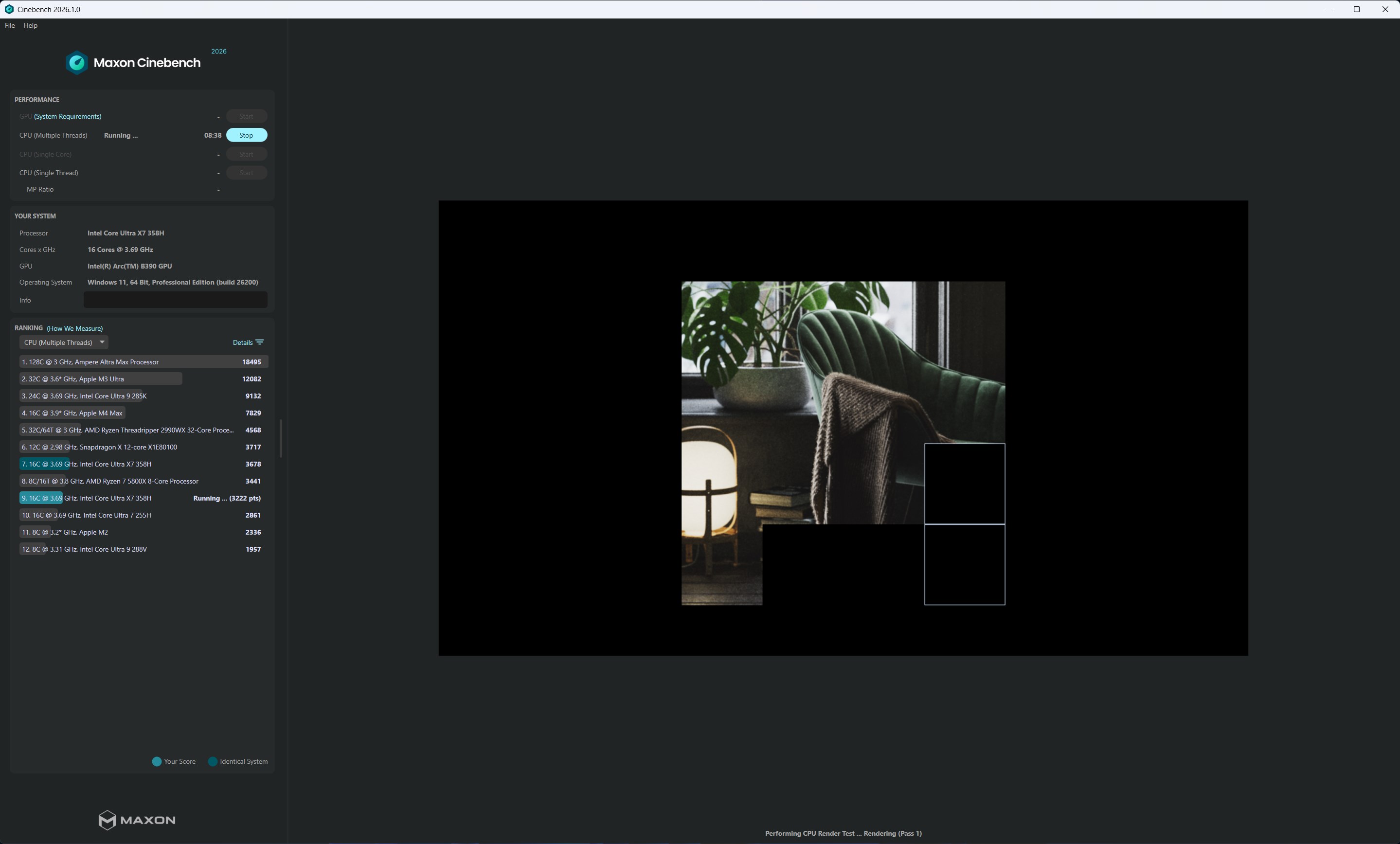
Cinebench is a benchmarking tool that evaluates CPU and GPU rendering performance using the 3D engine from Cinema 4D. It measures how well a system takes advantage of multiple CPU cores and modern processor features, with results used to compare hardware and guide purchase decisions. The app integrates the Redshift rendering engine, applying the same render algorithms across both CPU and GPU tests for consistent results. It reinstates GPU benchmarking alongside CPU testing and uses a single benchmarking scene for both. It supports x86/64 and Arm64 architectures on macOS, including systems with Apple graphics processors, and features a redesigned interface.
Show the developer's original descriptionHide the original description
How powerful is your computer? Test it with Cinebench!
Cinebench leverages the same powerful 3D engine found in the award-winning animation software Cinema 4D 2026 to accurately evaluate CPU and GPU rendering performance capabilities across various systems and platforms.
For over two decades, Cinebench has been a popular tool to evaluate hardware performance. Cinebench scores are used by system administrators to help make purchase decisions, journalists to review hardware, hardware manufacturers to optimize their latest products, as well as computer owners to evaluate their individual system.
Improvements to Cinebench 2026 reflect the overall advancements to CPU and rendering technology in recent years, providing a more accurate measurement of Cinema 4D's ability to take advantage of multiple CPU cores and modern processor features available to the average user.
Redshift Rendering Engine Integration
Cinebench 2026 ushers in a new era by embracing the power of Redshift, Cinema 4D's default rendering engine. Unlike its predecessors, which utilized Cinema 4D's standard renderer, Cinebench 2026 utilizes the same render algorithms across both CPU and GPU implementations. This leap to the Redshift engine ensures that performance testing aligns seamlessly with the demands of modern creative workflows, delivering accurate and consistent results.
Dual Performance Evaluation: CPU and GPU
Cinebench 2026 reinstates GPU benchmarking, a feature absent from Cinebench for the past decade. The latest version not only evaluates CPU performance; it also provides insights into the GPU's capabilities, reflecting the evolving technological landscape of creative software and workflows.
Wider Platform Compatibility
Cinebench 2026 is designed to accommodate a broader range of hardware configurations. It seamlessly supports x86/64 architecture (Intel) as well as Arm64 architecture on macOS, ensuring compatibility with the latest advancements in hardware technology. Redshift GPU performance can be evaluated on systems with Apple graphics processors.
Unified Benchmarking Scene
Cinebench 2026 streamlines the benchmarking process by utilizing a consistent scene file for both CPU and GPU testing. This innovation enables users to discern the advantages of leveraging Redshift GPU, providing a real-world glimpse into the benefits of harnessing cutting-edge graphics hardware for rendering tasks.
Revamped User Interface
Cinebench 2026 introduces a revamped user interface that enhances the user experience and showcases the incredible artistic endeavors achieved with the Redshift render engine in Cinema 4D. This dynamic interface serves as a testament to the potential of the Redshift engine while offering users a more intuitive and visually engaging experience.
Under-the-Hood Enhancements
Beyond the surface, Cinebench 2026 brings forth a host of performance-enhancing features. With a threefold increase in memory footprint compared to Cinebench R23, the software caters to the memory-intensive demands of modern projects. Moreover, a six-fold rise in computational effort and utilization of newer instruction sets ensures a benchmark that resonates with the complexity and sophistication of contemporary creative projects.
Unparalleled Performance Evaluation
It's crucial to note that Cinebench 2026 scores cannot be directly compared to those of its predecessors (like Cinebench R23). With the incorporation of Redshift, a different rendering engine, larger memory footprint, and more complex scenes, Cinebench 2026 offers a distinctly enhanced and accurate evaluation of modern hardware capabilities.
Note:
Depending on macOS version and hardware, Apple's Metal compiler will kick in on the first run to create optimal code for Apple Silicon GPUs. This can take one or two minutes.
If there is a version of this app for iOS/Mac or Windows we don't know about, paste the store link here — we'll auto-detect the store.
How to find the URL:1. Open the app in its store. 2.In the App Store app: tap the Share icon → “Copy Link”. In the browser: copy the URL from the address bar — it contains apps.apple.com/…/id… or apps.microsoft.com/detail/…. 3. Paste it here.
Paste the original link from the Apple App Store or Microsoft Store. We fetch all details automatically.
How to find the URL:
1. Open the app in its store. 2.In the App Store app: tap the Share icon → “Copy Link”. In the browser: copy the URL from the address bar — it contains apps.apple.com/…/id… or apps.microsoft.com/detail/…. 3. Paste it here.
Android apps can only be listed by their developer.