Screenshot appears after consentScreenshot appears after consentScreenshot appears after consent
Summary
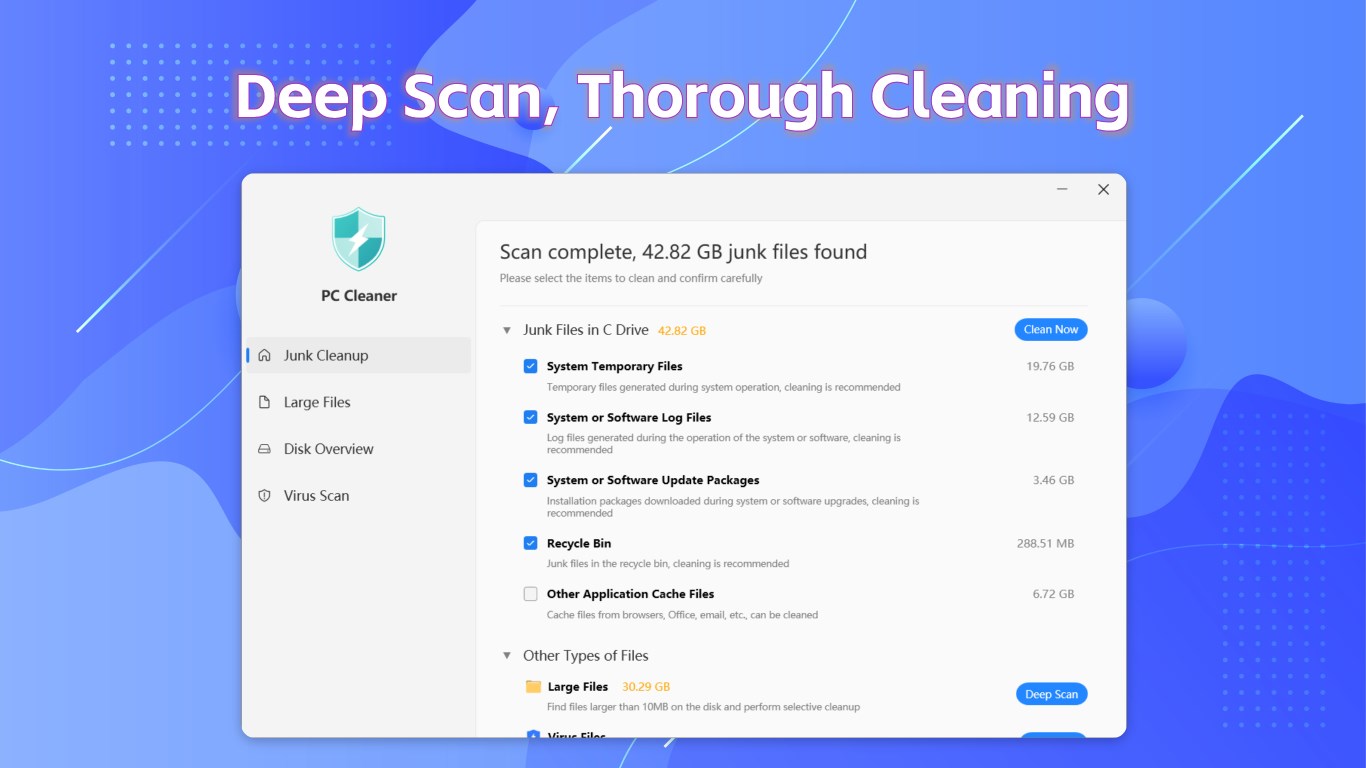
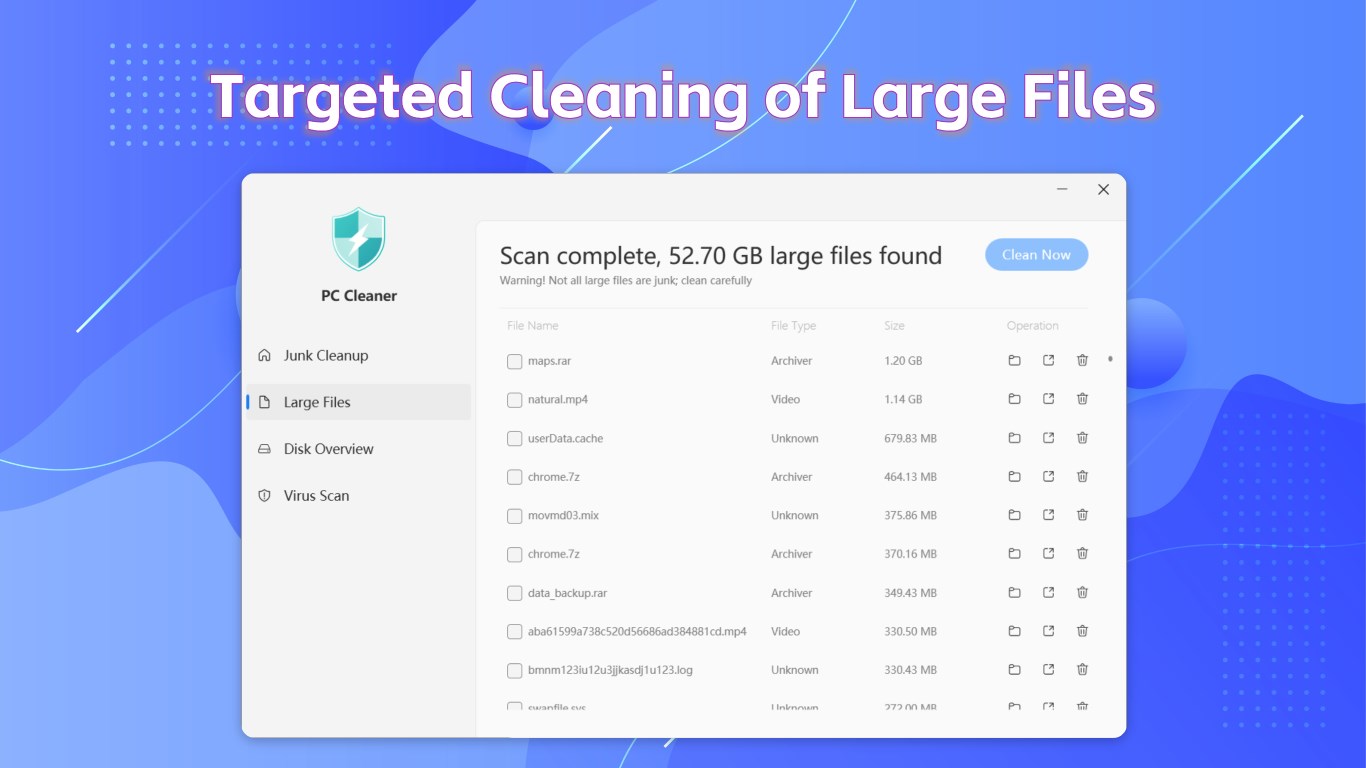
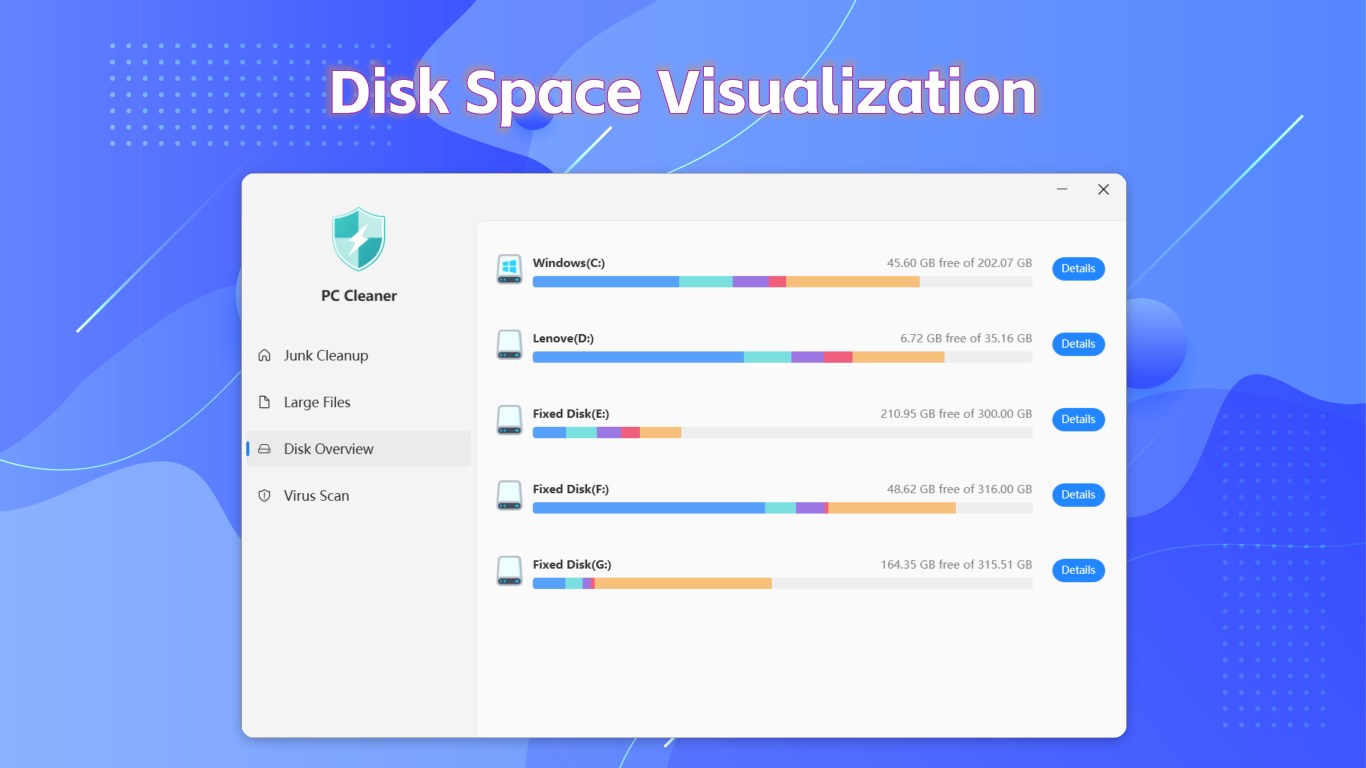
PC Cleaner - Disk Clean & Virus Scan is a PC optimization tool that removes junk files to free up disk space and speed up the system. It scans storage for large files that can be managed or deleted, and provides detailed disk usage reports that show which folders consume excessive space. A built-in virus scanning engine checks the computer for malware and threats. The app supports Windows 10 and Windows 11. It offers a one-day free trial, after which in-app purchases are required for unlimited access to all features.
Show the developer's original descriptionHide the original description
Welcome to PC Cleaner – your ultimate solution for optimizing and maintaining your computer's performance! Designed for both casual users and tech enthusiasts, PC Cleaner employs advanced algorithms to deliver efficient and thorough cleaning, ensuring your device runs at its best.
Key Features:
Efficient Junk File Cleaning: Our state-of-the-art scanning technology quickly identifies and removes temporary files, cache, and unnecessary clutter, freeing up valuable disk space and speeding up your system.
Deep Large File Cleanup: Seamlessly scan your storage for large files that take up space. Easily manage and delete files you no longer need, optimizing your storage and enhancing overall performance.
Comprehensive Disk Usage Analysis: Gain insights into your disk usage with detailed reports that help you pinpoint folders consuming excessive space, allowing for better data management.
Robust Virus Protection: With our built-in virus scanning engine, you can ensure your computer is protected from malware and threats, keeping your data safe and secure.
Compatibility: Fully supports Windows 10 and Windows 11, making it the perfect tool for all users.
Why Choose PC Cleaner?
Thorough and Efficient Cleaning: Our unique cleaning algorithms ensure deep cleaning with every scan, thoroughly freeing up storage space.
User-Friendly Interface: Enjoy a simple and intuitive interface that makes it easy to navigate and complete cleaning tasks quickly.
Regular Updates: We continuously enhance the app with the latest features and security updates to provide you with the best performance and experience.
Download PC Cleaner today and give your computer a fresh start! Experience efficient and thorough cleaning services that lead to a smoother and faster computing experience!
Note: You will have a one-day free trial. After that, if you want unlimited access to the app, you can purchase in-app products to unlock all features. Once purchased, you can use any feature without restrictions for the duration of your membership. If the amount of junk on your computer exceeds 8GB during the free trial period, you will also need to purchase in-app products to access all the software’s features.
Play Store URL for "PC Cleaner - Disk Clean & Virus Scan"
If there is a version of this app for iOS/Mac or Windows we don't know about, paste the store link here — we'll auto-detect the store.
How to find the URL:1. Open the app in its store. 2.In the App Store app: tap the Share icon → “Copy Link”. In the browser: copy the URL from the address bar — it contains apps.apple.com/…/id… or apps.microsoft.com/detail/…. 3. Paste it here.
Paste the original link from the Apple App Store or Microsoft Store. We fetch all details automatically.
How to find the URL:
1. Open the app in its store. 2.In the App Store app: tap the Share icon → “Copy Link”. In the browser: copy the URL from the address bar — it contains apps.apple.com/…/id… or apps.microsoft.com/detail/…. 3. Paste it here.
Android apps can only be listed by their developer.



 Total PC Cleaner: Clean Disk, Antivirus
Cleans junk files and speeds up your Windows PC
 Cleaner+
Clean PC storage, optimize system and speed up Windows
 CleanMyMac by MacPaw
Clean, protect and speed up your Mac
 Cleaner One Pro
Cleans junk files, optimizes memory and speeds up your PC
 CCleaner
Clean junk files to speed up and maintain your Windows PC
 Real PC Cleaner
Clean Windows, find large files and duplicates