
Inkscape

Create and edit vector graphics in SVG format AI summary
Rank 1189
0 Up Votes, 0 Down Votes
▲
0
▼
Inkscape is not available on Android and Apple — or is it? Submit URL
Screenshots
Screenshot 1 of Inkscape on WindowsScreenshot
appears after consent
Screenshot 2 of Inkscape on WindowsScreenshot
appears after consent
Screenshot 3 of Inkscape on WindowsScreenshot
appears after consent
Screenshot 4 of Inkscape on WindowsScreenshot
appears after consent
Screenshot 5 of Inkscape on WindowsScreenshot
appears after consent
Screenshot 6 of Inkscape on WindowsScreenshot
appears after consent
Screenshot 7 of Inkscape on WindowsScreenshot
appears after consent
Screenshot 8 of Inkscape on WindowsScreenshot
appears after consent
Screenshot 9 of Inkscape on WindowsScreenshot
appears after consent
Screenshot 10 of Inkscape on WindowsScreenshot
appears after consent
Summary
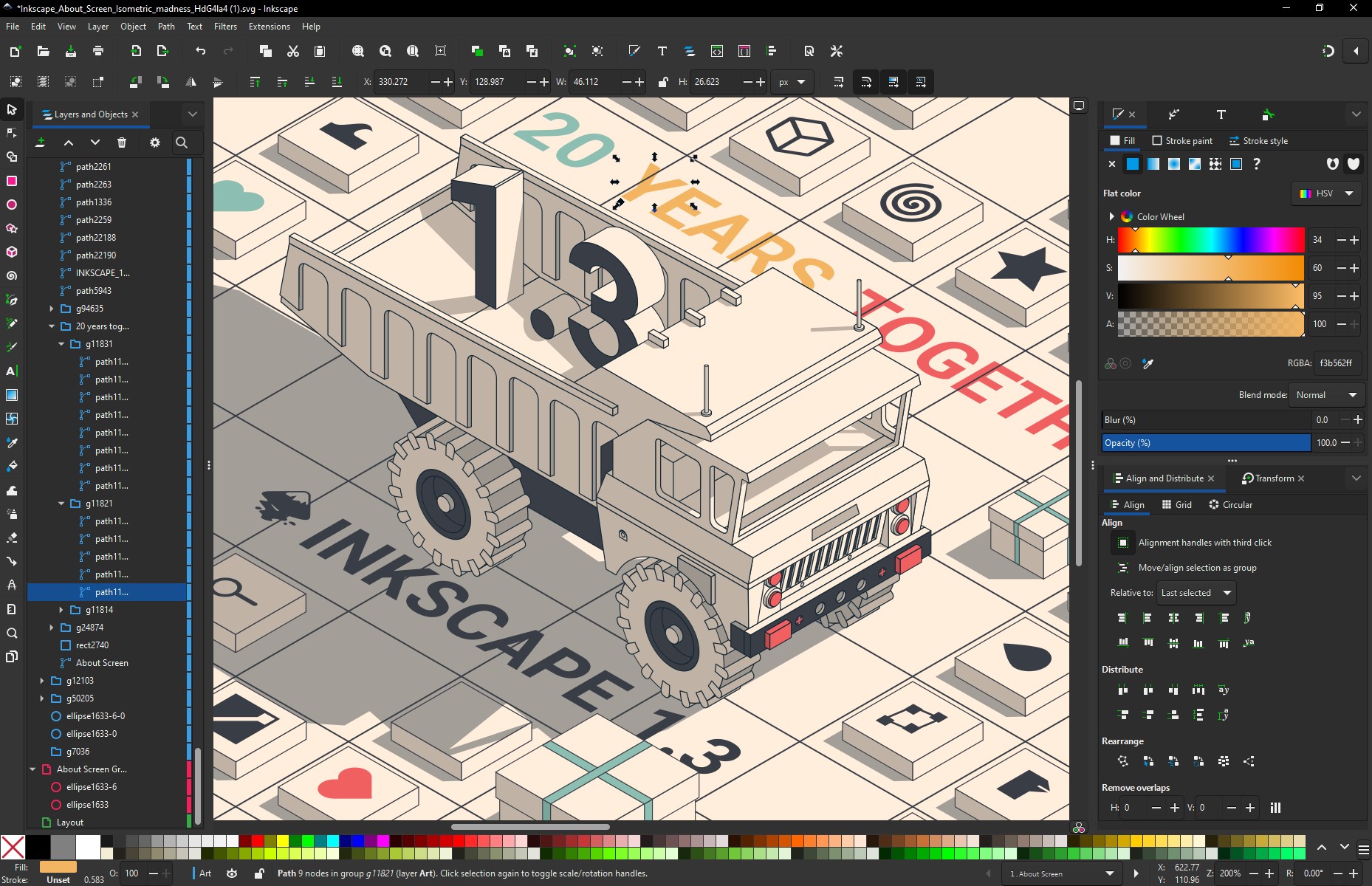
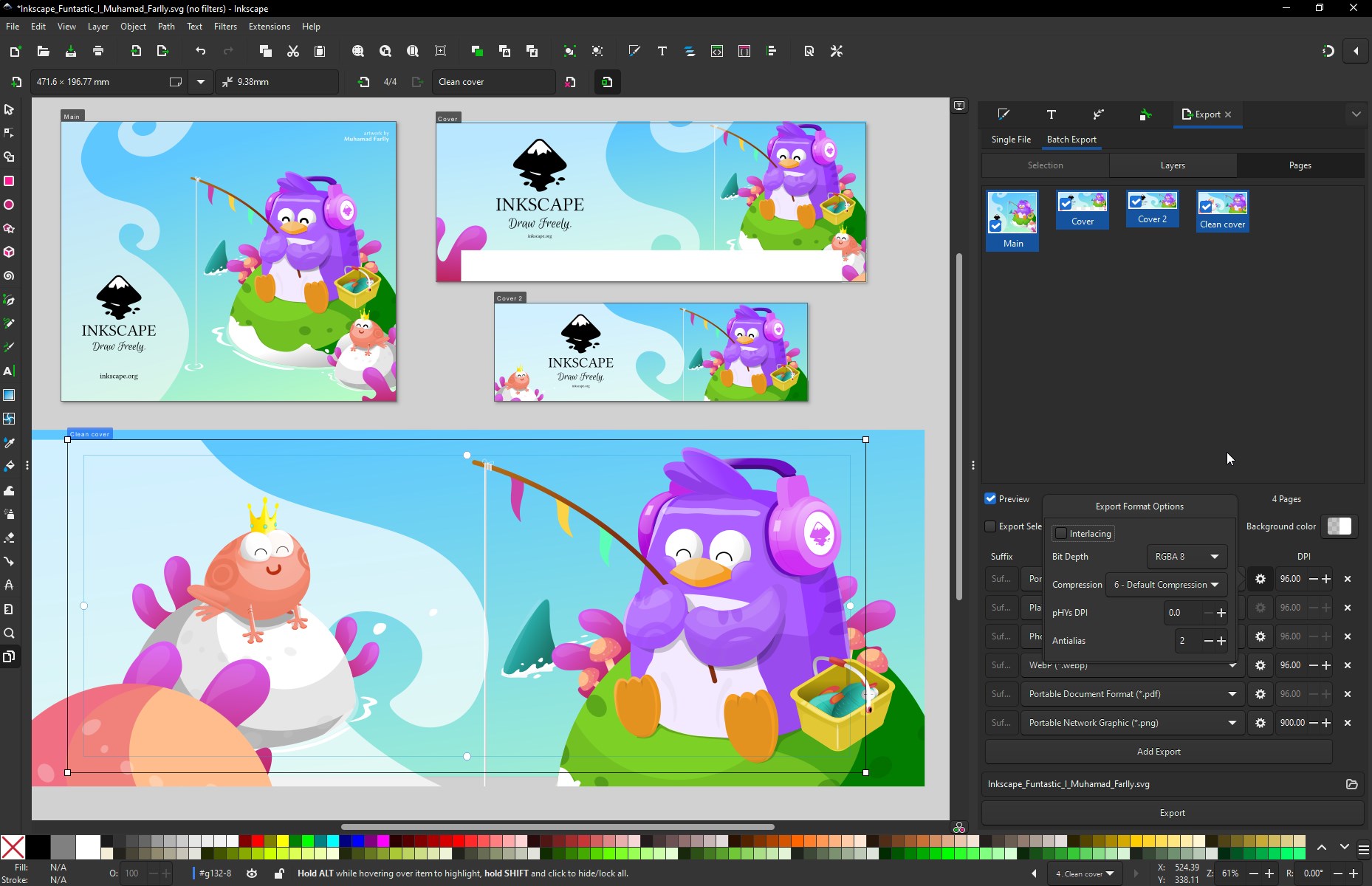
Inkscape is a free open-source vector graphics editor used to create and edit illustrations, diagrams, line art, charts, logos and complex paintings. Its primary format is Scalable Vector Graphics (SVG), while many other formats can also be imported and exported. The app renders basic vector shapes such as rectangles, ellipses, polygons, arcs, spirals, stars and 3D boxes, as well as text, and these can be filled with solid colors, patterns or gradients and given strokes, both with adjustable transparency. It supports embedding and tracing raster images, allowing vector graphics to be created from photos. Shapes can be moved, rotated, scaled and skewed.
Show the developer's original descriptionHide the original description
Inkscape is a free and open-source vector graphics editor; it can be used to create or edit vector graphics such as illustrations, diagrams, line arts, charts, logos and complex paintings. Inkscape's primary vector graphics format is Scalable Vector Graphics (SVG), however many other formats can be imported and exported. Inkscape can render primitive vector shapes (e.g. rectangles, ellipses, polygons, arcs, spirals, stars and 3D boxes) and text. These objects may be filled with solid colors, patterns, radial or linear color gradients and their borders may be stroked, both with adjustable transparency. Embedding and optional tracing of raster graphics is also supported, enabling the editor to create vector graphics from photos and other raster sources. Created shapes can be further manipulated with transformations, such as moving, rotating, scaling and skewing. https://en.wikipedia.org/wiki/Inkscape You can support Inkscape! https://inkscape.org/en/support-us/donate/
Technical details about Inkscape
Age Rating
Price
Size
213,0 MB
Last updated in Microsoft Store
2026-07-16
App Store Rating
4.2 ★
Devices
Inkscape in the rankings
Manage app

Are you on the developer team behind Inkscape?

Verify yourself and manage your listing on Most Voted Apps.

Verify Inkscape for free
Verification usually takes only a few minutes.
Similar apps to Inkscape