Screenshot appears after consentScreenshot appears after consentScreenshot appears after consentScreenshot appears after consentScreenshot appears after consentScreenshot appears after consentScreenshot appears after consentScreenshot appears after consentScreenshot appears after consentScreenshot appears after consent
Summary
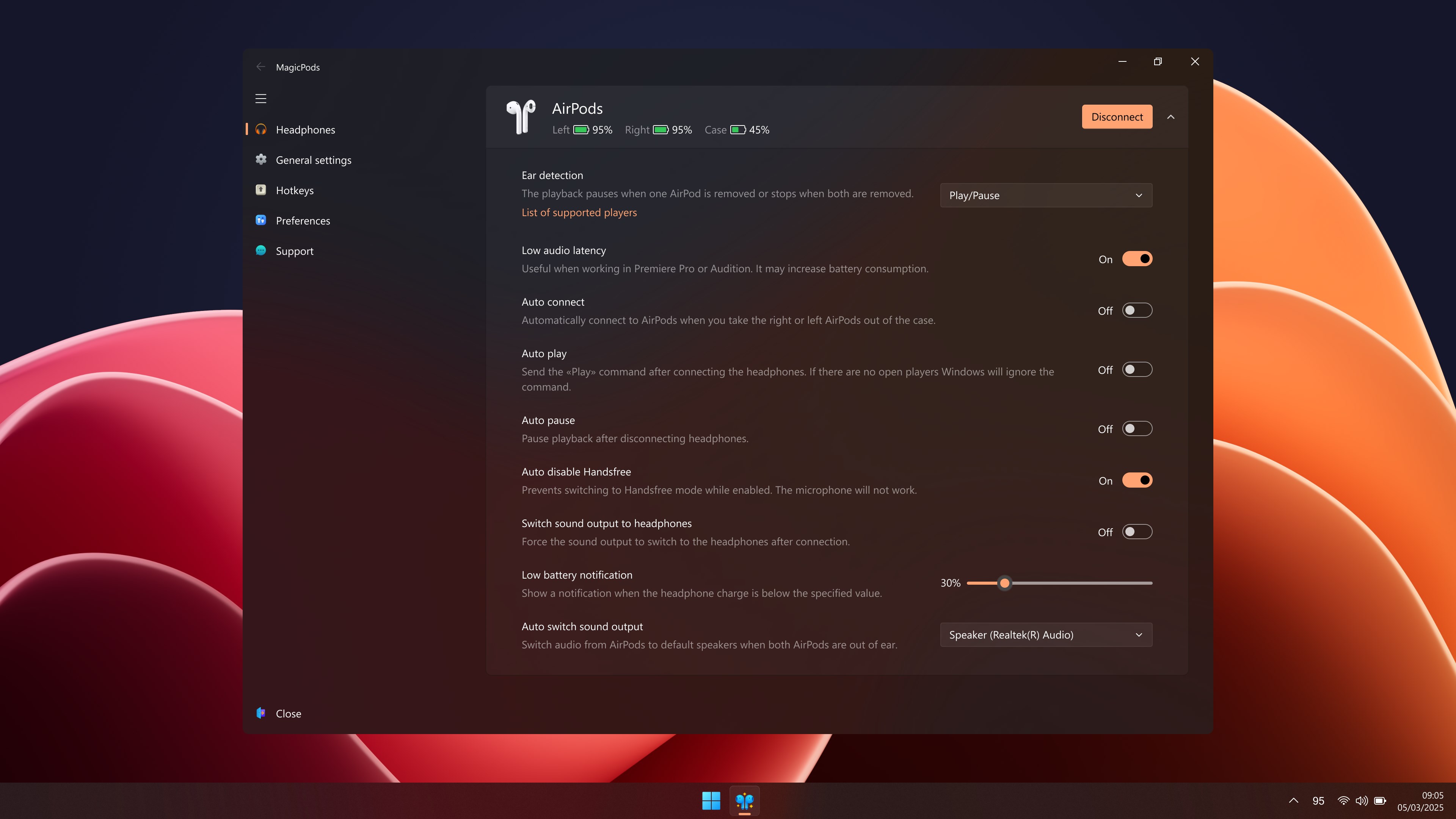
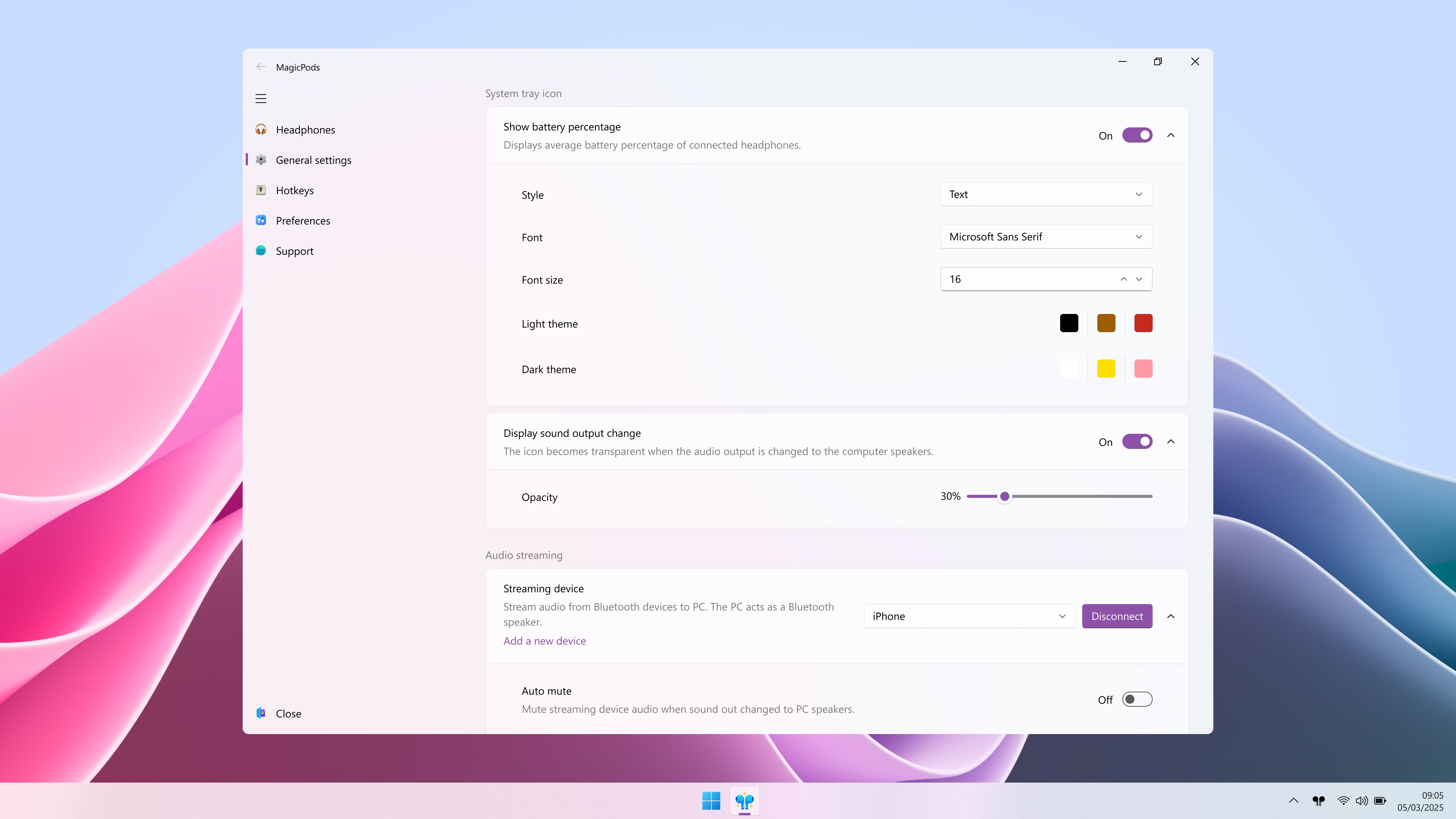
MagicPods is a Windows program that brings AirPods-style features to Bluetooth headphones on a computer. It displays battery charge level in the app, tray icon, or live tile, and shows a pop-up window with charge status when the headphone case is opened. Ear detection pauses playback when an earbud is removed and switches sound output to the computer speakers, with a hotkey available for manual switching. An offline speaker can read aloud Windows notifications, with selectable notifications and voice. Pop-up appearance, size, and position can also be customized.
Show the developer's original descriptionHide the original description
✨ Bring your AirPods experience on iOS to Windows.
✔️ Bluetooth headphones charge level
Charge level is displayed in the app, tray icon, or live tile (Windows 10). Works with all AirPods and most Beats and other Bluetooth headphones.
✔️ Ear Detection
AirPods 1, AirPods 2, AirPods 3, AirPods Pro, AirPods Max, AirPods Max (2024), AirPods Max 2 (2026), PowerBeats Pro, Beats Fit Pro pause playback when earbud is removed.
✔️ Easily connect headphones
Connect and disconnect headphones from the app interface, tray icon, or hotkey.
✔️ VoiceOver (read out notifications)
The offline speaker reads aloud notifications from Windows Notification Center. You can choose which notifications to read and the voice of the speaker (Not available for all languages).
✔️ Streaming audio from Bluetooth devices
Stream audio from Android, iPhone, Nintendo Switch, and other Bluetooth devices to your computer. The computer acts as a Bluetooth speaker.
✔️ Low audio delay
Playback starts without delay after a pause.
✔️ Switching sound outputs
AirPods 1, AirPods 2, AirPods 3, AirPods Pro, AirPods Max, AirPods Max (2024), AirPods Max 2 (2026), PowerBeats Pro, Beats Fit Pro switch the sound output to the computer speakers when you remove the headphones. You can configure a hotkey to switch sound outputs.
✔️ Audio output change notification
When you change the audio output, the app displays a window with the audio output and the volume that you can adjust.
✔️ Low battery notification
The app lets you know when you need to charge your headphones.
✔️ Pop-up window like on iPhone
Most AirPods and Beats headphones show a pop-up window with the charge level when the headphone case is open.
✔️ Full Support for Fake AirPods Pro Airoha 1562AE, Fake AirPods Pro 2 Airoha 1562AE and AirPods 3 1562E
Available functions: Noise cancelling, Head Tracker, Customizable buttons, Gaming Mode, Wind Noise Canceling, Multi-Connect, and Ear Detection.
✔️ Support for Sony WF-1000XM3, Sony WH-1000XM4
Available functions: Switch between noise cancelling modes.
✔️ Support for Galaxy Buds, Galaxy Buds Plus, Galaxy Buds Live, Galaxy Buds Pro, Galaxy Buds 2, Galaxy Buds 2 Pro, Galaxy Buds 3, Galaxy Buds 3 Pro
Available features: Switch between noise cancellation modes, automatically switch to speakers when the earbuds are removed.
✔️ Customization
Choose the design theme, size, and position of the pop-ups. You can set your own pictures of the headphones.
✔️ Privacy
No user data is collected. Works offline. No ads, no subscriptions.
Requires Bluetooth version 4.0 or higher.
If there is a version of this app for iOS/Mac or Windows we don't know about, paste the store link here — we'll auto-detect the store.
How to find the URL:1. Open the app in its store. 2.In the App Store app: tap the Share icon → “Copy Link”. In the browser: copy the URL from the address bar — it contains apps.apple.com/…/id… or apps.microsoft.com/detail/…. 3. Paste it here.
Paste the original link from the Apple App Store or Microsoft Store. We fetch all details automatically.
How to find the URL:
1. Open the app in its store. 2.In the App Store app: tap the Share icon → “Copy Link”. In the browser: copy the URL from the address bar — it contains apps.apple.com/…/id… or apps.microsoft.com/detail/…. 3. Paste it here.
Android apps can only be listed by their developer.