


PPTX View PLUS
Open and edit PowerPoint presentations and other formats AI summary
Screenshots
Summary
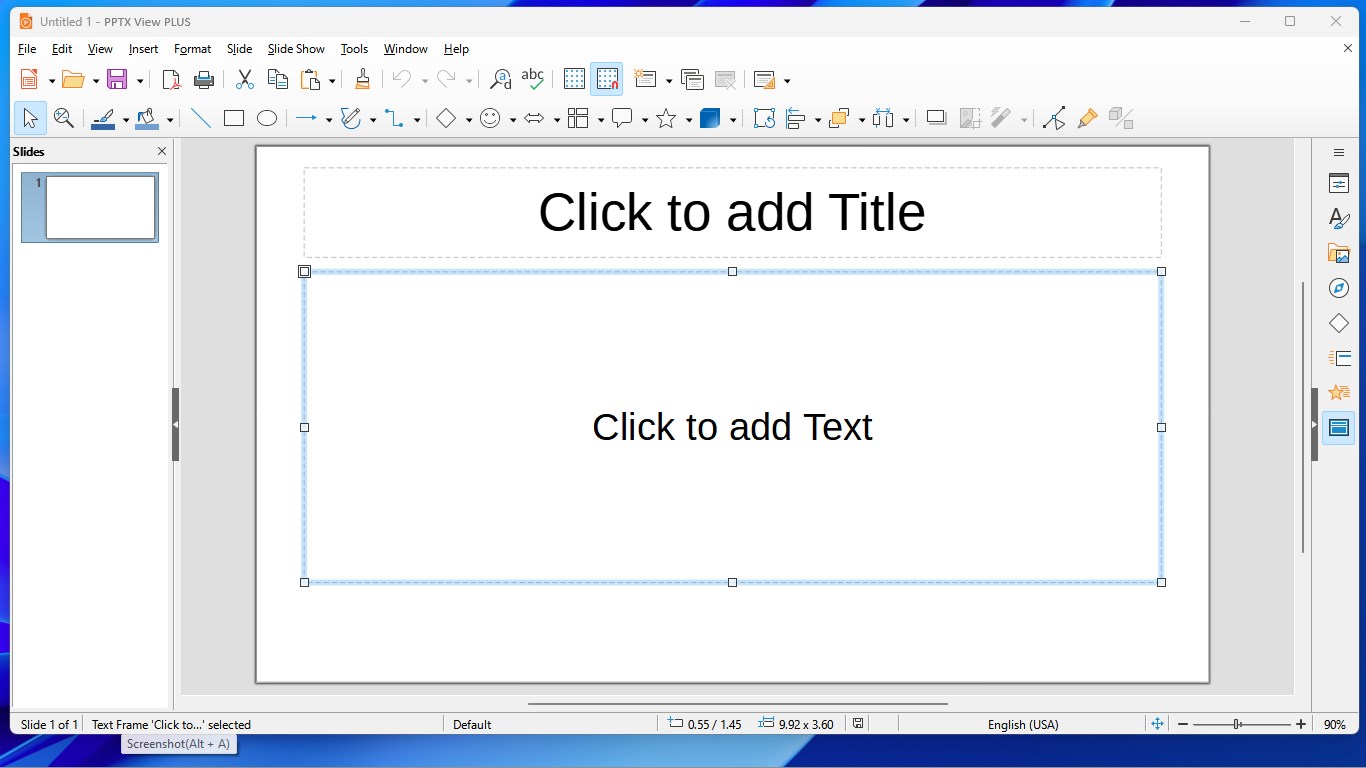
PPTX View PLUS is an editor for creating and editing PowerPoint presentations in .pptx and .ppt format. It also opens many other common presentation formats, including .odp, .sxi, .uop and .sdd, among others. The app supports a wide range of additional formats such as .key, .cgm, .dps and .pot. Core features are free for everyone, while a premium option is available for users who wish to support the developers' work.
Show the developer's original descriptionHide the original description
With PPTX View PLUS, you can not only create and edit PowerPoint presentation documents (.pptx and .ppt) directly but also open many more common presentation document formats (.odp, .sxi, .uop, .sdd and etc.).
Note: The core features of PPTX View PLUS are completely free for everyone. Premium is purely optional for users who wish to support our work. If the Premium prompt appears, simply click the X icon in the top-right corner to continue using the app.
Support formats:
.odp, .otp, .odg, .sxi, .sti, .sxd, .fodp, .xml, .uop, .uof, .pptx, .ppsx, .potx, .potm, .ppt, .dps, .pps, .pot, .dpt, .cgm, .pptx, .pptm, .key, .cwk, .sdd
Technical details about PPTX View PLUS
PPTX View PLUS in the rankings
Manage app
Are you on the developer team behind PPTX View PLUS?
Verify yourself and manage your listing on Most Voted Apps.
Verify PPTX View PLUS for free
Verification usually takes only a few minutes.
Similar apps to PPTX View PLUS
 PPT +
Create and edit PowerPoint, Excel and Word documents
 Microsoft PowerPoint
Create, edit and share presentations across all your devices
 DOCX Editor PLUS
Edit and convert Word, Excel, and PowerPoint documents
 XLSX Editor PLUS
Edit and convert Excel, Word and PowerPoint documents
 PDF Viewer Plus
Open, view and print PDF files
 XLSX Open PLUS
Create and edit Excel and spreadsheet files