


Auto Click Pro
Automates mouse clicks with intervals and scripts AI summary
Screenshots
Summary
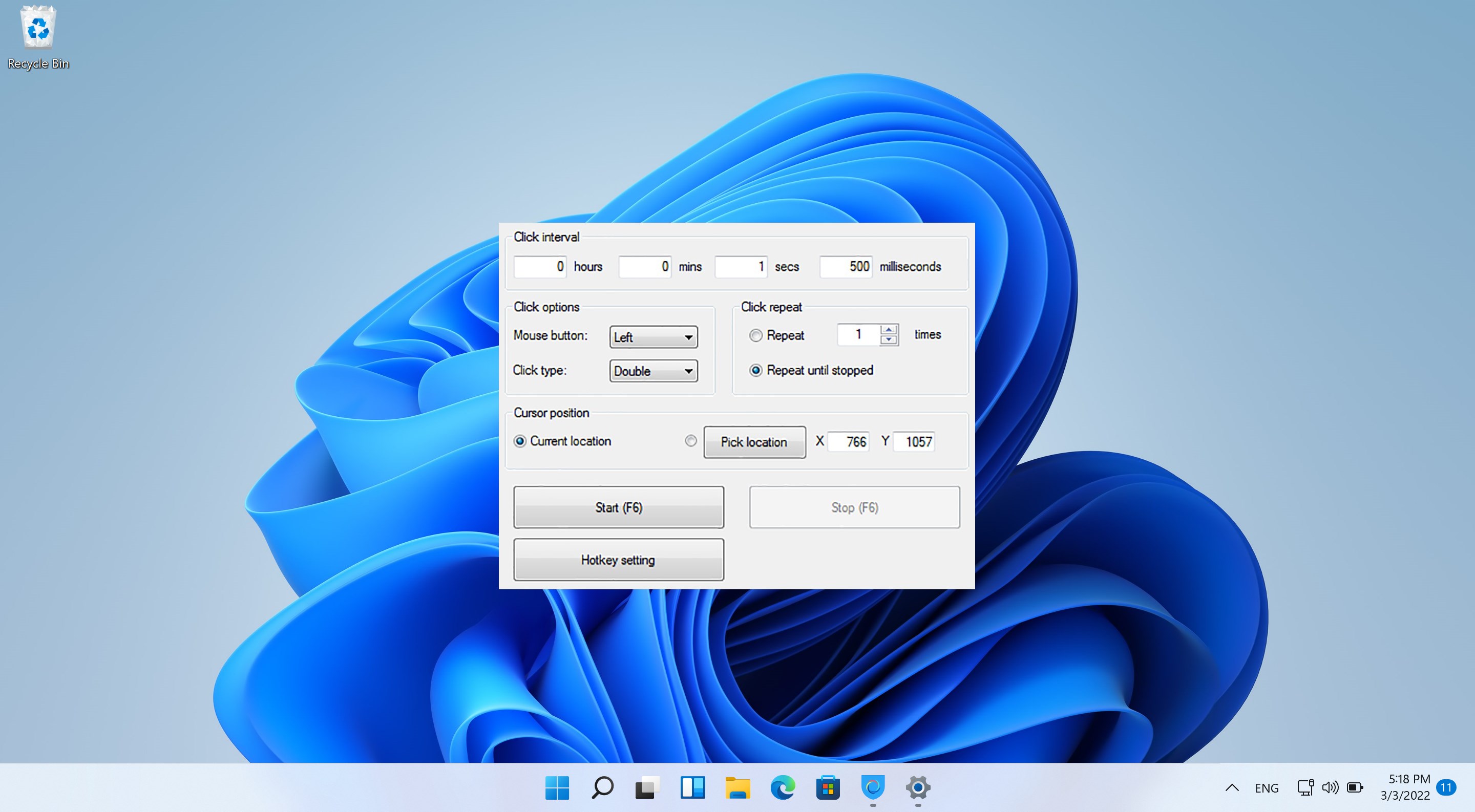
Auto Click Pro is an automation tool that automates mouse clicks on a computer screen, allowing selection of a custom interval for mouse tasks and supporting multiple click points and multiple swipes. Clicks can be performed as left button, right-click or double-click, and a global timer can run the automation for a set amount of time. The number of executed clicks can be unlimited or restricted to a fixed count, and clicking can target the current cursor position or a custom location, with automatic scripts that can be imported or exported.
Show the developer's original descriptionHide the original description
Auto Clicker is a automation tool that lets you automate mouse clicks.
An auto clicker is a type of software or macro that can be used to automate the clicking of a mouse on a computer screen element and click faster than intended. Clickers can be triggered to repeat input that was recorded earlier, or generated from various current settings.
Auto clickers can be as simple as a program that simulates mouse clicking. This type of auto clicker is fairly generic and will often work alongside any other computer program running at the time and acting as though a physical mouse button is pressed.
Feature:
- The friendly user interface, easy to use
- Select a custom interval to perform mouse tasks.
- Support multiple click points, multiple swipes
- Perform the left button, right-click or mouse mouse click.
- Have a global timer to run for a certain amount of time
- Execute click task, or double-click the task.
- Can Import/Export automatic scripts
- Unlimited execution clicks, or clicks on a limited number of times.
- Click on the current cursor position, or select a custom location.
Technical details about Auto Click Pro
Auto Click Pro in the rankings
Manage app
Are you on the developer team behind Auto Click Pro?
Verify yourself and manage your listing on Most Voted Apps.
Verify Auto Click Pro for free
Verification usually takes only a few minutes.
Similar apps to Auto Click Pro
 Ace Auto Clicker
Automates mouse clicks with customizable intervals
 Auto Clicker - Key presser
Simulate automatic mouse clicks and key presses
 OP Auto Clicker
Automated clicking at cursor or fixed position
 GT Auto Clicker: Free Auto Click
Automates mouse clicks at configurable intervals
 Re:Click - Auto Clicker | Macro Recorder
Automates repetitive mouse clicks and keyboard input
 Power Automate
Automate desktop applications with clicks and keyboard input