


Windows File Recovery
Recover deleted or corrupted files from storage devices AI summary
Screenshots
Summary
Windows File Recovery is a data recovery tool for Windows that helps retrieve accidentally deleted or lost files. It supports many file types including photos, documents and videos. It can recover data from hard drives, SSDs, USB drives and memory cards. A Signature mode extends recovery beyond NTFS, catering to devices such as cameras or SD cards. The app is designed to help recover corrupted or wiped data so that it is not permanently lost.
Show the developer's original descriptionHide the original description
Currently available for Windows 10 2004 and above.
Accidentally deleted an important file? Wiped clean your hard drive? Unsure of what to do with corrupted data? Windows File Recovery can help recover your personal data.
For photos, documents, videos and more, Windows File Recovery supports many file types to help ensure that your data is not permanently lost.
Recovering from a camera or SD card? Try Signature mode, which expands beyond NTFS recovery and caters to your storage device needs. Let this app be your first choice for helping to find what you need from your hard drive, SSD (*limited by TRIM), USB drive, or memory cards.
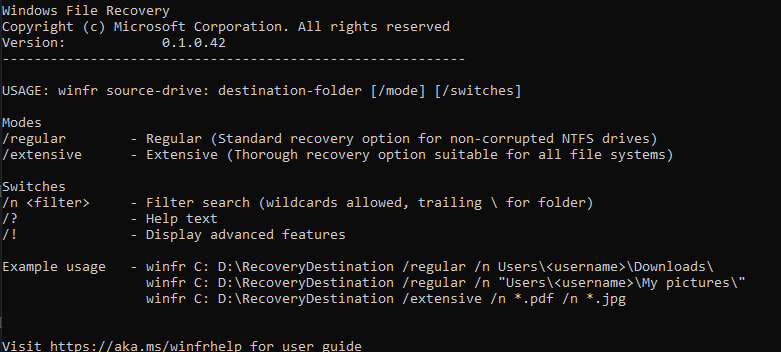
Visit aka.ms/winfrhelp for the user guide.
Technical details about Windows File Recovery
Windows File Recovery in the rankings
Manage app
Are you on the developer team behind Windows File Recovery?
Verify yourself and manage your listing on Most Voted Apps.
Verify Windows File Recovery for free
Verification usually takes only a few minutes.
Similar apps to Windows File Recovery
 Restore Files
Recover deleted files from Windows storage devices
 Data Recovery Software - Recover Deleted & Lost Files for Windows
Recover deleted or corrupted files from drives and memory
 Restore Files PRO
Recover deleted files from storage devices
 Shredder8
Securely delete files and overwrite storage space