Screenshot appears after consentScreenshot appears after consentScreenshot appears after consent
Summary
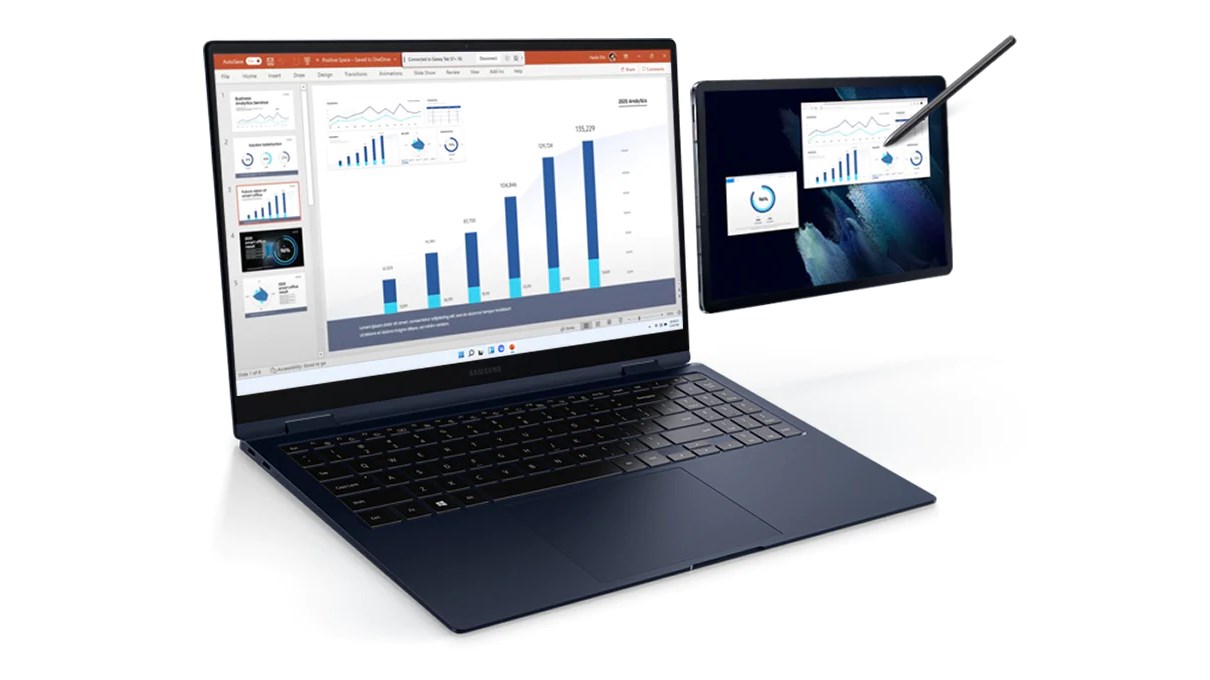
Second Screen is a screen extension app that turns a Galaxy Tab into an additional monitor for a Galaxy Book laptop. It supports writing and drawing directly with the S Pen across the wider combined workspace. The tablet can display in full screen for a larger view and syncs with the PC's power and screen saver settings for a consistent experience. Auto connection support reconnects the last-used tablet automatically, and the tablet can be added as an extended screen without needing to be operated separately. PCs and tablets must be logged in to the same Samsung account.
Show the developer's original descriptionHide the original description
An expanded experience with two monitors
When you feel like your laptop screen is not enough, try expanding it with the Galaxy Tab.
Write and draw directly with the S Pen in a wider workspace, and express your creativity freely.
Install the Second Screen app on your PC for more convenient features.
1. Supports tablet screen ratio
You can also display it as a full screen on your tablet for a wider screen.
2. Sync with the power settings of your PC
It syncs with the power settings and screen saver settings of your PC to give you the same experience as you would have on your monitor.
3. Auto connection support
When the tablet you last used is detected, it will connect automatically.
4. Easy tablet connection support
Expand the screen to a tablet without having to operate the tablet separately.
(* One UI 5.1.1 or higher Galaxy Tabs, Galaxy Books released from 2020 onwards, PCs/tablets must be logged in to the same Samsung account)
A product that meets the specific Second Screen support criteria is required.
* PC: Galaxy Books that are Windows 11 or higher
* Tablet: One UI 5.1.1 or higher Galaxy Tab S12+, S12 Ultra, S11, S11 Ultra, S10+, S10 Ultra, S10 FE, S10 FE+, S10 Lite, S9, S9+, S9 Ultra, S9 FE, S9 FE+, S8, S8+, S8 Ultra, S7, S7+, S7 FE, Active4 Pro, Active5, Active5 Pro, Z TriFold
Second Screen is optimized for Galaxy Book.
Depending on the model/manufacturer, there may be restrictions on some features and differences in usage.
If there is a version of this app for iOS/Mac or Windows we don't know about, paste the store link here — we'll auto-detect the store.
How to find the URL:1. Open the app in its store. 2.In the App Store app: tap the Share icon → “Copy Link”. In the browser: copy the URL from the address bar — it contains apps.apple.com/…/id… or apps.microsoft.com/detail/…. 3. Paste it here.
Paste the original link from the Apple App Store or Microsoft Store. We fetch all details automatically.
How to find the URL:
1. Open the app in its store. 2.In the App Store app: tap the Share icon → “Copy Link”. In the browser: copy the URL from the address bar — it contains apps.apple.com/…/id… or apps.microsoft.com/detail/…. 3. Paste it here.
Android apps can only be listed by their developer.




 Elgato Stream Deck Mobile
Virtual keypad to control apps and tools from your phone
 ASUS GlideX
Mirror phone screen on PC and control with mouse
 Quick Assist
Remotely share and control PC screens for support
 TapRecord: Screen Recorder
Record screen, audio and webcam in HD, then trim videos
 Sketchable Plus
Drawing and painting app with comprehensive tools
 Notebook Pro
Digital notebook for drawing, writing and annotating