Screenshot appears after consentScreenshot appears after consentScreenshot appears after consentScreenshot appears after consentScreenshot appears after consent
Summary
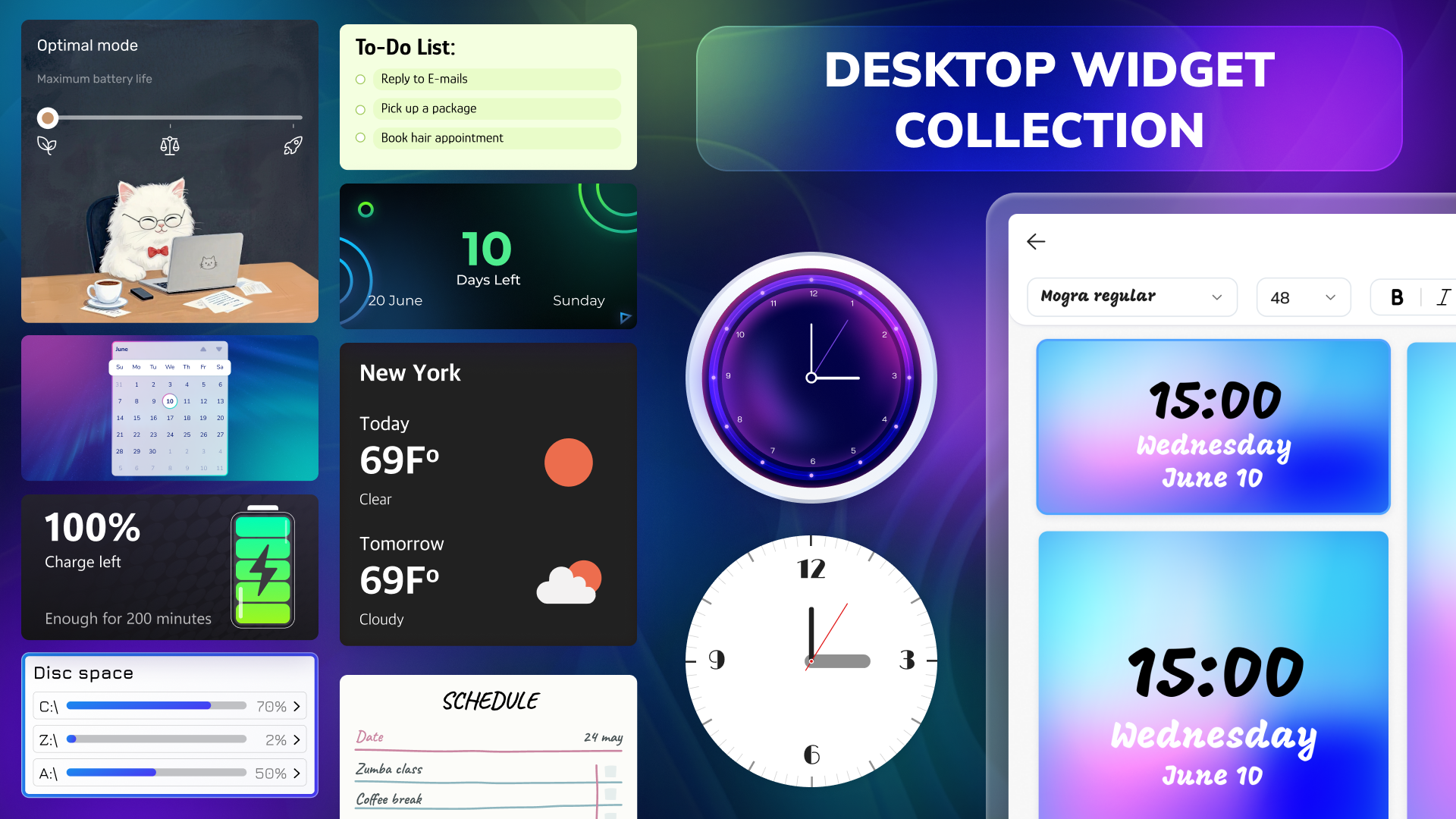
Desktop Widgets Tool - Custom Widget Icons & Calendar is a customization tool that adds a variety of widgets to personalize the screen. It offers a calendar widget for tracking dates and a notes widget for reminders and lists. A weather widget shows temperature and forecast updates, while system widgets monitor disk space, battery status, and power mode. Quote widgets provide daily inspiration, and clock widgets can be added to the screen. There is also an AI wallpaper generator. The app is free with limited widgets and generations, with a subscription unlocking unlimited widgets and additional customization options.
Show the developer's original descriptionHide the original description
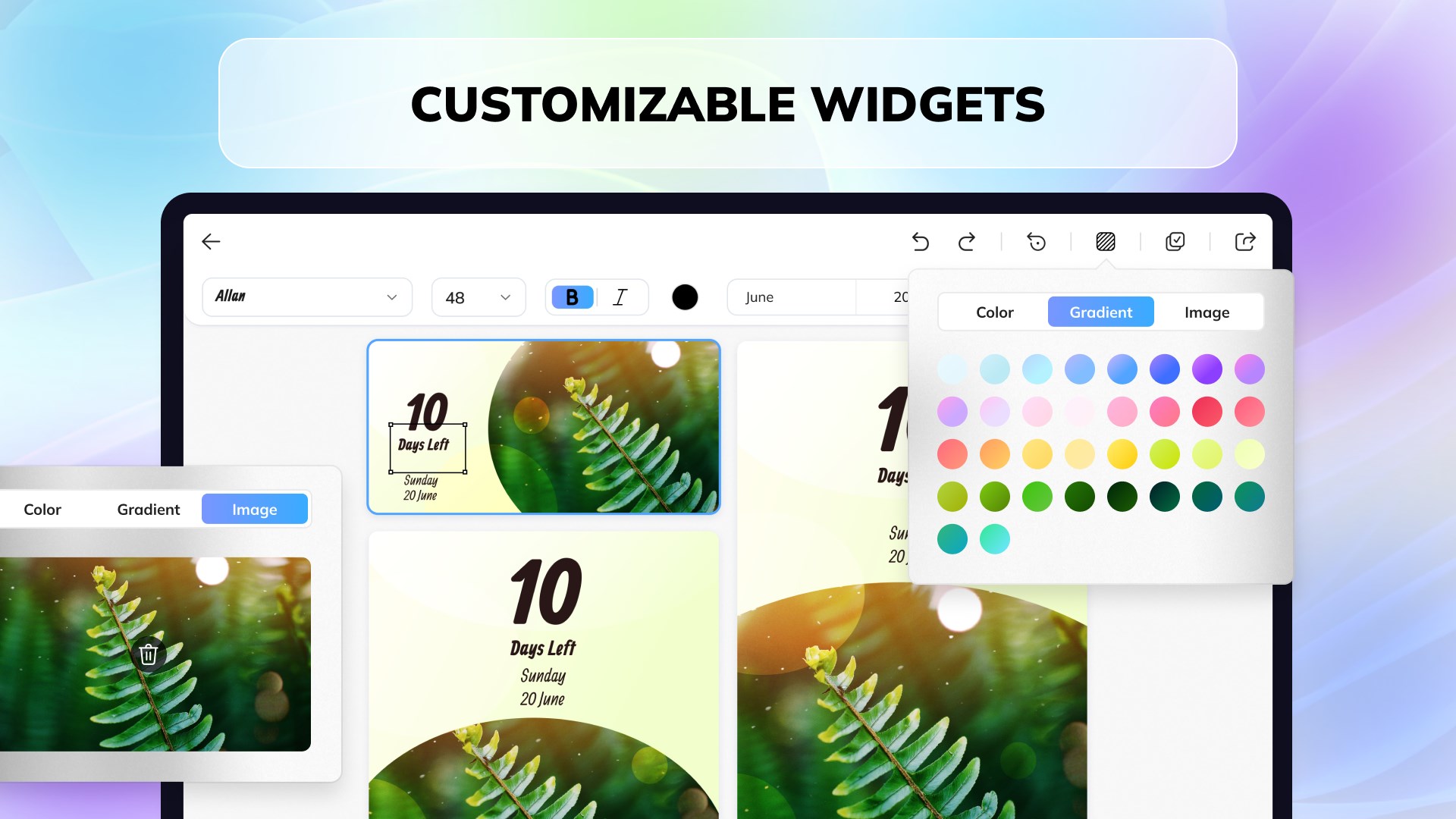
Personalize and decorate your desktop with a variety of customizable widgets.
CALENDAR
Add a cute and aesthetic calendar to always keep track of important dates
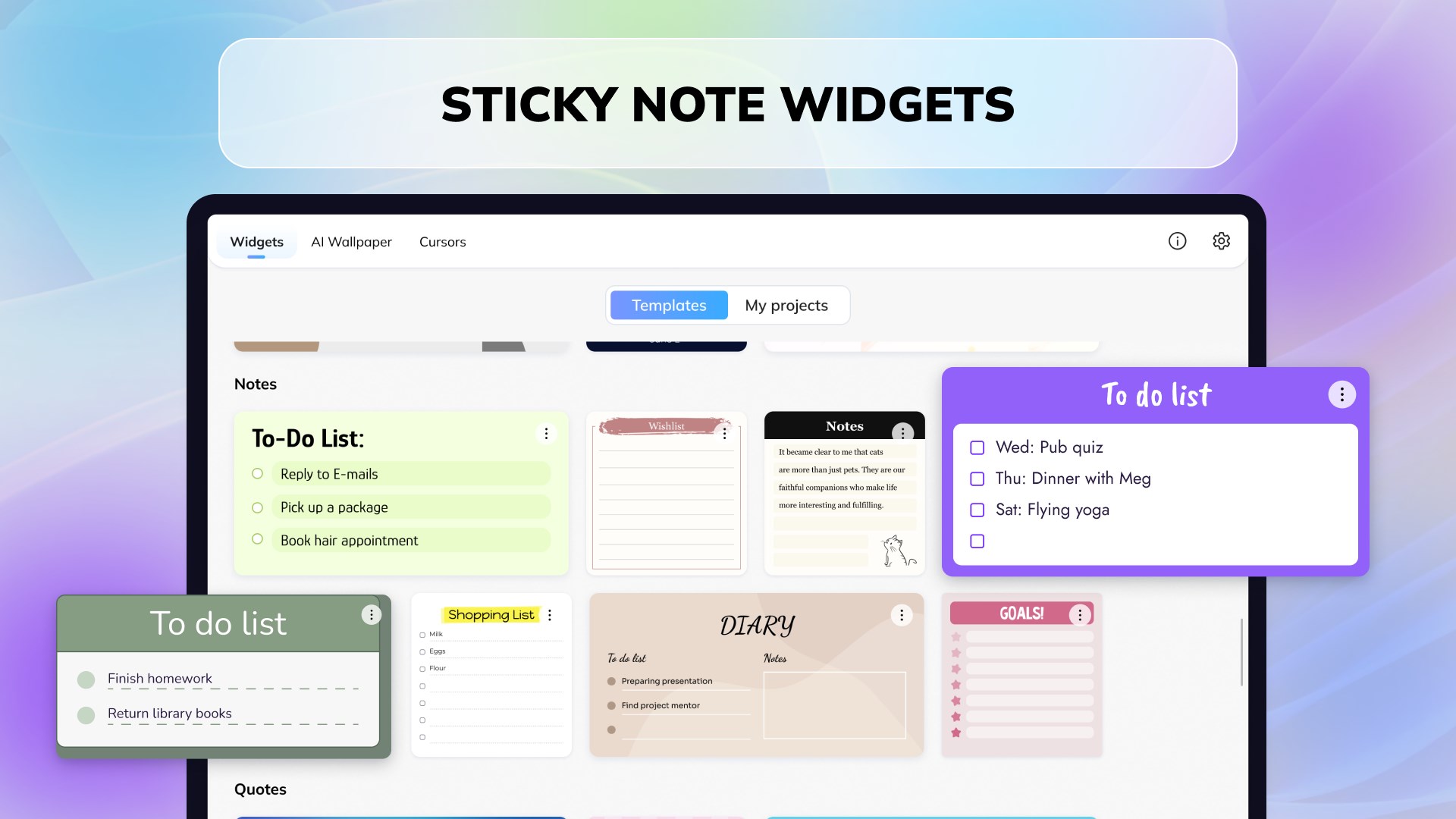
NOTES
Write reminders, lists and conveniently display them in front of you at all times
WEATHER
Stay ahead of the forecast with a sleek weather widget – get real-time updates on temperature, conditions, and daily forecasts, all without ever leaving your desktop
SYSTEM WIDGETS
Monitor disk space, battery percentage and health, and see your current power mode — energy saver, balanced, or high performance
QUOTES
Inspire yourself daily with gorgeous quote widgets – find motivation and add a touch of elegance to your workspace.
COUNTDOWNS
Always be prepared for important events, dates, or anniversaries
CLOCK
Give some extra flare to your computer by setting up cool designer clocks
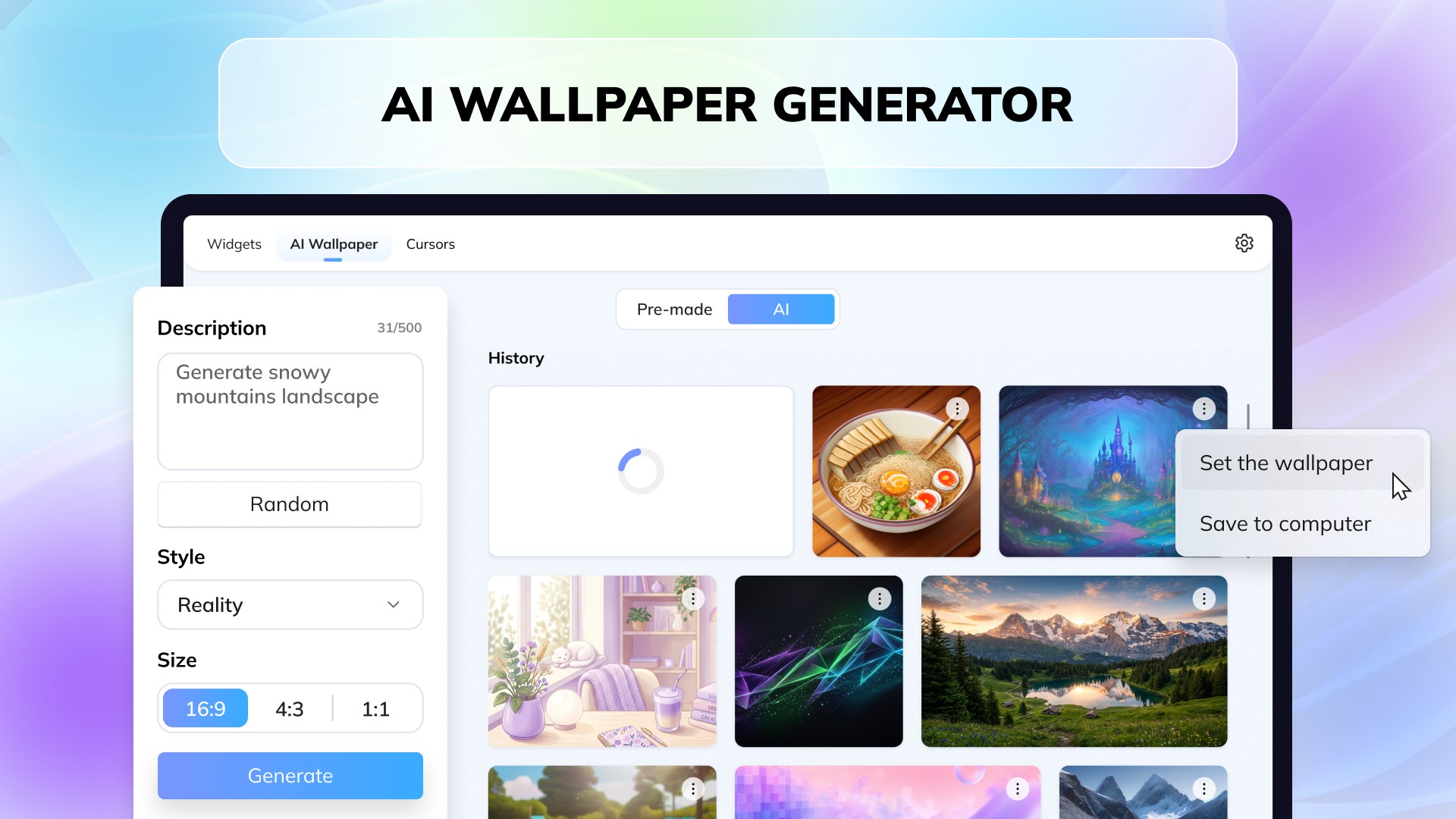
AI WALLPAPER GENERATOR
Unleash your creativity and generate the background that fits your desktop theme
Stay organized in style!
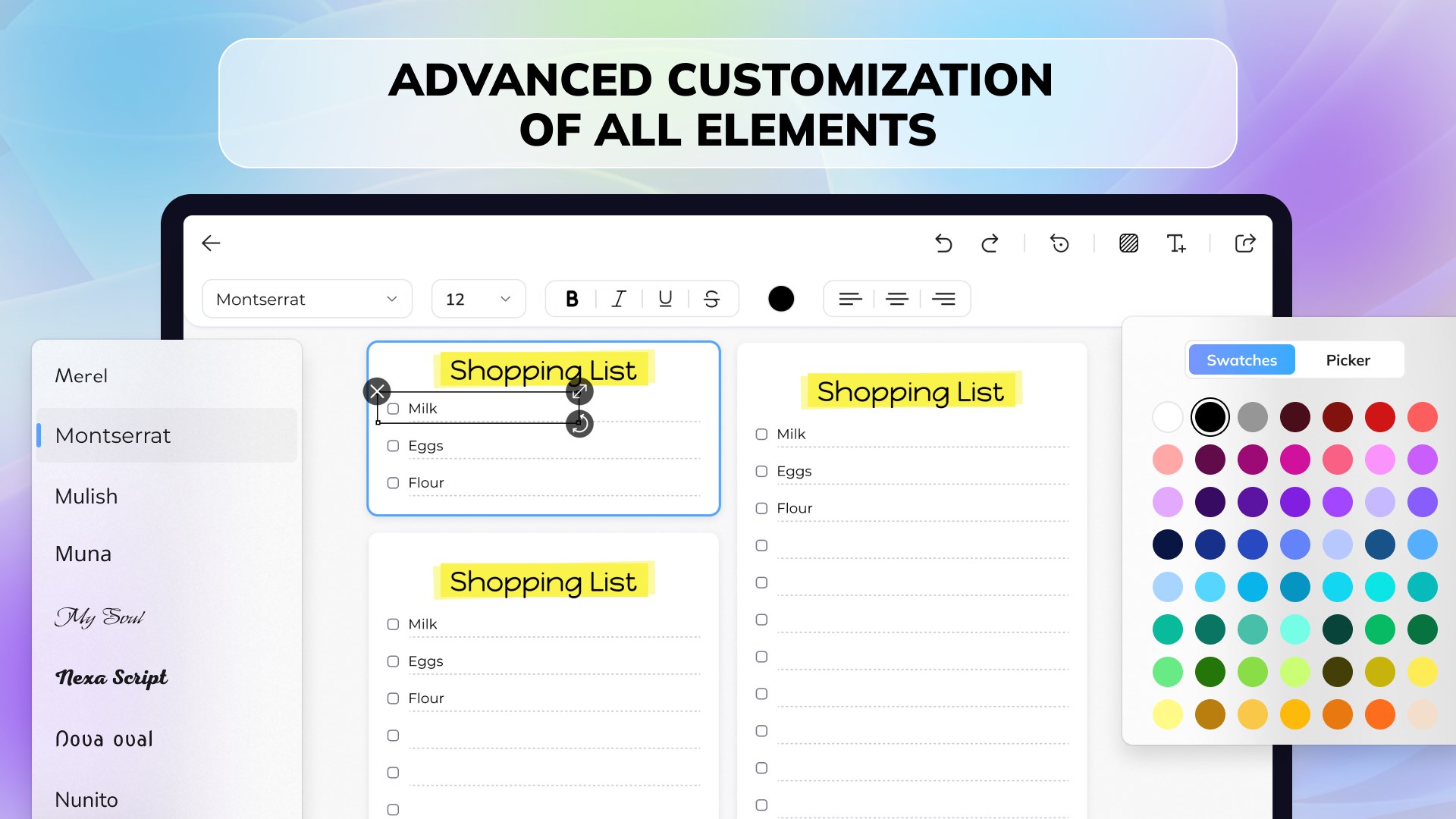
Please note that certain features are only accessible through a subscription. The free version includes the creation of two widgets, a basic color palette for customization, the ability to generate 5 AI wallpapers, and access to the first widget template from each category. Paid version provides unlimited AI wallpaper generations, access to all widget templates, advances customization of elements and unlimited number of widgets on the desktop at the same time.
The application offers two types of subscriptions: 1 month and 3 months
https://lavitaapps.com/privacy
https://lavitaapps.com/tos
Play Store URL for "Desktop Widgets Tool - Custom Widget Icons & Calendar"
If there is a version of this app for iOS/Mac or Windows we don't know about, paste the store link here — we'll auto-detect the store.
How to find the URL:1. Open the app in its store. 2.In the App Store app: tap the Share icon → “Copy Link”. In the browser: copy the URL from the address bar — it contains apps.apple.com/…/id… or apps.microsoft.com/detail/…. 3. Paste it here.
Paste the original link from the Apple App Store or Microsoft Store. We fetch all details automatically.
How to find the URL:
1. Open the app in its store. 2.In the App Store app: tap the Share icon → “Copy Link”. In the browser: copy the URL from the address bar — it contains apps.apple.com/…/id… or apps.microsoft.com/detail/…. 3. Paste it here.
Android apps can only be listed by their developer.


 Widget Launcher
Desktop widgets with clock, weather, calendar and more
 BeWidgets
Customize your desktop with personalized widgets
 Widgy Widgets: Home/Lock/Watch
Create custom widgets for home and lock screens
 Desktop digital clock
Digital desktop clock with customizable themes and alarms
 backiee - Wallpaper Studio 10
Wallpapers, live backgrounds and widgets for Windows
 WinDynamicDesktop
Wallpaper changes automatically based on time of day