Screenshot appears after consentScreenshot appears after consent
Summary
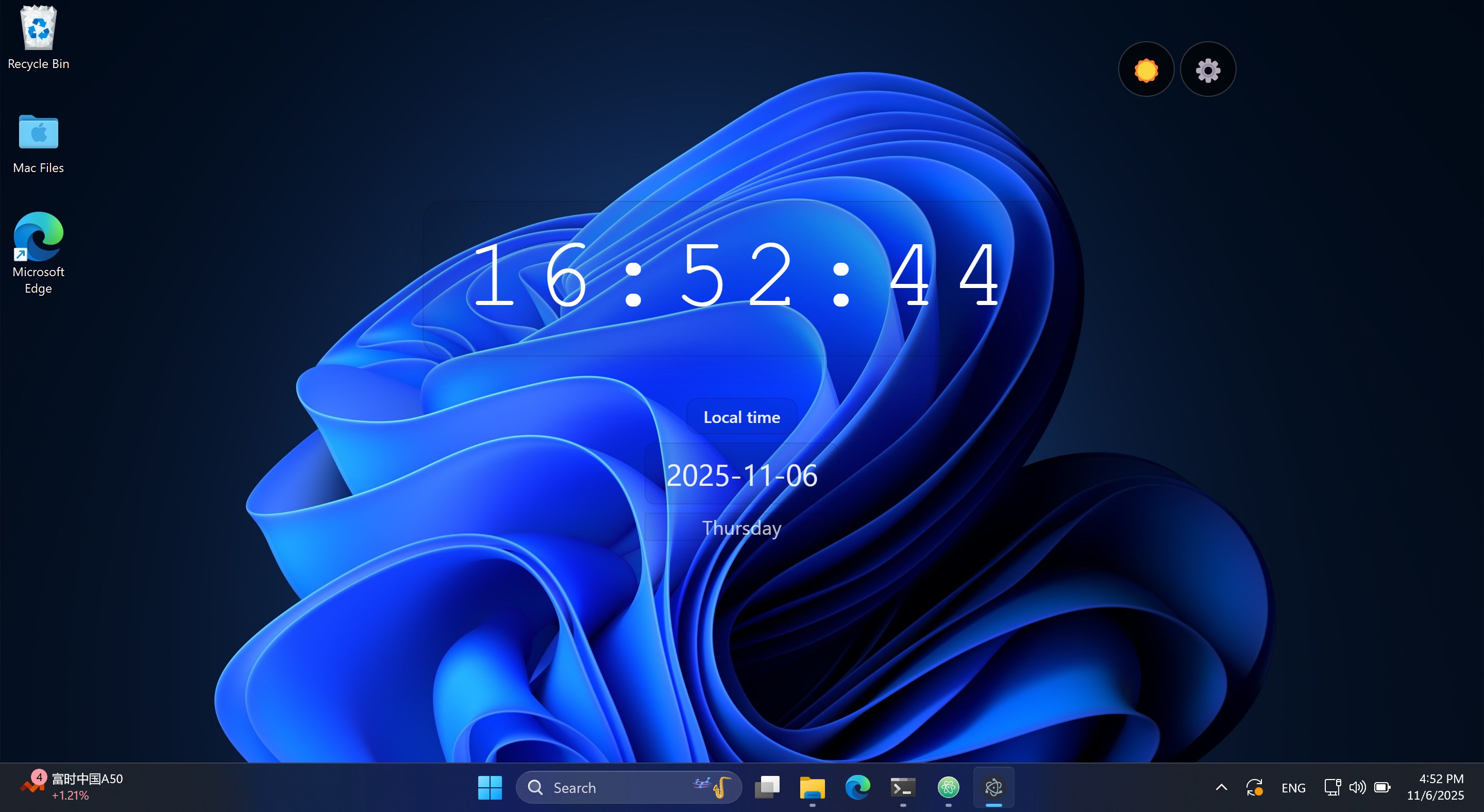
Smart Desktop Digital Clock is a desktop clock combining a clock, alarm, world time, countdown, and stopwatch. It displays precise time down to the millisecond along with date, weekday and time zone. Multiple alarms can be set with labels and repeat settings, while world time allows adding several cities for quick viewing. It supports dark, light and transparent themes with a frosted glass effect, and its window can be freely dragged around the desktop. Settings and alarms are stored locally, and core functions work offline.
Show the developer's original descriptionHide the original description
Smart Digital Clock is a desktop clock app that integrates a clock, alarm, world time, countdown, stopwatch, and schedule management. It supports dark, light, and transparent themes, with enhanced text clarity for transparent and dark backgrounds. The window can be dragged anywhere on the desktop, satisfying both desktop aesthetics and efficient time management.
Core Features
Digital Clock: Displays accurate data down to the millisecond, including date, day of the week, and time zone information.
Alarm Clock: Multiple alarms, labels, and repeat settings, using Web Audio to play reminder sounds.
World Time: Add multiple city time zones for quick viewing.
Countdown and Stopwatch: Convenient timekeeping tools perfect for focus and exercise.
Today's Schedule: View, edit, delete, and detail your schedule; editing is modal for a smooth experience.
View Panel: Schedule details display status (pending/in progress/overdue) and time difference.
Appearance and Interaction
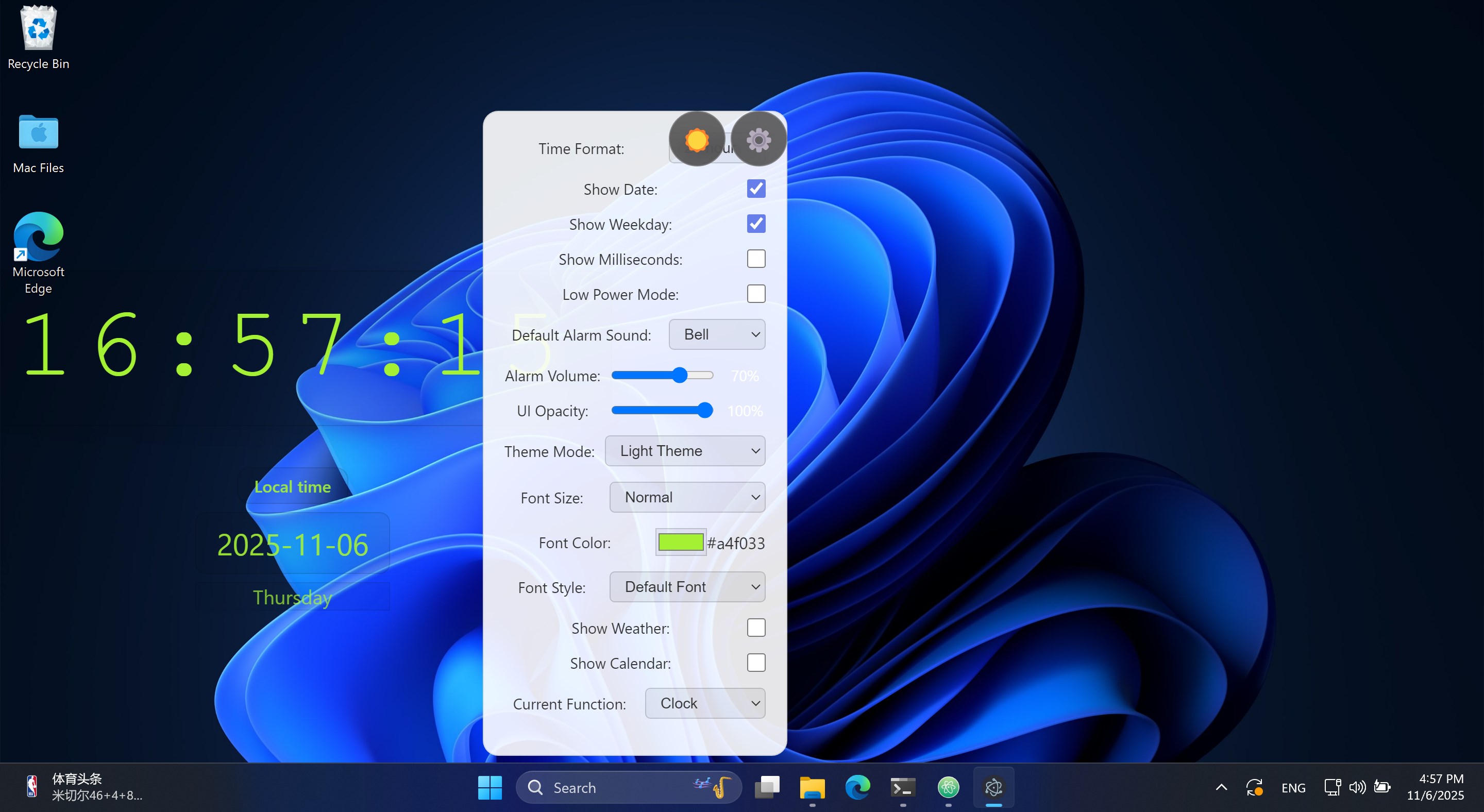
Themes: Dark / Light / Pure Transparent. Automatic text clarity enhancement (text-shadow and -webkit-text-stroke) in Pure Transparent and Dark modes.
Transparency and Frosted Glass: Supports background: transparent and backdrop-filter frosted glass effects.
Draggable: Draggable within any blank area of the window; buttons, input fields, modals, and other interactive areas are clickable.
Modern UI: Button hover feedback, card styling, progressive animations, and contrast optimization.
Usability and Localization
Local Storage: Settings, alarms, world time cities, and schedules are automatically saved locally.
Time Zones and Localization: Accurately handles time zones and local time formats based on Intl.DateTimeFormat.
Offline Availability: Core functionality runs offline, without a network connection.
Simplified Chinese Interface: Adapts to Chinese user preferences.
Customizable Items: UI transparency, theme switching, fonts, and font size.
World time city management, time zone display. Customize your calendar content (time, title, and content), and automatically sort by time.
Target audience:
Individual users who need a desktop clock and focused timekeeping;
Professionals who need to communicate across time zones;
Users who seek a beautiful desktop with minimalist information display
This is an all-in-one desktop clock and calendar assistant that's both beautiful and practical.
Technical details about Smart Desktop Digital Clock
If there is a version of this app for iOS/Mac or Windows we don't know about, paste the store link here — we'll auto-detect the store.
How to find the URL:1. Open the app in its store. 2.In the App Store app: tap the Share icon → “Copy Link”. In the browser: copy the URL from the address bar — it contains apps.apple.com/…/id… or apps.microsoft.com/detail/…. 3. Paste it here.
Paste the original link from the Apple App Store or Microsoft Store. We fetch all details automatically.
How to find the URL:
1. Open the app in its store. 2.In the App Store app: tap the Share icon → “Copy Link”. In the browser: copy the URL from the address bar — it contains apps.apple.com/…/id… or apps.microsoft.com/detail/…. 3. Paste it here.
Android apps can only be listed by their developer.



 Desktop digital clock
Digital desktop clock with customizable themes and alarms
 Widget Launcher
Desktop widgets with clock, weather, calendar and more
 Clock (Live tile, alarm, timer)
Clock displaying date, time and alarms on tiles
 Windows Clock
Alarms, timers and world clocks with focus sessions
 Alarm Clock HD
Alarm clock with sleep tracking and music wake-up
 Desktop Widgets Tool - Custom Widget Icons & Calendar
Customize desktop with widgets for calendar, notes