Screenshot appears after consentScreenshot appears after consentScreenshot appears after consent
Summary
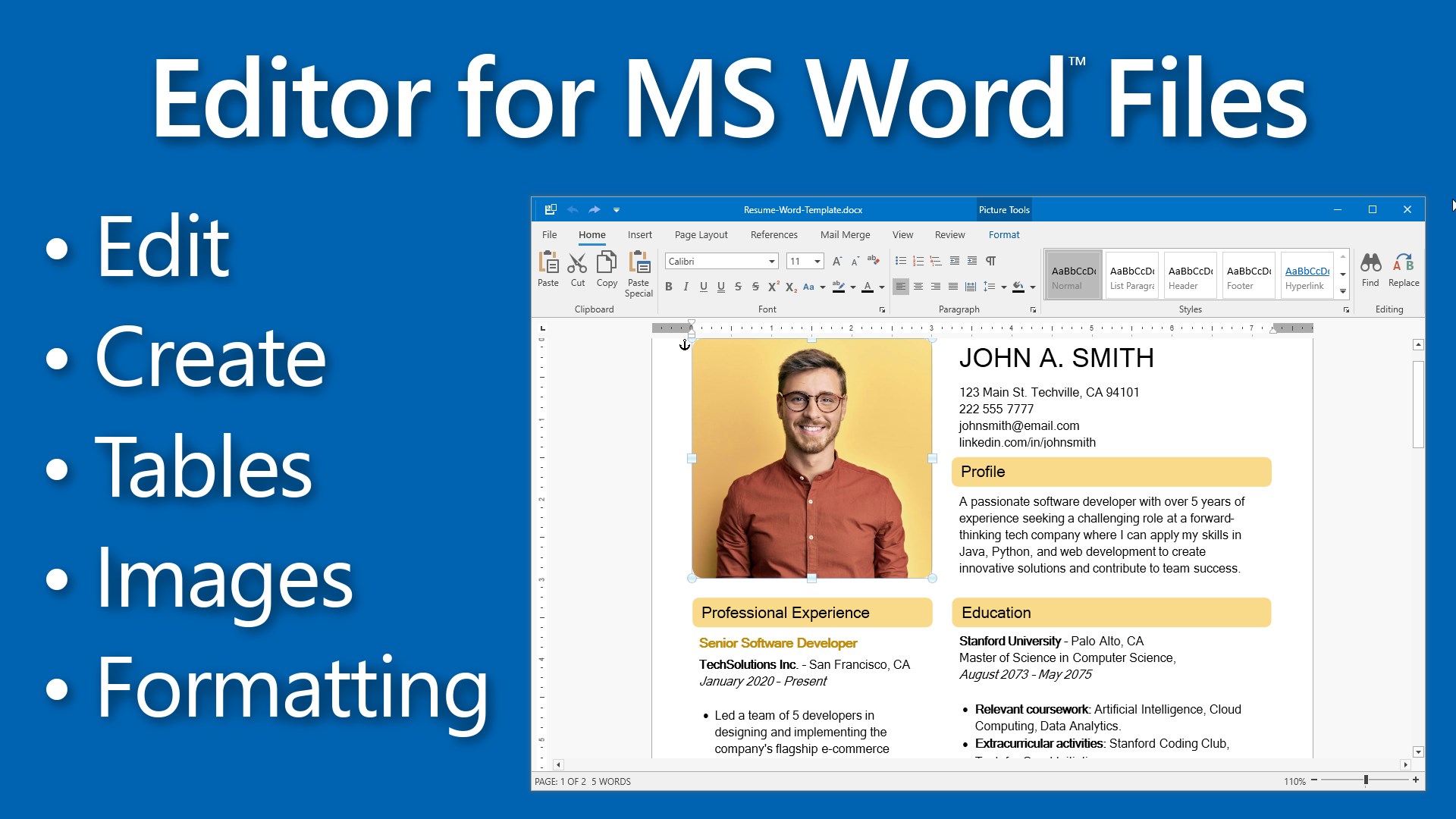
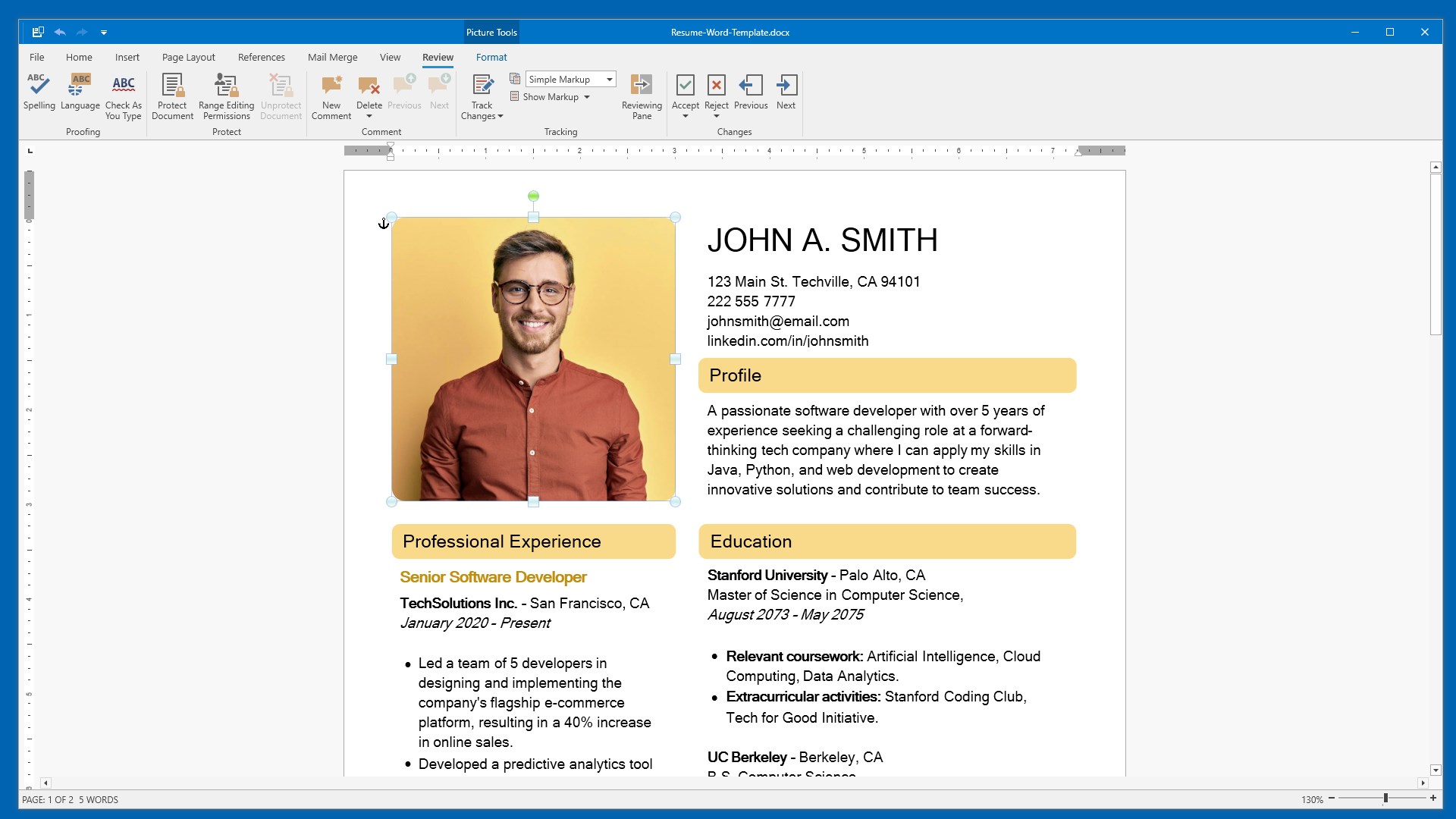
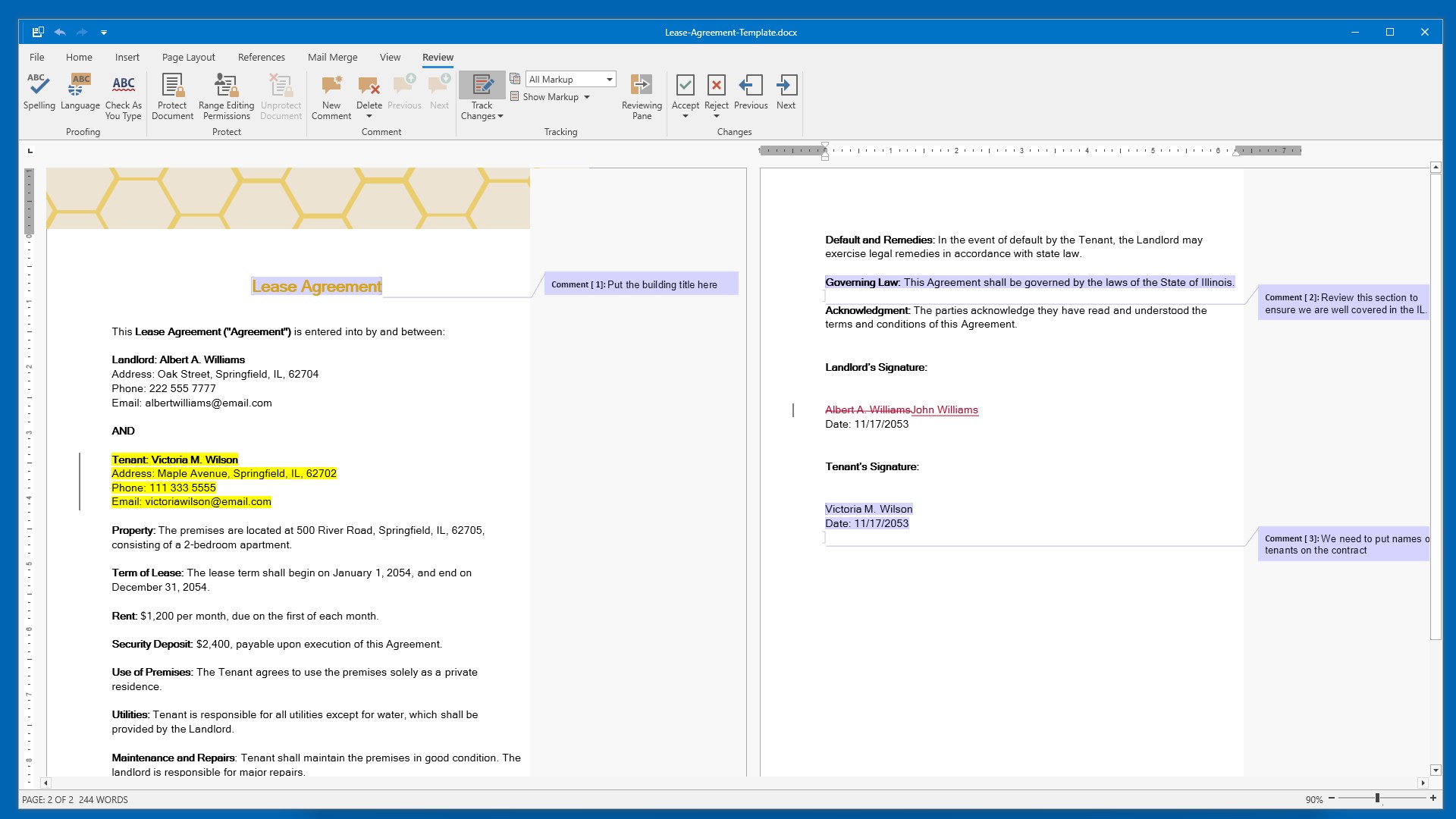
DOCX Editor for Windows is a word processing app compatible with Microsoft Word formats. It offers full text formatting tools, including font customization, bold, italic, underline, text alignment, and paragraph management like indentation and line spacing. Documents can include formatted tables and images with custom headers and footers. Collaboration and security features include track changes, password protection, and restricted editing. The app supports exporting to formats like PDF and HTML, with a print preview feature. The app includes a 1 day free trial with full access to all features.
Show the developer's original descriptionHide the original description
Fully compatible with Microsoft Word, DOCX Editor for Windows is a powerful yet user-friendly word processing application, designed to cater to both beginners and experienced users. It provides a full suite of text formatting tools, including font customization (style, size, color), bold, italic, underline options, and advanced paragraph management features such as indentation, line spacing, and bullet points.
Product License:
The app includes a 1 day free trial with full access to all features. After the trial, you can continue viewing and editing documents for free, while premium actions—Save, Save As, Print, Export to PDF, and spell checking—require a Premium License for ongoing access. Upgrading to the Premium version enables uninterrupted use of these features.
Enhance your documents with flexible table and image formatting, and easily add custom headers and footers. Advanced collaboration and security tools include track changes to monitor edits, password protection for document security, and restricted editing. With support for exporting to formats like PDF and HTML and a print preview feature for precise printouts, DOCX Editor is an excellent alternative to Microsoft Word, ideal for producing and managing professional-grade documents.
Key Features:
• Comprehensive Text Formatting:
- Font style, size, color, bold, italic, underline.
- Text alignment: left, center, right, justify.
- Paragraph management: indentation, line spacing, bullet points.
• Document Elements:
- Inserting and formatting tables.
- Adding and formatting images.
- Customizing headers and footers.
• Collaboration Tools:
- Track changes for monitoring and reviewing edits.
• Document Protection:
- Password protection.
- Restrict unauthorized editing.
• Exporting and Printing:
- Export to various formats, including PDF and HTML.
- Print preview feature to ensure accurate printouts.
• Supported Formats for Word and Text Documents:
.doc (Microsoft Word Document)
.docx (Microsoft Word Open XML Document)
.docm (Microsoft Word Macro-Enabled Document)
.dot (Microsoft Word 97-2003 Template)
.dotx (Microsoft Word Template)
.dotm (Microsoft Word Macro-Enabled Template)
.odt (OpenDocument Text Document)
.mht (MIME HTML)
.htm (Hypertext Markup Language File)
.html (Hypertext Markup Language File)
.rtf (Rich Text Format File)
.xml (XML File)
.txt (Plain Text File)
If there is a version of this app for iOS/Mac or Windows we don't know about, paste the store link here — we'll auto-detect the store.
How to find the URL:1. Open the app in its store. 2.In the App Store app: tap the Share icon → “Copy Link”. In the browser: copy the URL from the address bar — it contains apps.apple.com/…/id… or apps.microsoft.com/detail/…. 3. Paste it here.
Paste the original link from the Apple App Store or Microsoft Store. We fetch all details automatically.
How to find the URL:
1. Open the app in its store. 2.In the App Store app: tap the Share icon → “Copy Link”. In the browser: copy the URL from the address bar — it contains apps.apple.com/…/id… or apps.microsoft.com/detail/…. 3. Paste it here.
Android apps can only be listed by their developer.


 DOCX Edit PLUS
Create and edit Word documents and other file formats
 DOCX Editor PLUS
Edit and convert Word, Excel, and PowerPoint documents
 Microsoft Word
Create, edit and collaborate on documents
 DOCX‘
Edit documents, spreadsheets and presentations
 WordPal – Write & Format
Text editor for DOC, DOCX, RTF, TXT and more with PDF export
 PDF-XChange Editor
Create, edit, enhance and convert PDF documents