Screenshot appears after consentScreenshot appears after consentScreenshot appears after consentScreenshot appears after consentScreenshot appears after consentScreenshot appears after consentScreenshot appears after consentScreenshot appears after consentScreenshot appears after consentScreenshot appears after consent
Screenshot appears after consentScreenshot appears after consentScreenshot appears after consentScreenshot appears after consentScreenshot appears after consentScreenshot appears after consentScreenshot appears after consentScreenshot appears after consentScreenshot appears after consent
Summary
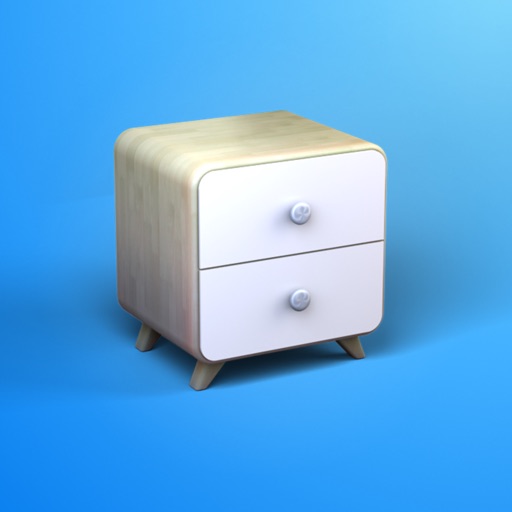
Moblo - 3D Furniture Modeling is a design app for creating bespoke furniture and planning interior spaces. It offers a touchscreen or mouse-friendly interface with ready-to-use parts like basic shapes, legs and handles for assembling pieces in 3D. A materials library covers paint, wood, metal and glass, plus a custom editor for creating materials with adjustable color, texture, shininess and reflection. An augmented reality function lets designs be viewed directly within a real room before production. Finished projects can be exported as 3D mesh files for other software.
Show the developer's original descriptionHide the original description
Want to create a bespoke piece of furniture or design a space yourself? Moblo is the perfect 3D modeling tool for your future projects. Great for easily designing furniture in 3D, you can also use it to imagine more complex interior designs. Using augmented reality, you can quickly bring your ideas to life and visualize them in your own home.
Whether you're a beginner or an experienced 3D modeler, Moblo is the perfect 3D modeling tool for your bespoke furniture projects. With its interface designed for either a touchscreen or a mouse, Moblo is simple and accessible to everyone.
Examples of furniture or fittings often designed with Moblo:
- Made-to-measure shelving
- Bookcase
- Dressing room
- TV unit
- Desk
- Children's bed
- Kitchen
- Bedroom
- Wooden furniture
- Etc.
Visit our website or our Discord server to discover the full range of possibilities offered by Moblo. From DIY enthusiasts to professionals (carpenters, kitchen designers, interior designers, etc.), the community shares a whole host of ideas and creations.
www.moblo3d.app
Creation steps:
1 - 3D modeling
Assemble your future piece of furniture in 3D using an intuitive interface and ready-to-use parts (basic shapes/legs/handles).
2 - Customize colors and materials
Choose which materials to apply to your 3D furniture from our library (paint, wood, metal, glass). Or create your own material using a simple editor.
3 - Augmented reality
Using your phone's camera, visualize your 3D creation in your own home and adjust it according to your space. This means you can see what your design looks like in a real-life context before you start production.
4 - 3D export
Export your project as a 3D mesh file (.stl or .obj) for use with other tools such as Sketchup or Blender (raw mesh, without colors or textures).
Main features:
- 3D assembly (movement/deformation/rotation).
- Duplicate/hide/lock one or more parts.
- Materials library (paint, wood, metal, glass, etc.).
- Custom materials editor (color, texture, shininess, reflection, opacity).
- Augmented reality visualization.
- Parts list.
- Notes related to parts.
- Photo capture.
Premium features:
- Possibility of working on several projects in parallel.
- Unlimited number of parts per project.
- Access to all part shapes.
- Access to all materials in the library.
- Save a selection as a new project.
- Import a project into an existing project.
- Export to .stl or .obj 3D mesh files (raw mesh without colors or textures).
- Export the parts list in .csv format (compatible with Microsoft Excel or Google Sheets).
- Share creations with other Moblo apps.
For further information, please visit our resources page on the moblo3d.app website.
Play Store URL for "Moblo - 3D Furniture Modeling"
If there is a version of this app for iOS/Mac or Windows we don't know about, paste the store link here — we'll auto-detect the store.
How to find the URL:1. Open the app in its store. 2.In the App Store app: tap the Share icon → “Copy Link”. In the browser: copy the URL from the address bar — it contains apps.apple.com/…/id… or apps.microsoft.com/detail/…. 3. Paste it here.
Paste the original link from the Apple App Store or Microsoft Store. We fetch all details automatically.
How to find the URL:
1. Open the app in its store. 2.In the App Store app: tap the Share icon → “Copy Link”. In the browser: copy the URL from the address bar — it contains apps.apple.com/…/id… or apps.microsoft.com/detail/…. 3. Paste it here.
Android apps can only be listed by their developer.





 IKEA
Discover furniture, visualize and shop with AR planning
 Home Planner: Room Design 3D
Visualize and design interior spaces
 Home Design 3D
Design and furnish your house in 3D and explore it virtually
 Sweet Home 3D: Interior Design & Home Planner
Design floor plans in 2D and visualize them in 3D
 Live Home 3D: House Design
Design homes, interiors and gardens with 2D floor plans
 Planner 5D: AI Home Design
Design floor plans and rooms with AI in 3D


