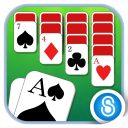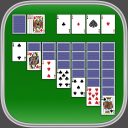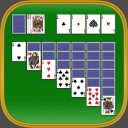
Screenshot appears after consentScreenshot appears after consentScreenshot appears after consentScreenshot appears after consent
Description
Enjoy classic ▻ Solitaire with clean cards, smooth gameplay, smart hints, easy undo, and relaxing card fun anytime.
Play the timeless card game loved by millions of players around the world. Simple to learn and satisfying to master, ▻ Solitaire is perfect for a quick break, a calm moment, or a daily card challenge.
Designed for comfortable play, this ▻ Solitaire experience combines classic Klondike gameplay with helpful features that make every deal easier to enjoy. Large cards, simple controls, smart hints, and easy undo give you everything you need to play at your own pace.
Features:
• Classic Klondike Solitaire gameplay
• Draw 1 or Draw 3 cards
• Large, easy-to-read cards
• Clean and simple design
• Smart hints when you need help
• Easy undo
• Winnable deals
• Auto-complete for solved games
• Easy, Medium, and Hard difficulty levels
• Portrait and landscape play
• Left-handed play option
• Game Center achievements and leaderboards
• Smooth, relaxing gameplay
Play a quick deal during a break, relax after a long day, or challenge yourself with a harder game. You can keep it simple, improve your score, beat your best time, or enjoy a familiar card game whenever you want.
Whether you call it ▻ Solitaire, Klondike, or classic cards, this game brings a clean and relaxing version of the card game you already know.
Download ▻ Solitaire and start playing classic cards today.
If there is a version of this app for iOS/Mac or Windows we don't know about, paste the store link here — we'll auto-detect the store.
How to find the URL:1. Open the app in its store. 2.In the App Store app: tap the Share icon → “Copy Link”. In the browser: copy the URL from the address bar — it contains apps.apple.com/…/id… or apps.microsoft.com/detail/…. 3. Paste it here.
Paste the original link from the Apple App Store or Microsoft Store. We fetch all details automatically.
How to find the URL:
1. Open the app in its store. 2.In the App Store app: tap the Share icon → “Copy Link”. In the browser: copy the URL from the address bar — it contains apps.apple.com/…/id… or apps.microsoft.com/detail/…. 3. Paste it here.
Android apps can only be listed by their developer.