Screenshot appears after consentScreenshot appears after consentScreenshot appears after consentScreenshot appears after consentScreenshot appears after consentScreenshot appears after consentScreenshot appears after consent
Screenshot appears after consentScreenshot appears after consentScreenshot appears after consentScreenshot appears after consentScreenshot appears after consentScreenshot appears after consentScreenshot appears after consent
Screenshot appears after consentScreenshot appears after consentScreenshot appears after consentScreenshot appears after consentScreenshot appears after consentScreenshot appears after consentScreenshot appears after consentScreenshot appears after consent
Summary
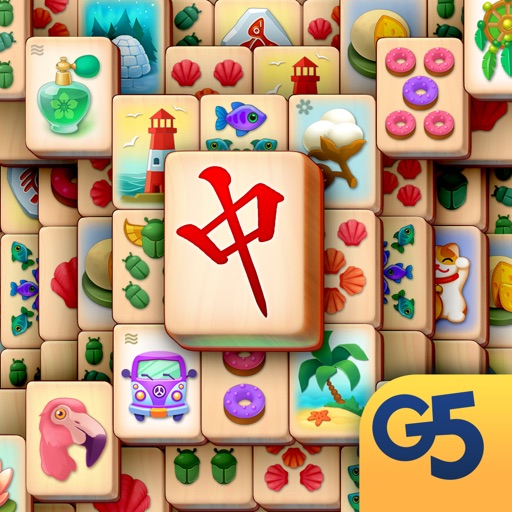
Mahjong Journey®: Tile Match is a puzzle game built on the classic Mahjong Shanghai format, following a young girl and her cat as they travel the world searching for her lost parents. Players clear hundreds of layouts by pairing tiles, with twists including Shuffle, which helps escape difficult situations, and Firecracker, which removes multiple tile pairs at once. The journey passes through locations such as the Forbidden City, Virupaksha Temple, and Mount Fuji, with quests to complete and gold stars earned for finishing levels quickly. The game is free to play, with optional in-app purchases, and is playable offline.
Show the developer's original descriptionHide the original description
Embark on a magical journey in this addictive Mahjong Journey® adventure!
Enjoy a new take on Mahjong Shanghai as you help a young girl and her cat traverse the globe in search of her lost parents. Make your way by pairing tiles in order to dismantle hundreds of layouts. Collect achievements for special accomplishments while taking advantage of innovative gameplay twists like Shuffle, which allows you to get out of a difficult situation, or Firecracker, a tool for blowing up multiple pairs of tiles. Visit the Forbidden City, Virupaksha Temple, the Taj Mahal and the famous Mount Fuji as you fulfill challenging quests and earn gold stars for completing levels as fast as you can!
If you like to make in-app purchases in this game, Mahjong Journey® also offers two absolutely optional auto-renewable subscriptions that provide substantial benefits compared to individual in-app purchases.
– In case you choose to sign up to Silver Subscription or Gold Subscription, the price will be $19.99 per month or $49.99 per month accordingly. Payment will be taken from your iTunes account for the first month when you confirm the purchase. In case you choose to subscribe, it will be automatically renewed each month unless you cancel it. Please cancel at least 24 hours before the end of the monthly payment period to avoid being charged for the next month.
– You can cancel your subscription at any time. Visit your account settings to upgrade, downgrade or cancel your subscription. Note that in case you choose to subscribe, the current payment period cannot be canceled or pro-rated.
While this game is absolutely free to play, you have the ability to unlock optional bonuses via in-app purchases from within the game. You may disable in-app purchases in your device settings.
You can play this game even if you’re offline!
Game available in: English, Arabic, French, German, Italian, Japanese, Korean, Portuguese, Brazilian Portuguese, Russian, Simplified Chinese, Traditional Chinese, Spanish, Spanish (Latin America), Swedish.
____________________________
Sign up now for a weekly round-up of the best from G5 Games! https://www.g5.com/e-mail
____________________________
Download more great games here: https://store.g5.com
G5 Games — World of Adventures™! Collect them all! Search for "g5" in the App Store!
____________________________
Visit us: https://www.g5.com
Watch us: https://www.youtube.com/g5enter
Find us: https://www.facebook.com/MahjongJourneyGame/
Join us: https://www.instagram.com/mahjongjourneygame/
Follow us: https://x.com/g5games
If there is a version of this app for iOS/Mac or Windows we don't know about, paste the store link here — we'll auto-detect the store.
How to find the URL:1. Open the app in its store. 2.In the App Store app: tap the Share icon → “Copy Link”. In the browser: copy the URL from the address bar — it contains apps.apple.com/…/id… or apps.microsoft.com/detail/…. 3. Paste it here.
Paste the original link from the Apple App Store or Microsoft Store. We fetch all details automatically.
How to find the URL:
1. Open the app in its store. 2.In the App Store app: tap the Share icon → “Copy Link”. In the browser: copy the URL from the address bar — it contains apps.apple.com/…/id… or apps.microsoft.com/detail/…. 3. Paste it here.
Android apps can only be listed by their developer.






 Solitaire by MobilityWare
Classic solitaire with daily challenges
 Magic Jigsaw Puzzles - Games
Solve jigsaw puzzles from a collection of over 40,000 images
 Cascade Gem & Jewel Adventure
Puzzle game combining gem matching with adventure quests
 Solitaire Blast – Fairway Card
Solitaire puzzle with daily challenges and tournaments
 Solitaire + Card Game by Zynga
Card game with daily challenges and helpful items
 Oceanhorn ™
Action adventure with puzzles, combat and treasure hunting


