Screenshot appears after consentScreenshot appears after consentScreenshot appears after consentScreenshot appears after consentScreenshot appears after consentScreenshot appears after consentScreenshot appears after consentScreenshot appears after consentScreenshot appears after consentScreenshot appears after consent
Screenshot appears after consentScreenshot appears after consentScreenshot appears after consentScreenshot appears after consentScreenshot appears after consentScreenshot appears after consentScreenshot appears after consentScreenshot appears after consentScreenshot appears after consentScreenshot appears after consent
Summary
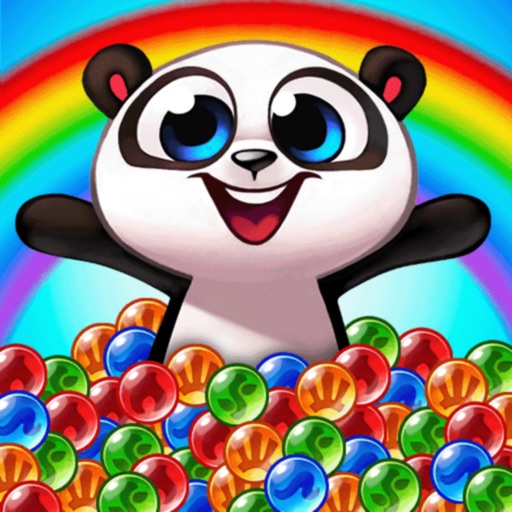
Bubble Shooter - Panda Pop! is a puzzle game in which matching same-colored bubbles helps rescue baby pandas kidnapped by an evil baboon. The game offers more than 4000 levels with increasingly challenging obstacles, and players use power-ups that can be combined for greater effect to clear bubbles and free the pandas. Matching three bubbles and filling lanterns creates supercharged matches. Special rewards and events are added regularly, and progress syncs across multiple devices and platforms. The game connects to Facebook so players can play alongside friends. Bubble Shooter - Panda Pop! is free to play, though some in-game items can be purchased with real money.
Show the developer's original descriptionHide the original description
EnglishGermanArabicCatalanChineseDanishDutchFinnishFrenchHindiIndonesianItalianJapaneseKoreanNorwegian BokmålPolishPortugueseRussianSpanishSwedishThaiTurkishVietnamese+ View all 23 languages
If there is a version of this app for iOS/Mac or Windows we don't know about, paste the store link here — we'll auto-detect the store.
How to find the URL:1. Open the app in its store. 2.In the App Store app: tap the Share icon → “Copy Link”. In the browser: copy the URL from the address bar — it contains apps.apple.com/…/id… or apps.microsoft.com/detail/…. 3. Paste it here.
Paste the original link from the Apple App Store or Microsoft Store. We fetch all details automatically.
How to find the URL:
1. Open the app in its store. 2.In the App Store app: tap the Share icon → “Copy Link”. In the browser: copy the URL from the address bar — it contains apps.apple.com/…/id… or apps.microsoft.com/detail/…. 3. Paste it here.
Android apps can only be listed by their developer.





 Angry Birds POP!
Shoot bubbles to defeat pigs in puzzle levels
 Angry Birds Blast
Pop balloons to free trapped birds in puzzle challenges
 Jelly Jump
Arcade game where you save and collect little jelly
 Bubble Mania™
Match and pop colored bubbles to solve puzzles
 Gummy Drop! Match 3 Puzzles
Match 3 puzzles to restore landmarks in cities worldwide
 Candy Crush Soda Saga
Match-3 puzzle game with candy and soda themes


