


Doc Scan PDF Scanner
Scan documents and images, save as PDF or image format AI summary
Screenshots
Summary
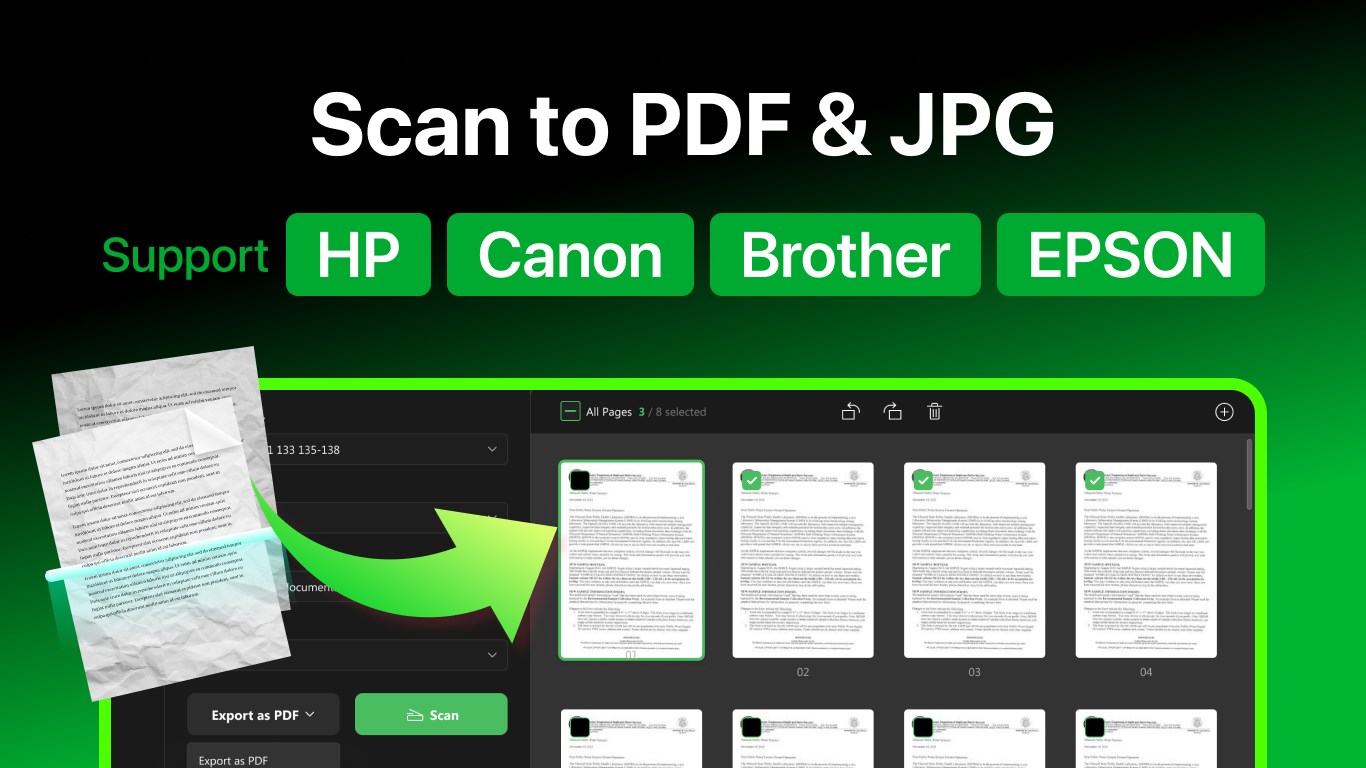
Doc Scan PDF Scanner is a document scanning app that saves scans in formats such as PDF, JPEG, PNG, BMP or TIFF. It works with most scanner and printer brands, including HP, Canon, Brother, Epson and Samsung. The app recognizes text in scanned documents through OCR and allows editing of scanned images, including cropping, rotating, reordering, and adjusting contrast, saturation, color and sharpness. Scanned files can be shared directly by email. The app offers in-app purchases for unlimited scans, OCR support, scan editing and higher scan resolution, available as an annual subscription or a one-time lifetime license.
Show the developer's original descriptionHide the original description
Doc Scan is designed to scan documents and pictures and save them in the format you want easily! No matter which brand of scanner & printer you are using, Any Scan could make it work for you with a simple click!
Support most scanner & printer brands, including but not limited to:
HP, Canon, Brother, EPSON, Deli, Lenovo, Panasonic, Ricoh, Samsung, Xerox, etc.
[Key Features]
- Scan documents to PDF, JPEG, PNG, BMP, TIFF, etc.
- Recognize the texts in scanned documents with OCR
- Conduct changes to the scanned images, including crop, rotate, reorder, contrast, saturation, color, and acutance
- Share scanned files through E-mail directly
[In-app Purchases Features]
• Unlimited Scans
• OCR Supported
• Edit Scans
• Scan at Higher Resolution
Subscription plan: billed annually at $7.99/year
Lifetime license: one-time purchase for $15.99
Technical details about Doc Scan PDF Scanner
Doc Scan PDF Scanner in the rankings
Manage app
Are you on the developer team behind Doc Scan PDF Scanner?
Verify yourself and manage your listing on Most Voted Apps.
Verify Doc Scan PDF Scanner for free
Verification usually takes only a few minutes.
Similar apps to Doc Scan PDF Scanner
 PDF Document Scanner
Scan documents and create, edit multi-page PDF files
 Print and Scan - Document Scanner App
Scan documents and photos, save as PDF or image files
 Scanner - Quick and Easy Document Scanning
Scan documents and photos, crop and save as PDF
 Scanner App: PDF Scan
Scan, edit and manage documents as PDF files
 Doc Scan For Windows: Scan to PDF, Docx, Xlsx
Scan documents and convert them to PDF, Word or Excel
 PDF scanner : Scanning and OCR
Scan documents and convert to editable files with OCR