Screenshot appears after consentScreenshot appears after consentScreenshot appears after consentScreenshot appears after consentScreenshot appears after consentScreenshot appears after consentScreenshot appears after consentScreenshot appears after consentScreenshot appears after consentScreenshot appears after consent
Summary
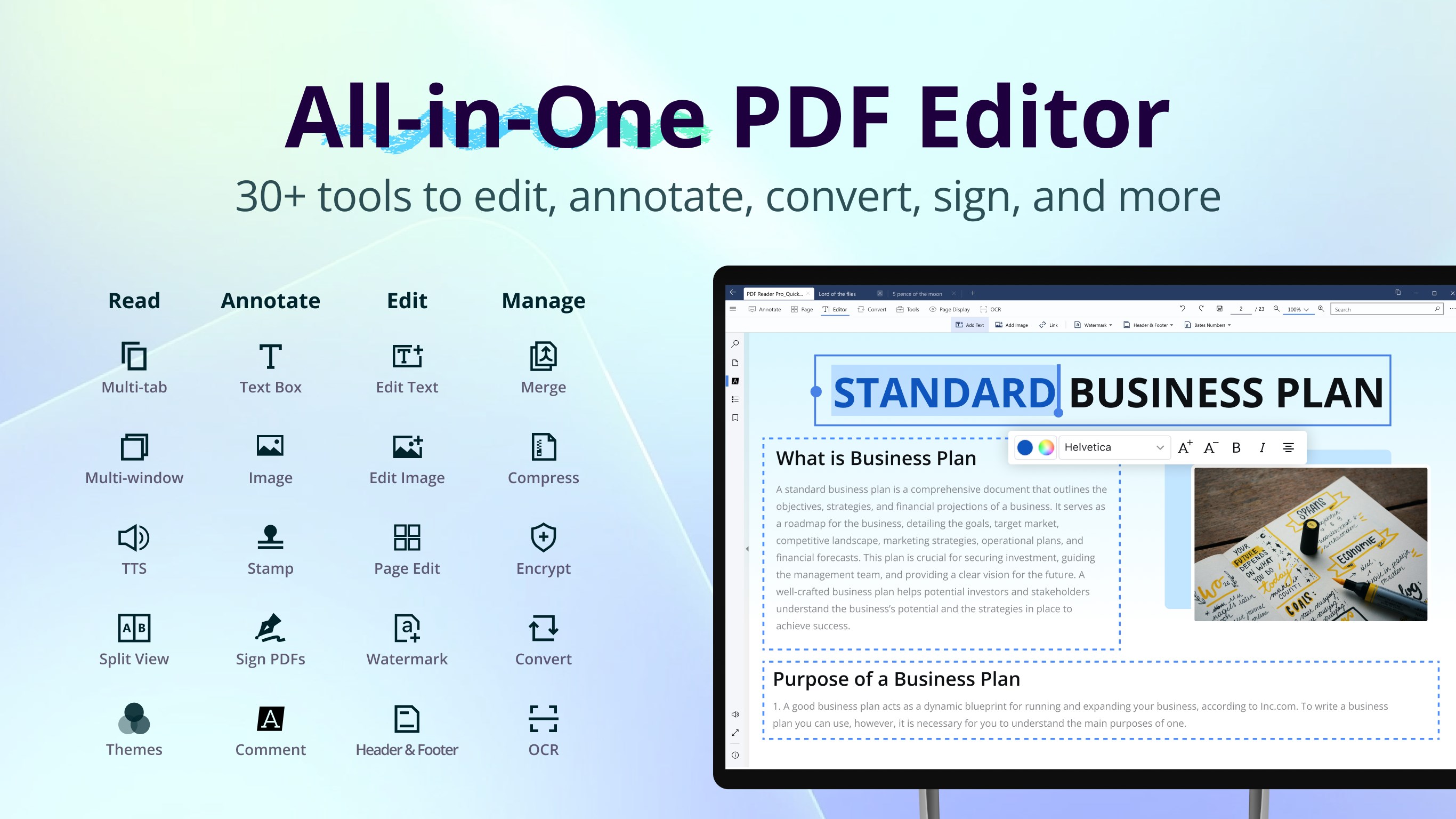
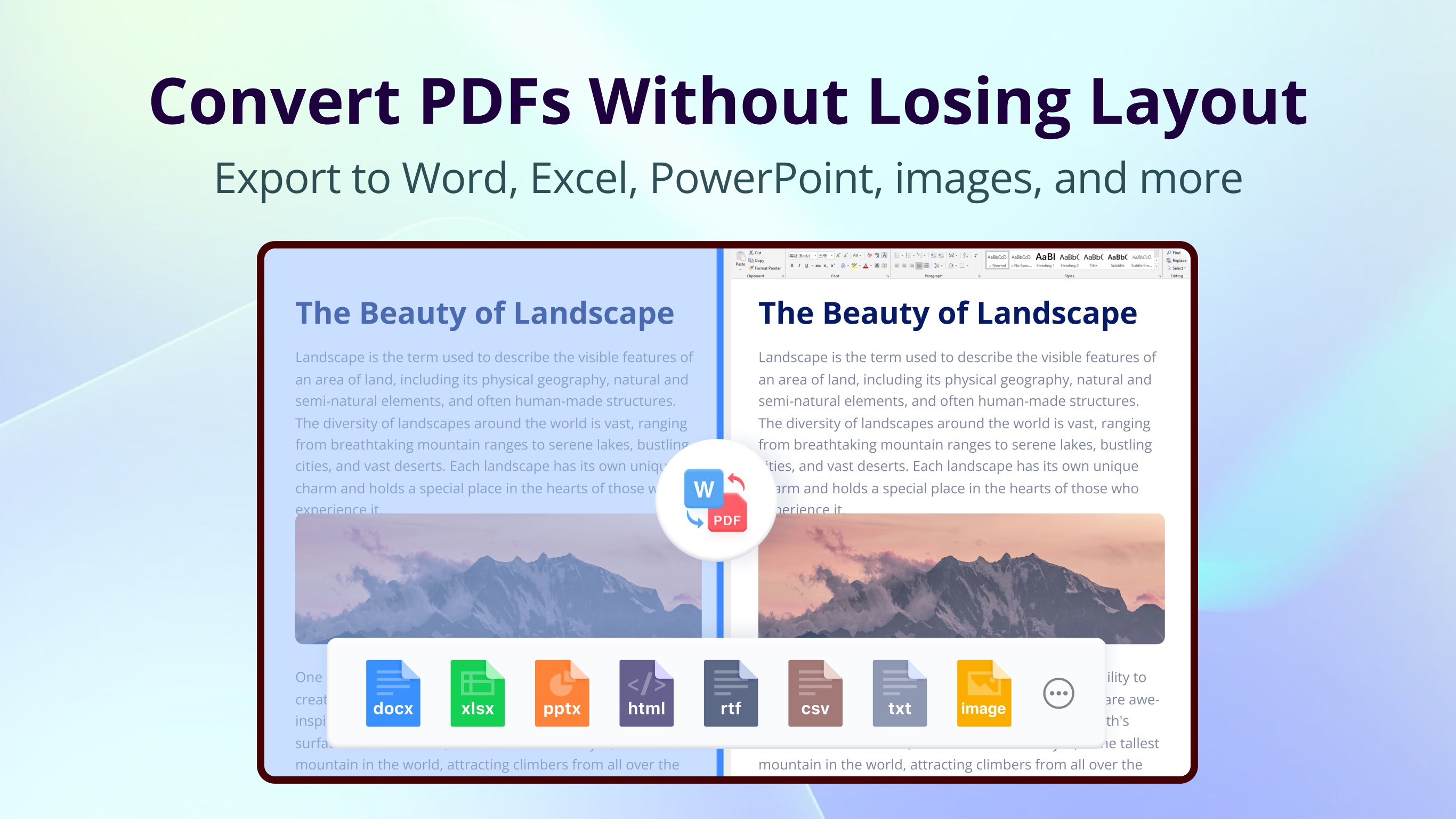
PDF Reader Pro - PDF Editor & Converter is a PDF editor that helps Windows users edit, sign, fill forms, convert, and annotate PDF documents. Text, images, and pages can be edited directly, while more than fifteen annotation tools support highlighting, underlining, shapes, and comments. It converts PDFs to and from formats such as Word, Excel, PowerPoint, and images, and includes OCR for scanning documents into editable or searchable files.
Show the developer's original descriptionHide the original description
TRUSTED BY 90 MILLION USERS
PDF Reader Pro is an all-in-one PDF solution for Windows—easily edit, sign, fill forms, convert, and annotate PDFs. It is a practical, high-value Adobe Acrobat alternative for professionals, students, and everyday document work.
KEY FEATURES
• Edit PDF text, images, and pages.
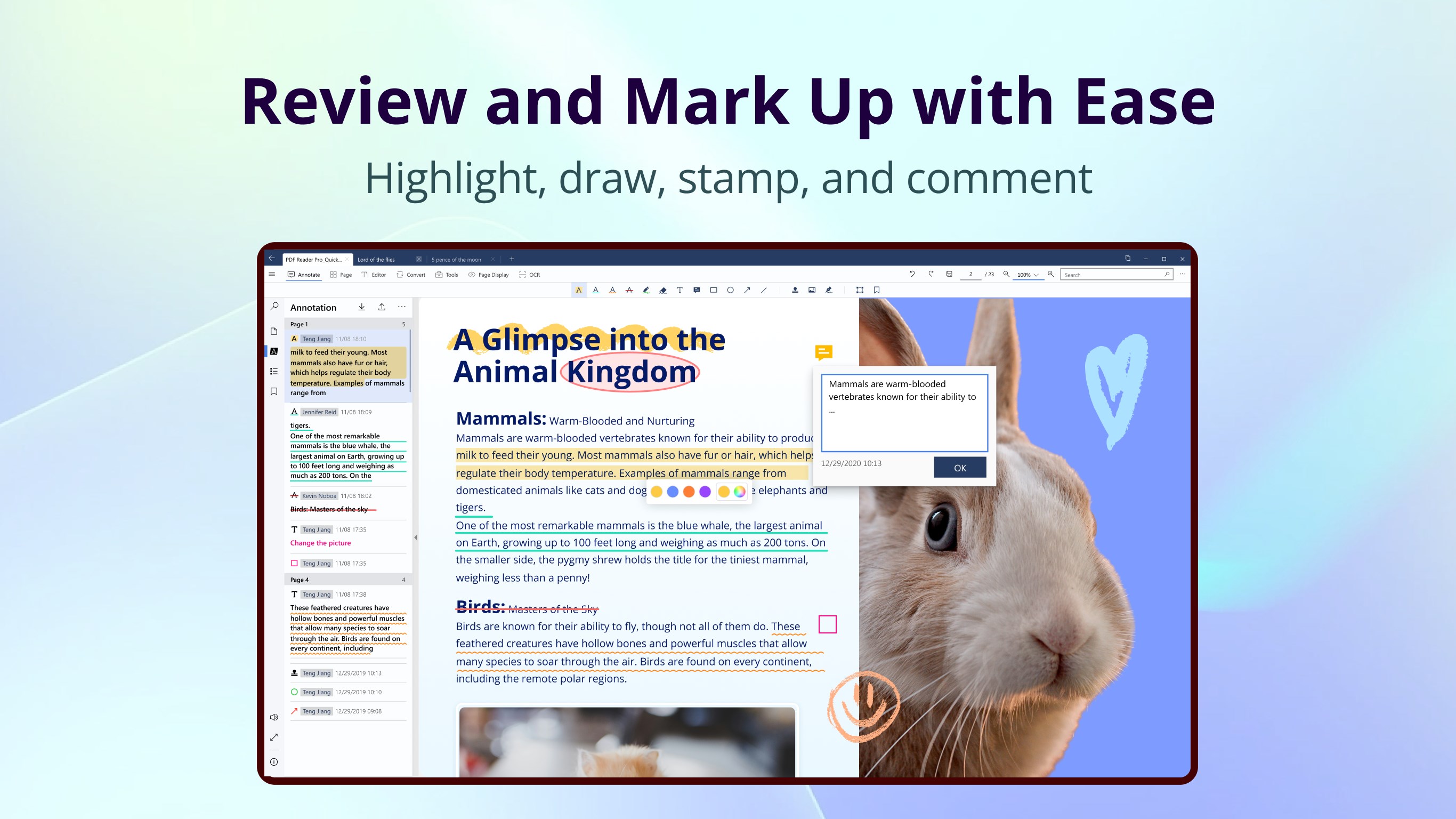
• Annotate PDFs with 15+ tools.
• Convert PDFs to Word/PPT/Excel/images and more.
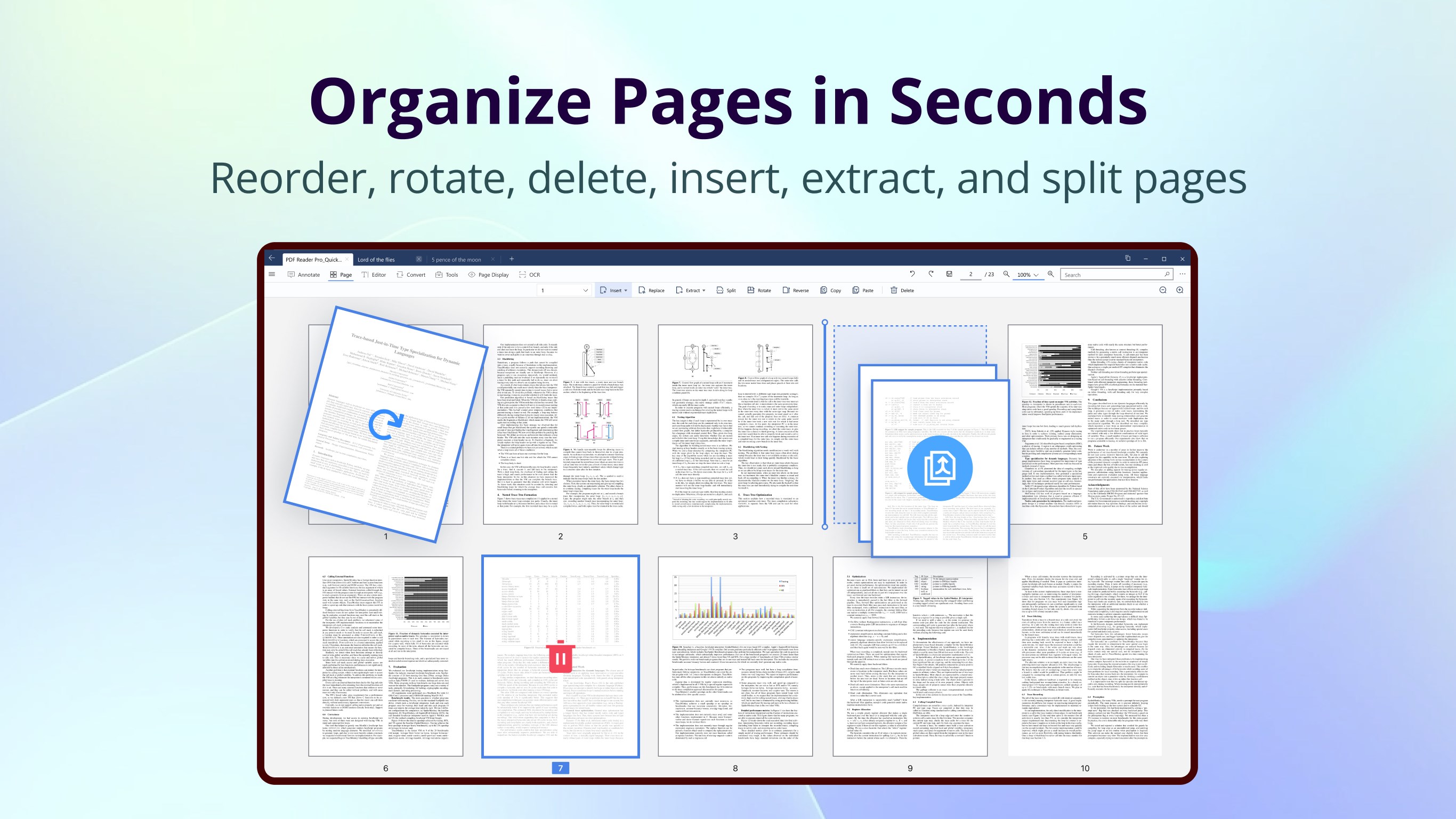
• Merge, insert, split, and rearrange PDF pages.
• Compress PDFs.
• Protect PDFs with passwords, watermarks, and more.
• Create electronic signatures.
• Batch process multiple PDFs.
PDF READER
• Vertical or horizontal scrolling; single-page, two-page, or full-screen modes
• Multi-tab viewing: Open multiple PDFs in one window
• Search text in PDFs
• Create bookmarks and outlines for quick navigation
• Dark mode for reading in low-light environments
• Listen to selected text with text to speech
• Multiple custom themes for different reading preferences (Pro)
• PPT slideshow mode and text-only mode (Pro)
• Split view: View different pages of the same document simultaneously (Pro)
PDF ANNOTATOR
• Mark up PDFs with highlight, underline, strikethrough, squiggly, freehand, shapes, text boxes, sticky notes, and more
• Stamps: Add custom or dynamic stamps (Pro)
• Links: Insert links to PDF pages, websites, or email addresses (Pro)
• Images: Insert custom images to enrich your files (Pro)
• Export/import annotations: Supports XFDF files (Pro)
PDF EDITOR
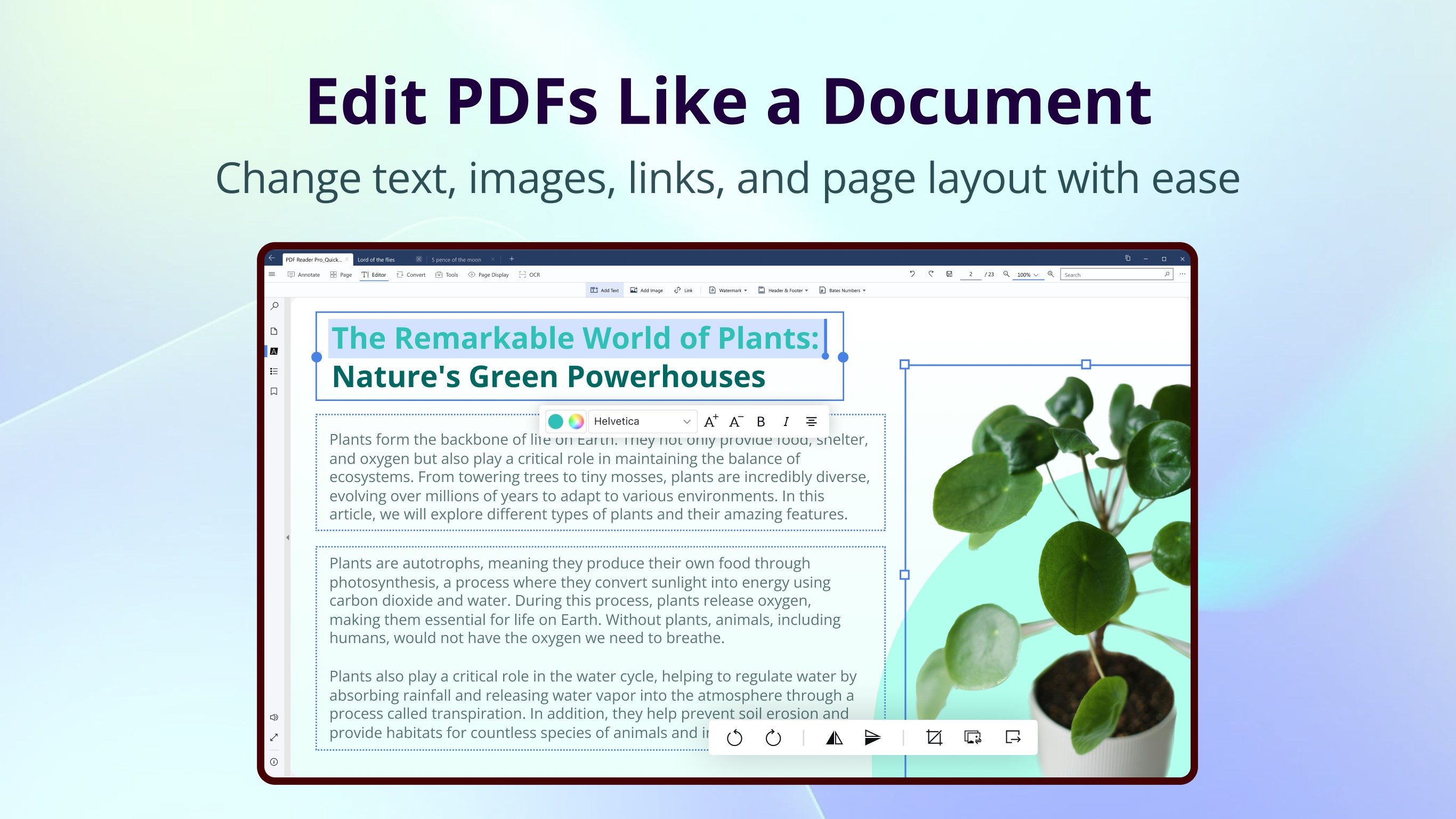
• Edit text: Correct PDF text and adjust font style, color, and size (Pro)
• Edit images: Rotate, crop, replace, delete, and rearrange images (Pro)
• Add headers, footers, page numbers, and Bates numbers (Pro)
• Create flattened copies to keep PDF content static (Pro)
PAGE EDITOR
• Extract specified PDF pages (Pro)
• Insert pages from another PDF or blank pages (Pro)
• Split by page range or divide a document evenly into multiple documents (Pro)
• Replace selected pages with pages from another PDF (Pro)
• Rotate, rearrange, copy, paste, and delete pages (Pro)
PDF CONVERTER
• Image to PDF: Convert JPEG, JPG, PNG, BMP, TIFF, and GIF images to PDF
• Convert PDF to Word, Excel, CSV, PowerPoint, HTML, TXT, and RTF (Pro)
• PDF to Markdown: Extract clean, flexible, editable content (Pro)
• PDF to JSON: Extract structured text, table, and image data (Pro)
• PDF to Image: Supports JPEG, PNG, JPG, GIF, TIFF, TGA, BMP, and JPEG 2000 (Pro)
• Configure worksheets, layouts, table extraction, HTML pages, JSON content, image formats, and resolution (Pro)
OCR TEXT RECOGNITION
• Scan PDFs with OCR to create editable or searchable PDF and TXT files (Pro)
• Automatically detect document languages or manually select OCR recognition languages (Pro)
• Extract text from selected areas, then copy or export the recognition results (Pro)
• Enable OCR during PDF conversion and image-to-PDF conversion (Pro)
COMPRESS PDF
• Compress PDFs to reduce file size and customize export quality (Pro)
MERGE PDF
• Merge multiple pages or PDFs into a new PDF (Pro)
FILL PDF FORMS
• Fully supports static forms compatible with Adobe Acrobat Reader (Pro)
• Fill interactive forms with text fields, checkboxes, radio buttons, combo boxes, list boxes, and more (Pro)
SIGN PDF
• Create electronic signatures with the keyboard, trackpad, or an image, then add them to PDFs (Pro)
PDF SECURITY
• Watermarks: Add text or image watermarks and save them as templates (Pro)
• Encryption: Set an open password and permissions for copying and printing
• Remove passwords from permission-protected PDFs (Pro)
BATCH PROCESSING
• Batch compress, password-protect, watermark, and convert PDFs (Pro)
*Features marked Pro are paid features. We offer a 7-day free trial during which you can use all Pro features.
If you have questions or suggestions, contact us.
Email: support@pdfreaderpro.com
Website: https://www.pdfreaderpro.com
Powered by ComPDF: https://www.compdf.com/
Contact ComPDF: support@compdf.com
Play Store URL for "PDF Reader Pro - PDF Editor & Converter"
If there is a version of this app for iOS/Mac or Windows we don't know about, paste the store link here — we'll auto-detect the store.
How to find the URL:1. Open the app in its store. 2.In the App Store app: tap the Share icon → “Copy Link”. In the browser: copy the URL from the address bar — it contains apps.apple.com/…/id… or apps.microsoft.com/detail/…. 3. Paste it here.
Paste the original link from the Apple App Store or Microsoft Store. We fetch all details automatically.
How to find the URL:
1. Open the app in its store. 2.In the App Store app: tap the Share icon → “Copy Link”. In the browser: copy the URL from the address bar — it contains apps.apple.com/…/id… or apps.microsoft.com/detail/…. 3. Paste it here.
Android apps can only be listed by their developer.





 PDF Extra - PDF Reader and PDF Editor
Edit, convert, sign and organize PDF documents
 PDF X: PDF Editor & PDF Reader
PDF editor to view, edit, sign, and convert documents
 PDF Reader - View and Edit PDF
Edit, convert, sign and analyze PDFs with AI tools
 PDF Expert: Editor & Reader
Read, annotate, fill and edit PDFs with AI-powered tools
 PDF24 Creator
Create, edit, convert and manage PDFs offline
 iLovePDF: PDF Reader and Editor
Edit, organize and convert PDFs offline