Screenshot appears after consentScreenshot appears after consentScreenshot appears after consentScreenshot appears after consentScreenshot appears after consentScreenshot appears after consentScreenshot appears after consentScreenshot appears after consent
Screenshot appears after consentScreenshot appears after consentScreenshot appears after consentScreenshot appears after consentScreenshot appears after consentScreenshot appears after consentScreenshot appears after consentScreenshot appears after consent
Screenshot appears after consentScreenshot appears after consentScreenshot appears after consentScreenshot appears after consentScreenshot appears after consentScreenshot appears after consentScreenshot appears after consent
Summary
Microsoft Clipchamp is a video editing app with a drag-and-drop interface for cutting, cropping, resizing and combining clips. It offers AI-powered tools such as auto compose for short videos, text-to-speech voiceovers in many languages and automatic captioning with downloadable transcripts. Screen, webcam and audio recording support tutorials, presentations and reaction videos, while a green screen tool allows background replacement. A library of stock videos, music, templates and a brand kit with logos and custom fonts is also included. Finished videos can be saved locally or published directly to platforms like YouTube, LinkedIn, TikTok and OneDrive.
Show the developer's original descriptionHide the original description
Create videos with a few clicks in Clipchamp, the easy video editor by Microsoft. This video maker is beginner-friendly with a drag-and-drop interface but has advanced video editing features to help you cut, crop and resize videos, record screen and webcam, edit green screen videos and even add AI voiceovers. Make engaging videos for social media, sales promo videos, in-depth tutorials, and more with Clipchamp.
Easy editing features:
Clipchamp's online video editor equips you with essential editing tools. You can cut, trim, crop, rotate, split, make a GIF, zoom in and out, speed up or slow down, and add or remove audio, filters and transitions. Plus, additional intelligent features can help you build your videos – no experience required.
Elevate your video editing with AI-powered features in Clipchamp:
- Effortlessly craft engaging short videos using auto compose.
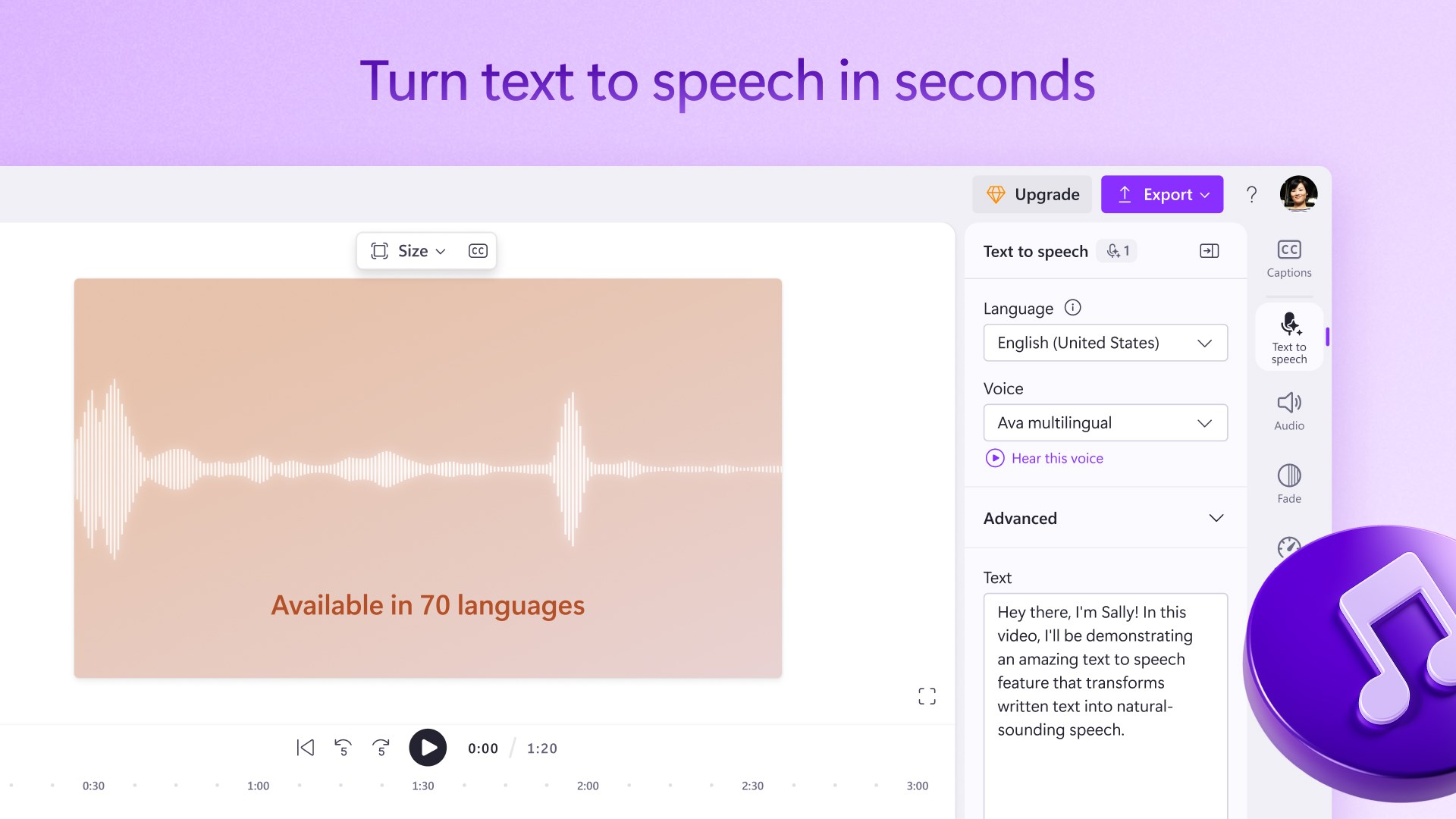
- Discover our text-to-speech feature, offering 170 AI voices for lifelike voiceovers. Select from diverse tones across various accents and 70 languages.
- Explore smart voice detection for autocaptions, swiftly generating captions and downloadable transcripts in 140 languages.
Record your audio, camera and screen:
Easily create screen recordings and edit them into tutorial videos, presentations, and even reaction videos. Enhance your videos’ clarity, professionalism, and accessibility by adding your own voiceover recording.
Captivating stock video and audio:
Search our library of curated themed stock collections to select high quality videos, animated backgrounds, stickers, annotations, music and sound effects to complete your creations. Choose from millions of royalty-free and premium stock options by exploring our intuitive content library.
Beginner-friendly templates, made by designers:
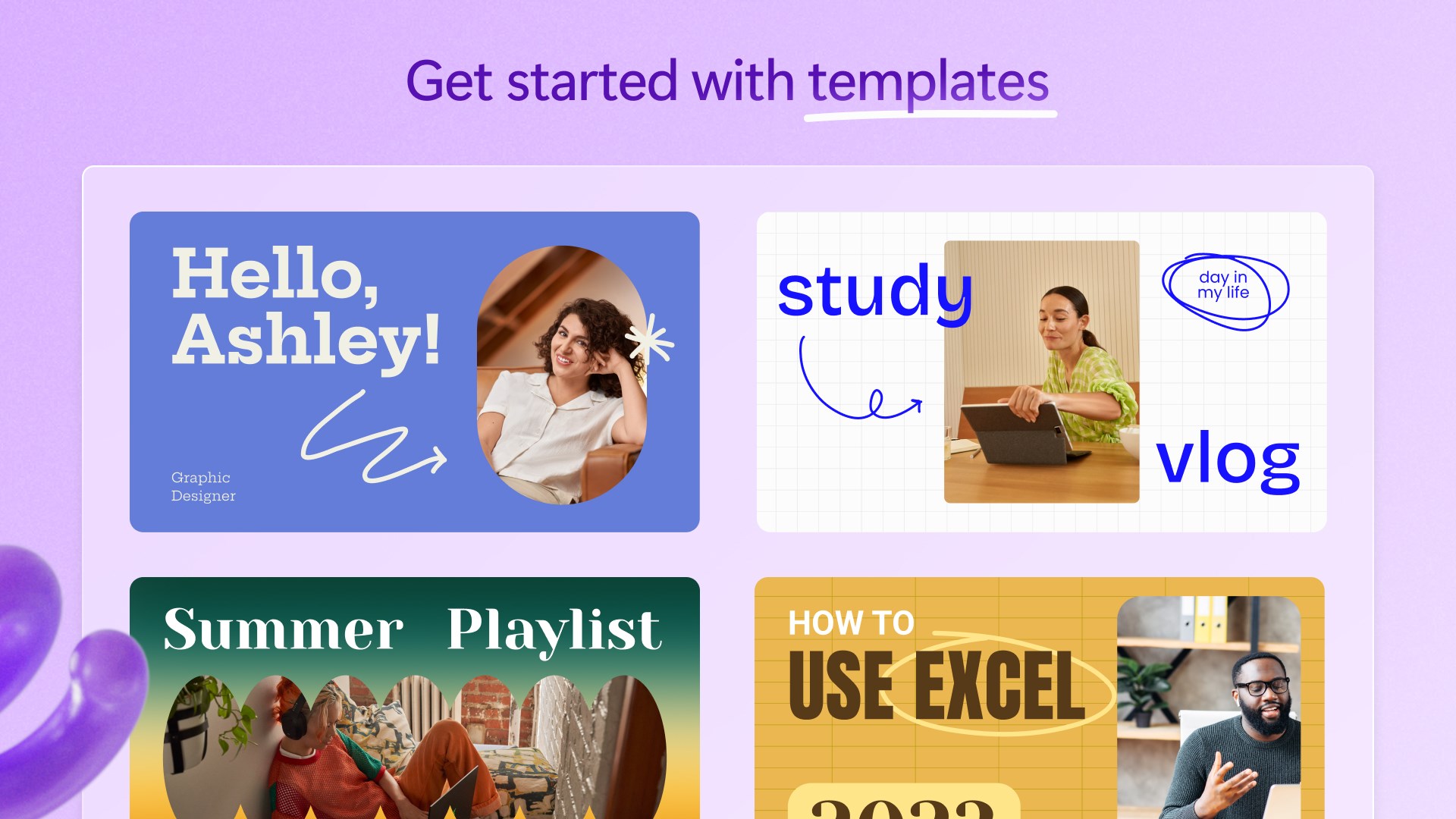
Create professional videos in minutes using free video templates. Customize your template with videos, text, branding, and background music. From YouTube gaming to sales, save time with editable video templates for any industry.
Save and share high-quality videos to your favorite apps:
Save videos directly to your computer for free in 480p, 720p, or 1080p resolution. Directly publish to YouTube, LinkedIn, TikTok, and OneDrive. If you’re low on computer storage, you can even save your videos with secure content backup options.
Special tools for creators:
- Make YouTube intros, gaming highlight videos, video invitations, collage videos, and even use Clipchamp to create video podcasts.
- Directly access Xbox clips with no file transfers necessary using the new Xbox import integration.
- Green screen video editor: Amaze your viewers with the background replace feature. Use chroma key effects to quickly replace parts of a video and add overlays.
- Meme maker: Create and share looped videos and entertaining GIFs.
Special tools for businesses:
- Brand kit: Upload your brand logo, custom font, colors, and watermark, and apply to any video using our brand kit.
- Edit corporate videos: Skip long emails and make videos with the webcam recorder or polish your meeting recordings with ease.
Intuitive shortcuts help you edit faster:
- Resize video to landscape, portrait, square, social, vertical, or cinematic with a single click
- Remove unwanted gaps between multiple video clips to maintain continuity
- Co-ordinate your video layers and easily edit your video groups
- Try accessible editing with keyboard shortcuts
Subscription plan:
Access additional premium features with a Microsoft 365 Personal or Family subscription. Explore high-definition 4K UHD video exports, premium stock assets, access the brand kit tool, and backup videos safely to OneDrive so you can pick up where you left off on any device.
Send us feedback and feature requests:
Leave us a rating and review in the App Store so others can join in on the fun.
If there is a version of this app for iOS/Mac or Windows we don't know about, paste the store link here — we'll auto-detect the store.
How to find the URL:1. Open the app in its store. 2.In the App Store app: tap the Share icon → “Copy Link”. In the browser: copy the URL from the address bar — it contains apps.apple.com/…/id… or apps.microsoft.com/detail/…. 3. Paste it here.
Paste the original link from the Apple App Store or Microsoft Store. We fetch all details automatically.
How to find the URL:
1. Open the app in its store. 2.In the App Store app: tap the Share icon → “Copy Link”. In the browser: copy the URL from the address bar — it contains apps.apple.com/…/id… or apps.microsoft.com/detail/…. 3. Paste it here.
Android apps can only be listed by their developer.






 Verba: AI Edits, Video Reels
Edit videos with AI captions and publish in high resolution
 Kling AI: AI Image&Video Maker
Generate and edit videos and images with AI
 CapCut
Edit videos and photos with effects, transitions, and AI
 Videoleap: AI Video Editor
Create videos with AI tools, effects and templates
 PowerDirector 365 – AI Video Editor & Generator
Edit videos with AI tools and effects
 AI Video Generator +
Generate videos from text or images using AI