Screenshot appears after consentScreenshot appears after consentScreenshot appears after consentScreenshot appears after consentScreenshot appears after consent
Summary
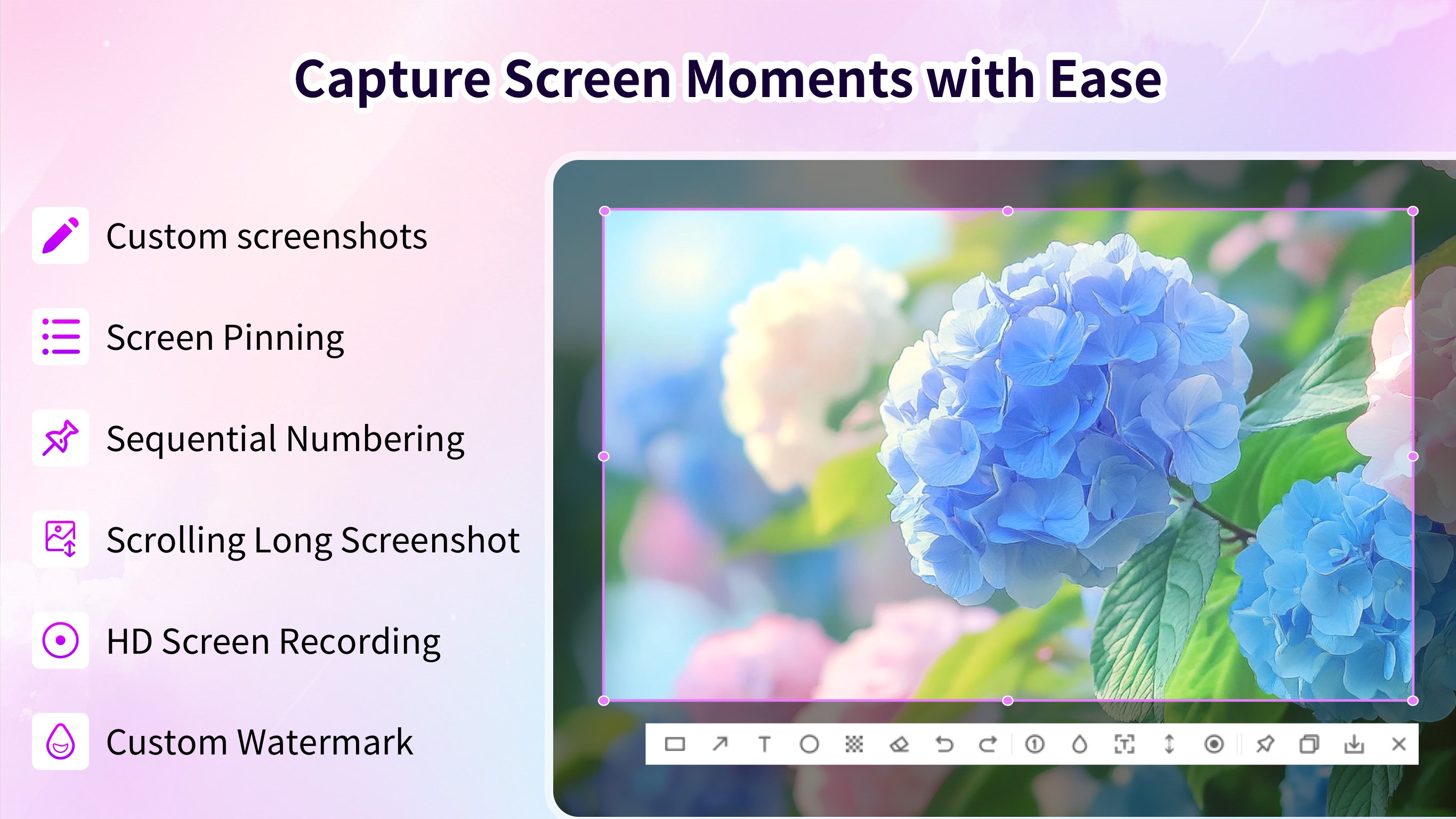
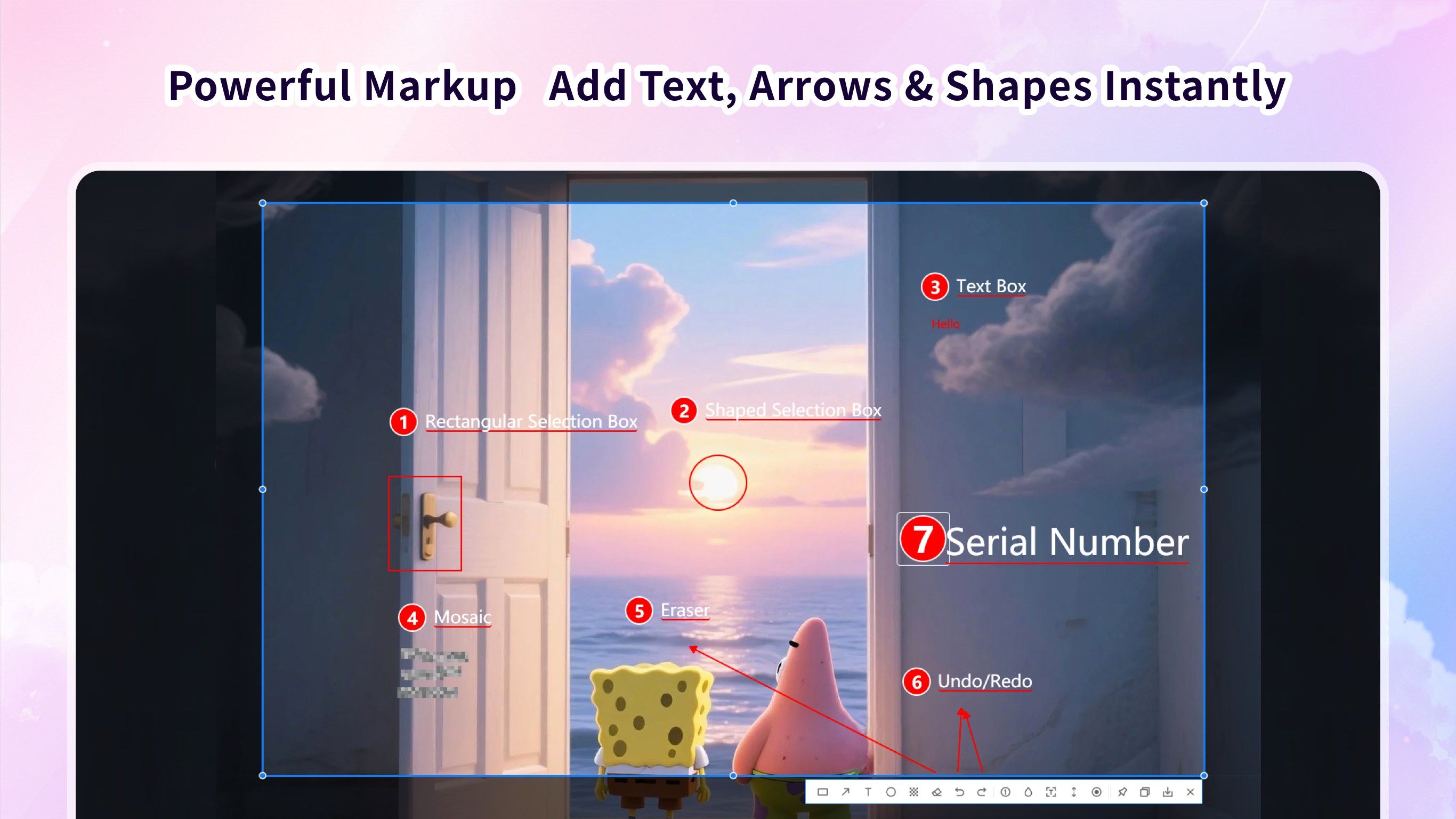
Screenshot - Screen Capture & OCR is a utility for capturing screenshots and recording screens on Windows. It captures the full screen, active windows, or custom regions, including scrolling long screenshots of webpages and documents. Its OCR function extracts editable text from screenshots, images and PDFs in one click. Annotation tools include shapes, arrows, freehand drawing, text, numbered markers, and mosaic or blur tools for hiding sensitive information, along with unlimited undo and redo. Edited screenshots can be copied to the clipboard or saved as PNG or JPG files.
Show the developer's original descriptionHide the original description
Capture screenshots, extract text and record your screen on Windows. This PC screenshot software combines scrolling capture, OCR, annotation and screen recording for work reports, tutorials and everyday tasks.
Capture what you need, add clear explanations, and copy or save the result.
SCREENSHOT CAPTURE
• Capture your full screen, a window or a custom region.
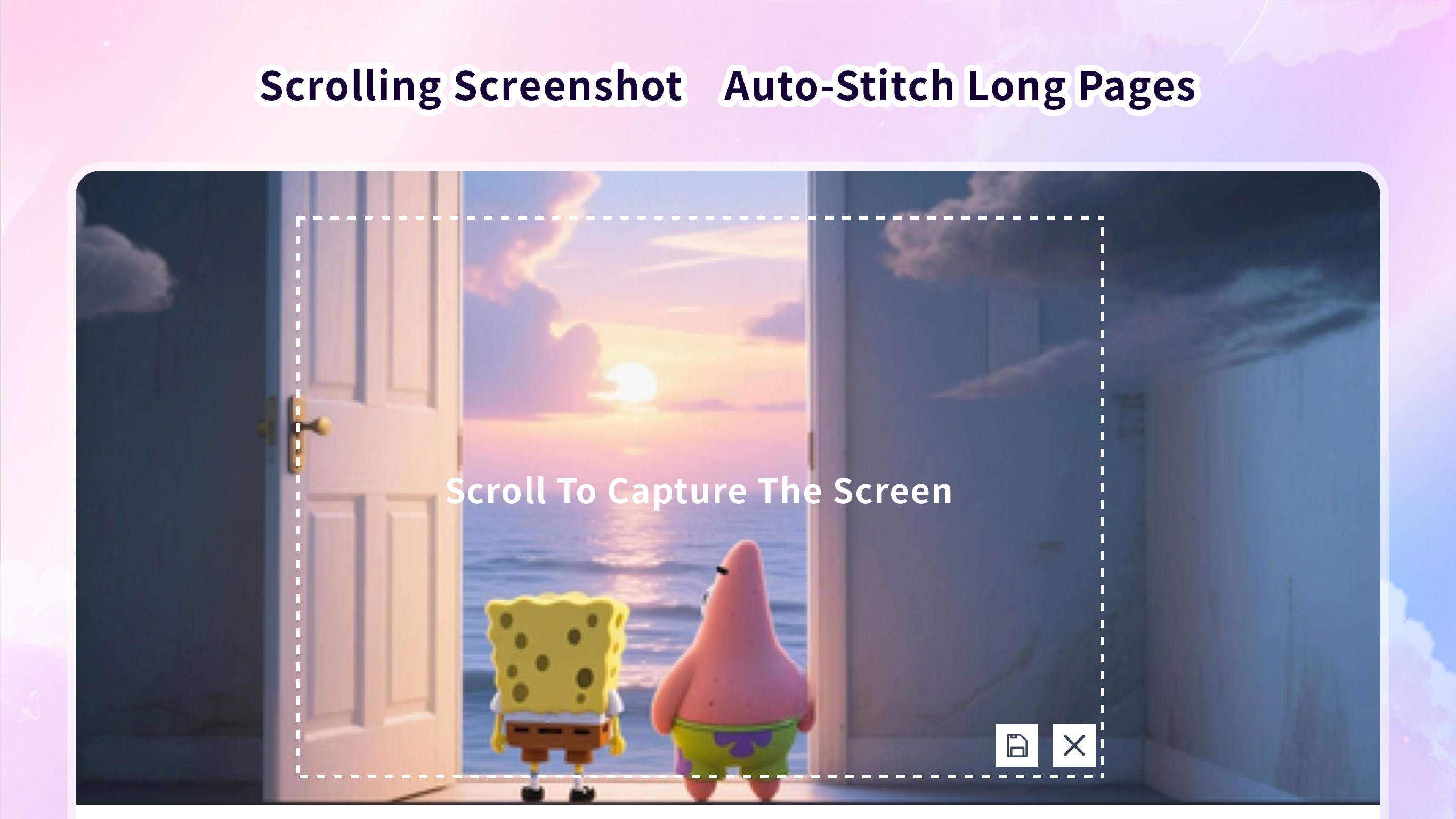
• Take scrolling and full page screenshots of webpages and documents.
• Capture content from PDF pages.
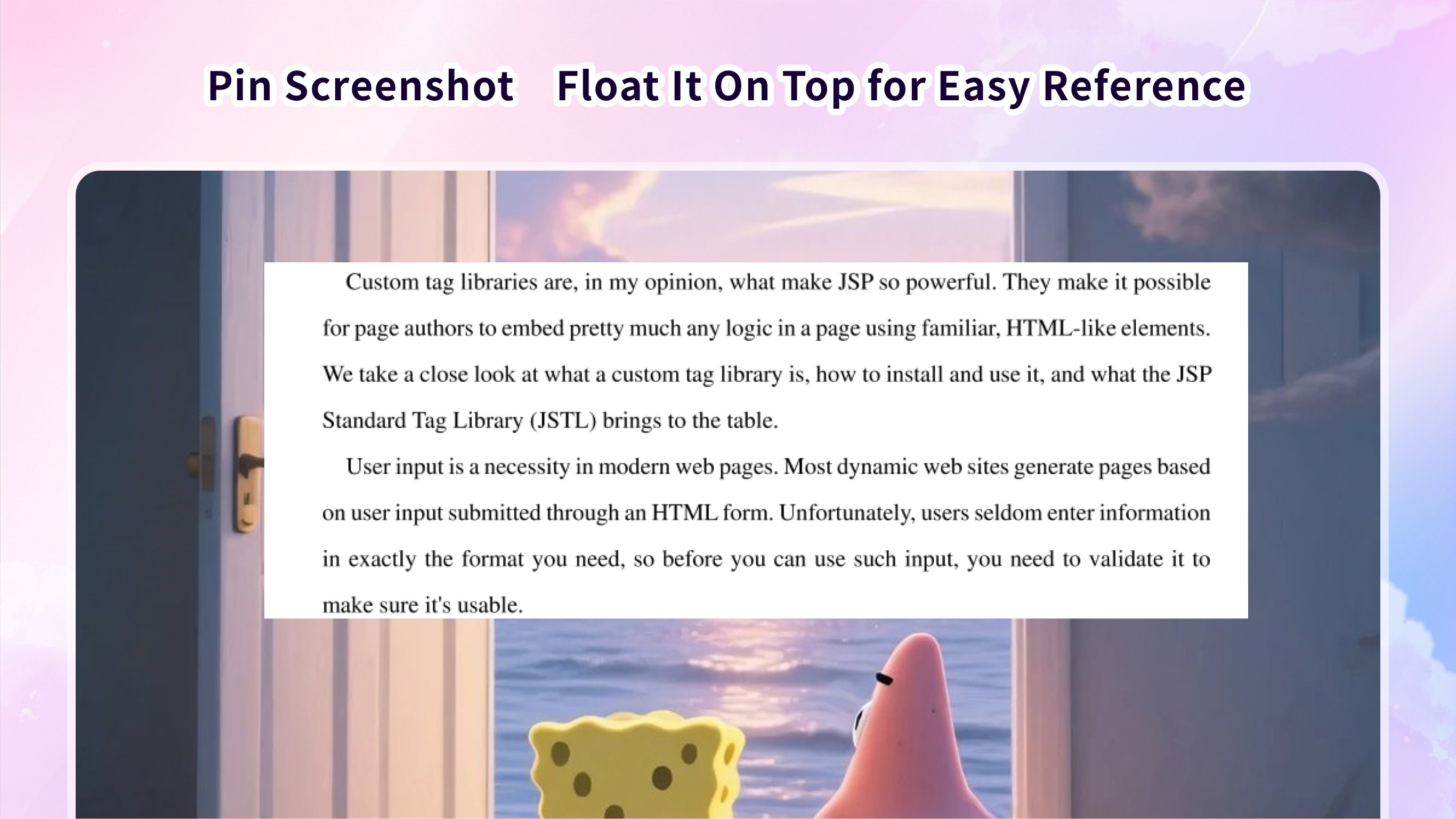
• Pin a screenshot on your screen for reference while you work.
• Set custom hotkeys to start a capture and access common tools.
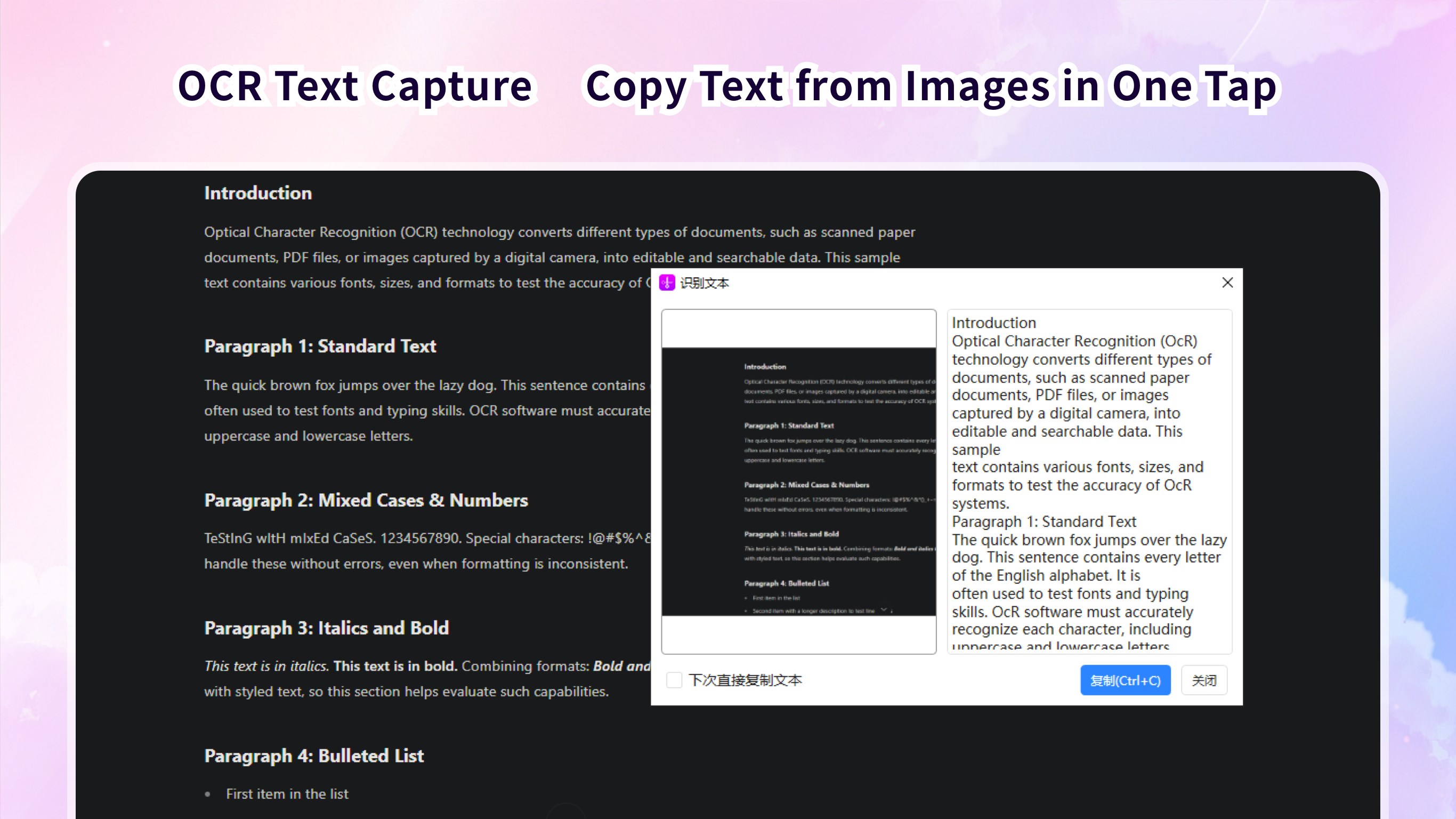
OCR: SCREENSHOT TO TEXT
Convert an image to text without retyping. Extract text from screenshots, images and PDFs, then copy and paste it into notes, documents or other apps.
Use OCR to copy printed text from reference images, reports and PDF documents, reducing manual typing in everyday work.
SCREENSHOT EDITING AND ANNOTATION
• Add text, arrows, rectangles, circles, lines and freehand marks.
• Add sequential numbers to explain a process step by step.
• Apply a custom text watermark.
• Hide sensitive details with blur or mosaic before sharing.
• Undo and redo edits as you work.
SCREEN RECORDING WITH AUDIO
Use the screen recorder to capture your full screen or a window with audio. Create HD software demonstrations, tutorials and walkthroughs to show each step clearly.
COPY AND SAVE
Copy edited screenshots to the clipboard and paste them into emails, Word documents and other apps.
Save screenshots as PNG or JPG files, and choose a default save folder for quick access.
Whether you need a quick snapshot, a scrolling screenshot, text from an image or a screen recording, keep these tools together in one Windows app.
⚠️ The current version is the free acquisition version, which includes restrictions on the long screenshot function. If you are satisfied with the product, you can experience the complete product functions by purchasing relevant in-app services. You can choose to subscribe to the software monthly or annually, and the fee will be deducted from your Microsoft account at the renewal time. You can also choose to purchase a permanent membership, pay once, and use it permanently.
Play Store URL for "Screenshot - Screen Capture & OCR"
If there is a version of this app for iOS/Mac or Windows we don't know about, paste the store link here — we'll auto-detect the store.
How to find the URL:1. Open the app in its store. 2.In the App Store app: tap the Share icon → “Copy Link”. In the browser: copy the URL from the address bar — it contains apps.apple.com/…/id… or apps.microsoft.com/detail/…. 3. Paste it here.
Paste the original link from the Apple App Store or Microsoft Store. We fetch all details automatically.
How to find the URL:
1. Open the app in its store. 2.In the App Store app: tap the Share icon → “Copy Link”. In the browser: copy the URL from the address bar — it contains apps.apple.com/…/id… or apps.microsoft.com/detail/…. 3. Paste it here.
Android apps can only be listed by their developer.



 Screenshot HD
Capture, annotate screenshots and extract text via OCR
 Screen recorder - Screen record & Screen capture
Record screen activity with audio and video
 Screenbits - Screen Recorder
Record screen, audio and webcam in HD or 4K
 TapRecord: Screen Recorder
Record screen, audio and webcam in HD, then trim videos
 Screen Recorder Plus - Screen & Webcam Recorder
Record and share screen content in HD
 Screen Recorder - App
Record screen and audio with customizable settings