Screenshot appears after consentScreenshot appears after consentScreenshot appears after consentScreenshot appears after consentScreenshot appears after consentScreenshot appears after consent
Summary
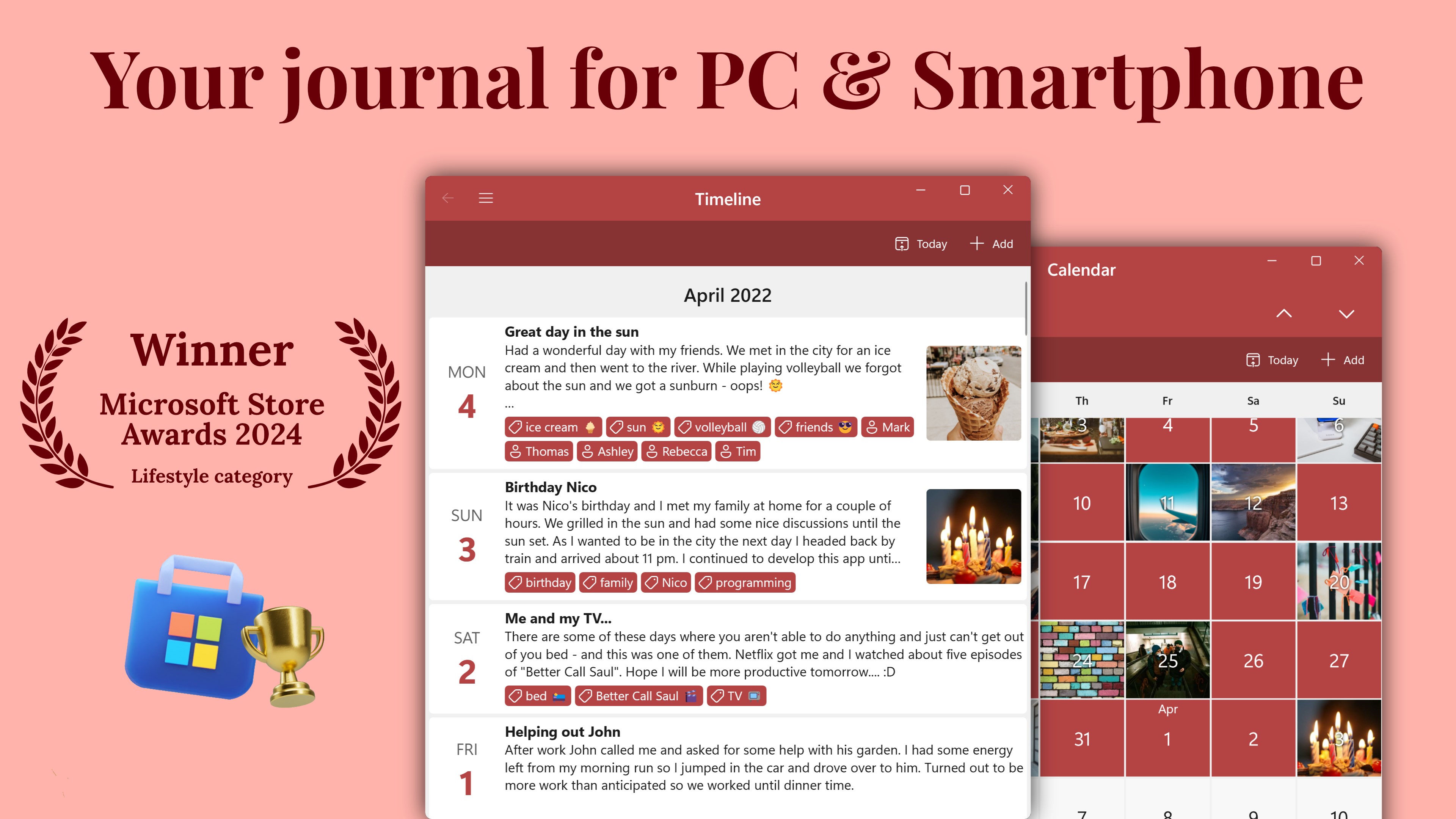
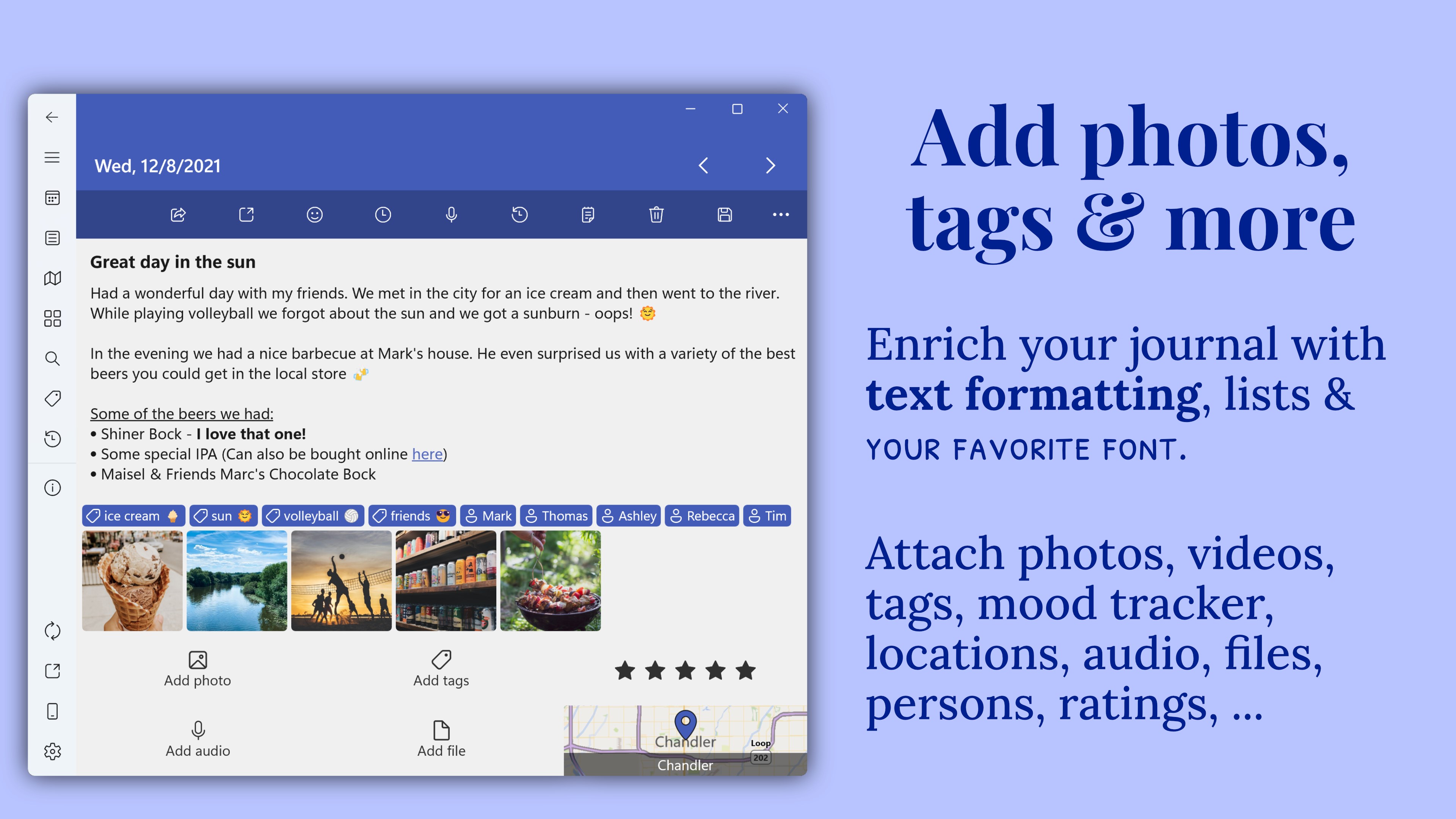
Diarium: Journal, Diary & Daily Notes is a journaling app that organizes daily notes, photos, moods, trips and personal memories in a private timeline. Entries can include formatted text, lists, photos, drawings, audio recordings, files, tags, people, ratings and locations. Mood can be tracked with star ratings and tracker tags, and entries can be reviewed through calendar, timeline, map and memory views. The journal can be locked with a password, PIN or Windows Hello, and optional sync relies on the user's own cloud storage such as OneDrive, Google Drive, Dropbox, iCloud or WebDAV.
Show the developer's original descriptionHide the original description
Turn everyday notes, photos, moods, trips, and reflections into a private personal timeline you will want to revisit. Diarium brings quick daily writing and rich multimedia memories together, with practical tools for gratitude, travel, reflection, and consistent journaling.
Capture more than words
Write formatted entries and lists, then add photos, drawings, audio recordings, files, tags, people, ratings, and locations. Save a quick daily note or build a detailed memory with the context that makes it meaningful.
Make journaling fit your life
• Build a daily writing habit with reminders
• Record your mood using star ratings and tracker tags
• Keep a gratitude journal or bullet journal-style routine
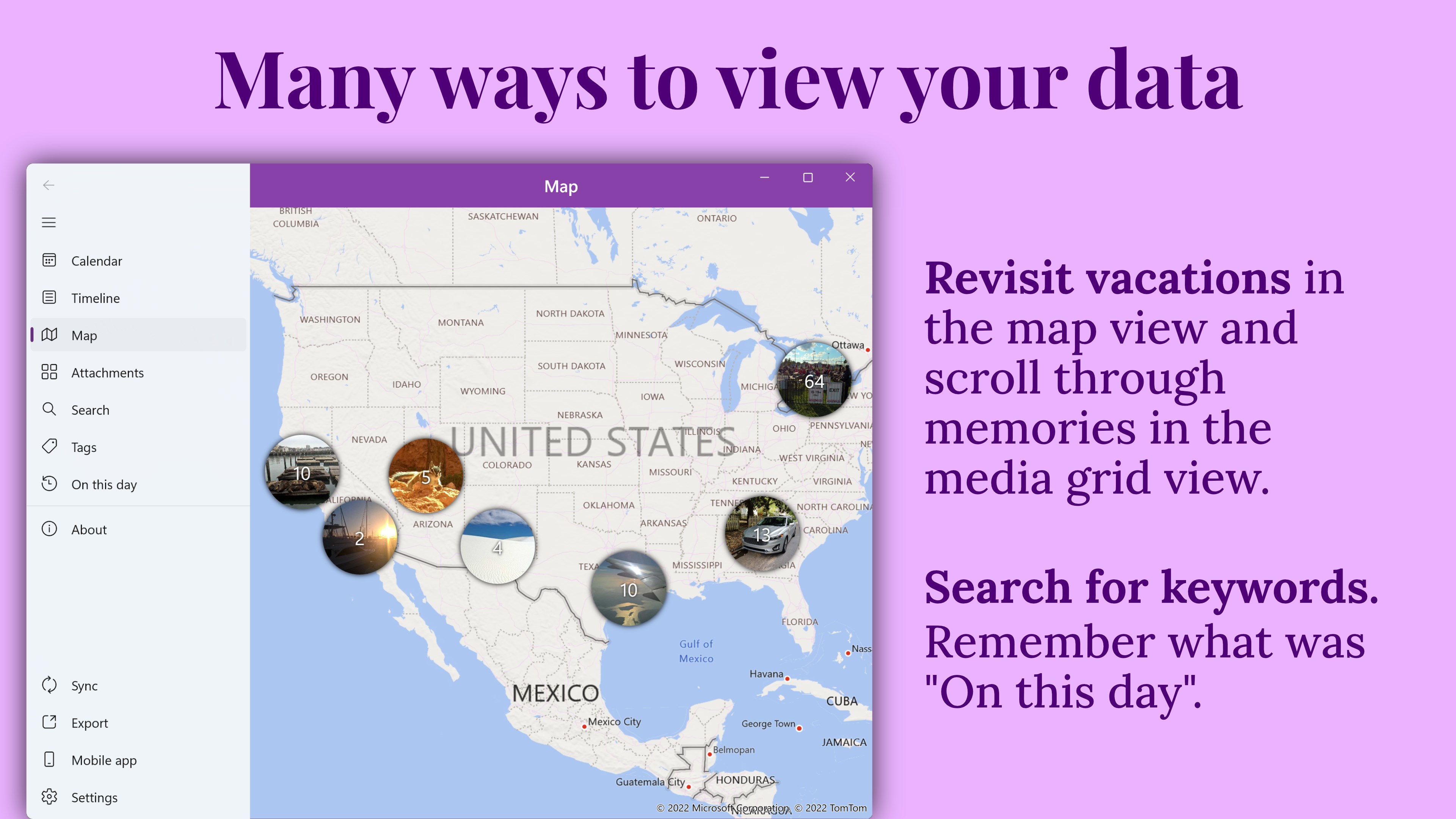
• Create photo and travel journals with locations and a map view
• Revisit memories through timeline, calendar, map, and memory-focused views
Find what matters later
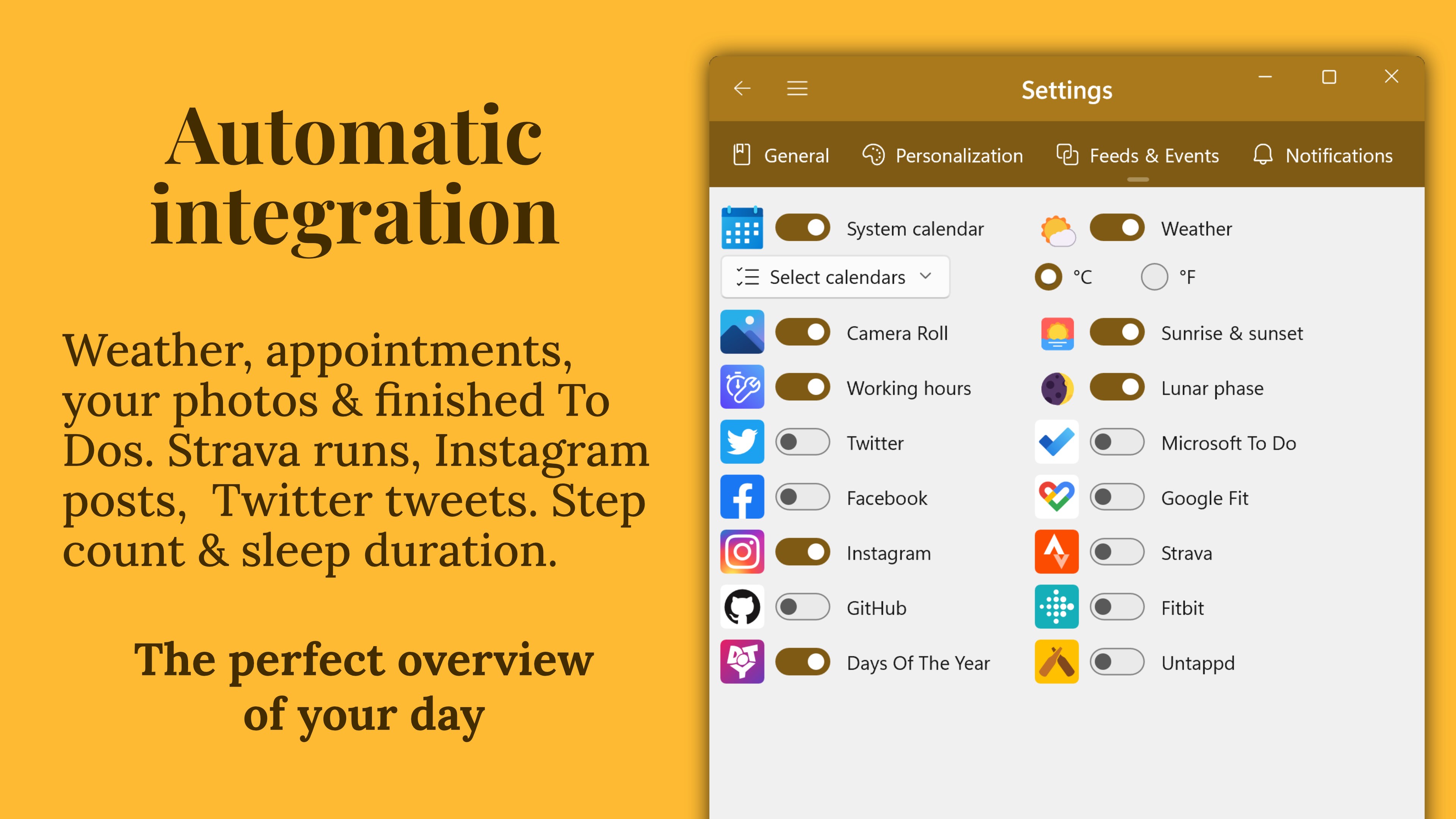
Search, filter, and organize entries with tags and people so older moments remain easy to find. Supported Windows integrations can automatically add helpful context from your camera roll, calendar, weather, completed tasks, activity, sleep, workouts, personal metrics, social activity, and entertainment activity. Sources include WorkingHours, Microsoft To Do, Todoist, GitHub, Google Fit, Strava, Fitbit, Trakt, Last.fm, and other supported services.
Private and under your control
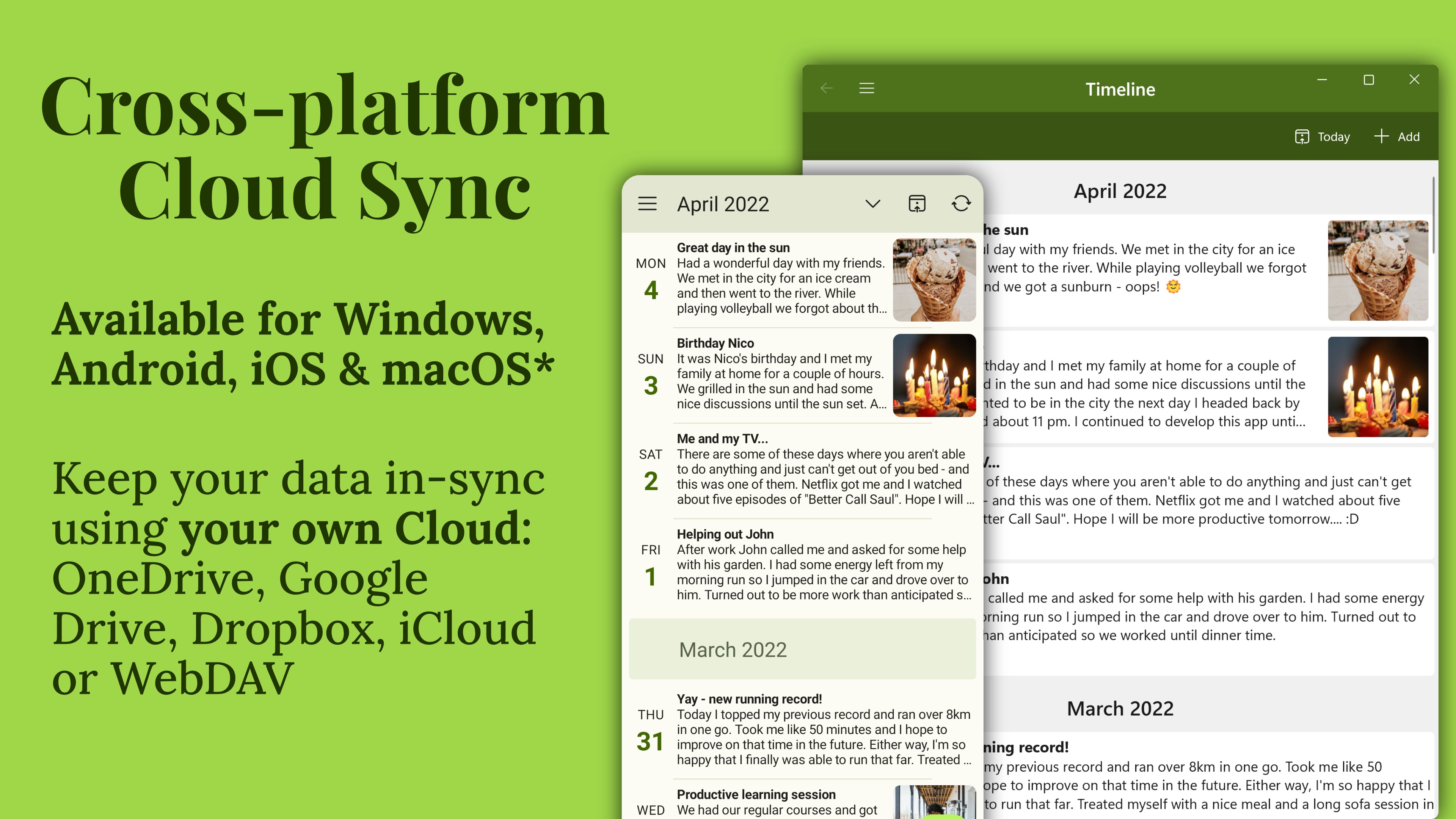
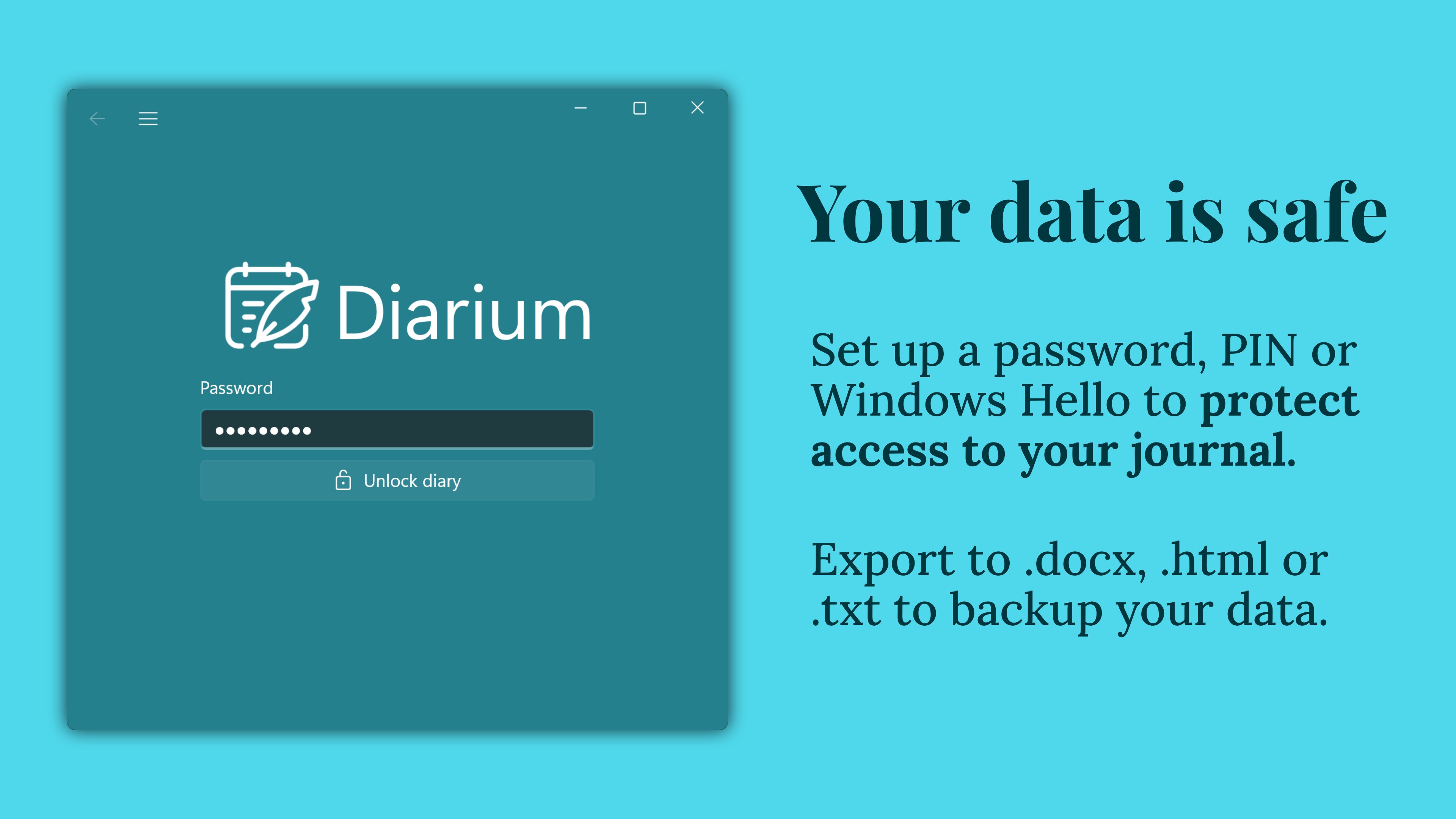
Lock your journal with a password, PIN, or Windows Hello. Optional sync uses your own cloud storage—OneDrive, Google Drive, Dropbox, iCloud, or WebDAV—and does not require a proprietary Diarium account.
Continue wherever you write
Diarium is available for Windows, Android, iOS, and macOS. With optional own-cloud sync, you can continue your journal across supported phone, tablet, laptop, and desktop versions while keeping your data in your chosen cloud account.
Bring your history with you
Back up your diary database or migrate entries from supported apps such as Day One, Diaro, Journey, Daylio, Evernote, and Memorize. Export entries as Word, HTML, JSON, or plain text for archiving, printing, or further use.
Diarium is paid upfront for Windows, with no separate Pro upgrade, ads, subscription, or in-app purchases. Your purchase is linked to your Microsoft account and unlocks paid access for Windows; a separate Pro or paid purchase may be required on other platforms.
Play Store URL for "Diarium: Journal, Diary & Daily Notes"
If there is a version of this app for iOS/Mac or Windows we don't know about, paste the store link here — we'll auto-detect the store.
How to find the URL:1. Open the app in its store. 2.In the App Store app: tap the Share icon → “Copy Link”. In the browser: copy the URL from the address bar — it contains apps.apple.com/…/id… or apps.microsoft.com/detail/…. 3. Paste it here.
Paste the original link from the Apple App Store or Microsoft Store. We fetch all details automatically.
How to find the URL:
1. Open the app in its store. 2.In the App Store app: tap the Share icon → “Copy Link”. In the browser: copy the URL from the address bar — it contains apps.apple.com/…/id… or apps.microsoft.com/detail/…. 3. Paste it here.
Android apps can only be listed by their developer.



 Diarly: Diary, Private Journal
Private journal app with mood tracker and writing prompts
 My Diary - DailyLife and Journal
Write diary entries with text, photos and voice
 Day One: Daily Journal & Diary
Digital journal for text, photos, audio and video entries
 Parchment: Agenda & Daily Note
Daily journal combining writing, calendar and reminders
 5 Minute Journal・Daily Diary
Daily gratitude journal with guided prompts
 To write (notes, notepad)
Notes with lists, audio recordings, photos and drawings